linkedin
Foxit PDF Editor logo
play PDF Advanced editing | PDF Editor | Advanced editing on PDF documents | Foxit
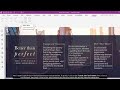
foxit-pdf editor dashboard
foxit-pdf-editor-text

Foxit PDF Editor

Brand: FOXIT

  • 4.3

  • 4 Ratings & 1 Review

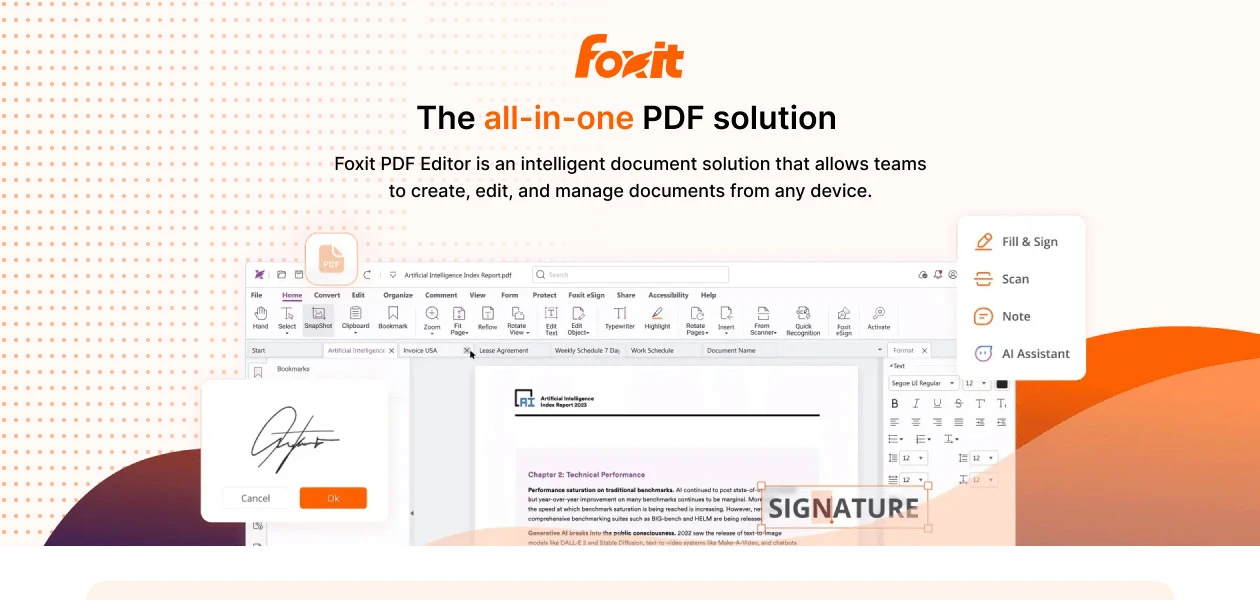
Foxit PDF Editor is an all-in-one, AI-powered PDF solution for seamless editing, collaboration, and security. From smart redact to binding eSignatures, it can transform how you create, manage, and share documents—fast, efficient, and effortless!

See More

Have you used Foxit PDF Editor before?

Share your insights for better experience

Add a Review
Starting Price 40% OFF
₹12,000 excl.GST  ₹20,000
₹ 14,160 incl. GST

View plans

offer Save upto 18%, Get GST Invoice on your business purchase T&C
offer Buy Now & Pay Later, Check offer on payment page.
Buy Now
100% Genuine
Products
Best Price
Guaranteed
Safe & Secure
Payment
  • Description

  • Pricing

  • Features

  • Specification

  • Review

  • Compare

  • Alternatives

  • FAQ

Starting at ₹12,000
Buy Now

Foxit PDF Editor Software Overview

What is Foxit PDF Editor?

Foxit PDF Editor is a smart tool that helps you create, edit, sign, and protect PDF files easily. It works like a digital notebook where you can change text, add pictures, and even sign documents without printing them.

With its AI-powered features, you can summarize long documents, hide sensitive information, and work with others in real time. It’s a fast, easy, and secure way to manage PDFs, perfect for school, work, or personal use.

Why Choose Foxit PDF Editor?

Here’s why this PDF editing software is the go-to solution for professionals and businesses:

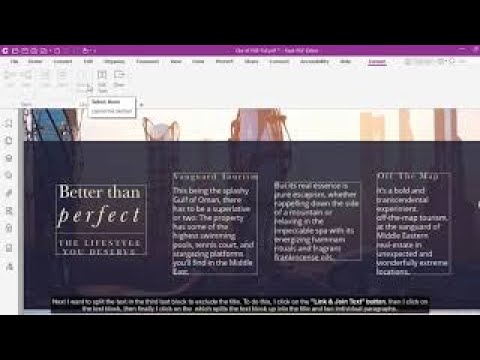
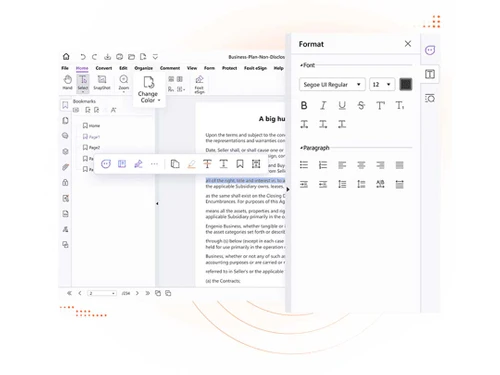
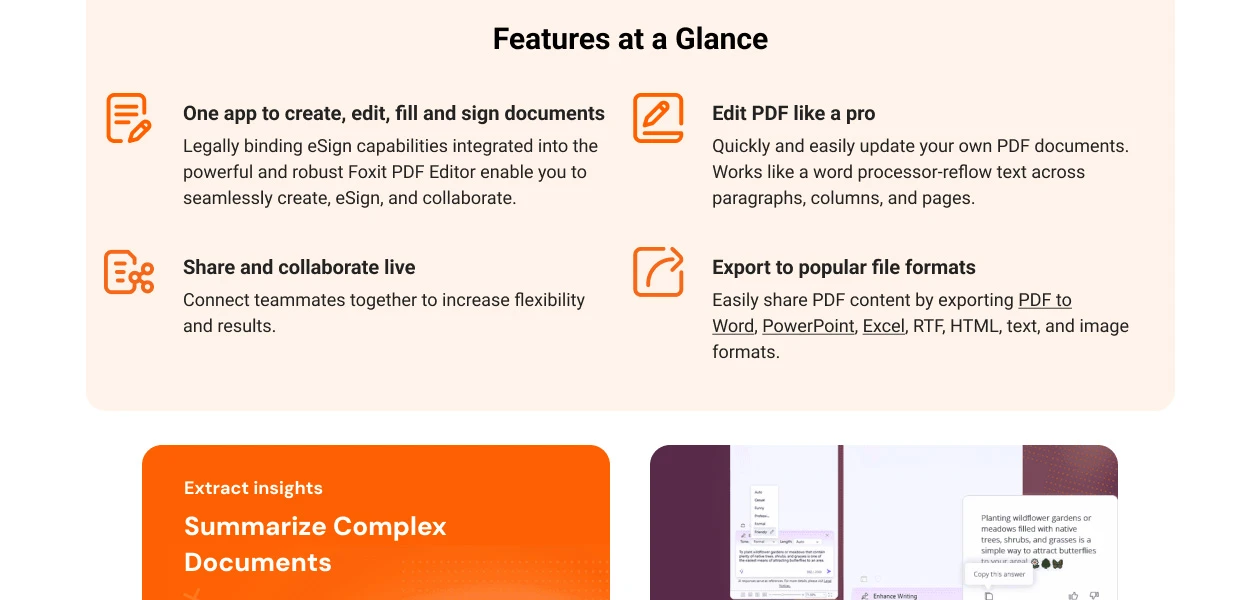
  • Advanced PDF Editing: Modify text, images, and layouts with a word processor-like experience. Adjust fonts, line spacing, and formatting effortlessly.
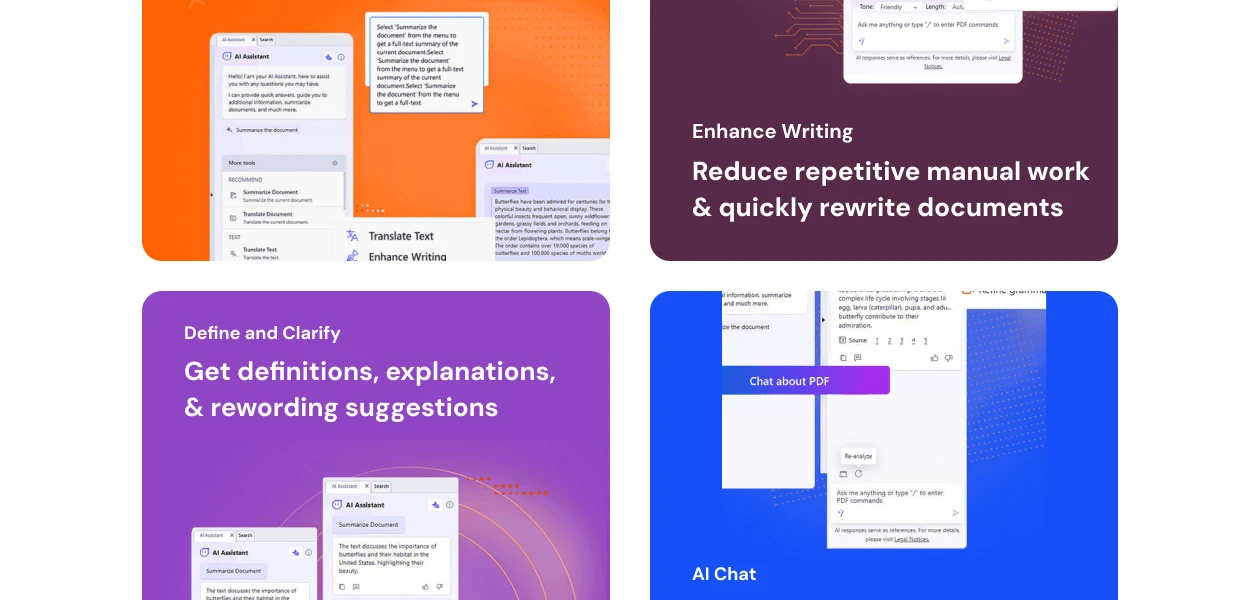
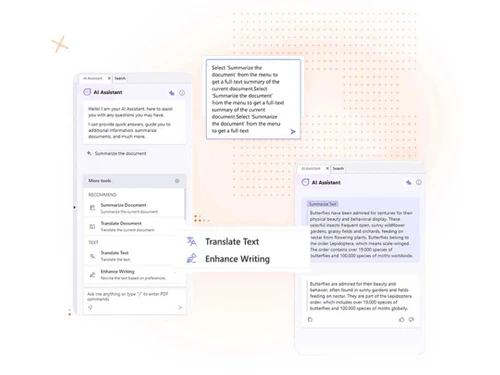
  • AI-Powered Assistance: Summarize long documents, extract key insights, enhance writing, and even translate text with AI.
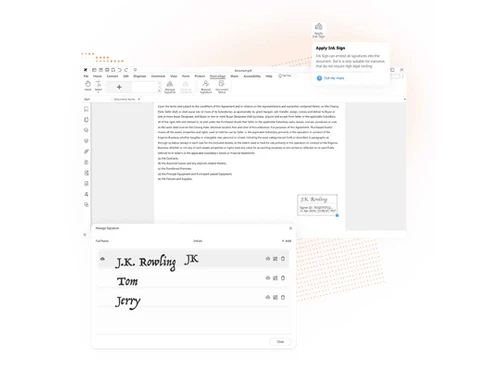
  • Seamless eSignature Integration: Foxit’s legally binding eSignatures allow for secure document signing and approval workflows.
  • Real-Time Collaboration: With this tool, you can share and edit PDFs with teammates instantly, integrate with cloud storage, and manage feedback in one place.
  • Secure & Compliant: Protect documents with password encryption, redaction, digital signatures, and Microsoft AIP compliance.
  • Convert & Export: Easily export PDFs to Word, Excel, PowerPoint, HTML, and image formats while maintaining document integrity.
  • OCR & Scanning: Users can convert scanned documents into searchable, editable PDFs with Optical Character Recognition (OCR).
  • Multi-Device Accessibility: Available on Windows, Mac, iOS, and Android for seamless cross-platform usage.

Pricing of Foxit PDF Editor

Foxit PDF editor’s pricing starts from INR 12,000 at techjockey.com.

Its price may vary based on factors like customization, additional features required, number of users, and the deployment type. Please request a call back for subscription-related details and to avail offers on premium packages.

Read more

FOXIT Company Details

Founded Year:  2001

Founded in 2001, Foxit is a leading provider of innovative PDF and eSignature products and services, helping knowledge workers increase productivity and do more with documents.

Director/Founders Jenny Burley
Company Size 1-100 Employees

Foxit PDF Editor Pricing & Plans

PDF Editor

Calculated Price

12000 ₹20000
SAVE UPTO 40%
Exclusive of all taxes
    • Licenses

      Licenses
      Licenses
    • Yearly

      Yearly
      Yearly

Key Features

  • Desktop + web

  • AI-Assistant

  • Professional PDF Editing Capabilities

  • Access to 20GB of cloud storage

  • Documents, merge, rotate, reorder, delete, & split

  • Edit text and images in a PDF

PDF Editor+

Calculated Price

15300 ₹25000
SAVE UPTO 39%
Exclusive of all taxes
    • Licenses

      Licenses
      Licenses
    • Yearly

      Yearly
      Yearly

Key Features

  • Desktop + web + mobile

  • AI-Assistant +/ AI Smart Redact

  • Document management with legally binding eSignatur

  • Access to 150GB of cloud storage

  • All Features of PDF Editor

  • Sign documents, request signatures

PDF Editor (Perpetual)

Calculated Price

19850 ₹28000
SAVE UPTO 29%
Exclusive of all taxes
  • Options

    • Licenses (LifeTime)

      Licenses (LifeTime)
      Licenses (LifeTime)

Key Features

  • Desktop + web

  • AI-Assistant

  • Professional PDF Editing Capabilities

  • Documents, merge, rotate, reorder, delete, & split

  • Edit text and images in a PDF

Foxit PDF Editor Features

  • icon_check AI Assistant
    Get smart suggestions and faster document handling with AI support.
  • icon_check Edit PDFs
    Modify text, images, and objects directly in PDF files.
  • icon_check Convert PDFs
    Change PDFs into Word, Excel, PowerPoint, text, or image formats.
  • icon_check Create PDFs
    Generate PDFs from files, scans, or Office applications.
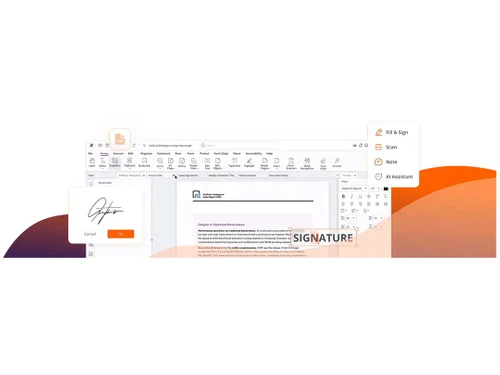
  • icon_check Fill & Sign
    Complete forms and add digital or electronic signatures.
  • icon_check Secure PDFs
    Protect files with encryption, passwords, and digital certificates.
  • icon_check File Compare
    Compare two PDF documents side by side to spot differences.
  • icon_check Scan & OCR
    Convert scanned documents into editable and searchable text.
  • icon_check File Management
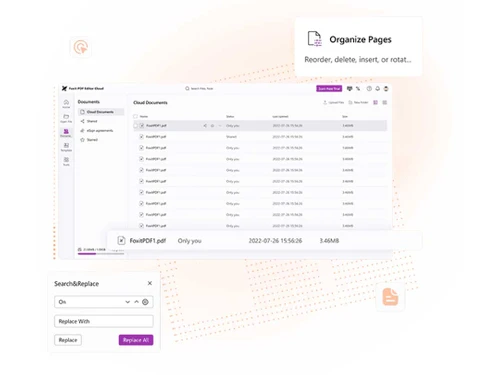
    Organize, merge, split, and rearrange PDF files easily.
  • icon_check Cloud Integration
    Work seamlessly with Google Drive, OneDrive, Dropbox, and Box.
  • icon_check Annotations
    Highlight, comment, or add notes for review and feedback.
  • icon_check Measure & Validate
    Measure distances, areas, and validate technical drawings.
  • icon_check AI Smart Redact
    Automatically detect and remove sensitive information.
  • icon_check Cloud Storage & Version Control
    Store files online and track document versions.
  • icon_check PDF Forms & Automation
    Create interactive forms and automate form handling.
  • icon_check Enterprise-Grade Integration
    Connect with business tools like SharePoint and DocuSign.
  • icon_check Accessibility Compliance
    Ensure PDFs meet accessibility standards for all users.
  • icon_check Batch Processing
    Apply edits, conversions, or protections to multiple files at once.
Foxit PDF Editor Demo Video play icon

Get Foxit PDF Editor Demo

Watch the demo video to explore key features, real workflows, and how the software fits your business needs.
Understand
Key Features
Personal
Demo Insights
Interactive
Demo Support
Product Enrichment Section Image

Foxit PDF Editor Specifications

Supported Platforms
Windows Windows iOS iOS Android Android MacOS MacOS
Devices
Desktop Desktop Mobile Mobile Tablet Tablet iPad iPad
Deployment
Cloud-Based Cloud-Based Perpetual Perpetual
Suitable For
All Industries
Business Specific
All Businesses
Business Size
Small Business Startups Medium Business Enterprises SMBs SMEs MSMBs MSMEs Freelancers
Customer Support
Phone Live Chat
Language
English
Training Resources
Live Online Documentation Videos
AI Features
AI Integrated

Explore the Best Alternative Solutions Similar to Your Business Size and Needs

Foxit PDF Editor Review

4.3

Out of 5

img

Overall Rating

Based on
1 Verified Review

Rating Breakdown

  • Features 4.3
  • Value for Money 4.7
  • Ease of Use 4.1
  • Customer Support 4.1

92% Recommend this Product

Add Review

Foxit PDF Editor Video Review

youtubeVideoId

4.3

“Foxit PDF Software & Tools Tailored to Your Customers Businesses”

Review by: Paul Jackson

Compare Foxit PDF Editor With other PDF Software

Products
Ratings
Pricing
Device Supported
Deployment
Supported Platforms
  • img

    Foxit PDF Editor

  • 4.3

  • ₹ 12000.00 excl. GST

  • Desktop

    Mobile

  • Web based

    On Premises

  • Windows

    Mac OS

  • img

    Foxit PDF Reader

  • 4.6

  • ₹ 6999

  • Desktop

    Mobile

  • Web based

    On Premises

  • Windows

    Mac OS

  • img

    Gravity PDF

  • 4.3

  • Price On Request

  • Desktop

    Mobile

  • Web based

    On Premises

  • Windows

    Mac OS

  • img

    Zoho PDF Editor

  • 4.3

  • Price On Request

  • Desktop

    Mobile

  • Web based

    On Premises

  • Windows

    Mac OS

  • img

    PDF Expert

  • 4.4

  • ₹ 7200

  • Desktop

    Mobile

  • Web based

    On Premises

  • Windows

    Mac OS

  • img

    JOPDF

  • 4.1

  • Price On Request

  • Desktop

    Mobile

  • Web based

    On Premises

  • Windows

    Mac OS

  • img

    Hybiscus

  • 4.2

  • Price On Request

  • Desktop

    Mobile

  • Web based

    On Premises

  • Windows

    Mac OS

  • img

    Soda PDF

  • 4.1

  • ₹ 1111

  • Desktop

    Mobile

  • Web based

    On Premises

  • Windows

    Mac OS

  • img

    BentoPDF

  • 4.3

  • Price On Request

  • Desktop

    Mobile

  • Web based

    On Premises

  • Windows

    Mac OS

(0) Product(s) selected

Foxit PDF Editor Alternatives

See All Foxit PDF Editor Alternatives

Available

Price on Request

Starting Price:

$20 /Month

Starting Price:

$49 /Lifetime

Starting Price:

$20 3 Years

Starting Price:

$50

Articles for Foxit PDF Editor

See All Related Articles

Can I use Foxit PDF Editor on multiple devices?

Yes! Foxit PDF Editor is available on Windows, Mac, iOS, and Android, ensuring seamless accessibility.

How does the AI Assistant improve productivity?

Foxit AI Assistant helps summarize documents, extract key insights, enhance writing, and automate redaction tasks.

Is Foxit PDF Editor a good alternative to Adobe Acrobat?

Yes, Foxit PDF Editor offers many great features at a more affordable cost. This makes it a best alternative to Adobe Acrobat.

Is Foxit PDF Editor free?

Foxit PDF Editor is a paid software, but it offers a free trial for users to explore its features. If you need basic PDF viewing, Foxit also provides a free Foxit PDF Reader, but editing features require a subscription or one-time purchase.

What is the cost of Foxit PDF Editor in India?

The Foxit PDF Editor pricing in India starts from INR 12,000 at techjockey.com.

Can Foxit reduce PDF size?

Yes, Foxit PDF Editor allows you to compress PDFs to reduce file size without losing quality. It optimizes images, removes unnecessary elements, and restructures content, making PDFs smaller and easier to share via email or cloud storage.

Does Foxit PDF Editor support cloud storage?

Yes, Foxit integrates with Google Drive, Dropbox, OneDrive, and other cloud services so that you can access, edit, and share PDFs from anywhere.

Can Foxit PDF Editor convert PDFs to Word or other formats?

Yes, Foxit PDF Editor lets you easily convert PDFs to Word, Excel, PowerPoint, images, and more.

20,000+ Software Listed

Best Price Guranteed

Free Expert Consultation

2M+ Happy Customers

Terms and Condtions

close

Users with registered businesses can purchase goods from merchants on the platform to satisfy their business needs. Users are not permitted to utilize any products acquired through the platform for resale, advertising, business, or further distribution.

For each purchase made, users will receive a Tax Invoice (or 'GST invoice') that includes specific details such as:

  • the GSTIN of the user associated with their registered business, and

  • the specified Entity Name for their business.

It should be noted that not all products are eligible for GST Invoice. Only the products displayed by participating sellers with the 'GST-based Invoice Available' callout on the product description page would qualify.

Certain goods and services are not eligible to get a GST Invoice, including items with VAS, i.e., Value Added Services (e.g., Total Mobile Protection/Assured Buyback) and those involving an exchange offer at the time of purchase.

Users must ensure the accuracy of the GSTIN, and business entity name provided for the GST Invoice. Requests for corrections into GST Invoice would not be accommodated by Techjockey.com or any Seller, and any issues arising from user-provided information are the sole responsibility of users.

Techjockey.com is not liable for the GST Invoice or any associated input tax credit. To efficiently claim an input tax credit, users should select the registered place of business address as per the GST authority's data and follow the provisions of the GST Act and rules.

To claim an input tax credit, the delivery and billing addresses must match. Furthermore, input tax credits will not be granted if the delivery address and GSTIN on the invoice are from different states. In case of incorrect GST details provided during the order placement, the order will be canceled automatically.