 USA
USA UAE
UAESmall Business
Designed for startups and growing businesses

See More




Brand: Adobe
Adobe Acrobat Pro DC for Teams is a shared PDF tool that lets businesses create, edit, sign, and manage documents together securely.
See MoreHave you used Adobe Acrobat Pro DC for teams before?
Share your insights for better experience
View plans
 Save upto 18%, Get GST Invoice on your business purchase T&C Buy Now & Pay Later, Check offer on payment page.
 Brand: Adobe
Founded Year: 1982
Adobe is the global leader in digital media and digital marketing solutions.
 Sign PDFs Organize PDFs Share & Protect PDFs Create PDFs Edit PDFs PDF to JPG PDF to Office Scanning Take your PDF tools to go Smart Tools E-Signatures Security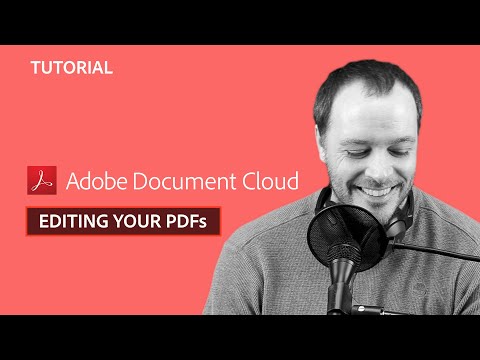

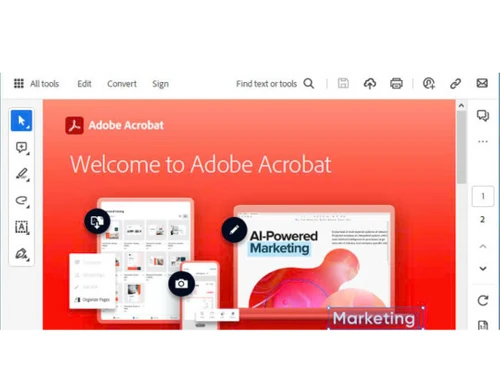
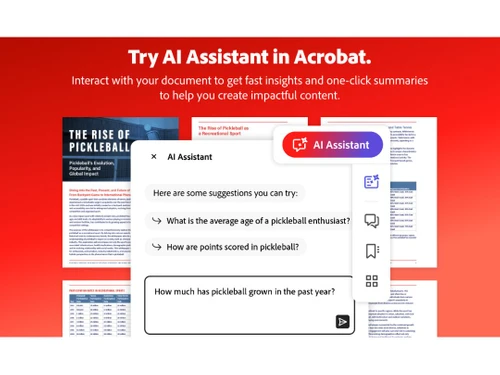
Watch the demo video to explore key features, real workflows, and how the software fits your business needs.
 Windows
  iOS
iOS  Android MacOS
  Desktop
  Mobile
  Cloud-Based
Small Business
Designed for startups and growing businesses
Medium Business
Built for business growth and flexibility
Enterprises
Designed for complex and large-scale business needs
4.6
Out of 5

Overall Rating
Based on
11 Verified Reviews
Rating Breakdown
92% Recommend this Product
Add ReviewUsers generally express high satisfaction with Adobe Acrobat Pro DC for its robust capabilities in reading, editing, and converting PDF files, often highlighting the convenience of electronic signatures and cloud compatibility. Many appreciate its time-saving features and ease of use, making it a staple in various workplaces. However, some users note challenges in navigating its extensive features and occasional slow performance, along with concerns about the cost of upgrades and limitations in file conversion options. Overall, the software is viewed as a valuable investment for managing PDF documents efficiently.
Pros
"The most interesting feature of this application is its ability to edit and convert files into different formats."
"Acrobat Reader DC is an excellent and powerful software that is simple to use. It is user-friendly and shows documents with high quality."
"Easily open pdf files, read and edit them at a go. Able to convert them to different formats as per my requirement."
Cons
"Sometimes it gets difficult to find some particular functionality with all the features and options that it has."
"We cannot combine files multiple files into one with the basic plan where it is available online for free. "
"All features aren't accessible without upgrading to higher versions"

Feb 7, 2020
Techjockey Verified
“PDF tools can be accessed in real-time”
Pros
The best thing about Acrobat Pro DC is that it is a Portable Documents Format Software which allows me to carry my creations everywhere and access them on the go. The variety of tools offered by this software provides a sufficient speed in work and also helps access, edit and modify my desired PDF files.
Cons
The software lags behind in the conversion of a file or folder from PDF to JPG format, and it takes time for proper conversion. In case of a multiple page document, this software converts every page to an individual JPG image which consumes a lot of time.
Apr 3, 2020
Techjockey Verified
“E-Signatures”
Pros
Adobe Acrobat Pro DC enables me to have a sense of security over my files as it allows me to sign and secure documents. Through the process of signing in and getting my document secured, I no longer work under the threat of getting my files tampered by third-party applications while working online.
Cons
The document manager over this software helps convert PDF files to MS Word, MS Excel, and other MS Office formats. However, it doesn’t help much in converting my documents into other formats.
Mar 9, 2021
Techjockey Verified
“Great tool to edit and convert pdf files into different formats.”
Pros
The most interesting feature of this application is its ability to edit and convert files into different formats.
Cons
We cannot combine files multiple files into one with the basic plan where it is available online for free.

Adobe Acrobat Pro DC for teams
₹ 23864.40 excl. GST
Desktop
Mobile
Web based
On Premises
Windows
Mac OS

Adobe Acrobat Standard DC for teams
₹ 14906
Desktop
Mobile
Web based
On Premises
Windows
Mac OS

Foxit PDF Editor
₹ 12000
Desktop
Mobile
Web based
On Premises
Windows
Mac OS

PDF Expert
₹ 7200
Desktop
Mobile
Web based
On Premises
Windows
Mac OS

Gravity PDF
Price On Request
Desktop
Mobile
Web based
On Premises
Windows
Mac OS

iLovePDF
Price On Request
Desktop
Mobile
Web based
On Premises
Windows
Mac OS

Zoho PDF Editor
Price On Request
Desktop
Mobile
Web based
On Premises
Windows
Mac OS

Smallpdf
₹ 979
Desktop
Mobile
Web based
On Premises
Windows
Mac OS

PDFescape
Price On Request
Desktop
Mobile
Web based
On Premises
Windows
Mac OS
JOPDF
Price On Request
Desktop
Mobile
Web based
On Premises
Windows
Mac OS

Systweak PDF Editor
₹ 2499
Desktop
Mobile
Web based
On Premises
Windows
Mac OS
(2) Product(s) selected
Starting Price:
₹14,906 /Year
Starting Price:
₹7,200 /year
Starting Price:
AUD199 /Year
Starting Price:
$6 /month
Available
Price on Request

Starting Price:
$20 /Month

Starting Price:
₹2,999

Starting Price:
$79 /Lifetime $99
Starting Price:
₹11,499 /License
Adobe Acrobat Pro DC for teams is a PDF Software that can be downloaded for up to two computers at a time. In case, you want to install it on a third or fourth computer, you'll need to deactivate it on your previous machines.
Yes. You can get a free trial of Adobe Acrobat Pro DC for Team portable documents format software. Techjockey provides free demo of all the services it provides to help you give a glimpse of what you are going to get. It greatly helps customers make the right choice and open avenues to make businesses grow.
Adobe Acrobat Pro DC is not free. Its basic or standard plan pricing starts from INR 1596.54/month.
Adobe Acrobat Pro DC provides mobile app services for both Android and iPhone.
Yes, Adobe Acrobat Pro DC facilitates smooth workflow transition from one device to another. This feature assists in case of device failure.
You can use Adobe Acrobat Pro DC according to your personal needs; once you purchase the license, the product is yours to use.
Adobe Acrobat is a robust solution that will help you access necessary tools online so that you can create, combine, organize, sign, and send PDF files from within Microsoft Teams. It also helps you to convert PDF files into Word or Excel files that can be easily edited.
At one time, only a single user could use Adobe Acrobat DC for Teams.
Yes, Adobe Acrobat Pro will help you create, edit, and e-sign documents in one go, and this makes it easy to share your files across devices without any hassles.?
Adobe Acrobat Pro DC for teams pricing starts from INR 23,864 at Techjockey.com
Adobe Acrobat Pro DC for Teams enables businesses to create, edit, sign, and manage PDFs collaboratively through cloud-based tools and centralised license management.
Yes, Adobe Acrobat Pro DC for Teams provides a free trial for 14 days.
Yes, Adobe Acrobat Pro DC for teams allows you to update your product without any data loss.
Once you have successfully paid for the subscription to Adobe Acrobat Pro DC for Teams, you can access and work with your documents easily on the web, mobile, and desktop devices. All you have to do is install Acrobat on your device, be it a laptop or mobile, and sign in online to use the PDF features and tools.
No, the Adobe Acrobat Pro DC for teams app is not available.
Yes, a 7-day free trial is available in Adobe Acrobat Pro DC for teams.
The major users of Adobe Acrobat Pro DC for teams are HR for contracts, legal for documents, finance for reports, and marketing for materials.
No, Adobe Acrobat Pro DC for teams is not available for free.
Acrobat Pro DC for Teams is created to simplify collaborative document processes. It provides cloud storage and review tools that enable several users to edit a document at the same time, keeping everyone informed. Centralized license oversight and top-tier security capabilities assist IT managers in ensuring control and adherence. Moreover, regular updates and synergy with other Adobe applications enhance productivity by enabling smooth conversion, editing, and signing of PDFs within a single ecosystem.
0 0
To copy something that cannot be copied from a PDF file using Acrobat, follow the steps given below:
0 0
To save a multi-page pdf as single page in Adobe Acrobat Pro, follow the steps given below:
0 0
To copy and paste text using Adobe Acrobat, follow the steps given below:
0 0
To delete data from a document using Adobe Acrobat, follow the steps given below:
0 0
20,000+ Software Listed
Best Price Guranteed
Free Expert Consultation
2M+ Happy Customers
Terms and Condtions

Users with registered businesses can purchase goods from merchants on the platform to satisfy their business needs. Users are not permitted to utilize any products acquired through the platform for resale, advertising, business, or further distribution.
For each purchase made, users will receive a Tax Invoice (or 'GST invoice') that includes specific details such as:
the GSTIN of the user associated with their registered business, and
the specified Entity Name for their business.
It should be noted that not all products are eligible for GST Invoice. Only the products displayed by participating sellers with the 'GST-based Invoice Available' callout on the product description page would qualify.
Certain goods and services are not eligible to get a GST Invoice, including items with VAS, i.e., Value Added Services (e.g., Total Mobile Protection/Assured Buyback) and those involving an exchange offer at the time of purchase.
Users must ensure the accuracy of the GSTIN, and business entity name provided for the GST Invoice. Requests for corrections into GST Invoice would not be accommodated by Techjockey.com or any Seller, and any issues arising from user-provided information are the sole responsibility of users.
Techjockey.com is not liable for the GST Invoice or any associated input tax credit. To efficiently claim an input tax credit, users should select the registered place of business address as per the GST authority's data and follow the provisions of the GST Act and rules.
To claim an input tax credit, the delivery and billing addresses must match. Furthermore, input tax credits will not be granted if the delivery address and GSTIN on the invoice are from different states. In case of incorrect GST details provided during the order placement, the order will be canceled automatically.








