linkedin
Adobe Acrobat Standard DC for teams logo
play Adobe Acrobat for Microsoft Teams | Adobe Document Cloud
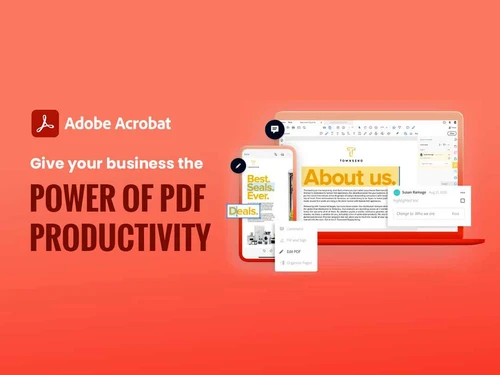
adobe acrobat pdf
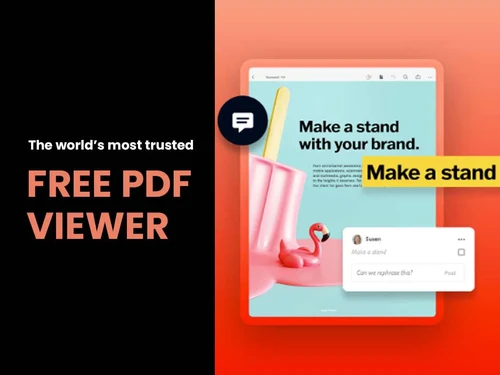
adobe acrobat-pdf-viewer

Adobe Acrobat Standard DC for teams

Brand: Adobe

  • 4.6

  • 3 Ratings & 3 Reviews

Adobe Acrobat Standard DC for Teams is a professional PDF solution designed for collaborative work environments.

See More

Have you used Adobe Acrobat Standard DC for teams before?

Share your insights for better experience

Add a Review
Starting Price
₹14,906 excl.GST
₹ 17,589 incl. GST

View plans

offer Save upto 18%, Get GST Invoice on your business purchase T&C
offer Buy Now & Pay Later, Check offer on payment page.
Buy Now
100% Genuine
Products
Best Price
Guaranteed
Safe & Secure
Payment
  • Description

  • Pricing

  • Features

  • Specification

  • Review

  • Compare

  • Alternatives

  • FAQ

  • Questions

Starting at ₹14,906
Buy Now

Adobe Acrobat Standard DC for teams Software Overview

What is Adobe Acrobat Standard DC for teams?

Adobe Acrobat Standard DC for teams is a productivity software for enterprises. Teams can create, edit, track, and sign documents across multiple devices as per their convenience timings. This PDF software can also convert office files, web pages, and images into a PDF. The easy-to-use commenting tools offered by the software facilitate seamless collaboration within teams. Receivers can add comments or search for important information within a particular document. With Adobe Acrobat Standard DC for teams, creators can restrict the access rights of their documents by adding passwords. Moreover, enterprises can also collect e-signatures of clients and track the current status of a particular PDF based on the email notification sent by the software.

How does Adobe Acrobat Standard DC help enterprises?

  • Collaboration: Large teams can work together seamlessly. They can add comments, review responses, and track changes made to the document by different users.
  • Built-in AI: Adobe Acrobat Standard DC for teams is equipped with Adobe Sensei, enabling users to embed PDFs within any digital platform as per their requirements.
  • Integration: The integration between Adobe Acrobat Standard DC for teams and Microsoft 365 enables teams to edit, generate, and view PDF documents directly from Excel, PowerPoint, OneDrive Plus and more.
  • Security: Adobe Acrobat Standard DC for teams ensures complete security of PDF files by offering proper encryption, redaction, and certification. Moreover, you also get access to cloud security offered by Microsoft 365.

Benefits of Adobe Acrobat Standard DC for teams

  • Edit PDF Files: With PDFs, you can edit texts, pictures, and layouts accurately. The Find & Replace tool, as well as the built-in spell checker, can assist in ensuring that there are no typos and grammatical mistakes. Easy and convenient rearrangement, deletion, and addition of pages to create smooth paperwork.
  • Password Protection: Protect your PDFs by locking editing, copy, and print options on Microsoft Word, Excel, or PowerPoint. Hinder the absence of authorisation by use of password encryption or a digital certificate. Custom security policies on shared documents are also possible.
  • Cloud Collaboration: Securely store and share files with Adobe Document Cloud. All staff members may edit, track, and comment in real-time and collaborate freely.
  • E-Signatures: Obtain and sign legally binding e-signatures inside PDFs. Automated approval process by providing reminders to ensure document finalisation is faster and unnecessary manual follow-ups are avoided.
  • File Compression: Compress PDF files without deterioration of quality. Combine two or more files into one PDF to create a more organised structure and share it in the form of an email or cloud document.
  • Cross-Platform Access: Edit PDFs in Windows, Mac, and mobile. Cloud syncing guarantees that your docs and files are in sync wherever you are, at the workplace or on the road.
  • OCR Technology: Digitise scanned images or documents and be able to edit and search them. Retrieve information on forms, invoices, or receipts with great precision.
  • Branding & Compliance: Click on team documents for consistent branding with logos, fonts, and colours. Make sure the relevant industry regulations are not broken, such as GDPR or HIPAA, on sensitive materials.

Compatible Platforms for Adobe Acrobat Standard DC for teams

  • Windows 7, 8, and 10 versions
  • Mac OS version 10.12 or later
  • Dedicated mobile apps for Android, iOS, and Windows-operated smartphones

Adobe Acrobat Standard DC for teams Pricing

Adobe Acrobat Standard DC for teams is available at INR 14,906 for one buyer on a yearly basis. Do request a callback, and our product experts will get back to you in real time.

Read more

Adobe Company Details

Founded Year:  1982

Adobe is the global leader in digital media and digital marketing solutions.

Director/Founders Charles Geschke, Jason Lemkin
Company Size 1000+ Employees

Adobe Acrobat Standard DC for teams Pricing & Plans

Level 1 (1 - 9) Licenses
Key Features
  • Scanning
  • Take your PDF tools to go
  • Adobe PDFs are smarter
  • E-Signatures

Calculated Price

14906 Exclusive of all taxes
    • Quantity ((Level 1 1 - 9))

      Quantity ((Level 1 1 - 9))
      Quantity ((Level 1 1 - 9))
    • Yearly

      Yearly
      Yearly

Key Features

  • Scanning

  • Take your PDF tools to go

  • Adobe PDFs are smarter

  • E-Signatures

Adobe Acrobat Standard DC for teams Features

  • icon_check Scanning
    Convert paper documents to editable, searchable PDFs with OCR tech for easy digitisation.
  • icon_check Take PDF Tools to Go
    Access, edit, and sign PDFs on mobile with full functionality anywhere.
  • icon_check Smarter Adobe PDFs
    Create intelligent, interactive files with dynamic fields and auto-formatting.
  • icon_check E-Signatures
    Get legally binding e-signatures with tracking and reminders for faster approvals.
Adobe Acrobat Standard DC for teams Demo Video play icon

Get Adobe Acrobat Standard DC for teams Demo

Watch the demo video to explore key features, real workflows, and how the software fits your business needs.

Understand
Key Features
Personal
Demo Insights
Interactive
Demo Support

Adobe Acrobat Standard DC for teams Specifications

Supported Platforms
Windows Windows MacOS MacOS
Devices
Desktop Desktop Mobile Mobile
Deployment
Cloud-Based Cloud-Based
Suitable For
All Industries
Business Specific
All Businesses
Business Size
Small Business Startups Medium Business Enterprises SMBs SMEs MSMBs MSMEs
Customer Support
Email Live Chat Communities Forums
Language
English
Integration
API Integration
Training Resources
Webinars Documentation Videos
AI Features
AI Integrated

Explore the Best Alternative Solutions Similar to Your Business Size and Needs

Adobe Acrobat Standard DC for teams Reviews

4.6

Out of 5

img

Overall Rating

Based on
3 Verified Reviews

Rating Breakdown

  • Features 4.6
  • Value for Money 4.6
  • Ease of Use 4.5
  • Customer Support 4.6

90% Recommend this Product

Add Review

ASHISH BANIK

User

4.7

Reviewed on: Jul 7, 2016

Techjockey Verified

“FAST AND EFFICIENT”

Pros

I never knew there were so many different software systems out there, or where to start when I was looking for a system for my small company to use. I was given 5 different companies to look at, with their reps contacting me within hours of talking with Techjockey and this service was free! We are in our final stages of moving forward to choose one of the companies recommended, and I'm very excited that this didn't drag out to take months in research. Thank you Techjockey!

Cons

N/A

Anubhav Mishra

User

5

Reviewed on: Jul 18, 2018

Techjockey Verified

“The Only Program for Drafting/Editing Fillable Forms”

Pros

The platform is super user-friendly and intuitive. It's also quite fast compared with some other programs. Great, clean interface.

Cons

It would be helpful to have more shortcuts, especially for filling in forms (checkboxes, radio buttons, text fields).

Chirag Kumar

User

4.3

Reviewed on: Apr 23, 2018

Techjockey Verified

“Adobe Acrobat DC: Best Document Management Software”

Pros

Adobe Acrobat DC comes with a string of capabilities. It allows you to edit data from scanned paper printouts, compare documents side by side, posting comments and feedback via a touch-friendly interface which is liked the most.

Cons

It doesn't open half the time and needs high system resources. Installation sometimes got severe problems with Windows 10.

Compare Adobe Acrobat Standard DC for teams With other PDF Software

Products
Ratings
Pricing
Device Supported
Deployment
Supported Platforms
  • img

    Adobe Acrobat Standard DC for teams

  • 4.6

  • ₹ 14905.80 excl. GST

  • Desktop

    Mobile

  • Web based

    On Premises

  • Windows

    Mac OS

  • img

    Foxit PDF Editor

  • 4.3

  • ₹ 12000

  • Desktop

    Mobile

  • Web based

    On Premises

  • Windows

    Mac OS

  • img

    Gravity PDF

  • 4.3

  • Price On Request

  • Desktop

    Mobile

  • Web based

    On Premises

  • Windows

    Mac OS

  • img

    Zoho PDF Editor

  • 4.3

  • Price On Request

  • Desktop

    Mobile

  • Web based

    On Premises

  • Windows

    Mac OS

  • img

    PDF Expert

  • 4.4

  • ₹ 7200

  • Desktop

    Mobile

  • Web based

    On Premises

  • Windows

    Mac OS

  • img

    JOPDF

  • 4.1

  • Price On Request

  • Desktop

    Mobile

  • Web based

    On Premises

  • Windows

    Mac OS

  • img

    Hybiscus

  • 4.2

  • Price On Request

  • Desktop

    Mobile

  • Web based

    On Premises

  • Windows

    Mac OS

  • img

    Soda PDF

  • 4.1

  • ₹ 1111

  • Desktop

    Mobile

  • Web based

    On Premises

  • Windows

    Mac OS

  • img

    BentoPDF

  • 4.3

  • Price On Request

  • Desktop

    Mobile

  • Web based

    On Premises

  • Windows

    Mac OS

(2) Product(s) selected

Adobe Acrobat Standard DC for teams Alternatives

See All Adobe Acrobat Standard DC for teams Alternatives

Available

Price on Request

Starting Price:

$20 /Month

Starting Price:

$49 /Lifetime

Starting Price:

$20 3 Years

Starting Price:

$50

Articles for Adobe Acrobat Standard DC for teams

See All Related Articles

Can I convert a webpage into a PDF using Adobe Acrobat Standard DC for teams?

Yes, you can either choose a complete web page, a part of it or can even combine several web pages to generate a PDF.

Can I combine PDF files with other files using Adobe Acrobat Standard DC for teams?

Yes, you can combine spreadsheets, JPGs, PNGs, PPTs, Word documents and more into a single PDF file.

Can I get a demo of Adobe Acrobat Standard DC for teams?

Yes, We do offer an online demo of Adobe Acrobat Standard DC for teams. You can request for a demo along with a convenient time and date and our in-house product experts will get back to you.

What are the system requirements for installing Adobe Acrobat Standard DC for teams?

You need to have: Windows, RAM: 1GB, Processor: Any processor running at a clock speed of 1.5GHz or faster, Hard Disk: 4.5GB out of the available space , Mac OS , RAM: 1GB, Processor: Intel processor, Hard Disk: 2.75GB out of the available space.

Does Adobe Acrobat Standard DC for teams have a mobile app?

The software has four different mobile apps namely: Adobe Acrobat Reader, compatible with Android, iOS and Windows devices , Adobe Sign, compatible with Android and iOS platforms.

How does Adobe Acrobat Standard DC for teams work?

Adobe Acrobat Standard DC for Teams offers a comprehensive set of PDF tools that make it easy to create, edit, and secure documents. Plus, it enables real-time collaboration among team members through Adobe Document Cloud.

Is Adobe Acrobat Standard DC for teams free?

No, the free edition of Adobe Acrobat Standard DC for teams is not available.

Who uses Adobe Acrobat Standard DC for teams?

The major users of Adobe Acrobat Standard DC for teams are Business Teams, Government Agencies, Educational Institutions, Healthcare Providers, and more.

How much does Adobe Acrobat Standard DC for teams cost?

Adobe Acrobat Standard DC for teams pricing starts from INR 14,906.

Adobe Acrobat Standard DC for teams Questions

Q:

How to change a date stamp in Acrobat?

Ravi dubey Apr 22, 2024
A:

To change a date stamp in Acrobat, follow the steps given below:

  • Copy the Dynamic.pdf to your desktop and then open it
  • Under the Tool search area type All JavaScript
  • Open the Javascript Editor
  • Scroll up in the editor and modify the date format in the function AFDate_FormatEx(h:MM tt, dd mmm, yyyy)
  • For each Dynamic stamp, update every entry with the respective function AFDate_FormatEx(h:MM tt, dd mmm, yyyy)
  • Press the OK button and save the PDF file.
Vijay Somkuwar Apr 22, 2024
Q:

How do I turn a zip file into a pdf using Acrobat?

bakshi bakshi Apr 14, 2024
A:

To turn a zip file into a pdf using Acrobat, follow the steps given below:

  • Launch Acrobat
  • Tap on Tools > Create PDF
  • Select the file that you want to convert
  • Tap on Create or Next
  • Follow the on-screen instructions to convert the file to PDF
  • Choose the download destination and then save your file.
Jitendra Ghoderao Apr 14, 2024
Q:

How to export one page of pdf using Acrobat?

agriya leena Apr 14, 2024
A:

To export one page of pdf using Acrobat, follow the steps given below:

  • Open the file in Acrobat
  • Select the page which you want to extract
  • Tap on Extract and then press the Download button.
Nilankur Das Apr 14, 2024
Q:

How do you make a file size smaller using Acrobat?

Md Nasim Akhtar Apr 7, 2024
A:

To make a file size smaller using Acrobat, follow the steps given below:

  • Open the file in Acrobat
  • Go to Tool tab and choose Optimize PDF option
  • Choose ‘Reduce File Size’
  • Rename your file and save it.
Mohit Chauhan Apr 7, 2024
Q:

How to print a pdf bigger using Acrobat?

Zoha khan Apr 6, 2024
A:

To print a pdf bigger using Acrobat, follow the steps given below:

  • Tap on File and choose Print
  • Select the pages that you want to export
  • Set the zoom value and press OK
  • Click the Print button.
Md Nasim Akhtar Apr 6, 2024
See All Adobe Acrobat Standard DC for teams Questions

20,000+ Software Listed

Best Price Guranteed

Free Expert Consultation

2M+ Happy Customers

Terms and Condtions

close

Users with registered businesses can purchase goods from merchants on the platform to satisfy their business needs. Users are not permitted to utilize any products acquired through the platform for resale, advertising, business, or further distribution.

For each purchase made, users will receive a Tax Invoice (or 'GST invoice') that includes specific details such as:

  • the GSTIN of the user associated with their registered business, and

  • the specified Entity Name for their business.

It should be noted that not all products are eligible for GST Invoice. Only the products displayed by participating sellers with the 'GST-based Invoice Available' callout on the product description page would qualify.

Certain goods and services are not eligible to get a GST Invoice, including items with VAS, i.e., Value Added Services (e.g., Total Mobile Protection/Assured Buyback) and those involving an exchange offer at the time of purchase.

Users must ensure the accuracy of the GSTIN, and business entity name provided for the GST Invoice. Requests for corrections into GST Invoice would not be accommodated by Techjockey.com or any Seller, and any issues arising from user-provided information are the sole responsibility of users.

Techjockey.com is not liable for the GST Invoice or any associated input tax credit. To efficiently claim an input tax credit, users should select the registered place of business address as per the GST authority's data and follow the provisions of the GST Act and rules.

To claim an input tax credit, the delivery and billing addresses must match. Furthermore, input tax credits will not be granted if the delivery address and GSTIN on the invoice are from different states. In case of incorrect GST details provided during the order placement, the order will be canceled automatically.