USA
USA UAE
UAESmall Business
Designed for startups and growing businesses

See More




Brand: Smallpdf
A utility software that helps manage, edit, convert, and sign PDF files easily for personal or office use.
See MoreHave you used Smallpdf before?
Share your insights for better experience
View plans
 Save upto 18%, Get GST Invoice on your business purchase T&C Buy Now & Pay Later, Check offer on payment page.
 Brand: Smallpdf
Founded Year: 2013
Smallpdf is the first PDF software you will actually like the development and distribution of software. The Company's may establish branches and affiliates both domestically and abroad, and participate in other domestic and foreign companies, and may conduct any business that is directly or indirect
 Workflow Management Document Conversation Collaboration Electronic Signature Convert PDF to JPG image Edit and Comment PDFs Convert to PDF PDF Tools Online PDF Creator & Converter All-in-One PDF Pro AI PDF Summarizer Strong Compress Scanned PDF to Word Secure eSign Tool Merge PDF Utility Split PDF Precision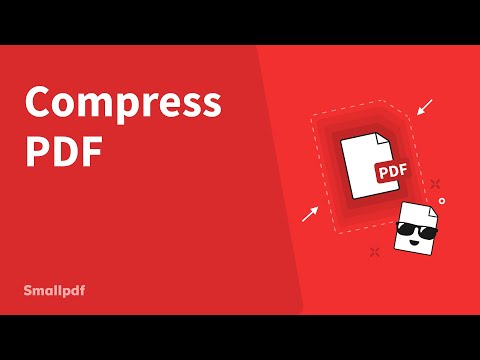

Watch the demo video to explore key features, real workflows, and how the software fits your business needs.
 Ubuntu
  Windows
  iOS
iOS  Android MacOS
  Linux
Linux  Desktop
  Mobile
  Tablet
  iPad
iPad  Cloud-Based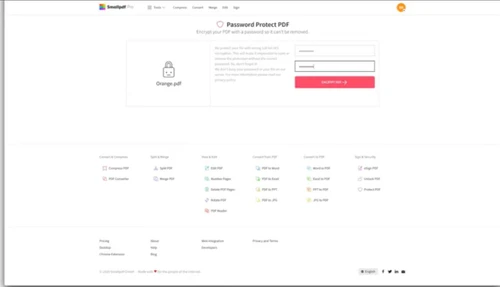
Small Business
Designed for startups and growing businesses
Medium Business
Built for business growth and flexibility
Enterprises
Designed for complex and large-scale business needs
4.6
Out of 5

Overall Rating
Based on
3 Verified Reviews
Rating Breakdown
93% Recommend this Product
Add ReviewUsers generally appreciate Smallpdf for its versatility in managing PDF files, including converting, editing, and compressing documents. Many find it to be a reliable tool that simplifies their workflow, particularly for tasks involving scanned documents and file conversions. The software's user-friendly interface and effective performance have garnered high ratings, though some users suggest that the editing tool could be enhanced. Overall, Smallpdf is well-recommended, with users reporting satisfaction after several months of use.

Sep 19, 2022
Techjockey Verified
“The best software to manage PDF files.”
Pros
As a professional writer, I often have to deal with tons of PDF files. I need to combine my PDF files and make them one and send them to my manager. So, I was in search of a tool that would help me do all these things, and then I found Smallpdf. It is a one-stop solution to all my PDF problems. I also like the fact that it has a free trial version.
Cons
I didn’t find any problem with this software.
Reason to switch
Their customer service is really pathetic, and I had to reach out to them 3-4 times just for a single issue.
Sep 18, 2022
Techjockey Verified
“Don't have to worry about PDF files anymore!”
Pros
If you are looking for an application to manage your PDF files, then Smallpdf is the best software for you. I have been using this application for the last six months and have found it to be amazing. It has helped me to manage all my files and I can perform various operations like editing, compressing, converting, and splitting files.
Cons
To be honest here, I have been using this software for 5-6 months and I must say that I haven’t found any problem with it, yet.
Reason to switch
The user interface of PDFelement is not so smooth. I didn’t like to work on it.
Sep 19, 2022
Techjockey Verified
“Convert PDFs to other file formats using Smallpdf.”
Pros
Smallpdf makes it possible to convert my scanned documents into PDF format. It has features like auto-detecting and converting the scanned documents into PDF format. It also supports most of the major formats including AI, EML, DOCX, PPTX, etc. It also helps in converting PDF files into other formats.
Cons
The edit tool can be a bit improved.
Reason to switch
The batch upload functionality is not there in the software that I have a problem with.

Smallpdf
₹ 979.00 excl. GST
Desktop
Mobile
Web based
On Premises
Windows
Mac OS

Foxit PDF Editor
₹ 12000
Desktop
Mobile
Web based
On Premises
Windows
Mac OS

Gravity PDF
Price On Request
Desktop
Mobile
Web based
On Premises
Windows
Mac OS

Zoho PDF Editor
Price On Request
Desktop
Mobile
Web based
On Premises
Windows
Mac OS

PDF Expert
₹ 7200
Desktop
Mobile
Web based
On Premises
Windows
Mac OS

Adobe Acrobat Pro DC for teams
₹ 23864
Desktop
Mobile
Web based
On Premises
Windows
Mac OS
JOPDF
Price On Request
Desktop
Mobile
Web based
On Premises
Windows
Mac OS

Hybiscus
Price On Request
Desktop
Mobile
Web based
On Premises
Windows
Mac OS

Soda PDF
₹ 1111
Desktop
Mobile
Web based
On Premises
Windows
Mac OS

BentoPDF
Price On Request
Desktop
Mobile
Web based
On Premises
Windows
Mac OS

Systweak PDF Editor
₹ 2499
Desktop
Mobile
Web based
On Premises
Windows
Mac OS
(0) Product(s) selected
Smallpdf runs online and lets users edit, convert, compress, and manage PDF files with simple drag and drop tools.
Yes, Smallpdf uses strong security measures like encryption and follows global privacy rules to keep documents safe and private.
Students, teachers, office workers, freelancers, and businesses use it to handle documents faster without needing complex software.
Yes, Smallpdf offers many tools for free use with limits. Paid plans unlock extra features and more usage.
Smallpdf pricing starts at INR 979 per month at Techjockey.com.
Files are deleted automatically after one hour to protect privacy unless saved to a Smallpdf account or cloud storage.
Files can be manually deleted anytime from the Smallpdf dashboard if using an account or cloud-connected option.
Free users can upload files up to 15 MB, while paid users get higher size limits and faster processing.
20,000+ Software Listed
Best Price Guranteed
Free Expert Consultation
2M+ Happy Customers
Terms and Condtions

Users with registered businesses can purchase goods from merchants on the platform to satisfy their business needs. Users are not permitted to utilize any products acquired through the platform for resale, advertising, business, or further distribution.
For each purchase made, users will receive a Tax Invoice (or 'GST invoice') that includes specific details such as:
the GSTIN of the user associated with their registered business, and
the specified Entity Name for their business.
It should be noted that not all products are eligible for GST Invoice. Only the products displayed by participating sellers with the 'GST-based Invoice Available' callout on the product description page would qualify.
Certain goods and services are not eligible to get a GST Invoice, including items with VAS, i.e., Value Added Services (e.g., Total Mobile Protection/Assured Buyback) and those involving an exchange offer at the time of purchase.
Users must ensure the accuracy of the GSTIN, and business entity name provided for the GST Invoice. Requests for corrections into GST Invoice would not be accommodated by Techjockey.com or any Seller, and any issues arising from user-provided information are the sole responsibility of users.
Techjockey.com is not liable for the GST Invoice or any associated input tax credit. To efficiently claim an input tax credit, users should select the registered place of business address as per the GST authority's data and follow the provisions of the GST Act and rules.
To claim an input tax credit, the delivery and billing addresses must match. Furthermore, input tax credits will not be granted if the delivery address and GSTIN on the invoice are from different states. In case of incorrect GST details provided during the order placement, the order will be canceled automatically.