linkedin
Systweak PDF Editor logo
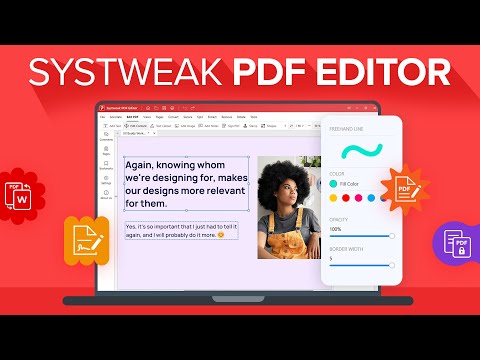
play How to Edit PDF Files Easily with Systweak PDF Editor
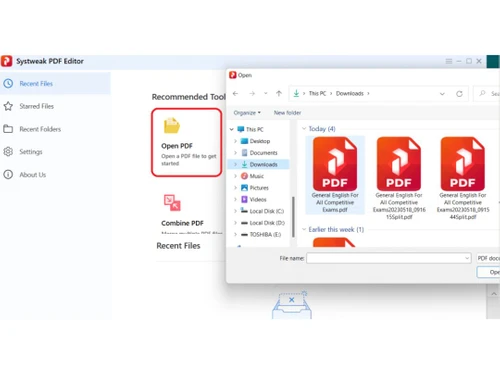
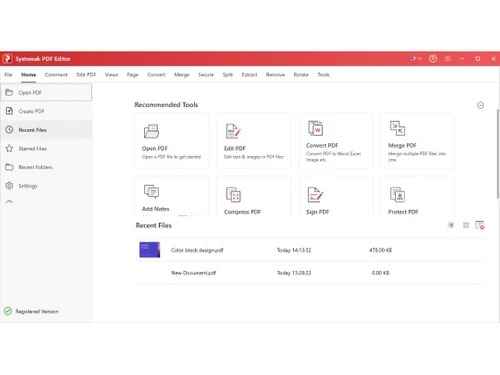
Systweak PDF Editor dashboard
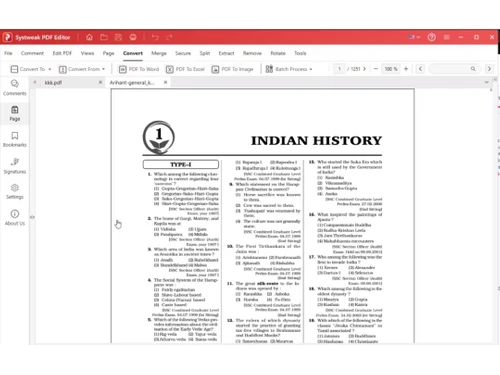
Systweak PDF Editor convert

Systweak PDF Editor

Brand: Systweak

  • 4.3

  • 7 Ratings & 1 Review

Systweak PDF Editor for Windows makes everything associated with PDF documents seamlessly easy as it offers features such as creation, editing, conversion, and protection. It also has a simplistic interface which facilitates its proficient use among experts and beginners alike.

See More

Have you used Systweak PDF Editor before?

Share your insights for better experience

Add a Review
Starting Price 67% OFF
₹2,499 excl.GST  ₹7,500
₹ 2,949 incl. GST

View plans

offer Save upto 18%, Get GST Invoice on your business purchase T&C
offer Buy Now & Pay Later, Check offer on payment page.
Buy Now
100% Genuine
Products
Best Price
Guaranteed
Safe & Secure
Payment
  • Description

  • Pricing

  • Features

  • Specification

  • Review

  • FAQ

Starting at ₹2,499
Buy Now

Systweak PDF Editor Software Overview

What is Systweak PDF Editor?

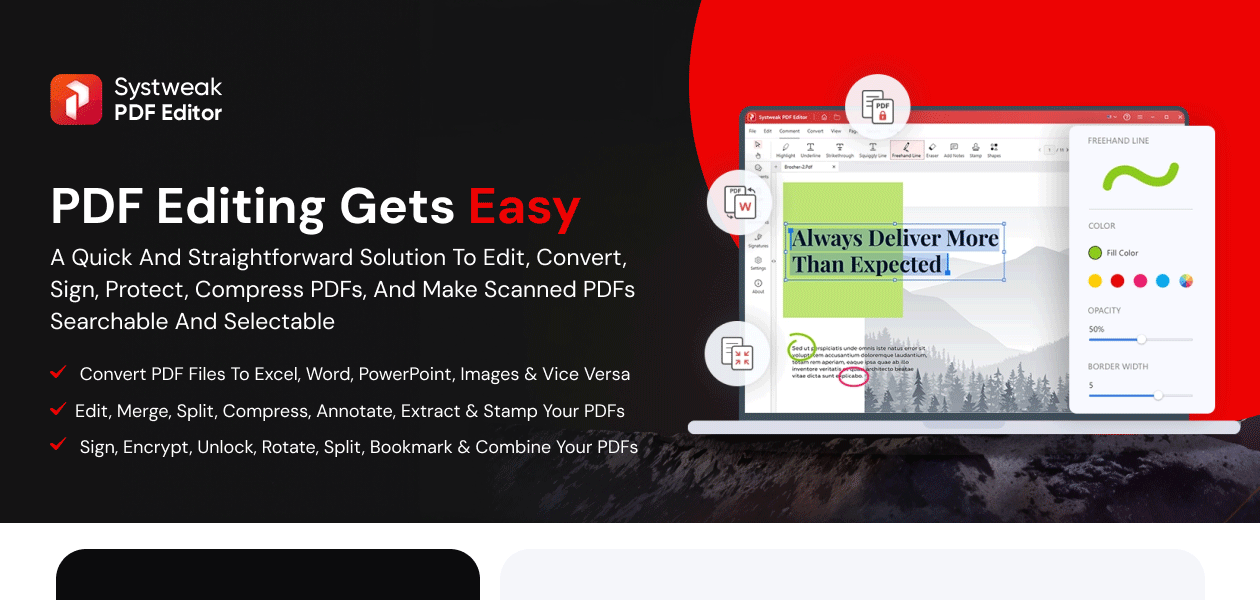
Systweak PDF Editor is an advanced PDF management software that helps users create, modify, combine, and set a password to PDF files. It allows for easy editing of texts and images, PDF flagging, and conversions to Word Document, Excel, and even image files.

This program has additional features like merging and splitting files, compressing PDFs, as well as OCR based text recognition from scans. Document privacy can be safeguarded through password assignment, encryption of content, as well as affixing signatures digitally.

Significant Features of Systweak PDF Editor

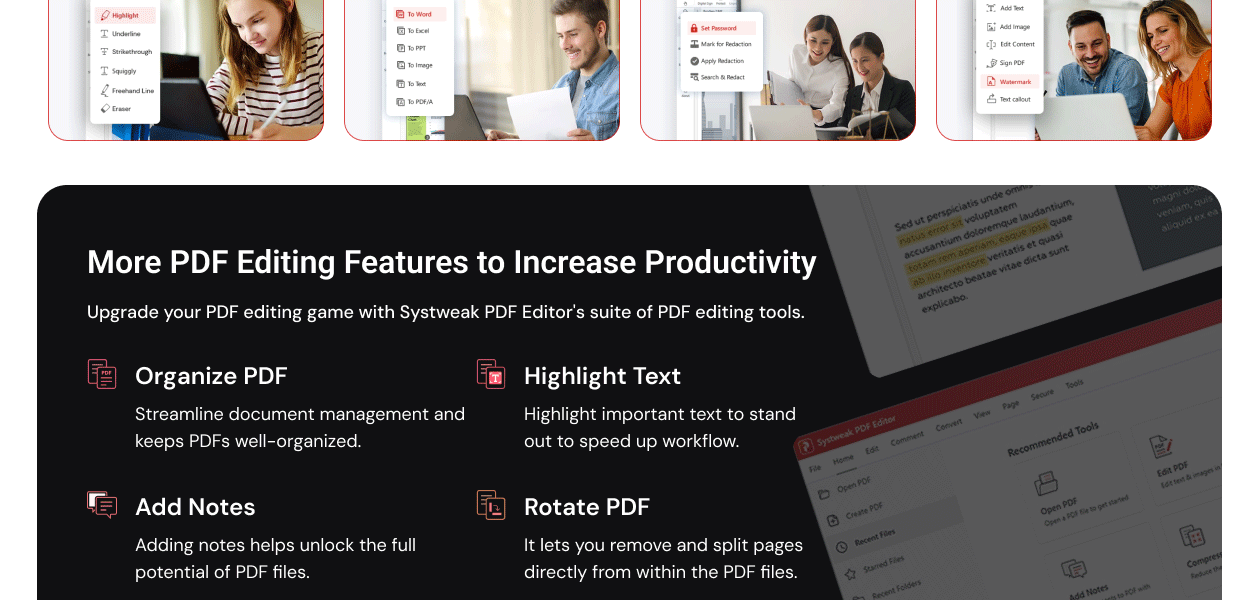
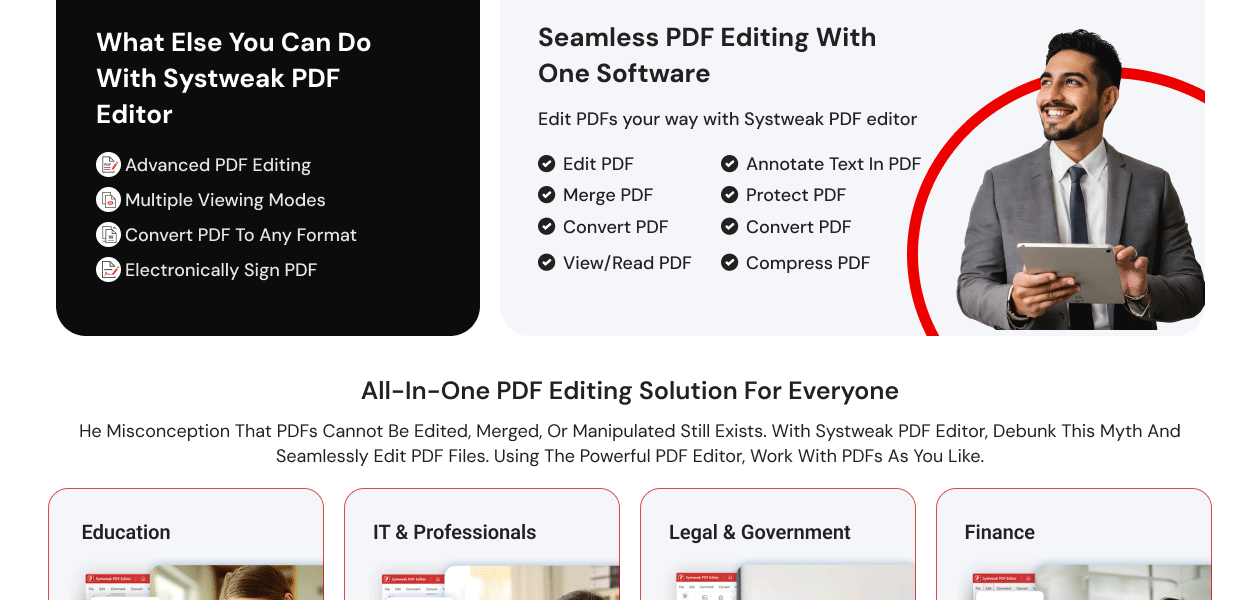
  • Comprehensive PDF Editing: Edit texts, pictures and even change the order of the elements within each PDF page, which allows one to change the font style and size for making documents to the best shape.
  • Advanced Annotation Tools: Add highlighting, underlining, sticky notes, shapes, stamps, and many more to empower and enhance document collaboration and review.
  • Versatile PDF Conversion: Convert PDF files to other document formats of MS Office like Word, PowerPoint, and Excel. Also possible to change the format to images and HTML without losing the document structure.
  • Optical Character Recognition (OCR): Support multiple languages to turn scanned images and documents, and text into searchable documents, and editable content.
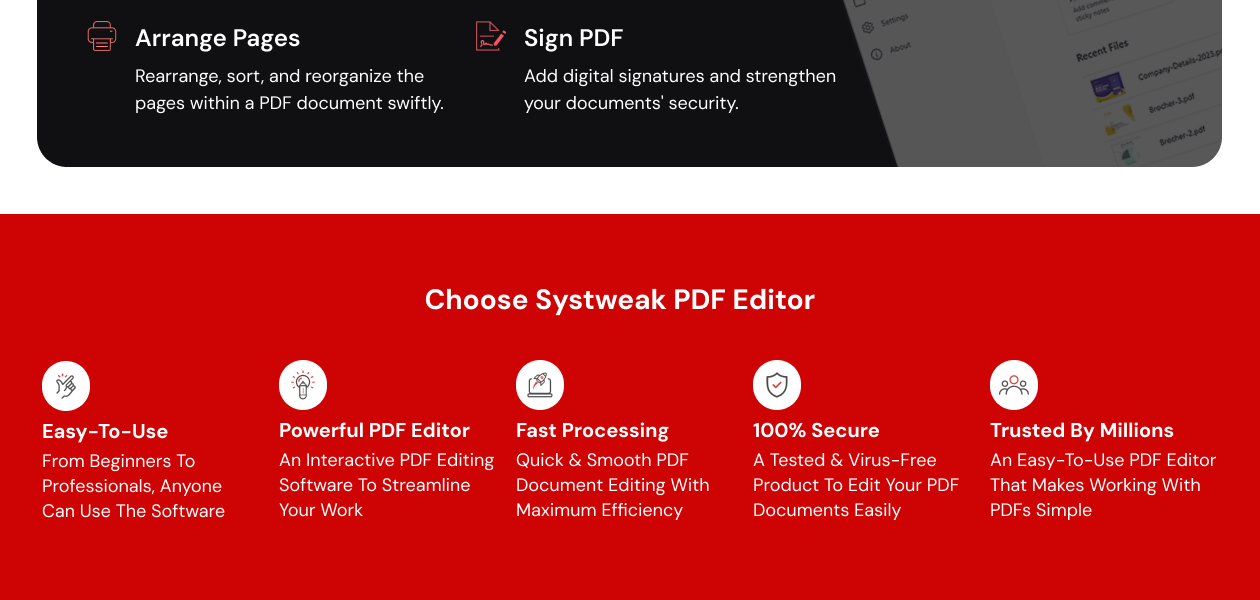
  • Efficient Page Management: Control and customize PDF files with more options available like adding, deleting, merging, extracting, rotating and splitting the pages of a document.
  • Batch Processing Capabilities: Optimizing the view of multiple PDF documents makes editing, combination, encryption or even compression of files easier and more effective.
  • User-Friendly Interface: Drag and drop features allow handy customization for advanced editions. PDF editing becomes so easy to anyone with the help of an easy-to-navigate interface.
  • Stamping and Watermarking: Add watermarks and brand stamps to copyright the documents, restrict to unauthorized use or claim ownership.

Benefits of Systweak PDF Editor

  • Easy and Efficient PDF Editing: Easily edit text, images, and layouts of a PDF file without the need for sophisticated designing software. Users can modify the styling of the document by altering its fonts, colors, and formatting.
  • Enhanced Document Collaboration: Comments, stamps, and highlights make it easier for teams to review and edit PDFs effortlessly with annotation tools. A document can be edited by multiple people in real-time by adding comments and notes.
  • Seamless File Conversion: Ensure accurate formatting while converting PDFs to and from Word, Excel, PowerPoint, and images. This guarantees proper compatibility with other document editing applications.
  • Improved Productivity with Batch Processing: At the same time, manage, edit, and convert multiple PDF files to reduce time and effort spent on tedious tasks. Disable the need for manual intervention with automated batch processing for businesses to facilitate bulk document handling.
  • E-Signature Support for Paperless Workflow: Quickly approve documents with digital signatures to avoid printing and scanning. This further simplifies the contracting signing process to make business transactions convenient and expedient.
  • Optimized Storage with Compression: Easier, efficient sharing and storing are made possible by reducing PDF file sizes without sacrificing quality. Storing large archives of documents makes this tool advantageous for numerous organizations.
  • Recover and Repair Damaged PDFs: Recover important data through restoring corrupt or unreadable PDFs. This prevents loss of vital business information and keeps them protected.

Systweak PDF Editor Pricing

The starting price of Systweak PDF Editor is ₹ 2,499 per year, with limited features and functionalities.

Read more

Systweak Company Details

Founded Year:  1999

Systweak Software is leading utility development company.

Director/Founders Shrishail Rana
Company Size 101-500 Employees

Systweak PDF Editor Pricing & Plans

Yearly Plan

Calculated Price

2499 ₹7500
SAVE UPTO 67%
Exclusive of all taxes
    • Licenses

      Licenses
      Licenses
    • Yearly

      Yearly
      Yearly

Key Features

  • Annotate and Comment PDF Files

  • Create PDF Files

  • Secure and Sign PDF Files

  • Compress PDF Files

  • Extract and split PDFs

Lifetime Plan

Calculated Price

4999 ₹10100
SAVE UPTO 50%
Exclusive of all taxes
    • Licenses (LifeTime)

      Licenses (LifeTime)
      Licenses (LifeTime)

Key Features

  • Annotate and Comment PDF Files

  • Create PDF Files

  • Secure and Sign PDF Files

  • Compress PDF Files

  • Extract and split PDFs

Systweak PDF Editor Features

  • icon_check OCR (Optical Character Recognition)
    Effortlessly handle documents once their scans, images, or PDFs are transformed into editable and searchable text files.
  • icon_check Annotations
    Promote improved document assessments by allowing the inclusion of highlights, comments, notes, drawings, or even shapes.
  • icon_check Document Security
    Improve data security by employing passwords, digital signatures, redaction, and encryption to ensure information integrity.
  • icon_check File Management
    Enhance workflow productivity by classifying and labeling documents for straightforward searching.
  • icon_check Batch Processing
    Enables tasks like editing, converting, or compressing several files at once, and aids in conserving time and effort.
  • icon_check Forms Management
    Effectively gather information by designing, modifying, and monitoring form-based documents like applications and surveys.
  • icon_check Convert to PDF
    Make sure the layout and formatting of Word, Excel, and image files are precise when transforming them into protected PDFs.
  • icon_check Convert from PDF
    Easily extract and modify data with documents transformed from PDF to Word, Excel, images, or other editable formats.
  • icon_check File Transfer
    Rapidly and securely exchange and work together on documents with fellow users while safely moving files between platforms.
Systweak PDF Editor Demo Video play icon

Get Systweak PDF Editor Demo

Watch the demo video to explore key features, real workflows, and how the software fits your business needs.
Understand
Key Features
Personal
Demo Insights
Interactive
Demo Support
Product Enrichment Section Image

Systweak PDF Editor Specifications

Supported Platforms
Windows Windows
Devices
Desktop Desktop
Deployment
Cloud-Based Cloud-Based Perpetual Perpetual
Suitable For
All Industries
Business Specific
All Businesses
Business Size
Small Business Startups Medium Business Enterprises
Customer Support
Email Communities
Language
English
Training Resources
Documentation Videos

Systweak PDF Editor Review

4.3

Out of 5

img

Overall Rating

Based on
1 Verified Review

Rating Breakdown

  • Features 4.5
  • Value for Money 4.2
  • Ease of Use 4.1
  • Customer Support 4.3

87% Recommend this Product

Add Review

Systweak PDF Editor Video Review

youtubeVideoId

4.6

“Systweak PDF Editor Review: The All-in-One PDF Solution You Need!”

Review by: Everyday Things

Articles for Systweak PDF Editor

See All Related Articles

Is Systweak.PDF free?

No, Systweak PDF is not available for free. However, one can avail of a free trial.

What happens after the free trial ends?

After free trial ends, you need to purchase one of the plans available.

How much does Systweak PDF Editor cost?

The starting price of Systweak PDF Editor starts from INR 2499/year.

Can I use the free trial multiple times?

No, you cannot use a free trial multiple-times. Once you avail the free trial, you cannot use it again.

Are there any hidden charges after purchasing?

No, Systweak offers transparent pricing to the customers without any hidden charges.

Can I use Systweak PDF Editor offline?

Yes, you can use it without an internet connection as it is a desktop application.

20,000+ Software Listed

Best Price Guranteed

Free Expert Consultation

2M+ Happy Customers

Terms and Condtions

close

Users with registered businesses can purchase goods from merchants on the platform to satisfy their business needs. Users are not permitted to utilize any products acquired through the platform for resale, advertising, business, or further distribution.

For each purchase made, users will receive a Tax Invoice (or 'GST invoice') that includes specific details such as:

  • the GSTIN of the user associated with their registered business, and

  • the specified Entity Name for their business.

It should be noted that not all products are eligible for GST Invoice. Only the products displayed by participating sellers with the 'GST-based Invoice Available' callout on the product description page would qualify.

Certain goods and services are not eligible to get a GST Invoice, including items with VAS, i.e., Value Added Services (e.g., Total Mobile Protection/Assured Buyback) and those involving an exchange offer at the time of purchase.

Users must ensure the accuracy of the GSTIN, and business entity name provided for the GST Invoice. Requests for corrections into GST Invoice would not be accommodated by Techjockey.com or any Seller, and any issues arising from user-provided information are the sole responsibility of users.

Techjockey.com is not liable for the GST Invoice or any associated input tax credit. To efficiently claim an input tax credit, users should select the registered place of business address as per the GST authority's data and follow the provisions of the GST Act and rules.

To claim an input tax credit, the delivery and billing addresses must match. Furthermore, input tax credits will not be granted if the delivery address and GSTIN on the invoice are from different states. In case of incorrect GST details provided during the order placement, the order will be canceled automatically.