linkedin
Galileo AI logo
play Galileo AI - How to Generate User Interface Design With AI
Galileo AI Context
Galileo AI Design

Galileo AI

Brand: Galileo AI

  • 4.2

  • 3 Ratings

Galileo AI Design Software will empower your creativity with cutting-edge AI technology, offering intelligent design assistance, seamless collaboration, and intuitive tools for the effortless creation of stunning visual masterpieces.

See More

Have you used Galileo AI before?

Share your insights for better experience

Add a Review
Starting Price
$19

View plans

100% Genuine
Products
Best Price
Guaranteed
Safe & Secure
Payment
  • Description

  • Pricing

  • Features

  • Specification

  • Review

  • Compare

  • Alternatives

  • FAQ

Starting at $19

Galileo AI Software Overview

What is Galileo AI Software?

Galileo AI is a revolutionary design solution that instantly transforms ideas into stunning UI designs. Powered by advanced AI technology, Galileo AI enables you to develop faster. You just have to provide a text description and watch as Galileo AI creates delightful and editable UI designs that meet your exact specifications.

With Galileo AI, you have the power to generate complex UI designs in a matter of seconds. This is because the platform has been trained on thousands of exceptional user experience designs. This allows it to learn and adapt to user requirements quickly. As a result, Galileo AI frees up your valuable time, enabling you to focus on what truly matters designing creative solutions and making a more significant impact.

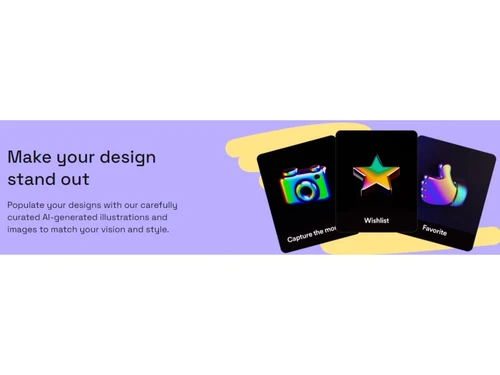
The software will make your designs stand out with Galileo AI's extensive library of carefully curated AI-generated illustrations and images. Each element is thoughtfully selected to match your unique vision and style, ensuring your designs are visually captivating and engaging.

That's hardly all this tool even takes care of your product copy. This AI platform leverages the power of large language models to understand the intricacies of context and instantly generates accurate, high-quality product copy. You don't have to worry about getting the wording right Galileo AI has you covered.

Why Choose Galileo AI System?

Galileo AI is an invaluable tool for designers, product managers, and creative professionals who seek to streamline their design workflow and create exceptional user experiences. Whether you are a seasoned designer or a beginner, Galileo AI empowers you to focus on delivering creative solutions and making a bigger impact while automating tedious tasks and enhancing the overall design process. Galileo AI integrates with Figma, the popular design tool, to enhance your workflow further. This allows you to quickly edit and refine your designs, collaborate with team members, and easily bring your creative ideas to life.

Benefits of Galileo AI Designing System

  • Galileo AI empowers you to generate delightful UI designs instantly, saving you time and effort in the design process.
  • Access a rich library of AI-generated illustrations that perfectly match your vision, adding visual appeal and enhancing the overall design quality.
  • By automating repetitive tasks and generating complex UI patterns, Galileo AI frees up your time to focus on more impactful design aspects, allowing you to deliver creative solutions efficiently.
  • The platform produces high-fidelity UI designs that meet your precise requirements, ensuring a polished and professional outcome.
  • Its user-friendly UI design and intuitive interface facilitate smooth collaboration between team members, enabling efficient communication and effective project management.

Galileo AI Pricing

Galileo AI design software pricing is available on request at techjockey.com.

The overall pricing model is based on different factors such as personalization, extra features required, total users, and the deployment type. Please feel free to request a call from our product experts if you want to learn more about our subscription plans or premium package deals.

Read more

Galileo AI Company Details

Founded Year:  2022

Galileo AI creates delightful, editable UI designs from a simple text description. It empowers you to design faster than ever.

Director/Founders Arnaud Benard, Helen Zhou
Company Size 1-100 Employees

Galileo AI Pricing & Plans

Standard
Key Features
  • General Commercial Terms
  • Mobile UI generation
  • Web UI generation
  • Unlimited Figma exports
Starting at $19
    • Monthly

      Monthly
      Monthly

Key Features

  • General Commercial Terms

  • Mobile UI generation

  • Web UI generation

  • Unlimited Figma exports

Galileo AI Features

  • icon_check Natural Language Prompt
    Easily describe your design ideas using natural language and let Galileo AI transform them into stunning UI designs.
  • icon_check AI-Generated Illustrations
    Access a vast library of AI-generated illustrations to add visual appeal and bring your designs to life.
  • icon_check Time Saving
    Save valuable time by automating tedious tasks and focusing on designing creative solutions that matter.
  • icon_check Easy-going UI design
    Enjoy a user-friendly interface that makes the design process smooth and intuitive.
  • icon_check High-Fidelity Designs
    This tool leverages its extensive training in outstanding designs to deliver high-fidelity UI designs.
  • icon_check Animation
    Add dynamic and engaging elements to your designs with built-in animation capabilities.
  • icon_check Interface Design
    Create visually captivating interfaces that enhance the user experience and convey your brand's unique style.
Galileo AI Demo Video play icon

Get Galileo AI Demo

Watch the demo video to explore key features, real workflows, and how the software fits your business needs.

Understand
Key Features
Personal
Demo Insights
Interactive
Demo Support

Galileo AI Specifications

Supported Platforms
Ubuntu Ubuntu Windows Windows MacOS MacOS Linux Linux
Devices
Desktop Desktop Mobile Mobile Tablet Tablet iPad iPad
Deployment
Cloud-Based Cloud-Based
Suitable For
All Industries
Business Specific
All Businesses
Business Size
Small Business Startups Medium Business Enterprises
Customer Support
Email Communities
Language
English
Training Resources
Videos
AI Features
AI Integrated

Explore the Best Alternative Solutions Similar to Your Business Size and Needs

Medium Business

Built for business growth and flexibility

Adobe XD

4.6

UXPin

4.3

Uizard

4.7

See More

Enterprises

Designed for complex and large-scale business needs

Figma

4.5

Sketch

4.5

See More

Galileo AI Review

4.2

Out of 5

img

Overall Rating

Based on
3 Verified Ratings

Rating Breakdown

  • Features 4
  • Value for Money 4.1
  • Ease of Use 4.1
  • Customer Support 4.6

93% Recommend this Product

Add Review

Techjockey Trusted Reviews from Verified Users

No reviews are currently available for Galileo AI. Discover similar UI/UX Design Tools reviews

  • Figma

    4.5

    Whats great - User-friendly app for UI designing with numerous plugins available. I really love the real-time collaboration abilities of th... read more

  • Adobe XD

    4.7

    Whats great - I would recommend Adobe XD to all designers and professionals who are working on product development projects. It is very eas... read more

  • Sketch

    4.2

    Whats great - Good for UI/UX designers, You can pretty much do everything and anything & it's SUPER EASY TO USE. read more

Compare Galileo AI With other UI/UX Design Tools

Products
Ratings
Pricing
Device Supported
Deployment
Supported Platforms
  • img

    Galileo AI

  • 4.2

  • Price On Request

  • Desktop

    Mobile

  • Web based

    On Premises

  • Windows

    Mac OS

  • img

    Optimal Workshop

  • 4.2

  • Price On Request

  • Desktop

    Mobile

  • Web based

    On Premises

  • Windows

    Mac OS

  • img

    Figma

  • 4.5

  • Price On Request

  • Desktop

    Mobile

  • Web based

    On Premises

  • Windows

    Mac OS

  • img

    Uizard

  • 4.7

  • Price On Request

  • Desktop

    Mobile

  • Web based

    On Premises

  • Windows

    Mac OS

  • img

    Sketch

  • 4.5

  • Price On Request

  • Desktop

    Mobile

  • Web based

    On Premises

  • Windows

    Mac OS

  • img

    Flowmapp

  • 4.3

  • Price On Request

  • Desktop

    Mobile

  • Web based

    On Premises

  • Windows

    Mac OS

  • img

    Mobbin

  • 4.2

  • ₹ 9600

  • Desktop

    Mobile

  • Web based

    On Premises

  • Windows

    Mac OS

  • img

    Once UI

  • 4.1

  • Price On Request

  • Desktop

    Mobile

  • Web based

    On Premises

  • Windows

    Mac OS

  • img

    UXPin

  • 4.3

  • Price On Request

  • Desktop

    Mobile

  • Web based

    On Premises

  • Windows

    Mac OS

  • img

    Adobe XD

  • 4.6

  • Price On Request

  • Desktop

    Mobile

  • Web based

    On Premises

  • Windows

    Mac OS

  • img

    UX Pilot

  • Price On Request

  • Desktop

    Mobile

  • Web based

    On Premises

  • Windows

    Mac OS

(0) Product(s) selected

Galileo AI Alternatives

See All Galileo AI Alternatives

Starting Price:

$320 /Year

Starting Price:

$19 /Month

Which operating system does the Galileo AI Software Support?

Galileo AI software is compatible with Windows and macOS operating systems.

Is there any Galileo AI app?

Galileo AI app is unavailable on Android and iOS devices.

What is the deployment type of the Galileo AI System?

Galileo AI system supports cloud-based deployment.

How much does the Galileo AI Software cost?

Galileo AI software pricing is available on request at techjockey.com.

Who are the potential users of the Galileo AI Designing Software?

Galileo AI designing software is a groundbreaking tool that revolutionizes UI design. Its intuitive interface and lightning-fast capabilities cater to designers, developers, and creative professionals seeking an efficient and seamless design experience.

Is there any free trial or demo for Galileo AI?

Galileo AI demo is available for free with techjockey.com.

Is the Galileo AI Designing System free?

Galileo's AI Designing system does not offer a free trial.

How can you download the Galileo AI Designing System?

Galileo AI designing system is a cloud-based platform. So, download the installation file on your system and open the Setup Wizard to get started.

How does Galileo work?

Galileo AI utilizes advanced algorithms to interpret text descriptions and generate visually appealing user interface designs. By leveraging its capabilities, designers can effortlessly create and modify UI elements, enabling faster and more efficient design processes.

20,000+ Software Listed

Best Price Guranteed

Free Expert Consultation

2M+ Happy Customers

Terms and Condtions

close

Users with registered businesses can purchase goods from merchants on the platform to satisfy their business needs. Users are not permitted to utilize any products acquired through the platform for resale, advertising, business, or further distribution.

For each purchase made, users will receive a Tax Invoice (or 'GST invoice') that includes specific details such as:

  • the GSTIN of the user associated with their registered business, and

  • the specified Entity Name for their business.

It should be noted that not all products are eligible for GST Invoice. Only the products displayed by participating sellers with the 'GST-based Invoice Available' callout on the product description page would qualify.

Certain goods and services are not eligible to get a GST Invoice, including items with VAS, i.e., Value Added Services (e.g., Total Mobile Protection/Assured Buyback) and those involving an exchange offer at the time of purchase.

Users must ensure the accuracy of the GSTIN, and business entity name provided for the GST Invoice. Requests for corrections into GST Invoice would not be accommodated by Techjockey.com or any Seller, and any issues arising from user-provided information are the sole responsibility of users.

Techjockey.com is not liable for the GST Invoice or any associated input tax credit. To efficiently claim an input tax credit, users should select the registered place of business address as per the GST authority's data and follow the provisions of the GST Act and rules.

To claim an input tax credit, the delivery and billing addresses must match. Furthermore, input tax credits will not be granted if the delivery address and GSTIN on the invoice are from different states. In case of incorrect GST details provided during the order placement, the order will be canceled automatically.