linkedin
Hydra Tool logo
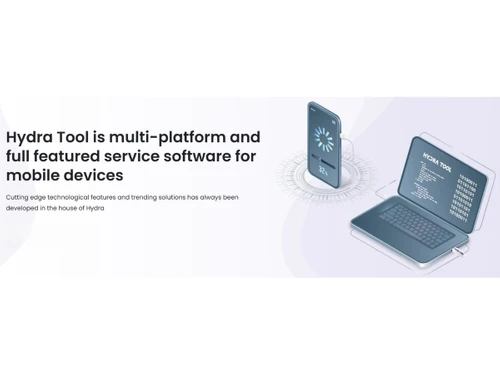
Hydra Tool-overview
Hydra Tool-FRP removal
Hydra Tool-comprehensive

Hydra Tool

Brand: Hydra Tool

  • No Ratings & Reviews

A utility software used by technicians to unlock, repair, and fix software issues in mobile phones, especially Android devices.

See More

Have you used Hydra Tool before?

Share your insights for better experience

Add a Review

Price Available on Request

Questions about pricing or customization? We’re here to help, just a click away.

100% Genuine
Products
Best Price
Guaranteed
Safe & Secure
Payment
  • Description

  • Pricing

  • Features

  • Specification

  • Review

  • FAQ

Hydra Tool Software Overview

What is Hydra Tool?

Hydra Tool is a utility software used to repair, unlock, and manage mobile devices, especially Android phones. It helps technicians fix common phone problems like lock issues and software errors.

The tool can remove FRP (Factory Reset Protection) locks and unlock devices easily. It also allows IMEI repair to restore phone network functions. Hydra Tool can reset phones and remove passwords, PINs, or patterns.

It supports reading and writing firmware (ROM) to update or fix devices. The software can unlock bootloaders, allowing advanced customization of phones. It also helps remove Mi accounts and demo mode restrictions from devices.

Hydra Tool supports many brands and models, making it widely useful. It is mainly used by mobile repair shops and technicians.

Why Choose Hydra Tool Software?

  • All-in-One Tool: Provides many mobile repair features in one software.
  • FRP Unlock Support: Removes FRP lock from many Android devices easily.
  • IMEI Repair Feature: Fixes damaged or invalid IMEI numbers.
  • Factory Reset Option: Resets phones and removes passwords quickly.
  • Firmware Backup: Can read and save device firmware (ROM).
  • Firmware Flashing: Allows writing firmware to fix or update devices.
  • Bootloader Unlocking: Unlocks the bootloader for advanced control.
  • Mi Account Removal: Removes Xiaomi account lock easily.
  • Demo Mode Removal: Converts demo phones to normal devices.
  • SIM Unlock Feature: Unlocks network restrictions on phones.
  • Wide Device Support: Works with many brands and models.
  • Multi-Platform Modules: Supports Qualcomm, MediaTek, and more.
  • Regular Updates: New models and features are added frequently.
  • High Performance: Improved speed and stability in operations.
  • Easy One-Click Functions: Simple actions like FRP removal in one click.
  • Professional Tool: Designed for mobile technicians and experts.

Benefits of Hydra Tool Software

  • Advanced Security Handling: Works with the latest phone security systems.
  • Data Recovery Support: Helps restore important phone data via firmware.
  • Custom ROM Support: Enables installing custom operating systems.
  • Fast Processing: Performs tasks quickly and efficiently.
  • Stable Software: Built for reliable and consistent performance.
  • Improved Logging System: Gives clear operation results and feedback.
  • Large Device Database: Supports thousands of phone models.
  • Portable Version Available: Can run without full installation.
  • Server-Based Features: Uses strong servers for better performance.
  • Unlock Advanced Features: Access deeper phone system controls.
  • Time-Saving Tool: Automates complex repair processes.

Hydra Tool Pricing

Hydra Tool price details are available on request at Techjockey. The pricing model is based on different parameters, including extra features, deployment type, and the total number of users. For further queries related to the product, you can contact our product team and learn more about the pricing and offers.

Read more

Hydra Tool Pricing & Plans

Looking for The Right Pricing?

Share your requirements and get a plan built around your business.

  • Define your business needs
  • Get customised pricing
  • Choose features that fit your workflow

Price Available on Request

Get personalised Hydra Tool pricing that fits your needs. Our team will connect with you.

Hydra Tool Features

  • icon_check FRP Removal
    Bypasses Google Factory Reset Protection locks on Android devices quickly, enabling access after resets.
  • icon_check SIM Unlock
    Removes carrier restrictions to allow smartphones to work with any network provider worldwide.
  • icon_check Bootloader Unlock
    Unlocks device bootloader to enable advanced modifications, rooting, and custom ROM installation.
  • icon_check IMEI Repair
    Repairs corrupted or invalid IMEI numbers to restore network connectivity and device identification.
  • icon_check Firmware Flashing
    Installs or updates device firmware to fix software issues, upgrade OS, or unbrick devices safely.
  • icon_check Factory Reset
    Performs full device wipe to remove user data, locks, and restore factory default settings.
  • icon_check Read Firmware Backup
    Extracts and saves complete firmware from a device for backup, cloning, or recovery purposes.
  • icon_check Multi-Brand Support
    Supports a wide range of Android brands including Samsung, Xiaomi, Oppo, Vivo, and more.
  • icon_check Chipset Compatibility
    Works with major chipsets like MediaTek, Qualcomm, and Spreadtrum for broad device coverage.
  • icon_check ADB & Fastboot Tools
    Provides advanced ADB and Fastboot commands for debugging, flashing, and device management tasks.
  • icon_check Partition Management
    Allows reading, writing, and editing device partitions for advanced repair and customization.
  • icon_check User-Friendly Interface
    Offers an intuitive UI that simplifies complex mobile repair operations for technicians and beginners.

Hydra Tool Specifications

Supported Platforms
Windows Windows
Devices
Desktop Desktop
Deployment
Perpetual Perpetual
Suitable For
All Industries
Business Specific
All Businesses
Business Size
Small Business Startups Medium Business Enterprises
Customer Support
Email Communities
Language
English

Hydra Tool Review

Techjockey Trusted Reviews from Verified Users

No reviews are currently available for Hydra Tool. Discover similar Utility Software reviews

  • Booky

    4.6

    Whats great - Booky.io has a clean and minimal layout. It's perfect for keeping my most-used links all in one place. The drag-and-drop make... read more
  • Defencebyte Computer Opmitizer

    4.1

    Whats great - Really I am happy now after using defencebyte Computer optimizer, My Pc performance boost after using defencebyte Computer op... read more

  • VMware

    4.5

    Whats great - Vmware offers a wide variety of management tools and features to help with both the initial configuration and ongoing adminis... read more

Articles for Hydra Tool

See All Related Articles

How much does Hydra Tool Digital Marketing Tool cost?

Hydra Tool pricing details can be obtained on request from techjockey.

Is there a mobile app available for Hydra Tool Software?

No, the Hydra Tool mobile app is not available.

Which operating systems are compatible with Hydra Tool Software?

Hydra Tool is web-based and compatible with Windows only.

Does Hydra Tool Software offer a free trial?

No, Hydra Tool does not offer a free trial.

How does Hydra Tool Software function?

Hydra Tool connects to mobile devices and performs tasks like unlocking, flashing firmware, resetting, and repairing using one-click tools.

Who uses Hydra Tool Software?

Hydra Tool is mainly used by mobile repair technicians and service centers to fix Android devices.

Is a free demo available for Hydra Tool Software?

No official free demo is available.

Is Hydra Tool Software available for free?

No, Hydra Tool is not available for free.

20,000+ Software Listed

Best Price Guranteed

Free Expert Consultation

2M+ Happy Customers

Terms and Condtions

close

Users with registered businesses can purchase goods from merchants on the platform to satisfy their business needs. Users are not permitted to utilize any products acquired through the platform for resale, advertising, business, or further distribution.

For each purchase made, users will receive a Tax Invoice (or 'GST invoice') that includes specific details such as:

  • the GSTIN of the user associated with their registered business, and

  • the specified Entity Name for their business.

It should be noted that not all products are eligible for GST Invoice. Only the products displayed by participating sellers with the 'GST-based Invoice Available' callout on the product description page would qualify.

Certain goods and services are not eligible to get a GST Invoice, including items with VAS, i.e., Value Added Services (e.g., Total Mobile Protection/Assured Buyback) and those involving an exchange offer at the time of purchase.

Users must ensure the accuracy of the GSTIN, and business entity name provided for the GST Invoice. Requests for corrections into GST Invoice would not be accommodated by Techjockey.com or any Seller, and any issues arising from user-provided information are the sole responsibility of users.

Techjockey.com is not liable for the GST Invoice or any associated input tax credit. To efficiently claim an input tax credit, users should select the registered place of business address as per the GST authority's data and follow the provisions of the GST Act and rules.

To claim an input tax credit, the delivery and billing addresses must match. Furthermore, input tax credits will not be granted if the delivery address and GSTIN on the invoice are from different states. In case of incorrect GST details provided during the order placement, the order will be canceled automatically.