 USA
USA UAE
UAESmall Business
Designed for startups and growing businesses


See More





Brand: Dhinwa solutions pvt ltd
Unlock the potential of your business with Leadrat CRM, a one-stop platform for real estate customer relationship management.
See MoreHave you used Leadrat CRM before?
Share your insights for better experience
Brand: Dhinwa solutions pvt ltd
Founded Year: 2022
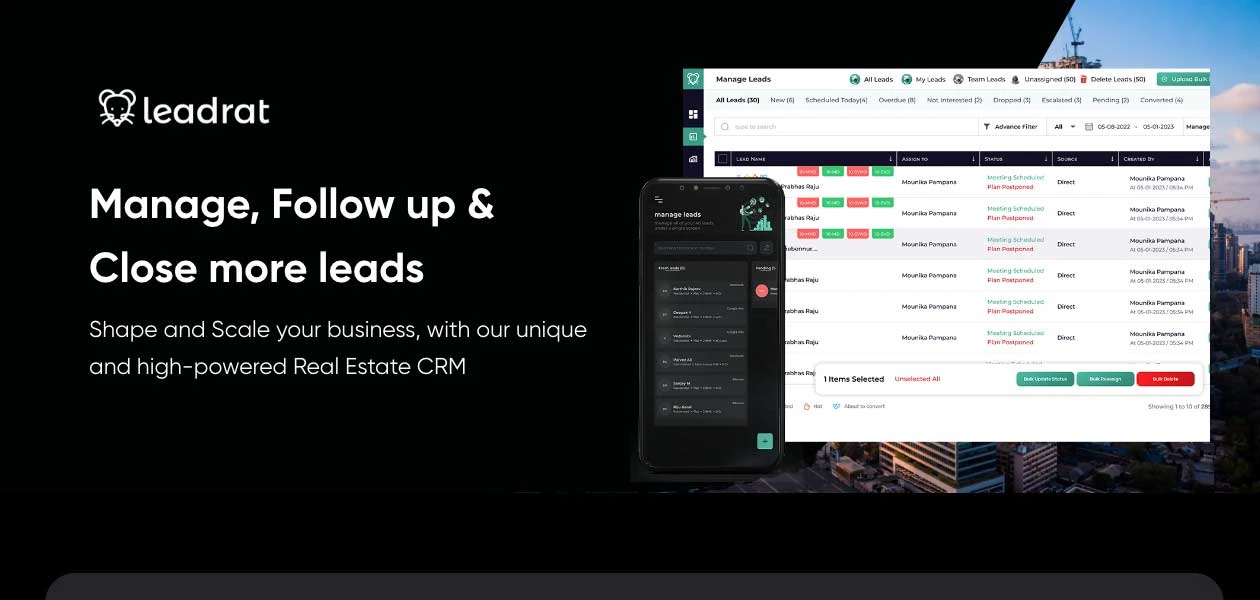
leadrat is a place where real estate meets intelligence to help you grow your business exponentially. It’s a user friendly easy to use real estate CRM which provides a technological edge to your businessand helps in closing deals and increasing revenue significantly.
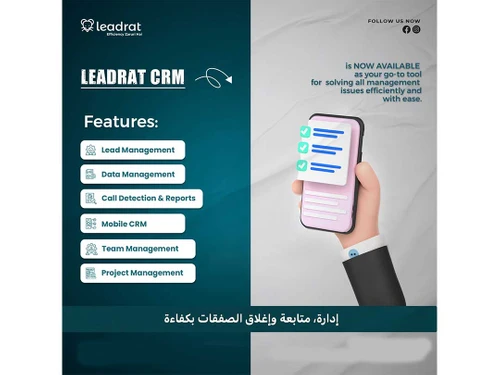
Contact Management
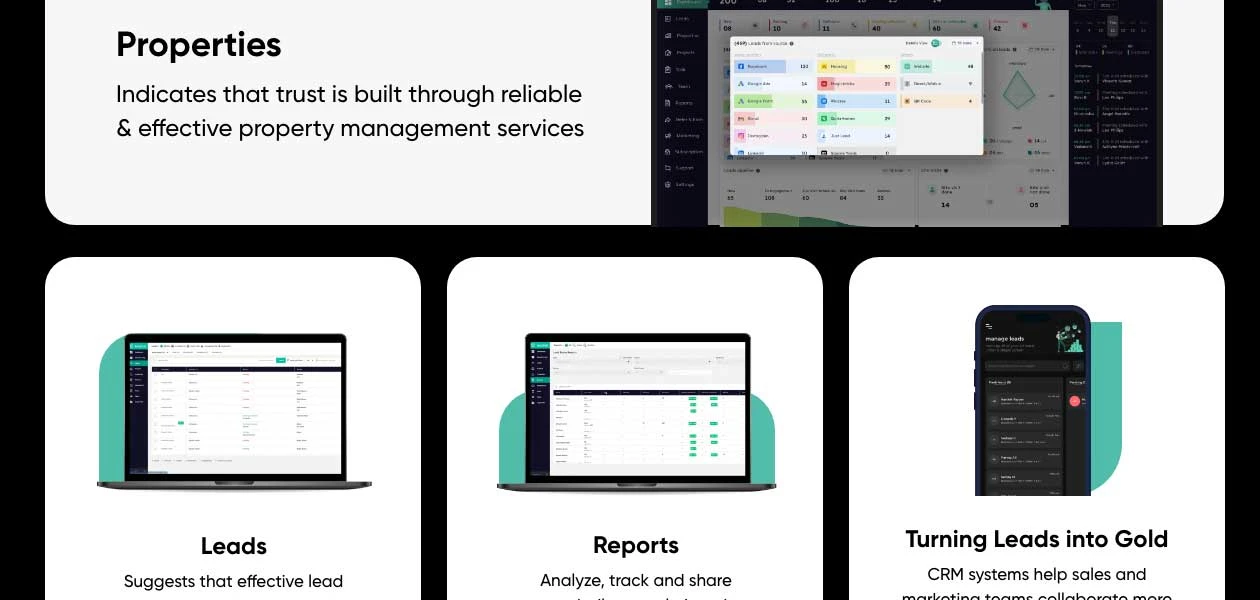
 Client Management Customer History Centralized Database Interaction Tracking
 Lead Management
Lead Scoring Lead Distribution Lead Qualification Lead Capture Lead Nurturing Lead Segmentation Property Management
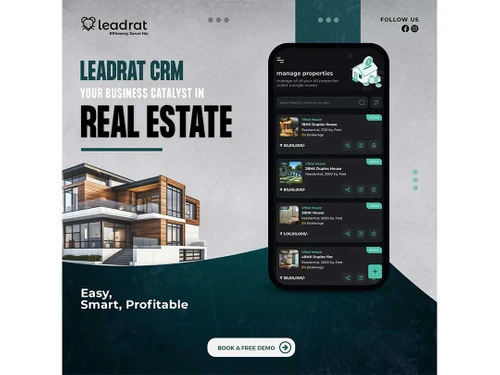
Property Listing Management Property Matching Commission Management Payment Tracking Transaction Tracking Marketing Automation
Email Campaigns SMS Campaigns Landing Page Builder Campaign Management Task and Workflow Automation
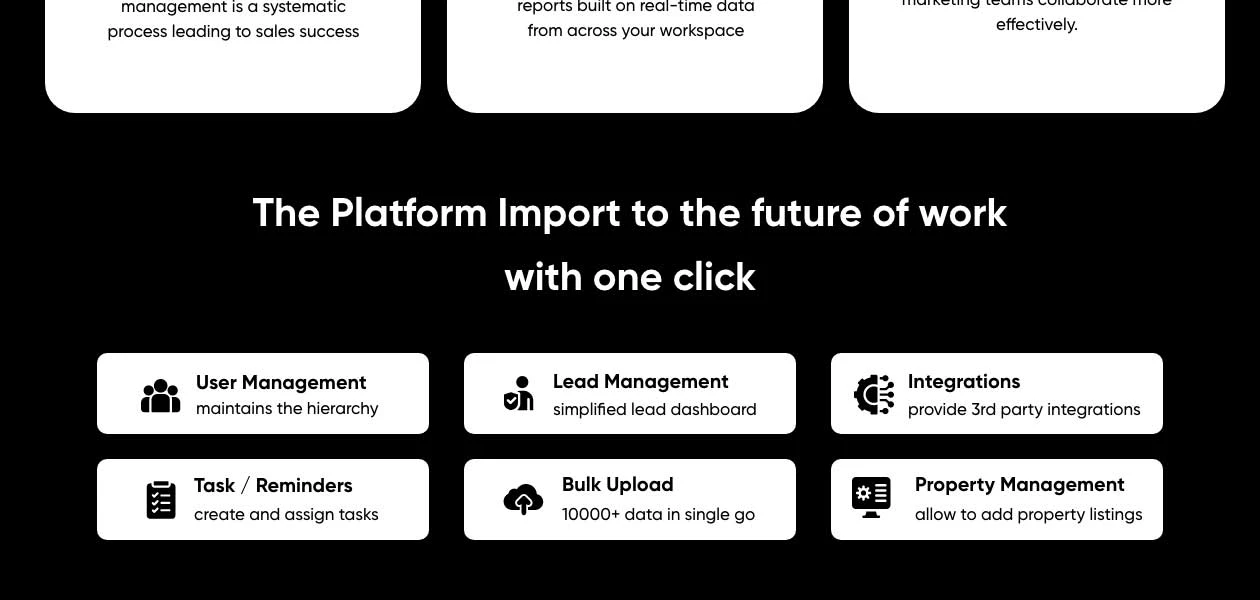
Task Scheduling Automated Follow-Ups Auto Lead Distribution Alerts & Notifications Automated Workflows Analytics and Reporting
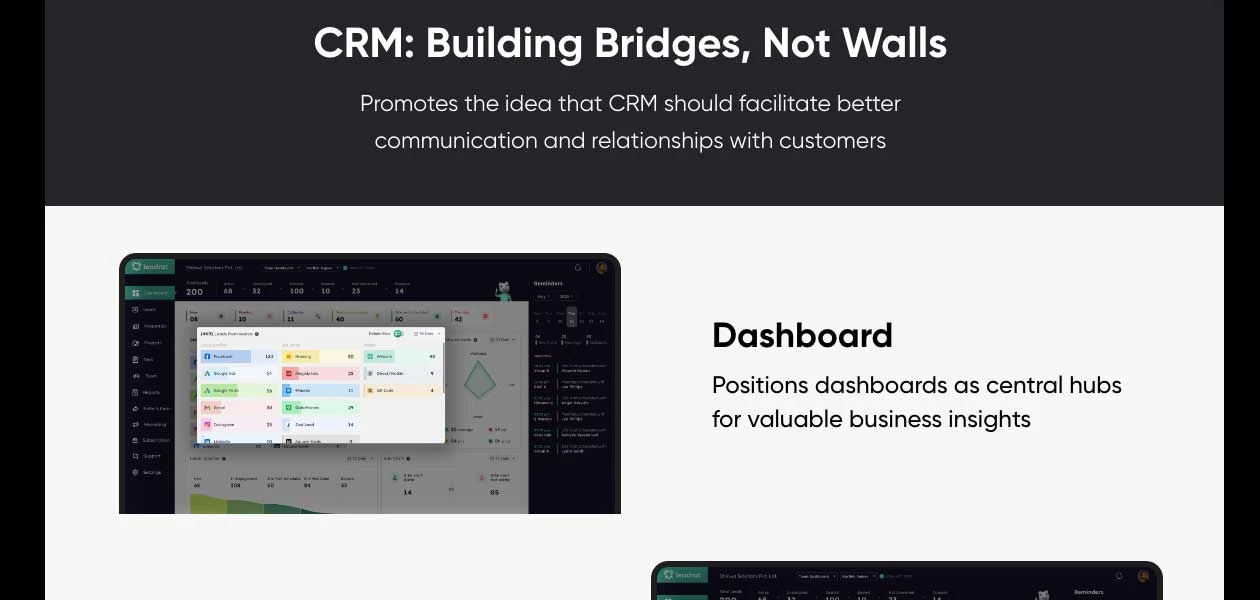
Performance Dashboards Real-Time Updates Conversion Rate Tracking Commission Tracking AI Insights Comparative Market Analysis (CMA) Integrations
Third Party Integrations Payment Gateway Integration Calendar Integration Multiple Listing Services (MLS) Integration IVR Integration E-Signature Integration API Integration Collaboration and Communication
Internal Communication Call Tracking and Recording Document Management Bulk Email and SMS Security & Compliance
API Access Data Encryption IP Whitelisting Audit Trails GDPR and CCPA Compliance Role-Based Access Control (RBAC) Audit Logs Backup & Disaster Recovery Others
Appointment Scheduling Goal Setting / Tracking Team Management Referral Management Sales Pipeline Management 

Watch the demo video to explore key features, real workflows, and how the software fits your business needs.
 Ubuntu
  Windows
  iOS
iOS  Android MacOS
  Desktop
  Mobile
  Cloud-Based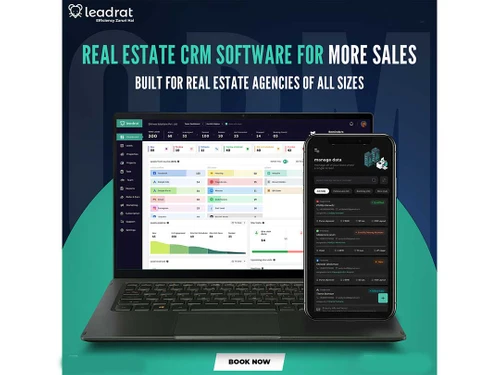

Small Business
Designed for startups and growing businesses
Medium Business
Built for business growth and flexibility
Enterprises
Designed for complex and large-scale business needs
4.8
Out of 5

Overall Rating
Based on
23 Verified Reviews
Rating Breakdown
97% Recommend this Product
Add ReviewLeadrat CRM has garnered overwhelmingly positive feedback from users, particularly for its user-friendly interface and robust customer support, which is available 24/7. Many appreciate the seamless integration with other tools and the ability to customize workflows, enhancing productivity in managing leads. Users highlight its effectiveness in streamlining operations within the real estate sector. However, some reviews suggest that improvements could be made in mobile usability and pricing flexibility. Overall, it is regarded as a valuable tool for both small and larger teams aiming to optimize their customer relationship management.
Pros
"Most simple and easy-to-use CRM, Mobile app UI is just awesome, Customer support is always available even on Saturday and Sunday to answer your queries"
"The user interface is so nice and features are very impressive and its very user friendly to use"
"Highly adaptable fields, workflows, and reports allow me to tailor the platform to my specific requirements."
Cons
"Its been a good experience and i don't want to change to any other product."
"The mobile app may have limitations in terms of functionality or user interface, making it less intuitive compared to the desktop version."

Dec 15, 2024
Techjockey Verified
“Easiest CRM for Real Estate”
Mobile application is as simple as using Instagram and WhatsApp. Anybody can start using it in 5-10 mins
Pros
Most simple and easy-to-use CRM, Mobile app UI is just awesome, Customer support is always available even on Saturday and Sunday to answer your queries
Cons
Bit expensive but I would say it’s value for money.
Reason to switch
Very complicated to use. No support after sale
Dec 13, 2024
Techjockey Verified
“Top-Rated Real Estate App”
Thrilled with our CRM choice for our real estate team! The user-friendly interface and seamless integration have taken our efficiency to the next level. Kudos to the talented developers for delivering such an incredible tool, and a huge thanks to the 24/7 support team for making the entire process so smooth. After using it for 6 months, I can say it’s one of the best CRMs I’ve ever worked with. The intuitive design, powerful features, and effortless integration make managing tasks feel like a breeze. Highly recommend it to any real estate team looking to enhance their workflow!
Pros
Having a dedicated 24/7 CRM support team is a huge advantage, ensuring help is always available when needed. This makes managing real estate tasks much easier and builds trust in the CRM solution. The integration is seamless, making lead management simple and efficient. I’ve used many software tools, but this one truly makes my business run more smoothly.
Cons
NO CONS
Dec 13, 2024
Techjockey Verified
“Naik Constructions”
Leadrat CRM is an excellent tool for managing and growing real estate businesses. Having personally used it, I found it highly efficient and effective in streamlining workflows, managing leads, and enhancing productivity. Its user-friendly interface and tailored features make it a great choice for scaling operations alongside business growth. A reliable CRM like this can significantly contribute to organizational success and efficiency.
Pros
Specialized Focus: Tailored for the real estate sector, making it highly relevant for businesses in this domain. Ease of Use: Offers intuitive tools to streamline lead management and sales workflows. Enhanced Productivity: Aims to optimize team efficiency through automation and effective pipeline tracking. Customer-centric design: likely prioritizes features that address the specific pain points of real estate professionals.
Cons
None as of now
Reason to switch
Leadrat CRM has been instrumental in simplifying and organizing tasks. It helps manage leads efficiently, streamlines sales pipelines, and automates repetitive processes, saving time and reducing errors. Its real estate-specific features enable better tracking and prioritization of tasks, ultimately boosting productivity and allowing focus on core business growth. The intuitive interface makes it easy to adopt and integrate into daily workflows, ensuring tasks are completed efficiently and effectively

Leadrat CRM
Price On Request
Desktop
Mobile
Web based
On Premises
Windows
Mac OS

B2BBricks
₹ 18000
Desktop
Mobile
Web based
On Premises
Windows
Mac OS
TiggerOn
Price On Request
Desktop
Mobile
Web based
On Premises
Windows
Mac OS
HomeLead
₹ 1000
Desktop
Mobile
Web based
On Premises
Windows
Mac OS

WorkVEU
₹ 800
Desktop
Mobile
Web based
On Premises
Windows
Mac OS

REsimpli
Price On Request
Desktop
Mobile
Web based
On Premises
Windows
Mac OS

eBuildAuto
₹ 1500
Desktop
Mobile
Web based
On Premises
Windows
Mac OS

PropFlo
₹ 1200
Desktop
Mobile
Web based
On Premises
Windows
Mac OS

Aaram CRM
Price On Request
Desktop
Mobile
Web based
On Premises
Windows
Mac OS

DiscoveriCRM
₹ 5000
Desktop
Mobile
Web based
On Premises
Windows
Mac OS

Real CRM
Price On Request
Desktop
Mobile
Web based
On Premises
Windows
Mac OS
(0) Product(s) selected
Starting Price:
₹12,990 /Month
Starting Price:
$199 /Month
Starting Price:
$25 /Month
Available
Price on Request

Available
Price on Request

Starting Price:
₹199 /Month

Available
Price on Request

Starting Price:
$79 /Month

Available
Price on Request

Starting Price:
₹35,988 /User/Month






Leadrat CRM, a real estate CRM software, is compatible with windows and mac operating systems.
Leadrat CRM app is available for android and iOS mobile devices.
Leadrat supports web-based deployment type.
Leadrat real estate CRM pricing starts at INR 2299 Per User/month at techjockey.com
Leadrat CRM is typically used by real estate developers, builders, brokers, and real estate consultants.
Leadrat Real estate CRM demo is available for free with techjockey.com.
Leadrat CRM offers a free trial. However, the premium plan with advanced features is available at techjockey.com with exciting deals.
Leadrat CRM installation is not required, as it is web-based. Just open the Setup Wizard to get started.
Leadrat CRM works by providing a one-stop platform to manage real estate properties, leads, customers and tasks. It allows users to import leads from various platforms, manage the sales pipeline, assign tasks, and set follow-up reminders.
Leadrat CRM allows you to track the ROI of your marketing campaigns by linking lead sources to specific campaigns. You can monitor conversion rates, customer acquisition costs, and other performance metrics to determine the effectiveness of your marketing strategies and adjust them as needed.
0 0
Yes, Leadrat CRM offers a mobile-friendly interface and apps for iOS and Android to manage leads on the go.
0 0
Yes, Leadrat CRM provides powerful workflow automation tools to streamline your lead management and follow-up processes.
0 0
Leadrat CRM provides tools to create, send, and track email campaigns directly from the platform. You can segment your contact list, design custom email templates, and automate follow-up sequences. Analytics are available to track open rates, click-through rates, and overall campaign performance.
0 0
Leadrat CRM can be integrated with your website by embedding lead capture forms or using its API. These forms automatically capture visitor information, such as name, contact details, and property interests, and send it directly into your CRM for seamless follow-up and tracking.
0 0
20,000+ Software Listed
Best Price Guranteed
Free Expert Consultation
2M+ Happy Customers
Terms and Condtions

Users with registered businesses can purchase goods from merchants on the platform to satisfy their business needs. Users are not permitted to utilize any products acquired through the platform for resale, advertising, business, or further distribution.
For each purchase made, users will receive a Tax Invoice (or 'GST invoice') that includes specific details such as:
the GSTIN of the user associated with their registered business, and
the specified Entity Name for their business.
It should be noted that not all products are eligible for GST Invoice. Only the products displayed by participating sellers with the 'GST-based Invoice Available' callout on the product description page would qualify.
Certain goods and services are not eligible to get a GST Invoice, including items with VAS, i.e., Value Added Services (e.g., Total Mobile Protection/Assured Buyback) and those involving an exchange offer at the time of purchase.
Users must ensure the accuracy of the GSTIN, and business entity name provided for the GST Invoice. Requests for corrections into GST Invoice would not be accommodated by Techjockey.com or any Seller, and any issues arising from user-provided information are the sole responsibility of users.
Techjockey.com is not liable for the GST Invoice or any associated input tax credit. To efficiently claim an input tax credit, users should select the registered place of business address as per the GST authority's data and follow the provisions of the GST Act and rules.
To claim an input tax credit, the delivery and billing addresses must match. Furthermore, input tax credits will not be granted if the delivery address and GSTIN on the invoice are from different states. In case of incorrect GST details provided during the order placement, the order will be canceled automatically.



