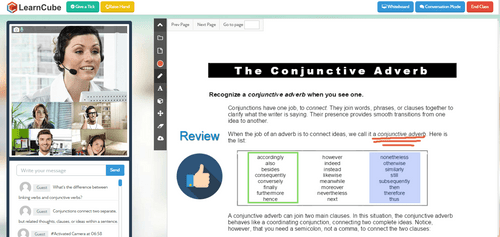
linkedin
LearnCube logo
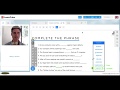
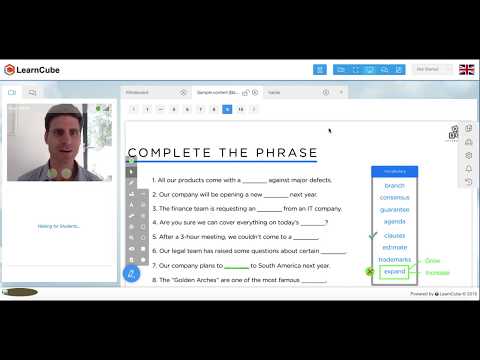
play Using shapes tool in LearnCube virtual classroom - LearnCube Demo
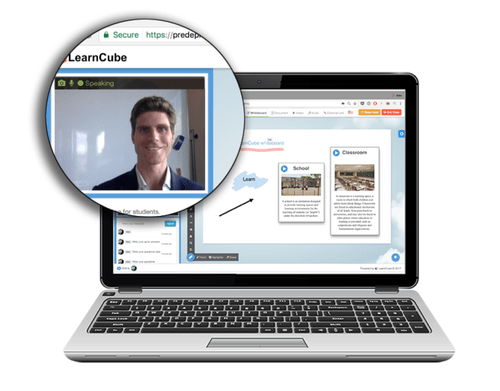
learncube desktop
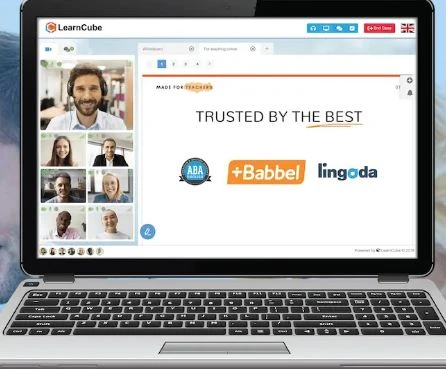
learncube dashboard

LearnCube

Brand: LearnCube

  • 4.4

  • 6 Ratings

LearnCube helps tutors and schools deliver engaging online classes with an interactive whiteboard, reliable video conferencing, and built-in teaching tools.

See More

Have you used LearnCube before?

Share your insights for better experience

Add a Review
Starting Price
$19

View plans

100% Genuine
Products
Best Price
Guaranteed
Safe & Secure
Payment
  • Description

  • Pricing

  • Features

  • Specification

  • Review

  • Compare

  • Alternatives

  • FAQ

Starting at $19

LearnCube Software Overview

What is LearnCube?

LearnCube is an award-winning virtual classroom software designed specifically for online teaching and tutoring. Unlike generic web-conferencing tools, LearnCube provides a purpose-built environment with interactive features tailored to educational needs. It focuses on delivering a professional, reliable, and simple-to-use platform for educators, particularly those teaching languages, mathematics, and science. The software operates entirely within a web browser, eliminating the need for downloads and simplifying access for both teachers and students.

Trusted by over 50,000 educators who have delivered more than 5 million online classes, LearnCube is engineered to enhance the live online learning experience through high-quality audio/video, an interactive whiteboard, and specialized content libraries.

Why Choose LearnCube?

  • Purpose-Built for Education: Every feature, from the online whiteboard to the lesson material library, is created with the teacher and student in mind, fostering a more effective learning environment than a standard meeting application.
  • No Downloads Required: The platform is entirely browser-based, leveraging WebRTC technology. This removes technical barriers, saving valuable class time that would otherwise be spent on software installation and troubleshooting.
  • High-Quality & Reliable: LearnCube invests in premium services to ensure the highest possible quality for audio and video, recognizing that clear communication is critical for effective teaching.
  • Professional Branding: Move beyond generic interfaces. LearnCube offers white-labeling options, allowing schools and tutors to customize the classroom with their own logo, colors, and domain, reinforcing their brand identity.
  • Proven Success: With a high satisfaction rate where 97% of students rate the platform with 4 or more stars, LearnCube has a proven track record of delivering a positive and effective user experience.

Advanced Features of LearnCube

  • Interactive Online Whiteboard: A modern, collaborative canvas where users can draw, type, annotate documents, and drag-and-drop images in real-time. It supports multiple whiteboards within a single session for seamless transitions between topics.
  • Lesson Material Management: Easily upload, save, and instantly access multi-media content like PDFs, presentations, and videos to enrich classes and keep students engaged.
  • Class Recording: Record live sessions to ensure teacher quality, provide students with valuable review material, and maintain a record of instruction.
  • AI Teacher Assistant (Beta): An innovative tool that allows language teachers to create personalized exercises, such as reading comprehension and fill-in-the-blanks, in seconds.
  • Breakout Rooms: Facilitate group work and collaborative activities by splitting students into smaller, private virtual rooms during a class.
  • ESL Content Library: For language teachers, LearnCube offers access to a modern curriculum (CEFR A1-C2 + Business) designed for teaching ESL, French, and Spanish online.

Key Capabilities of LearnCube

  • Virtual Classroom: The core software for individual teachers and small tutoring businesses. It provides all the essential tools for delivering high-quality 1-on-1 or group classes online.
  • Online School Platform: A comprehensive solution for schools and companies. It includes the virtual classroom plus administrative features like class scheduling, automated reminders, attendance reporting, and a centralized content library for all teachers.
  • Enterprise Solution: A turn-key platform for large-scale operations. It offers advanced capabilities such as student payment processing, teacher availability management, unlimited concurrent classes, SSO, learning analytics, and robust API access.
  • Developer APIs: For organizations with an existing platform, LearnCube provides a highly scalable Virtual Classroom API and Whiteboard API to integrate its powerful teaching tools directly into their own software.

How to Use LearnCube?

  1. Sign Up: Create an account, starting with the free Basic plan to explore the core features.
  2. Configure Your Classroom: For Pro and Premium users, customize the virtual classroom with your logo and brand colors to create a professional appearance.
  3. Prepare Your Content: Upload lesson plans, presentations, images, and other multimedia files to your personal or centralized Materials Library for quick access during class.
  4. Schedule Classes: Use the teacher dashboard to schedule upcoming one-time or recurring classes and invite students. The system can send automated reminders.
  5. Deliver Your Lesson: Launch the browser-based classroom at the scheduled time. Use the interactive whiteboard, share materials, and engage with students using the high-quality audio and video.
  6. Review and Follow-Up: After the class, access saved notes or class recordings to share with students for review or for internal quality assurance purposes.

LearnCube Pricing

LearnCube price starts at USD 19 at techjockey.com.

The pricing model is based on different parameters, including extra features, deployment type, and the total number of users. For further queries related to the product, you can contact our product team and learn more about the pricing and offers.

Read more

LearnCube Pricing & Plans

Pro
Starting at $19
    • Quantity

      Quantity
      Quantity

Key Features

  • Unlimited group classes

  • Branding options (logo, colours)

  • Automatically save past class notes

  • Materials Library (save up to 1000 files)

Premium
Starting at $99
    • Quantity

      Quantity
      Quantity

Key Features

  • Unlimited student, teacher, & admin accounts

  • Centralised materials library

  • Professional virtual classroom

  • Automated class reminders

LearnCube Features

  • icon_check Video with Whiteboard/Content
  • icon_check Audio / Video Conferencing
  • icon_check Download Free
  • icon_check Custom Branding
  • icon_check Video Recording
  • icon_check Private Classes
  • icon_check File Sharing
  • icon_check Scheduling
  • icon_check Reporting
  • icon_check Content Marketing
LearnCube Demo Video play icon

Get LearnCube Demo

Watch the demo video to explore key features, real workflows, and how the software fits your business needs.

Understand
Key Features
Personal
Demo Insights
Interactive
Demo Support

LearnCube Specifications

Supported Platforms
Windows Windows Android Android
Devices
Desktop Desktop Mobile Mobile
Deployment
Cloud-Based Cloud-Based
Suitable For
Education
Business Specific
School/Colleges
Language
English

Explore the Best Alternative Solutions Similar to Your Business Size and Needs

LearnCube Review

4.4

Out of 5

img

Overall Rating

Based on
6 Verified Ratings

Rating Breakdown

  • Features 4.5
  • Value for Money 4.3
  • Ease of Use 4.6
  • Customer Support 4.2

90% Recommend this Product

Add Review

Techjockey Trusted Reviews from Verified Users

No reviews are currently available for LearnCube. Discover similar Virtual Classroom Software reviews

  • Globus Infocom

    4.5

    Whats great - Great support, smooth experience, and real value for money. read more

  • Softlogic Smart Classroom Software

    3.7

    Whats great - No Service manual. Warranty Terms are not written down and shared. No supply of peripherals. read more

  • ZeClassroom

    5.0

    Whats great - We have been using ZeClassroom for few months now. This has turned out to be a game changer in the way we conduct classes in ... read more

Compare LearnCube With other Virtual Classroom Software

Products
Ratings
Pricing
Device Supported
Deployment
Supported Platforms
  • img

    LearnCube

  • 4.4

  • Price On Request

  • Desktop

    Mobile

  • Web based

    On Premises

  • Windows

    Mac OS

  • img

    MyClassRoom

  • 4.0

  • Price On Request

  • Desktop

    Mobile

  • Web based

    On Premises

  • Windows

    Mac OS

  • img

    Groupworld

  • 4.4

  • Price On Request

  • Desktop

    Mobile

  • Web based

    On Premises

  • Windows

    Mac OS

  • img

    Classin

  • 4.1

  • Price On Request

  • Desktop

    Mobile

  • Web based

    On Premises

  • Windows

    Mac OS

  • img

    Fluxy AI

  • 4.3

  • Price On Request

  • Desktop

    Mobile

  • Web based

    On Premises

  • Windows

    Mac OS

  • img

    K12 Online

  • 4.3

  • Price On Request

  • Desktop

    Mobile

  • Web based

    On Premises

  • Windows

    Mac OS

  • img

    Globus Infocom

  • 4.6

  • Price On Request

  • Desktop

    Mobile

  • Web based

    On Premises

  • Windows

    Mac OS

  • img

    Class

  • Price On Request

  • Desktop

    Mobile

  • Web based

    On Premises

  • Windows

    Mac OS

(0) Product(s) selected

LearnCube Alternatives

See All LearnCube Alternatives

Starting Price:

$25 /Month

Available

Price on Request

Available

Price on Request

Available

Price on Request

Starting Price:

$30

Available

Price on Request

Available

Price on Request

Available

Price on Request

Articles for LearnCube

See All Related Articles

Which operating system does LearnCube support?

LearnCube Virtual Classroom Software is compatible with Windows and Android operating systems.

Is there any LearnCube app?

LearnCube Virtual Classroom app is available for and Mobile.

What is deployment type of LearnCube?

LearnCube supports Web-Based.

Who are the potential users of LearnCube?

LearnCube is typically used in Education.

Is there any free trial or demo for LearnCube?

LearnCube demo is available for free at Techjockey.

Is LearnCube free?

LearnCube Virtual Classroom Software offers a free trial. However, the premium plan with advanced features available at Techjockey.

How can you download LearnCube?

For LearnCube installation, insert the given CD/USB flash storage in your system and open the Setup Wizard to get started.

How does LearnCube work?

LearnCube helps with Video with Whiteboard/Content,Audio / Video Conferencing,Download Free and Custom Branding. It's a complete solution for Video Recording,Private Classes,File Sharing and Scheduling.

What is LearnCube used for?

LearnCube is an award-winning virtual classroom software used by teachers and tutors for teaching online, with specific tools designed for subjects like languages, math, and science.

Is LearnCube free?

Yes, LearnCube offers a free Virtual Classroom Basic plan for new teachers which includes unlimited one-on-one classes and a materials library for up to 10 files.

How do I use LearnCube?

You can use LearnCube directly through your web browser without any downloads, as you just need to sign up to get started in seconds.

What is the difference between LearnCube and Zoom?

Unlike generic web-conferencing tools like Zoom, LearnCube is a purpose-built virtual classroom designed specifically for teaching with features like an interactive online whiteboard, lesson material integration, and custom branding.

What are the features of LearnCube?

LearnCube's main features include an interactive online whiteboard, reliable browser-based audio and video, class recording, custom branding options, and the ability to upload and save lesson materials.

How much does LearnCube cost?

LearnCube price starts at USD 19 at techjockey.com.

Does LearnCube require any software installation?

No, LearnCube is a browser-based platform that works directly in your web browser, so it does not require any software downloads or installations for teachers or students.

What kind of lesson materials does LearnCube provide?

LearnCube offers a modern ESL content library with a curriculum designed for teaching English, French, and Spanish online, covering levels from CEFR A1 to C2 and business topics.

Is there a LearnCube solution for larger schools or enterprises?

Yes, LearnCube provides an Online School platform for schools and companies, as well as a scalable Enterprise solution with advanced features like SSO, developer APIs, and unlimited concurrent classes.

Who can use LearnCube?

LearnCube is ideal for independent tutors, language schools, tutoring companies, corporate training providers, and EdTech platforms delivering online education and training.

20,000+ Software Listed

Best Price Guranteed

Free Expert Consultation

2M+ Happy Customers

Terms and Condtions

close

Users with registered businesses can purchase goods from merchants on the platform to satisfy their business needs. Users are not permitted to utilize any products acquired through the platform for resale, advertising, business, or further distribution.

For each purchase made, users will receive a Tax Invoice (or 'GST invoice') that includes specific details such as:

  • the GSTIN of the user associated with their registered business, and

  • the specified Entity Name for their business.

It should be noted that not all products are eligible for GST Invoice. Only the products displayed by participating sellers with the 'GST-based Invoice Available' callout on the product description page would qualify.

Certain goods and services are not eligible to get a GST Invoice, including items with VAS, i.e., Value Added Services (e.g., Total Mobile Protection/Assured Buyback) and those involving an exchange offer at the time of purchase.

Users must ensure the accuracy of the GSTIN, and business entity name provided for the GST Invoice. Requests for corrections into GST Invoice would not be accommodated by Techjockey.com or any Seller, and any issues arising from user-provided information are the sole responsibility of users.

Techjockey.com is not liable for the GST Invoice or any associated input tax credit. To efficiently claim an input tax credit, users should select the registered place of business address as per the GST authority's data and follow the provisions of the GST Act and rules.

To claim an input tax credit, the delivery and billing addresses must match. Furthermore, input tax credits will not be granted if the delivery address and GSTIN on the invoice are from different states. In case of incorrect GST details provided during the order placement, the order will be canceled automatically.