 USA
USA UAE
UAESmall Business
Designed for startups and growing businesses


See More




Brand: MAPILab
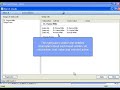
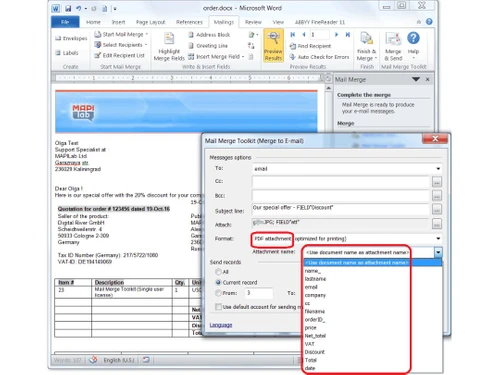
Mail Merge Toolkit is an add-on feature of Microsoft Office that can integrate mail-merging abilities with Word, Publisher, and Outlook. It enables you to send personalized as well as business emails along with relevant attachments and a customer-oriented subject line. While sending personalized emails, users can also send documents and PDF files. Users don’t need to have a Microsoft Outlook a...
See MoreHave you used Mail Merger Toolkit before?
Share your insights for better experience
View plans
 Save upto 18%, Get GST Invoice on your business purchase T&C Buy Now & Pay Later, Check offer on payment page.
 Brand: MAPILab
Founded Year: 2002
MAPILab
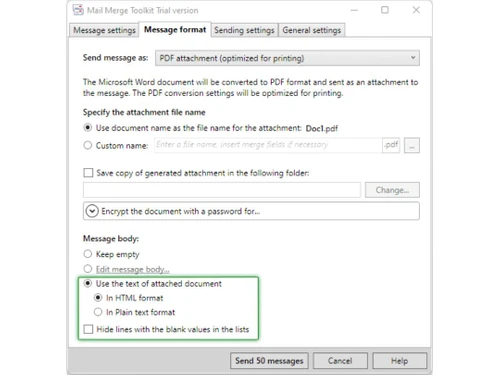
 Tracking Email Campaign with Google Analytics Email with Image Map Personalization Email merge Attachment Support PDF attachments SharePoint List Security Image Formats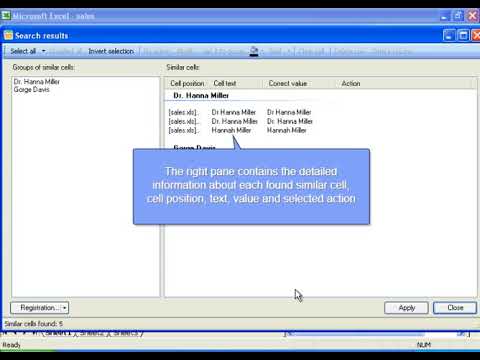

Watch the demo video to explore key features, real workflows, and how the software fits your business needs.
 Windows
  Desktop
  Cloud-Based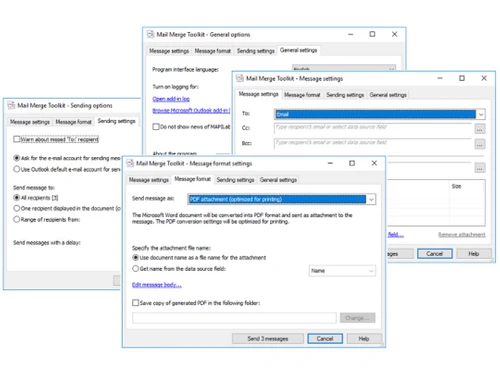
Small Business
Designed for startups and growing businesses
Medium Business
Built for business growth and flexibility
Enterprises
Designed for complex and large-scale business needs
4.8
Out of 5

Overall Rating
Based on
2 Verified Reviews
Rating Breakdown
90% Recommend this Product
Add Review
Feb 25, 2019
Techjockey Verified
“Rich instruments”
Pros
Mapilab Mail Merge is such an incredible device. It's anything but difficult to set up and use. It's that effortlessness that I truly like. As far as possible are liberal and the paid form merits the expense. Beyond any doubt there are increasingly powerful or highlight rich instruments out there, however with Mapilab Mail Merge you are ready for action in 30 seconds.
Cons
NO CONS
May 29, 2018
Techjockey Verified
“very cooperative & helpful”
Pros
Not only does the site have links to demo videos, but I received a call very quickly and after a short interview I was emailed a short list of suggested programs. About a week later, Techjockey followed up to make sure I received calls from the suggested companies.
Cons
N/A

Mail Merger Toolkit
₹ 2845.00 excl. GST
Desktop
Mobile
Web based
On Premises
Windows
Mac OS

MapiLab Send Personally
Price On Request
Desktop
Mobile
Web based
On Premises
Windows
Mac OS
SendGrid
Price On Request
Desktop
Mobile
Web based
On Premises
Windows
Mac OS
Salesforce Email Studio
Price On Request
Desktop
Mobile
Web based
On Premises
Windows
Mac OS

Privy
Price On Request
Desktop
Mobile
Web based
On Premises
Windows
Mac OS

Litmus
Price On Request
Desktop
Mobile
Web based
On Premises
Windows
Mac OS

Knak
Price On Request
Desktop
Mobile
Web based
On Premises
Windows
Mac OS

PostyMan
₹ 2000
Desktop
Mobile
Web based
On Premises
Windows
Mac OS

Mumara One
₹ 1390
Desktop
Mobile
Web based
On Premises
Windows
Mac OS

Zoho Campaigns
₹ 240
Desktop
Mobile
Web based
On Premises
Windows
Mac OS

Convertkit
Price On Request
Desktop
Mobile
Web based
On Premises
Windows
Mac OS
(0) Product(s) selected
Available
Price on Request
Starting Price:
$20 /Month
Starting Price:
$30 /Month
Starting Price:
$500 /Month
Available
Price on Request
Starting Price:
$29

Starting Price:
$38 /Month

Starting Price:
$15 /Month

Starting Price:
$59 /month

Starting Price:
$5 /Month

Starting Price:
$29


Yes, users can merge any PDF file to their mails. Mail Merge Toolkit converts the PDF document into a form by adding fields and sends it thereafter.
Yes, users can attach their personal files to each unique recipient in the mailing list with the Mail Merge Toolkit add-in. You can even merge fields from various databases, including Excel files.
No, currently the facility of sending emails from a non-primary email address is unavailable as there is no option to change the ‘From’ field. However, if you have various accounts in Microsoft Outlook, then you will have different mail profiles. Mail Merge application will open up the account or profile selection dialog. If you exit Outlook before sending mails and also do not use Outlook Contacts as your primary data source, then you will get the option of profile selection before account selection
With Mail Merge Toolkit, you can enjoy the advanced level of security, as it is compatible with the latest versions of Microsoft Word. Even if you are not using Microsoft Outlook prompts, your data is secure.
If the recipients‘ data is stored on the Sharepoint server, then Mail Merge Toolkit grants access to the data and uses them for merging without having to inform the server administrator.
20,000+ Software Listed
Best Price Guranteed
Free Expert Consultation
2M+ Happy Customers
Terms and Condtions

Users with registered businesses can purchase goods from merchants on the platform to satisfy their business needs. Users are not permitted to utilize any products acquired through the platform for resale, advertising, business, or further distribution.
For each purchase made, users will receive a Tax Invoice (or 'GST invoice') that includes specific details such as:
the GSTIN of the user associated with their registered business, and
the specified Entity Name for their business.
It should be noted that not all products are eligible for GST Invoice. Only the products displayed by participating sellers with the 'GST-based Invoice Available' callout on the product description page would qualify.
Certain goods and services are not eligible to get a GST Invoice, including items with VAS, i.e., Value Added Services (e.g., Total Mobile Protection/Assured Buyback) and those involving an exchange offer at the time of purchase.
Users must ensure the accuracy of the GSTIN, and business entity name provided for the GST Invoice. Requests for corrections into GST Invoice would not be accommodated by Techjockey.com or any Seller, and any issues arising from user-provided information are the sole responsibility of users.
Techjockey.com is not liable for the GST Invoice or any associated input tax credit. To efficiently claim an input tax credit, users should select the registered place of business address as per the GST authority's data and follow the provisions of the GST Act and rules.
To claim an input tax credit, the delivery and billing addresses must match. Furthermore, input tax credits will not be granted if the delivery address and GSTIN on the invoice are from different states. In case of incorrect GST details provided during the order placement, the order will be canceled automatically.



