 USA
USA UAE
UAESmall Business
Designed for startups and growing businesses


See More




Brand: MAPILab
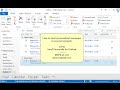
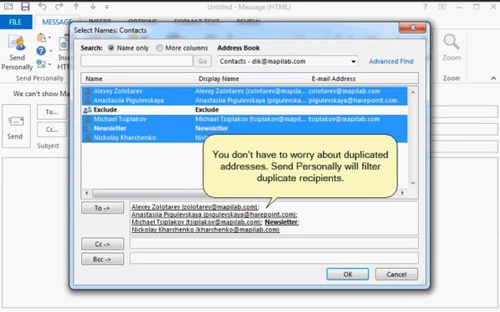
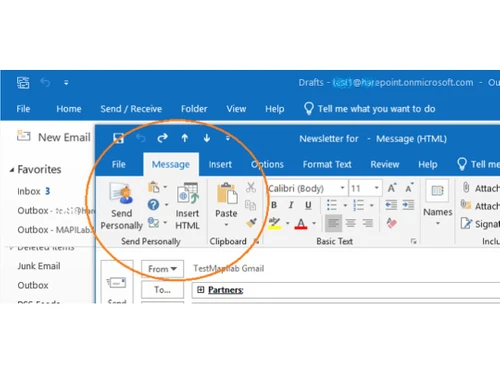
Create personalised email messages and reach out to as many recipients as you want with a single tool – Send Personally for Outlook. All you need to do is click on ‘Send Personally’ instead of the traditional ‘Send’ button. Even when you are performing bulk emailing th...
See MoreHave you used MapiLab Send Personally before?
Share your insights for better experience
Brand: MAPILab
Founded Year: 2002
MAPILab
Looking for The Right Pricing?
Share your requirements and get a plan built around your business.
Price Available on Request
Get personalised MapiLab Send Personally pricing that fits your needs. Our team will connect with you.
 Email merge Attachment Support Analytics Automated Workflow Optimization E-Mail Security Personalization Receiving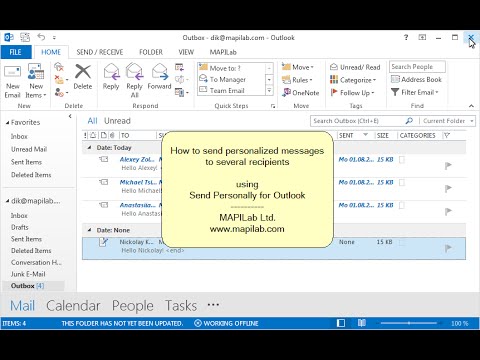

Watch the demo video to explore key features, real workflows, and how the software fits your business needs.
 Windows
  Desktop
  Cloud-Based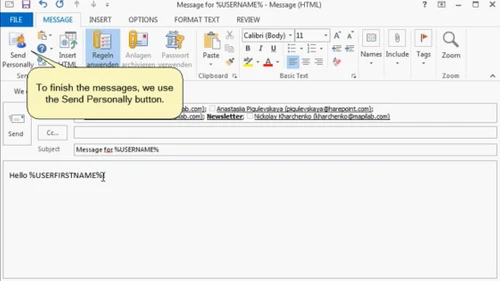
Small Business
Designed for startups and growing businesses
Medium Business
Built for business growth and flexibility
Enterprises
Designed for complex and large-scale business needs
4.6
Out of 5

Overall Rating
Based on
3 Verified Reviews
Rating Breakdown
86% Recommend this Product
Add ReviewCustomers express a high level of satisfaction with MapiLab Send Personally, highlighting its time-saving capabilities and the ability to integrate additional HTML documents from other sites. Users appreciate the support received from Techjockey, noting prompt responses and effective vendor recommendations. While the feedback is predominantly positive, there are no significant complaints or limitations mentioned, indicating a generally favorable experience with both the product and the service provided.

May 5, 2019
Techjockey Verified
“Saves time”
Pros
Send Personally saves any additional performance timing. Best part is that it lets you add another docs HTML which is used or created on other site.
Cons
NO CONS
Jun 7, 2018
Techjockey Verified
“Techjockey is a good place to go”
Pros
I spoke with the gentleman from Techjockey, and within fifteen minutes, I received the first of six or seven calls that I received that day from vendors seeking to meet my need for a billing and records platform.?
Cons
N/A
May 31, 2018
Techjockey Verified
“Definitely a great experience.”
Pros
I couldn't be happier with Techjockey. Earlier this year, I contacted them for recommendations. They recommended 4 excellent vendors, and we selected one from that list. We are very pleased with the product. This time, I contacted them for recommendations for another category. They immediately followed-up with me, discussed my requirements, including pricing, and recommended 4 systems. I am still in the demo phase, but so far so good. Many thanks to Techjockey!
Cons
N/A

MapiLab Send Personally
Price On Request
Desktop
Mobile
Web based
On Premises
Windows
Mac OS

Mail Merger Toolkit
₹ 2845
Desktop
Mobile
Web based
On Premises
Windows
Mac OS

SendGrid
Price On Request
Desktop
Mobile
Web based
On Premises
Windows
Mac OS
Salesforce Email Studio
Price On Request
Desktop
Mobile
Web based
On Premises
Windows
Mac OS

Privy
Price On Request
Desktop
Mobile
Web based
On Premises
Windows
Mac OS

PostyMan
₹ 2000
Desktop
Mobile
Web based
On Premises
Windows
Mac OS

Litmus
Price On Request
Desktop
Mobile
Web based
On Premises
Windows
Mac OS

Knak
Price On Request
Desktop
Mobile
Web based
On Premises
Windows
Mac OS

Mumara One
₹ 1390
Desktop
Mobile
Web based
On Premises
Windows
Mac OS

Zoho Campaigns
₹ 240
Desktop
Mobile
Web based
On Premises
Windows
Mac OS

Convertkit
Price On Request
Desktop
Mobile
Web based
On Premises
Windows
Mac OS
(0) Product(s) selected
Starting Price:
$20 /Month
Starting Price:
$30 /Month
Starting Price:
$500 /Month
Available
Price on Request
Starting Price:
$9

Starting Price:
$29

Starting Price:
$38 /Month

Starting Price:
$15 /Month

Starting Price:
$59 /month

Starting Price:
$5 /Month

Starting Price:
$29





MapiLab Send Personally Email Marketing Tools is compatible with Windows operating systems.
MapiLab Send Personally Email Marketing Tools app is not available.
MapiLab Send Personally Email Marketing Tools supports Web-Based.
MapiLab Send Personally Email Marketing Tools is typically used in All Industries.
MapiLab Send Personally Email Marketing Tools demo is available for free at Techjockey.
MapiLab Send Personally Email Marketing Tools offers a free trial. However, the premium plan with advanced features available at Techjockey.
For MapiLab Send Personally Email Marketing Tools installation, insert the given CD/USB flash storage in your system and open the Setup Wizard to get started.
MapiLab Send Personally Email Marketing Tools helps with E-Mail Security,Personalization,Receiving and Email merge. It's a complete solution for Attachment Support,Analytics and Workflow.
20,000+ Software Listed
Best Price Guranteed
Free Expert Consultation
2M+ Happy Customers
Terms and Condtions

Users with registered businesses can purchase goods from merchants on the platform to satisfy their business needs. Users are not permitted to utilize any products acquired through the platform for resale, advertising, business, or further distribution.
For each purchase made, users will receive a Tax Invoice (or 'GST invoice') that includes specific details such as:
the GSTIN of the user associated with their registered business, and
the specified Entity Name for their business.
It should be noted that not all products are eligible for GST Invoice. Only the products displayed by participating sellers with the 'GST-based Invoice Available' callout on the product description page would qualify.
Certain goods and services are not eligible to get a GST Invoice, including items with VAS, i.e., Value Added Services (e.g., Total Mobile Protection/Assured Buyback) and those involving an exchange offer at the time of purchase.
Users must ensure the accuracy of the GSTIN, and business entity name provided for the GST Invoice. Requests for corrections into GST Invoice would not be accommodated by Techjockey.com or any Seller, and any issues arising from user-provided information are the sole responsibility of users.
Techjockey.com is not liable for the GST Invoice or any associated input tax credit. To efficiently claim an input tax credit, users should select the registered place of business address as per the GST authority's data and follow the provisions of the GST Act and rules.
To claim an input tax credit, the delivery and billing addresses must match. Furthermore, input tax credits will not be granted if the delivery address and GSTIN on the invoice are from different states. In case of incorrect GST details provided during the order placement, the order will be canceled automatically.



