 USA
USA UAE
UAESmall Business
Designed for startups and growing businesses
See More





Brand: miniOrange
miniOrange Single Sign-On Platform streamlines access to all your apps with a seamless, secure experience, enhancing productivity and security across your organization.
See MoreHave you used miniOrange before?
Share your insights for better experience
Brand: miniOrange
Founded Year: 2012
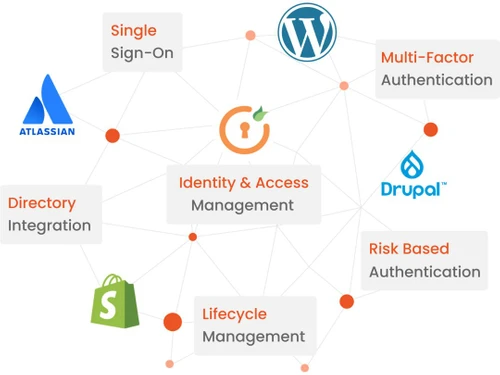
miniOrange is a cloud based platform which provides SSO, 2FA, Fraud Prevention and Cloud/Network Security.
 Single Sign On Biometric Credential Management Multifactor Authentication Identity Management Privileged Account Management Password Management User Activity Monitoring Identity Federation

Watch the demo video to explore key features, real workflows, and how the software fits your business needs.
 Ubuntu
  Windows
  MacOS
MacOS  Linux
Linux  Desktop
  Mobile
  Tablet
  iPad
iPad  Cloud-Based
  Perpetual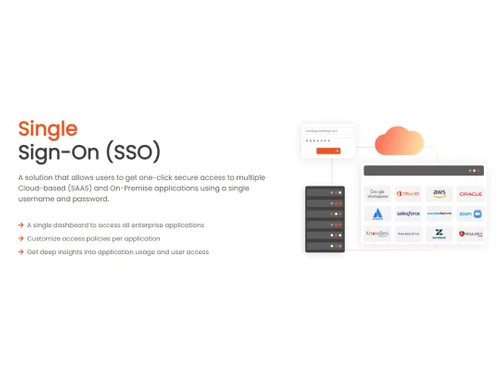
Small Business
Designed for startups and growing businesses
Medium Business
Built for business growth and flexibility
Enterprises
Designed for complex and large-scale business needs
4.4
Out of 5

Overall Rating
Based on
10 Verified Reviews
Rating Breakdown
86% Recommend this Product
Add ReviewOverall, users appreciate miniOrange for its affordability, ease of implementation, and strong support, particularly for small to medium-sized businesses. Many find it effective for compliance and security, especially in finance and government sectors. However, some users have reported inconsistencies in support quality and challenges with the reporting interface. Additionally, while the pricing structure is generally clear, costs can escalate quickly with added users and applications. Users also noted some initial configuration challenges, particularly with LDAP integration and group policies.
Pros
"Roughly $1.50/user for SSO, $2 for MFA, bundles available—transparent pricing"
"NISTaligned password rules, risk-based auth, policy enforcement controls"
"Lightweight SaaS/IAM, affordable for small teams, easy implementation"
Cons
"Some users report slow responses or differences in support quality"
"Add-ons and app-based pricing scale costs quickly as you add more apps/users "
"Reports show occasional plugin vulnerabilities and longer support gaps"


Apr 5, 2025
Techjockey Verified
“Small Businesses Love It—Support Varies”
I switched from manual login flows to miniOrange for our startup. Perfect for under10 user teams: fast setup, secure, low-cost. A friend pointed out a security vulnerability in a plugin in mid2023—patched quickly, but it shook confidence. I monitor updates closely now.
Pros
Lightweight SaaS/IAM, affordable for small teams, easy implementation
Cons
Reports show occasional plugin vulnerabilities and longer support gaps
Reason to switch
Needed fast, affordable SSO for small teams with minimal IT overhead.
Apr 22, 2025
Techjockey Verified
“Compliance Boost—Great for Government/Finance Clients”
I moved from legacy authentication to miniOrange to comply with security standards for a finance client. Risk-based authentication, IP/device policies, and compliance mapping were solid. Reports were available—but navigating them felt less user-friendly than the rest of the portal.
Pros
NISTaligned password rules, risk-based auth, policy enforcement controls
Cons
Reporting interface could be more intuitive
Reason to switch
Needed enhanced compliance controls and risk authentication features.
Aug 11, 2025
Techjockey Verified
“Excellent Support—but I Hit a Support Snag Once”
I switched from other IAM vendors with poor support to miniOrange. Onboarding was fast and support engineers resolved edge cases smoothly. However, a couple of peers mentioned delays the second time they requested updates. So I always save ticket confirmations now.
Pros
Support engineers are skilled, helpful, responsive
Cons
Some users report slow responses or differences in support quality
Reason to switch
Wanted proactive and available support for configuration and troubleshooting.

miniOrange
Price On Request
Desktop
Mobile
Web based
On Premises
Windows
Mac OS

Microsoft Azure Active Directory
₹ 696
Desktop
Mobile
Web based
On Premises
Windows
Mac OS

JumpCloud SSO
Price On Request
Desktop
Mobile
Web based
On Premises
Windows
Mac OS

Avatier
Price On Request
Desktop
Mobile
Web based
On Premises
Windows
Mac OS

Atlassian Crowd
Price On Request
Desktop
Mobile
Web based
On Premises
Windows
Mac OS

Rublon
Price On Request
Desktop
Mobile
Web based
On Premises
Windows
Mac OS

OneLogin
Price On Request
Desktop
Mobile
Web based
On Premises
Windows
Mac OS

Forgerock SSO
Price On Request
Desktop
Mobile
Web based
On Premises
Windows
Mac OS

Imprivata SSO
Price On Request
Desktop
Mobile
Web based
On Premises
Windows
Mac OS

Okta
Price On Request
Desktop
Mobile
Web based
On Premises
Windows
Mac OS

SecureAuth IDP
Price On Request
Desktop
Mobile
Web based
On Premises
Windows
Mac OS
(0) Product(s) selected
Available
Price on Request

Available
Price on Request

Available
Price on Request
miniOrange software is compatible with Windows and macOS device systems.
The miniOrange app is not available on Android and iOS devices.
The miniOrange Software supports web-based deployment.
miniOrange Software price in India starts from $49 at techjockey.com.
miniOrange can be used by organizations of all sizes and industries looking to streamline user access to multiple applications, enhance security, and simplify authentication for their employees and customers.
The miniOrange Software demo is available for free with techjockey.com.
The miniOrange platform does not offer a free trial.
miniOrange Software's installation is not required, as it is web-based. Just open the Setup Wizard to get started.
miniOrange is a Single Sign-On (SSO) software that streamlines user access to various applications and websites. It allows users to log in securely with a single set of credentials, eliminating the need to remember multiple passwords. This enhances convenience and security, simplifying the authentication process for both users and administrators.
20,000+ Software Listed
Best Price Guranteed
Free Expert Consultation
2M+ Happy Customers
Terms and Condtions

Users with registered businesses can purchase goods from merchants on the platform to satisfy their business needs. Users are not permitted to utilize any products acquired through the platform for resale, advertising, business, or further distribution.
For each purchase made, users will receive a Tax Invoice (or 'GST invoice') that includes specific details such as:
the GSTIN of the user associated with their registered business, and
the specified Entity Name for their business.
It should be noted that not all products are eligible for GST Invoice. Only the products displayed by participating sellers with the 'GST-based Invoice Available' callout on the product description page would qualify.
Certain goods and services are not eligible to get a GST Invoice, including items with VAS, i.e., Value Added Services (e.g., Total Mobile Protection/Assured Buyback) and those involving an exchange offer at the time of purchase.
Users must ensure the accuracy of the GSTIN, and business entity name provided for the GST Invoice. Requests for corrections into GST Invoice would not be accommodated by Techjockey.com or any Seller, and any issues arising from user-provided information are the sole responsibility of users.
Techjockey.com is not liable for the GST Invoice or any associated input tax credit. To efficiently claim an input tax credit, users should select the registered place of business address as per the GST authority's data and follow the provisions of the GST Act and rules.
To claim an input tax credit, the delivery and billing addresses must match. Furthermore, input tax credits will not be granted if the delivery address and GSTIN on the invoice are from different states. In case of incorrect GST details provided during the order placement, the order will be canceled automatically.

