linkedin
OneLogin logo
play One Identity Active Roles and OneLogin: Unlocking the value of this powerful combination
OneLogin market leading identity
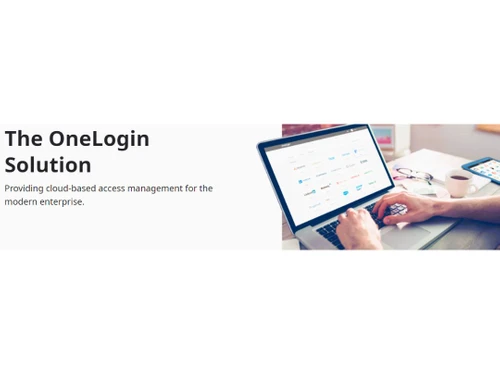
OneLogin providing cloud based access management

OneLogin

Brand: OneLogin

  • 4.4

  • 5 Ratings

OneLogin is an advanced identity and access management solution designed to simplify secure access to business applications. It offers robust features like single sign-on (SSO), multi-factor authentication (MFA), and custom branding, enabling organizations to enhance security while improving user ex...

See More

Have you used OneLogin before?

Share your insights for better experience

Add a Review
Starting Price
$3

View plans

100% Genuine
Products
Best Price
Guaranteed
Safe & Secure
Payment
  • Description

  • Pricing

  • Features

  • Specification

  • Review

  • Compare

  • Alternatives

  • FAQ

Starting at $3

OneLogin Software Overview

What is OneLogin?

OneLogin is a comprehensive business software solution for identity and access management, helping businesses secure and simplify access to their digital tools. It acts as a centralized platform, ensuring employees and administrators can safely manage access to applications without compromising efficiency or security. By offering advanced customer support software features like multi-factor authentication and single sign-on, it caters to companies of all sizes, supporting seamless integration with over 6,000 applications.

OneLogin’s platform enhances productivity by reducing the time users spend managing passwords and access permissions. With its focus on user-friendly designs and features like multi-language support and custom branding, OneLogin is a go-to solution for businesses aiming to create a streamlined and secure digital workspace. The platform’s scalability and integrations make it suitable for small startups and large enterprises alike, empowering businesses to meet their identity management needs efficiently.

Why Choose OneLogin Single Sign-On (SSO) Software?

  • Unified Platform: Manage access to all applications from a single dashboard, saving time and effort.
  • Enhanced Security: Protect sensitive data with multi-factor authentication and robust password policies.
  • Seamless Integration: Supports integration with over 6,000 business applications.
  • Custom Branding: Tailor the platform to match your organization’s identity.
  • Multi-Language Support: OneLogin caters to a global audience with support for 21 languages, including German, Japanese, and French.
  • Improved Productivity: Streamline workflows by simplifying login processes for users.
  • Centralized User Management: Manage user access, permissions, and roles across multiple applications from a unified interface.
  • Automated Provisioning: Simplify user onboarding and offboarding processes with automated provisioning and de-provisioning features.
  • Real-Time Reporting: Gain insights into user activity and access patterns with detailed, real-time reporting and analytics.
  • Mobile-Friendly Access: Enable secure and convenient access to applications through mobile devices, enhancing flexibility for on-the-go users.
  • Compliance Support: Help your organization meet regulatory requirements with tools designed to enforce access policies and maintain audit trails.

Benefits of OneLogin Software

  • Simplified Access Management: Centralize user authentication and streamline login processes.
  • Improved Compliance: Meet security regulations with detailed audit logs and reporting tools.
  • Scalability: Easily scale access management solutions as your business grows.
  • User-Friendly Interface: Intuitive design reduces the learning curve for users and admins.
  • Cost Efficiency: Reduces IT overhead by automating access control processes.
  • Global Compatibility: Multi-language support ensures usability for international teams.
  • Customizable Experience: Tailor the platform to align with company branding for a professional touch.

Pricing of OneLogin Single Sign-in Software

OneLogin price starts at USD 6/User/Month at techjockey.com.

The pricing model is based on different parameters, including extra features, deployment type, and the total number of users. For further queries related to the product, you can contact our product team and learn more about the pricing and offers.

Read more

OneLogin Pricing & Plans

Basic
Starting at $3
    • Users

      Users
      Users
    • Monthly

      Monthly
      Monthly

Key Features

  • Single sign-on

  • Reporting

  • Custom Branding

Essentials
Starting at $6
    • Users

      Users
      Users
    • Monthly

      Monthly
      Monthly

Key Features

  • Single sign-on

  • Reporting

  • Multi-Factor Authentication (MFA)

  • Multi Language Support

  • Custom Branding

  • Provision

Business
Starting at $10
    • Users

      Users
      Users
    • Monthly

      Monthly
      Monthly

Key Features

  • Single sign-on

  • Integration

  • Reporting

  • Multi-Factor Authentication (MFA)

  • Multi Language Support

  • Custom Branding

  • Provision

OneLogin Features

  • icon_check Identity Lifecycle
    Manages the entire employee journey from automated day-one onboarding to instant one-click offboarding for better security.
  • icon_check Vigilance AI
    Employs a machine learning threat engine to detect compromised credentials and block unauthorized access attempts in real-time.
  • icon_check Self-Service Reset
    Empowers employees to securely reset their own passwords, significantly reducing the volume of IT helpdesk tickets every month.
  • icon_check Single Sign-On
    Provide users with secure and convenient access to multiple applications using one set of credentials.
  • icon_check Integration
    Seamlessly connect with over 6,000 applications to streamline workflows.
  • icon_check Reporting
    Gain insights with detailed reports on user activity and application usage.
  • icon_check Password Manager
    Simplify password management to reduce the risk of breaches.
  • icon_check Multi-Factor Authentication (MFA)
    Add an extra layer of security to protect user accounts.
  • icon_check Multi Language Support
    Supports 21 languages, including German, Japanese, and French, for global accessibility.
  • icon_check Custom Branding
    Customize the platform’s interface to reflect your brand’s identity.
  • icon_check Provision
    Automate the provisioning and de-provisioning of user accounts across connected applications.
OneLogin Demo Video play icon

Get OneLogin Demo

Watch the demo video to explore key features, real workflows, and how the software fits your business needs.

Understand
Key Features
Personal
Demo Insights
Interactive
Demo Support

OneLogin Specifications

Supported Platforms
Windows Windows iOS iOS Android Android MacOS MacOS Linux Linux
Devices
Desktop Desktop Mobile Mobile iPad iPad
Deployment
Cloud-Based Cloud-Based
Suitable For
All Industries
Business Specific
All Businesses
Business Size
Small Business Startups Medium Business Enterprises
Customer Support
Phone Email Live Chat Communities Forums
Language
English
Training Resources
Live Online Webinars Documentation Videos

Explore the Best Alternative Solutions Similar to Your Business Size and Needs

OneLogin Review

4.4

Out of 5

img

Overall Rating

Based on
5 Verified Ratings

Rating Breakdown

  • Features 4
  • Value for Money 4.6
  • Ease of Use 4.4
  • Customer Support 4.8

96% Recommend this Product

Add Review

Techjockey Trusted Reviews from Verified Users

No reviews are currently available for OneLogin. Discover similar Single Sign-On (SSO) Software reviews

  • Okta

    4.5

    Whats great - Okta has a strong reputation, large community, many integrations, support resources, docs, marketplace. The reliability, upti... read more

  • miniOrange

    4.4

    Whats great - Lightweight SaaS/IAM, affordable for small teams, easy implementation read more

  • Hexnode

    4.4

    Whats great - Hexnode has all the features that we require. Excellent for using kiosk mode. A really good MDM solution for small to medium ... read more

Compare OneLogin With other Single Sign-On (SSO) Software

Products
Ratings
Pricing
Device Supported
Deployment
Supported Platforms
  • img

    OneLogin

  • 4.4

  • Price On Request

  • Desktop

    Mobile

  • Web based

    On Premises

  • Windows

    Mac OS

  • img

    JumpCloud SSO

  • 4.6

  • Price On Request

  • Desktop

    Mobile

  • Web based

    On Premises

  • Windows

    Mac OS

  • img

    Avatier

  • 4.5

  • Price On Request

  • Desktop

    Mobile

  • Web based

    On Premises

  • Windows

    Mac OS

  • img

    miniOrange

  • 4.4

  • Price On Request

  • Desktop

    Mobile

  • Web based

    On Premises

  • Windows

    Mac OS

  • img

    Atlassian Crowd

  • 4.4

  • Price On Request

  • Desktop

    Mobile

  • Web based

    On Premises

  • Windows

    Mac OS

  • img

    Rublon

  • 4.5

  • Price On Request

  • Desktop

    Mobile

  • Web based

    On Premises

  • Windows

    Mac OS

  • img

    Forgerock SSO

  • 4.4

  • Price On Request

  • Desktop

    Mobile

  • Web based

    On Premises

  • Windows

    Mac OS

  • img

    Imprivata SSO

  • 3.7

  • Price On Request

  • Desktop

    Mobile

  • Web based

    On Premises

  • Windows

    Mac OS

  • img

    Okta

  • 4.4

  • Price On Request

  • Desktop

    Mobile

  • Web based

    On Premises

  • Windows

    Mac OS

  • img

    SecureAuth IDP

  • 4.0

  • Price On Request

  • Desktop

    Mobile

  • Web based

    On Premises

  • Windows

    Mac OS

(2) Product(s) selected

OneLogin Alternatives

See All OneLogin Alternatives

What is OneLogin used for?

OneLogin is used for identity and access management, enabling secure login to applications and enhancing security with features like MFA.

Does OneLogin support multi-factor authentication (MFA)?

Yes, OneLogin provides MFA to add an extra layer of security to user accounts.

Can OneLogin integrate with other applications?

Yes, OneLogin integrates with over 6,000 applications, including popular tools like Salesforce, Microsoft Office 365, and Google Workspace.

What are the benefits of single sign-on (SSO)?

SSO reduces password fatigue, improves user productivity, and enhances security by centralizing authentication.

Is OneLogin suitable for small businesses?

Yes, OneLogin is scalable and works well for businesses of all sizes, including small businesses and large enterprises.

How does OneLogin improve security?

OneLogin enhances security with features like MFA, password management, and detailed activity reporting.

Can I customize the OneLogin interface?

Yes, OneLogin offers custom branding options to align the interface with your company’s identity.

What languages does OneLogin support?

OneLogin supports 21 languages, including German, Japanese, French, and more.

Is OneLogin easy to set up?

Yes, OneLogin’s intuitive interface and comprehensive setup guides make it easy to deploy and manage.

How can I get pricing details for OneLogin?

You can request pricing details for OneLogin on Techjockey.com by contacting their product team.

20,000+ Software Listed

Best Price Guranteed

Free Expert Consultation

2M+ Happy Customers

Terms and Condtions

close

Users with registered businesses can purchase goods from merchants on the platform to satisfy their business needs. Users are not permitted to utilize any products acquired through the platform for resale, advertising, business, or further distribution.

For each purchase made, users will receive a Tax Invoice (or 'GST invoice') that includes specific details such as:

  • the GSTIN of the user associated with their registered business, and

  • the specified Entity Name for their business.

It should be noted that not all products are eligible for GST Invoice. Only the products displayed by participating sellers with the 'GST-based Invoice Available' callout on the product description page would qualify.

Certain goods and services are not eligible to get a GST Invoice, including items with VAS, i.e., Value Added Services (e.g., Total Mobile Protection/Assured Buyback) and those involving an exchange offer at the time of purchase.

Users must ensure the accuracy of the GSTIN, and business entity name provided for the GST Invoice. Requests for corrections into GST Invoice would not be accommodated by Techjockey.com or any Seller, and any issues arising from user-provided information are the sole responsibility of users.

Techjockey.com is not liable for the GST Invoice or any associated input tax credit. To efficiently claim an input tax credit, users should select the registered place of business address as per the GST authority's data and follow the provisions of the GST Act and rules.

To claim an input tax credit, the delivery and billing addresses must match. Furthermore, input tax credits will not be granted if the delivery address and GSTIN on the invoice are from different states. In case of incorrect GST details provided during the order placement, the order will be canceled automatically.