USA
USA UAE
UAESmall Business
Designed for startups and growing businesses


See More





Brand: Murf.AI
Murf AI is a text to speech converter that creates realistic AI voiceovers for videos, presentations, and podcasts.
See MoreHave you used Murf AI before?
Share your insights for better experience
Brand: Murf.AI
Founded Year: 2020
Murf AI is a synthetic speech technology startup developing lifelike AI voices for podcasts, slideshows, and professional presentations.
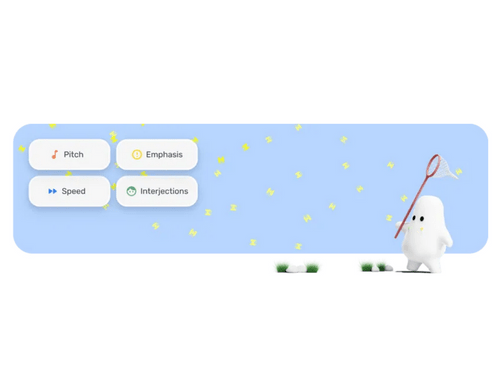
 Text to Speech Transcription Voice Cloning Voice Over Video Voice Over Google Slides Voice Changer Collaboration 200+ realistic AI voices Multi-Language Support & Availability AI Voice Cloning Pronunciation Library Team Collaboration

Watch the demo video to explore key features, real workflows, and how the software fits your business needs.
 Windows
  Desktop
  Mobile
  Cloud-Based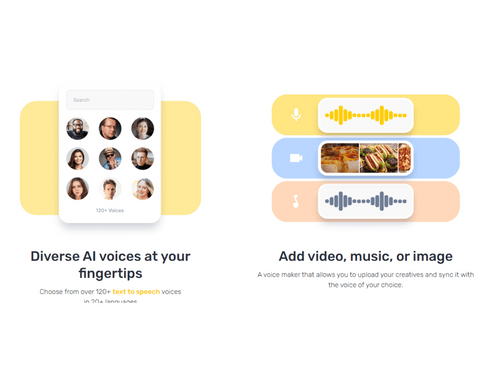
Small Business
Designed for startups and growing businesses
Medium Business
Built for business growth and flexibility
Enterprises
Designed for complex and large-scale business needs
4.5
Out of 5

Overall Rating
Based on
3 Verified Reviews
Rating Breakdown
92% Recommend this Product
Add Review


Murf AI
Price On Request
Desktop
Mobile
Web based
On Premises
Windows
Mac OS

Voicemaker
₹ 450
Desktop
Mobile
Web based
On Premises
Windows
Mac OS

Microsoft Azure Text to Speech
Price On Request
Desktop
Mobile
Web based
On Premises
Windows
Mac OS

Cartesia Sonic
Price On Request
Desktop
Mobile
Web based
On Premises
Windows
Mac OS

Play ht
Price On Request
Desktop
Mobile
Web based
On Premises
Windows
Mac OS

Google Cloud Text-to-Speech
Price On Request
Desktop
Mobile
Web based
On Premises
Windows
Mac OS

SPEECHACTORS
₹ 199
Desktop
Mobile
Web based
On Premises
Windows
Mac OS
Text To Speech OpenAI
Price On Request
Desktop
Mobile
Web based
On Premises
Windows
Mac OS

Vbee
Price On Request
Desktop
Mobile
Web based
On Premises
Windows
Mac OS

Amazon Polly
Price On Request
Desktop
Mobile
Web based
On Premises
Windows
Mac OS
Voicely
Price On Request
Desktop
Mobile
Web based
On Premises
Windows
Mac OS
(0) Product(s) selected
Starting Price:
$5 /Month
Starting Price:
₹199 /License
Available
Price on Request
Available
Price on Request

Starting Price:
$19 /Month

Starting Price:
$19 /month
Starting Price:
$19 /month

Starting Price:
$55 /Month
Starting Price:
$3 /Month

Available
Price on Request

Starting Price:
$9 /Month
The starting price of Murf AI is $29 on Techjockey.
No, Murf AI does not offer a mobile app.
Murf AI works on Windows operating systems.
Yes, Murf AI provides a free trial with limited features for users to explore.
Murf AI is a text to speech converter that uses AI to convert text into realistic speech, transcribe audio, and provide voice customization options.
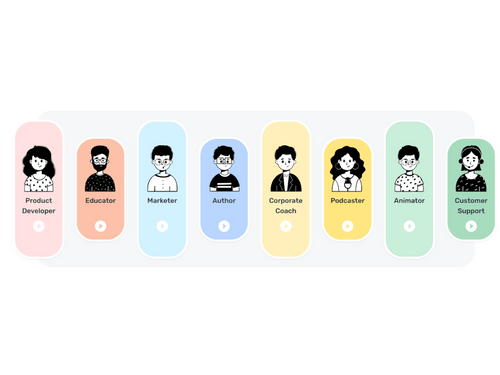
Content creators, businesses, educators, marketers, and podcasters can benefit from Murf AI features.
Yes, Murf AI offers a free demo to showcase its capabilities.
Murf AI has a free plan with basic features, while advanced options require a paid subscription.
Yes, Murf AI allows commercial use, but specific licensing terms apply based on the chosen plan.
Yes, Murf AI offers text-to-speech conversion in multiple languages and accents.
In Murf.ai, file format refers to the type of output audio file you download, like MP3 or WAV, and audio channels determine if it's mono (single) or stereo (dual) sound. Stereo is better for music and dynamic speech, while mono is lighter and ideal for voice-only applications.
0 0
Murf prioritizes data security by using encryption for all API communications, both during transit and at rest, through industry-standard mechanisms.
0 0
Murf.ai ensures ethical data sourcing by collaborating exclusively with professional voice artists who provide explicit consent for their voices to be used.
0 0
Yes, the Murf API provides timestamps for each word in the synthesized audio.
0 0
You cannot download premium voices on Murf AI with the free plan.
0 0
20,000+ Software Listed
Best Price Guranteed
Free Expert Consultation
2M+ Happy Customers
Terms and Condtions

Users with registered businesses can purchase goods from merchants on the platform to satisfy their business needs. Users are not permitted to utilize any products acquired through the platform for resale, advertising, business, or further distribution.
For each purchase made, users will receive a Tax Invoice (or 'GST invoice') that includes specific details such as:
the GSTIN of the user associated with their registered business, and
the specified Entity Name for their business.
It should be noted that not all products are eligible for GST Invoice. Only the products displayed by participating sellers with the 'GST-based Invoice Available' callout on the product description page would qualify.
Certain goods and services are not eligible to get a GST Invoice, including items with VAS, i.e., Value Added Services (e.g., Total Mobile Protection/Assured Buyback) and those involving an exchange offer at the time of purchase.
Users must ensure the accuracy of the GSTIN, and business entity name provided for the GST Invoice. Requests for corrections into GST Invoice would not be accommodated by Techjockey.com or any Seller, and any issues arising from user-provided information are the sole responsibility of users.
Techjockey.com is not liable for the GST Invoice or any associated input tax credit. To efficiently claim an input tax credit, users should select the registered place of business address as per the GST authority's data and follow the provisions of the GST Act and rules.
To claim an input tax credit, the delivery and billing addresses must match. Furthermore, input tax credits will not be granted if the delivery address and GSTIN on the invoice are from different states. In case of incorrect GST details provided during the order placement, the order will be canceled automatically.