linkedin
nTask logo
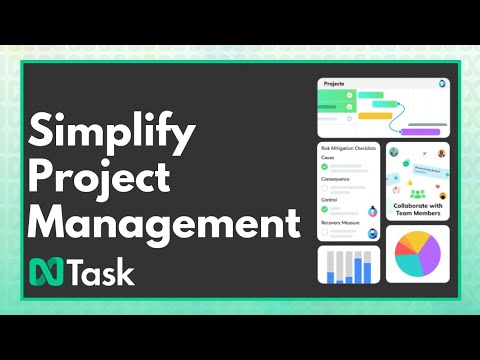
play nTask - Do It Right! - nTask - Demo
highly recommended for
Pain point

nTask

Brand: nTask

  • 4.2

  • 5 Ratings

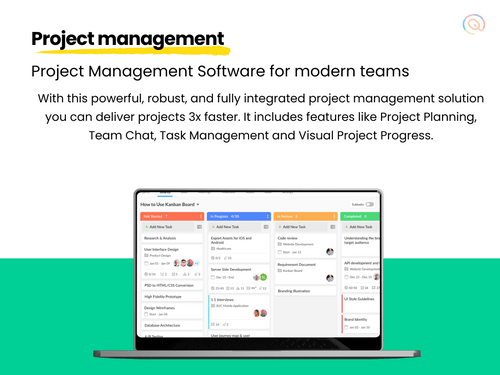
nTask is an intuitive project management software that helps businesses streamline tasks, track time, and manage risks, all while improving productivity. With features like Gantt charts, Kanban boards, meeting management, and task tracking, nTask provides a comprehensive solution for project organiz...

See More

Have you used nTask before?

Share your insights for better experience

Add a Review
Starting Price
$4

View plans

100% Genuine
Products
Best Price
Guaranteed
Safe & Secure
Payment
  • Description

  • Pricing

  • Features

  • Specification

  • Review

  • Compare

  • Alternatives

  • FAQ

Starting at $4

nTask Software Overview

What is nTask?

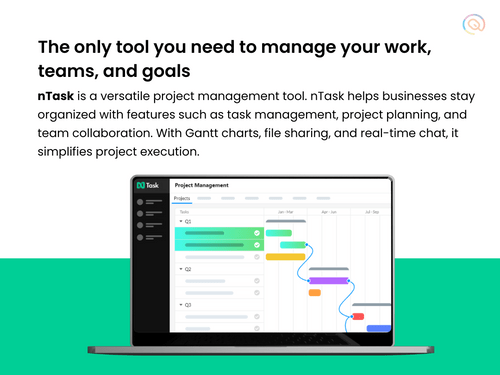
nTask is a powerful business software and project management software that enables teams to plan, manage, and track all their projects from start to finish. It is designed to support both small and large teams by offering an all-in-one workspace to handle everything from task management to team collaboration. With an easy-to-use interface, nTask makes managing complex projects simple and efficient, even for those with no prior project management experience. As a versatile tool, it also includes essential scrum tools to streamline agile workflows and enhance productivity.

Why Choose nTask Project Management Software?

  • Ease of Use: nTask’s user-friendly interface makes it simple for everyone on your team to get started with project management, no matter their experience level.
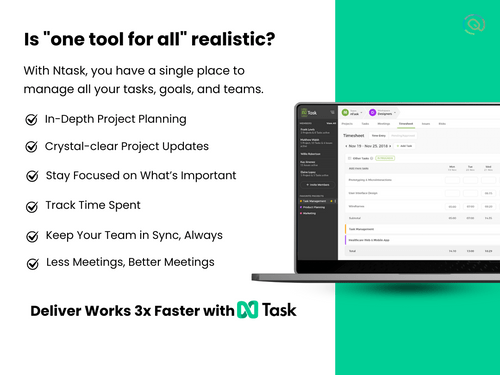
  • Comprehensive Features: From task management to time tracking, nTask provides all the essential tools you need in one platform.
  • Collaborative Tools: With features like team management and meeting management, nTask fosters better team collaboration and communication.
  • Customizable Options: nTask allows you to customize tasks, workflows, and project boards according to your needs.
  • Affordable Pricing: nTask offers cost-effective plans suitable for businesses of all sizes, making it accessible to small startups as well as larger enterprises.

Benefits of nTask

  • Organized Workflow: By using task lists, Gantt charts, and Kanban boards, nTask helps streamline workflows and ensure everything runs smoothly.
  • Enhanced Team Collaboration: Team members can easily assign tasks, share updates, and track progress, improving communication and overall teamwork.
  • Risk Management: Identify, monitor, and mitigate risks effectively with dedicated tools to ensure project success.
  • Increased Productivity: With time tracking and task prioritization, nTask helps your team stay focused and productive.
  • Meeting Management: Schedule and manage meetings efficiently with the built-in meeting management feature, saving time and improving coordination.
  • Comprehensive Reports: Generate detailed project reports to analyze performance and make data-driven decisions.
  • Task Management Efficiency: Keep tasks on track with features that ensure deadlines are met and responsibilities are clear.
  • Flexibility in Project Management: Whether you use Gantt charts, Kanban boards, or issue trackers, nTask adapts to your preferred style of project management.
  • Detailed Issue Tracking: Keep track of any problems that arise during the project with the integrated issue tracker, ensuring nothing is overlooked.
  • Centralized Platform: With all the necessary tools in one platform, nTask eliminates the need for multiple apps, simplifying your project management process.

Pricing Of nTask

nTask price starts at $ 4 at techjockey.com. The pricing model is based on different parameters, including extra features, deployment type, and the total number of users. For further queries related to the product, you can contact our product team and learn more about the pricing and offers.

Read more

nTask Company Details

Founded Year:  2010

nTask is a project management software platform.

Director/Founders nTask
Company Size 1-100 Employees

nTask Pricing & Plans

Premium
Starting at $4
    • Users

      Users
      Users
    • Monthly

      Monthly
      Monthly

Key Features

  • File Storage 5GB

  • iOS & Android Apps

  • Advanced Filters

  • Search & Quick Filters

  • Kanban Board View

  • Task Dependencies

Business
Starting at $12
    • Users

      Users
      Users
    • Monthly

      Monthly
      Monthly

Key Features

  • All features of Premium +

  • Custom Fields

  • File Storage 10GB

  • Save Custom Filters

  • Custom Roles & Permissions

  • Risk Tracking

Compare all Plans icon
×
Compare all plans

Not sure which plan is best for you? We'll help you

nTask Features

  • icon_check Project Management
    nTask provides a central place to plan, execute, and monitor all aspects of your projects, improving team efficiency.
  • icon_check Gantt Chart
    Visualize project timelines and task dependencies with detailed Gantt charts, ensuring clear deadlines and schedules.
  • icon_check Meeting Management
    Plan and manage meetings efficiently with features like agendas, notes, and action items, helping your team stay aligned.
  • icon_check Task Management
    Organize tasks by priority, set deadlines, and track progress to ensure everything is on schedule.
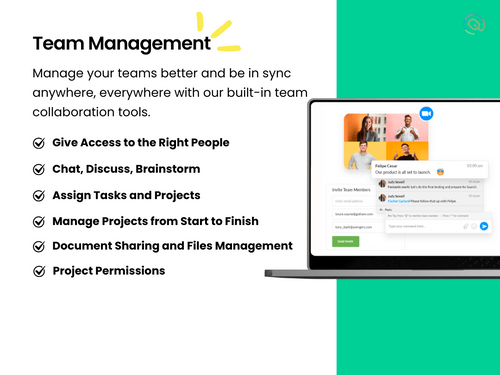
  • icon_check Team Management
    Assign tasks, track workload, and manage team members effortlessly with user-friendly team management tools.
  • icon_check Issue Tracker
    Track and resolve issues quickly, ensuring no problem delays project completion.
  • icon_check Kanban Boards
    Manage workflow visually with customizable Kanban boards that simplify task tracking and prioritization.
  • icon_check Time Tracking
    Monitor time spent on tasks to improve productivity and ensure that projects stay within budget.
  • icon_check Risk Management
    Identify and address risks with nTask’s risk management feature, keeping projects on track.
nTask Demo Video play icon

Get nTask Demo

Watch the demo video to explore key features, real workflows, and how the software fits your business needs.

Understand
Key Features
Personal
Demo Insights
Interactive
Demo Support

nTask Specifications

Supported Platforms
Windows Windows iOS iOS Android Android
Devices
Desktop Desktop Mobile Mobile Tablet Tablet iPad iPad
Deployment
Cloud-Based Cloud-Based
Suitable For
All Industries
Business Specific
All Businesses
Business Size
Small Business Startups Medium Business Enterprises
Customer Support
Email Live Chat Communities
Language
English
Training Resources
Videos

Explore the Best Alternative Solutions Similar to Your Business Size and Needs

nTask Review

4.2

Out of 5

img

Overall Rating

Based on
5 Verified Ratings

Rating Breakdown

  • Features 3.9
  • Value for Money 4.3
  • Ease of Use 4.1
  • Customer Support 4.5

96% Recommend this Product

Add Review

Techjockey Trusted Reviews from Verified Users

No reviews are currently available for nTask. Discover similar Scrum Tools reviews

  • Jira

    4.5

    Whats great - Jira's emphasis on visuals when tracking performance and tickets is something I appreciate. Since our project is a support pr... read more

  • Monday.com

    4.0

    Whats great - monday.com’s design and functionality make it a perfect choice for managing projects. read more

  • Wrike

    4.0

    Whats great - ssions and manage user rights, ensuring that sensitive information is only available to the right people. Further, the two-fa... read more

Compare nTask With other Scrum Tools

Products
Ratings
Pricing
Device Supported
Deployment
Supported Platforms
  • img

    nTask

  • 4.2

  • Price On Request

  • Desktop

    Mobile

  • Web based

    On Premises

  • Windows

    Mac OS

  • img

    Zoho Sprints

  • 4.5

  • ₹ 210

  • Desktop

    Mobile

  • Web based

    On Premises

  • Windows

    Mac OS

  • img

    Sprintly

  • 4.5

  • Price On Request

  • Desktop

    Mobile

  • Web based

    On Premises

  • Windows

    Mac OS

  • img

    FlyingDonut

  • 4.3

  • Price On Request

  • Desktop

    Mobile

  • Web based

    On Premises

  • Windows

    Mac OS

  • img

    VivifyScrum

  • 4.3

  • Price On Request

  • Desktop

    Mobile

  • Web based

    On Premises

  • Windows

    Mac OS

  • img

    Scrumwise

  • 4.1

  • Price On Request

  • Desktop

    Mobile

  • Web based

    On Premises

  • Windows

    Mac OS

  • img

    PivotalTracker

  • 4.4

  • Price On Request

  • Desktop

    Mobile

  • Web based

    On Premises

  • Windows

    Mac OS

  • img

    Axosoft

  • 4.3

  • Price On Request

  • Desktop

    Mobile

  • Web based

    On Premises

  • Windows

    Mac OS

  • img

    Quickscrum

  • 4.2

  • Price On Request

  • Desktop

    Mobile

  • Web based

    On Premises

  • Windows

    Mac OS

  • img

    Yodiz

  • 4.2

  • Price On Request

  • Desktop

    Mobile

  • Web based

    On Premises

  • Windows

    Mac OS

(0) Product(s) selected

nTask Alternatives

See All nTask Alternatives

Starting Price:

$19 /Monthly

Starting Price:

$5 /User/Month

Starting Price:

$9 /Monthly

Available

Price on Request

Articles for nTask

See All Related Articles

What is nTask used for?

nTask is a project management tool that helps teams plan, execute, and track projects effectively, with features like task management, team collaboration, and time tracking.

How much does nTask Project Management Software cost?

nTask price starts at $ 4 at techjockey.com.

How can nTask help my team?

nTask helps improve collaboration, keep tasks organized, and ensure that projects are completed on time by providing tools like task lists, Kanban boards, and time tracking.

Is nTask free to use?

nTask offers a free plan with basic features. Paid plans are available with more advanced tools and customizations for larger teams.

How does nTask improve team productivity?

nTask helps teams stay on track by organizing tasks, tracking time, and improving collaboration with tools like Gantt charts and issue tracking.

Can nTask manage large projects?

Yes, nTask is scalable and can handle both small and large projects with its wide range of features, including Gantt charts and Kanban boards.

Does nTask offer time tracking?

Yes, nTask has a time tracking feature that helps you monitor how much time is spent on tasks, ensuring projects stay on budget and within deadlines.

Can I use nTask for task prioritization?

Yes, nTask allows you to prioritize tasks and set deadlines to ensure important tasks are completed first and on time.

Is nTask suitable for remote teams?

Absolutely! nTask’s collaboration tools, such as task assignment, meeting management, and team chat, make it ideal for remote and distributed teams.

How do I manage risks in nTask?

nTask provides a risk management tool that lets you identify, monitor, and mitigate risks throughout your projects to ensure smooth progress.

Can nTask integrate with other tools?

Yes, nTask integrates with several tools like Slack, Zoom, and Google Calendar to enhance your project management experience.

20,000+ Software Listed

Best Price Guranteed

Free Expert Consultation

2M+ Happy Customers

Terms and Condtions

close

Users with registered businesses can purchase goods from merchants on the platform to satisfy their business needs. Users are not permitted to utilize any products acquired through the platform for resale, advertising, business, or further distribution.

For each purchase made, users will receive a Tax Invoice (or 'GST invoice') that includes specific details such as:

  • the GSTIN of the user associated with their registered business, and

  • the specified Entity Name for their business.

It should be noted that not all products are eligible for GST Invoice. Only the products displayed by participating sellers with the 'GST-based Invoice Available' callout on the product description page would qualify.

Certain goods and services are not eligible to get a GST Invoice, including items with VAS, i.e., Value Added Services (e.g., Total Mobile Protection/Assured Buyback) and those involving an exchange offer at the time of purchase.

Users must ensure the accuracy of the GSTIN, and business entity name provided for the GST Invoice. Requests for corrections into GST Invoice would not be accommodated by Techjockey.com or any Seller, and any issues arising from user-provided information are the sole responsibility of users.

Techjockey.com is not liable for the GST Invoice or any associated input tax credit. To efficiently claim an input tax credit, users should select the registered place of business address as per the GST authority's data and follow the provisions of the GST Act and rules.

To claim an input tax credit, the delivery and billing addresses must match. Furthermore, input tax credits will not be granted if the delivery address and GSTIN on the invoice are from different states. In case of incorrect GST details provided during the order placement, the order will be canceled automatically.