 USA
USA UAE
UAESmall Business
Designed for startups and growing businesses


See More





Brand: Wrike
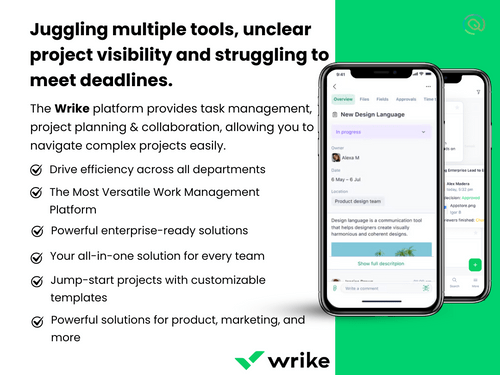
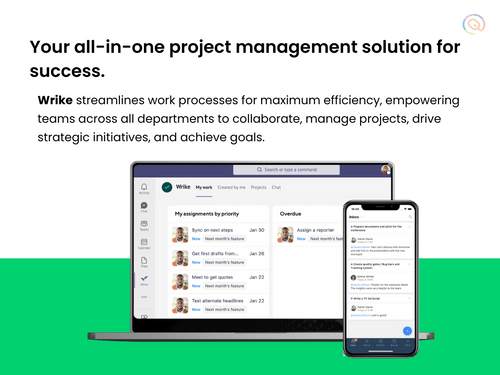
Wrike is an all-in-one project management software and collaboration software used primarily to facilitate easy communication between multiple teams.
See MoreHave you used Wrike before?
Share your insights for better experience
Brand: Wrike
Founded Year: 2006
Wrike is the most powerful work management platform. Built for teams and organizations looking to collaborate, create, and exceed every day, Wrike brings everyone and all work into a single place to remove complexity, increase productivity, and free people up to focus on their most purposeful work.


Not sure which plan is best for you? We'll help you
Core Functionalities
 Workflow Management Resource Management Risk Management Task Management Issue Management Pipeline Management Backlog Management Sprint Management Workforce Management Incident Management
 Task & Workflow Management
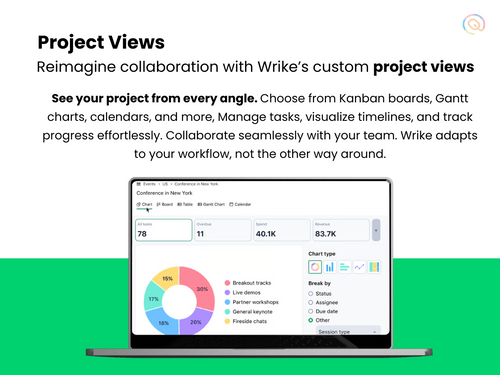
Workflow Automation Recurring Tasks Task Creation & Assignment Task Prioritization Sub-Task Creation Task Dependencies Notifications/Reminders Automated Task Assignment Task Views
Gantt Chart Kanban Boards Task List Calendar View Spreadsheet View Mind Map Timeline View Progress & Performance Tracking
Time Tracking Milestone Tracking Team Capacity Tracking Resource & Budget Management
Auto Scaling Automated Resource Allocation Budget Planning Workload Distribution Dynamic Budgeting Risk Scoring System Collaboration & Communication
Version Control Real-Time Collaboration File Sharing & Document Collaboration Integrated Chat & Messaging Access Control & Security
User Access Management Compliance Tracking Activity Logs Data Backup and Disaster Recovery Multi-Factor Authentication (MFA) Customization
Templates Custom Fields Task Customization Custom Layouts Custom Views Integrations
CRM Integration API Integration Communication and Collaboration Tools File Storage and Sharing Time Tracking Tools Issue Tracking Tools Automation Tools AI-Based Integrations ERP Integration Third Party Integrations Reporting & Analytics
Predictive Analytics Dashboards Benchmarking Automated Reports Project Progress Reports Resource Reports Risk Reports Workload Reports Timesheet Reports Real-Time Reporting Report Customization Sprint Reports Burndown & Burnup Charts Bottleneck Reports 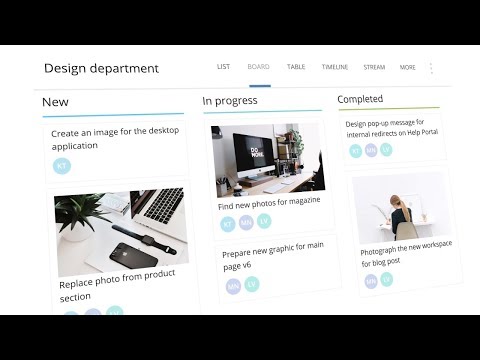

Watch the demo video to explore key features, real workflows, and how the software fits your business needs.
 Ubuntu
  Windows
  iOS
iOS  Android MacOS
  Linux
Linux  Desktop
  Mobile
  Tablet
  iPad
iPad  Cloud-Based
Small Business
Designed for startups and growing businesses
Medium Business
Built for business growth and flexibility
Enterprises
Designed for complex and large-scale business needs
3.9
Out of 5

Overall Rating
Based on
13 Verified Reviews
Rating Breakdown
82% Recommend this Product
Add ReviewOverall, users appreciate Wrike for its robust project management capabilities, particularly its detailed access controls, customizable templates, and strong business intelligence tools that enhance project tracking and resource management. Many find the automation features and real-time collaboration tools beneficial for streamlining workflows. However, some users report challenges with the initial setup and configuration, as well as difficulties in navigating the software's extensive features. Additionally, a few have noted that the cost may be prohibitive for smaller businesses.
Pros
"ssions and manage user rights, ensuring that sensitive information is only available to the right people. Further, the two-factor authentication adds an extra layer of security."
"Wrike’s automation features are real time-saver. This software allows us to set up automated workflows for repetitive tasks, which reduces manual work."
"Wrike stands out in resource management, allowing us to allocate tasks and hours. The project planning features are detailed and help us anticipate resource needs accurately."
Cons
"Wrike can be a bit slow to load at times, while working on larger projects."
"Some templates might not be as flexible as needed for project requirements."
"Some of our team members found the automation process a little difficult to understand. "


Sep 4, 2024
Techjockey Verified
“Wrike’s Detailed Access Controls Improve Security”
Wrike’s user access controls have improved our security. With detailed permission settings and two-factor authentication.
Pros
ssions and manage user rights, ensuring that sensitive information is only available to the right people. Further, the two-factor authentication adds an extra layer of security.
Cons
It takes some time to get everything configured correctly.
Reason to switch
We needed more advanced security and access control features.
Sep 2, 2024
Techjockey Verified
“Wrike’s Custom Templates Save Time, I highly recommend the software.”
Wrike’s templates have made it easier for us to manage projects quickly.
Pros
Wrike’s variety of customizable templates saves a lot of time. It also allows us to quickly set up project plans and tasks using pre-built templates, which makes starting new projects much faster.
Cons
Some templates might not be as flexible as needed for project requirements.
Reason to switch
We wanted more versatile and customizable templates.
Jun 20, 2024
Techjockey Verified
“Wrike Provides Useful Business Intelligence Insights”
Wrike’s business intelligence features have been a great asset for tracking our projects. The graphical analysis tools and detailed charts provide us with a clear understanding of our project performance and help identify potential issues.
Pros
Wrike’s business intelligence tools are really good for monitoring project performance. The graphical analysis and detailed charts offer clear insights into our project’s progress and areas needing attention.
Cons
Learning so many features are quite difficult and time consuming.
Reason to switch
I wanted to explore more project management software.

Wrike
Price On Request
Desktop
Mobile
Web based
On Premises
Windows
Mac OS

Jira
Price On Request
Desktop
Mobile
Web based
On Premises
Windows
Mac OS
TrackPM
Price On Request
Desktop
Mobile
Web based
On Premises
Windows
Mac OS

Swatle
Price On Request
Desktop
Mobile
Web based
On Premises
Windows
Mac OS

Birdview PMS
Price On Request
Desktop
Mobile
Web based
On Premises
Windows
Mac OS

Forecast
Price On Request
Desktop
Mobile
Web based
On Premises
Windows
Mac OS

Favro
Price On Request
Desktop
Mobile
Web based
On Premises
Windows
Mac OS

Zoho Projects
₹ 3360
Desktop
Mobile
Web based
On Premises
Windows
Mac OS

Clickup
Price On Request
Desktop
Mobile
Web based
On Premises
Windows
Mac OS

SmartSuite
Price On Request
Desktop
Mobile
Web based
On Premises
Windows
Mac OS

Dart
Price On Request
Desktop
Mobile
Web based
On Premises
Windows
Mac OS
(0) Product(s) selected
Starting Price:
$9 /User/Month
Available
Price on Request
Starting Price:
$12 /Month
Starting Price:
$10 /User/Month
Starting Price:
$10 /User/Month

Starting Price:
$19 /Month

Starting Price:
$13 /Month

Starting Price:
$179 /Month

Starting Price:
$35 /Month

Starting Price:
$10 /User/Month

Starting Price:
$2 /Monthly





Yes, as an admin or project manager you can create customizable workflows with Wrike to highlight the stage an individual project is in or status of the team's progress on it.
Yes, you can request an online demo of Wrike. In-house product experts of Techjockey will get back to you as per your mentioned time and date.
Wrike complies with GDPR, CCPA, HIPAA and EU-US Privacy shields thus offering high graded security for the data you have uploaded on the software.
Yes, Wrike does have a dedicated mobile app that is compatible with Android and iOS platforms.
Wrike is used to create and manage tasks and projects, assign tasks to team members, set deadlines, and track progress. Users can customize workflows, collaborate through real-time communication, and visualize projects using Gantt charts, Kanban boards, and dashboards.
Wrike is primarily used for project management, team collaboration, task tracking, and workflow automation.
Yes, Wrike offers a free plan with basic features suitable for small teams, including task management, file sharing, and limited integrations.
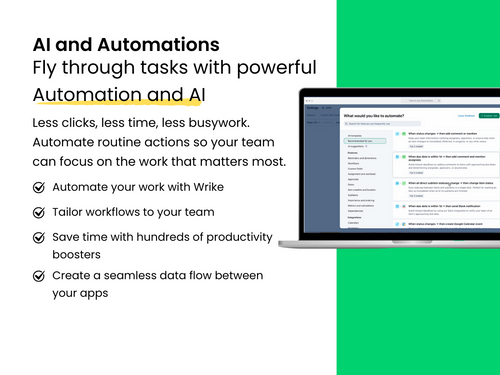
Yes, Wrike incorporates AI features such as intelligent automation, task prioritization, and workflow optimization.
Yes, Wrike includes automation features that allow users to create automated workflows.
Wrike's paid tiers are comparable to Monday.com but often pricier than ClickUp and Asana; all offer free or low-cost entry plans.
0 0
Teams often leave Wrike over pricing, a steep learning curve, and interface complexity, seeking simpler or more affordable options like Asana or ClickUp.
0 0
Try checking your internet connection and clearing your browser cache. If the issue exists, restart your device. As a last resort contact Wrike support for further assistance.
0 0
First, you need to make sure that your VPN is configured correctly and that the server location is compatible. If that doesn't work, try disabling the VPN temporarily. If necessary, consider switching to a different VPN service.
0 0
Check your internet connection, clear your browser cache, or disable your browser extensions. If that doesn't work out, try restarting your device, or contacting Wrike support.
0 0
20,000+ Software Listed
Best Price Guranteed
Free Expert Consultation
2M+ Happy Customers
Terms and Condtions

Users with registered businesses can purchase goods from merchants on the platform to satisfy their business needs. Users are not permitted to utilize any products acquired through the platform for resale, advertising, business, or further distribution.
For each purchase made, users will receive a Tax Invoice (or 'GST invoice') that includes specific details such as:
the GSTIN of the user associated with their registered business, and
the specified Entity Name for their business.
It should be noted that not all products are eligible for GST Invoice. Only the products displayed by participating sellers with the 'GST-based Invoice Available' callout on the product description page would qualify.
Certain goods and services are not eligible to get a GST Invoice, including items with VAS, i.e., Value Added Services (e.g., Total Mobile Protection/Assured Buyback) and those involving an exchange offer at the time of purchase.
Users must ensure the accuracy of the GSTIN, and business entity name provided for the GST Invoice. Requests for corrections into GST Invoice would not be accommodated by Techjockey.com or any Seller, and any issues arising from user-provided information are the sole responsibility of users.
Techjockey.com is not liable for the GST Invoice or any associated input tax credit. To efficiently claim an input tax credit, users should select the registered place of business address as per the GST authority's data and follow the provisions of the GST Act and rules.
To claim an input tax credit, the delivery and billing addresses must match. Furthermore, input tax credits will not be granted if the delivery address and GSTIN on the invoice are from different states. In case of incorrect GST details provided during the order placement, the order will be canceled automatically.



