linkedin
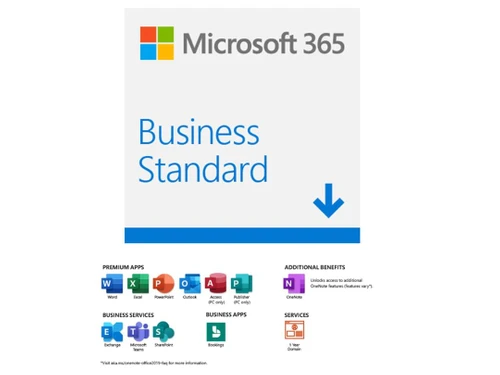
Microsoft Office 365 Business Standard logo
play Microsoft 365 Business: Product Demo
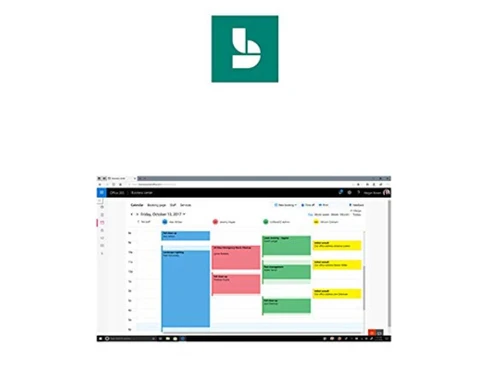
microsoft office 365 business standard apps
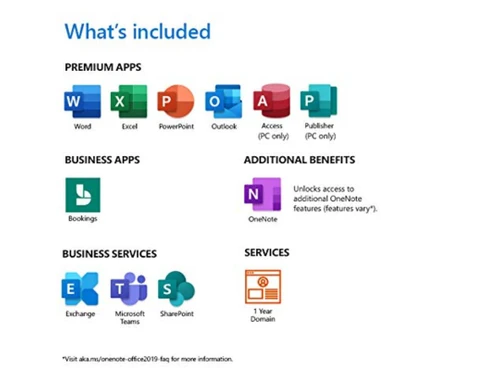
microsoft office 365 business standard included

Microsoft Office 365 Business Standard

Brand: Microsoft Corporation

  • 4.5

  • 3 Ratings & 3 Reviews

Microsoft 365 Business Standard (CSP) is one of the best productivity tools used by businesses for work management and creating strong communication hubs amongst teams. The productivity tool makes it easy to share information, organize projects and connect with teams or clients in a hassle-free manner. Robust emailing and integration with OneDrive and SharePoint are other important functionalitie...

See More

Have you used Microsoft Office 365 Business Standard before?

Share your insights for better experience

Add a Review
Starting Price 16% OFF
₹1,032 excl.GST  ₹1,232
₹ 1,218 incl. GST

View plans

offer Save upto 18%, Get GST Invoice on your business purchase T&C
offer Buy Now & Pay Later, Check offer on payment page.
Buy Now
100% Genuine
Products
Best Price
Guaranteed
Safe & Secure
Payment
  • Description

  • Pricing

  • Features

  • Specification

  • Review

  • FAQ

Starting at ₹1,032
Buy Now

Microsoft Office 365 Business Standard Software Overview

Microsoft 365 Business Standard (CSP) ?

Microsoft 365 Business Standard (CSP) is one of the best productivity tools used by businesses for work management and creating strong communication hubs amongst teams. The productivity tool makes it easy to share information, organize projects and connect with teams or clients in a hassle-free manner. Robust emailing and integration with OneDrive and SharePoint are other important functionalities offered.    

Microsoft 365 Business Standard (CSP) also offers 1 TB OneDrive Storage support to make it easy for you to access the collaboration platform even while you are on the go. Using this module, you can host online meetings and arrange video/audio conferences. The once-click screen sharing option comes handy here too. Inbuilt integrations like Microsoft Teams, Excel, Word, Outlook and OneNote are an added advantage. 

Compatible Platforms for Microsoft 365 Business Standard

Microsoft 365 Business Standard (CSP) is available as both a desktop app and a mobile platform. It is compatible with:

  1. Windows 7, 8.1 and 10
  2. macOS recent versions
  3. Mobile version available for iOS (iPad) and Android. 

Language Supported by Microsoft 365 Business Standard

Aside from the languages enlisted here, Microsoft 365 Business Standard (CSP) lets you install additional languages from their official website. The supported languages include:

  1. English
  2. Hindi
  3. Tamil
  4. Kannada
  5. Marathi
  6. Gujarati
  7. Bengali
  8. Assamese 
  9. Odia
  10. Konkani.  

Services Included with Microsoft 365 Business Standard

  1. Custom email domain address hosting and 50 GB mailbox.   
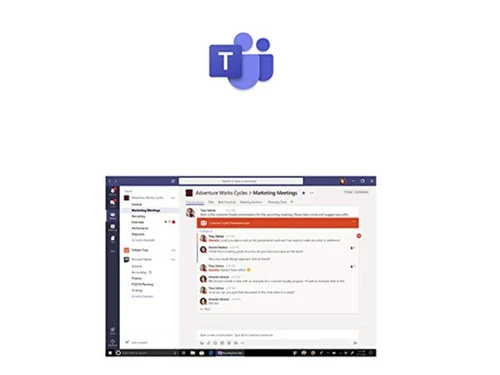
  2. Teams support for connecting with teams.   
  3. Access to Microsoft office apps like Word, Outlook, PowerPoint, Excel and OneNote.  
  4. File sharing and storing in 1 TB OneDrive storage system.  
  5. Online video conference hosting. 
  6. Round-the-clock customer service support.  
  7. Integration with SharePoint and OneDrive.

Microsoft 365 Business Standard (CSP) Features

  1. File sharing & storage: Cloud Storage 1 TB OneDrive facilities to help you share and edit files. 
  2. Custom permissions: Easy to set privacy controls & strong password policies for data security. 
  3. Online meetings: Video & audio-conferencing module for arranging online HD video meets. 
  4. Calendar management- Scheduling meetings and sharing their reminders is easy too.  
  5. Microsoft links- Microsoft links make it easy to plan schedules, set reminders & track daily tasks.  
  6. Meeting notes & recordings: East to access recordings & notes from previous meetings. 
  7. Sharing content: Share content with the collaboration platform’s easy integration with Microsoft Office 
  8. Advanced threat protection- Selective wiping & advanced security for protecting the data stored in devices lost & online attacks. 
  9. Device management- Device management for configuration & automated deployment of office apps.   

Why You Should Choose Microsoft 365 Business Standard

  1. Proactive monitoring with and five-layered security for securing the data. 
  2. Microsoft chat and call support 
  3. Easy to set up and deploy
  4. Hosting online conferences and meetings
  5. Live events hosting 
  6. Easy to schedule meetings with external guests

Microsoft 365 Business Standard Price in India

The cost of Microsoft 365 Business Standard is Rs 770/month in India. Migration for the plan is available at an extra cost of Rs 500. To buy the subscription plan or to get expert consultation, please request a call back.

CSP Product 

Read more

Microsoft Corporation Company Details

Founded Year:  1975

Microsoft Corporation is an American multinational technology company with headquarters in Redmond, Washington.

Director/Founders Paul Allen , Bill Gates
Company Size 1000+ Employees

Microsoft Office 365 Business Standard Pricing & Plans

Microsoft 365 Business Standard

Calculated Price

₹ 1032 ₹1232
SAVE UPTO 16%
Exclusive of all taxes
  • Options

    • Quantity

      Quantity
      Quantity
    • Monthly

      Monthly
      Monthly
Implementation Cost

Microsoft Office 365 Business Standard Features

  • icon_check Teamwork & Communication
    Connect instantly to communicate with members of your team using the platform’s online chats, instant messaging and HD video
  • icon_check Web and mobile versions of Office apps
    Web versions of Microsoft 365 Business Standard available for Excel, Word, OneNote and PowerPoint. Mobile version is available
  • icon_check Email & Calenders
    Get the unified view for emails and contacts available on Microsoft 365 Business Standard (CSP). Further, there are calendar
  • icon_check File Storage & Sharing
    Share files from any location, update and access them from remote with Microsoft 365 Business Standard (CSP).
  • icon_check Security & Compliance
    Enhance the security of a device with the platform’s exchange online protection and secured sign-in processes. You can also use
  • icon_check Support & Deployment
    Microsoft 365 Business Standard (CSP) supports Windows 7, 8.1 and 10. Round the clock customer service support is available too.
  • icon_check Tools to Build & Manage your Business
    It provides business intelligence tools like spreadsheets, reports and data visualizations for organizing the data. The platform
  • icon_check Desktop versions of Office apps for PC and Mac
    Recent versions of macOS and Windows 7/8.1/10 are supported by Microsoft 365 Business Standard (CSP). Users get the option to
Microsoft Office 365 Business Standard Demo Video play icon

Get Microsoft Office 365 Business Standard Demo

Watch the demo video to explore key features, real workflows, and how the software fits your business needs.

Understand
Key Features
Personal
Demo Insights
Interactive
Demo Support

Microsoft Office 365 Business Standard Specifications

Supported Platforms
Windows Windows iOS iOS Android Android MacOS MacOS
Devices
Desktop Desktop Mobile Mobile
Deployment
Cloud-Based Cloud-Based
Suitable For
All Industries
Business Specific
All Businesses
Business Size
Small Business Startups Enterprises SMBs SMEs MSMBs MSMEs
Customer Support
Email Communities Forums
Language
English
Training Resources
In Person Webinars Documentation Videos

Microsoft Office 365 Business Standard Reviews

4.5

Out of 5

img

Overall Rating

Based on
3 Verified Reviews

Rating Breakdown

  • Features 4.8
  • Value for Money 4.7
  • Ease of Use 4.8
  • Customer Support 4.5

90% Recommend this Product

Add Review

Shivam Shrivastava

User

4.5

Reviewed on: Nov 23, 2020

Techjockey Verified

“The platform is the best for taking online classes.”

Pros

I would recommend this application to other tutors like me for taking online classes. The one feature that stands out is no one can interrupt your session unless you allow it to.

Cons

Video quality can be improved. However, the rest is all fine.

Stephen Chong

User

4.1

Reviewed on: Feb 7, 2018

Techjockey Verified

“good experience”

Pros

It was a great experience for me to get invaluable advice from Techjockey. In the very beginning, I found Techjockey after an online search. In a live chat on its website, I gave information on our requirements. Josh contacted me over the phone and afterward e-mailed me three software systems which could be a good fit for our requirements. And all is for free. Excellent service.?

Cons

N/A

Saurabh Gupta

Administrator

5

Reviewed on: Sep 17, 2018

Techjockey Verified

“Office 365 Review ”

Pros

Very Good Support

Cons

NO CONS

Articles for Microsoft Office 365 Business Standard

See All Related Articles

Can I use Microsoft 365 Business Standard for managing user access?

It lets you establish user controls based on your requirements through its advanced threat protection capabilities. Here you can allow or restrict specific users from access to company’s information.

How does Microsoft 365 Business Standard help with device management?

Microsoft 365 Business Standard supports a user-friendly wizard using which you can configure the security settings and the features with ease. This productivity and collaboration tool also offers simplified controls for managing policies applied to your PCs.

How much does Microsoft 365 Business Standard cost?

Microsoft 365 Business Standard price starts at Rs. 770/User/month on techjockey.com.

20,000+ Software Listed

Best Price Guranteed

Free Expert Consultation

2M+ Happy Customers

Terms and Condtions

close

Users with registered businesses can purchase goods from merchants on the platform to satisfy their business needs. Users are not permitted to utilize any products acquired through the platform for resale, advertising, business, or further distribution.

For each purchase made, users will receive a Tax Invoice (or 'GST invoice') that includes specific details such as:

  • the GSTIN of the user associated with their registered business, and

  • the specified Entity Name for their business.

It should be noted that not all products are eligible for GST Invoice. Only the products displayed by participating sellers with the 'GST-based Invoice Available' callout on the product description page would qualify.

Certain goods and services are not eligible to get a GST Invoice, including items with VAS, i.e., Value Added Services (e.g., Total Mobile Protection/Assured Buyback) and those involving an exchange offer at the time of purchase.

Users must ensure the accuracy of the GSTIN, and business entity name provided for the GST Invoice. Requests for corrections into GST Invoice would not be accommodated by Techjockey.com or any Seller, and any issues arising from user-provided information are the sole responsibility of users.

Techjockey.com is not liable for the GST Invoice or any associated input tax credit. To efficiently claim an input tax credit, users should select the registered place of business address as per the GST authority's data and follow the provisions of the GST Act and rules.

To claim an input tax credit, the delivery and billing addresses must match. Furthermore, input tax credits will not be granted if the delivery address and GSTIN on the invoice are from different states. In case of incorrect GST details provided during the order placement, the order will be canceled automatically.