linkedin
OriginPro logo
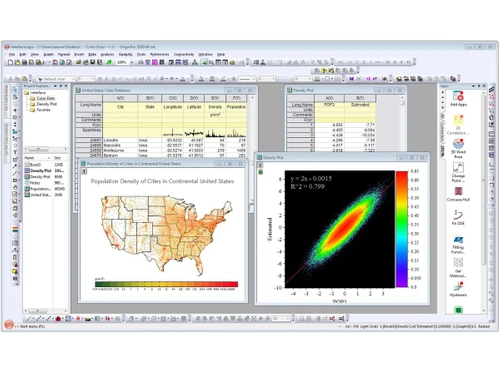
OriginPro-dashboard
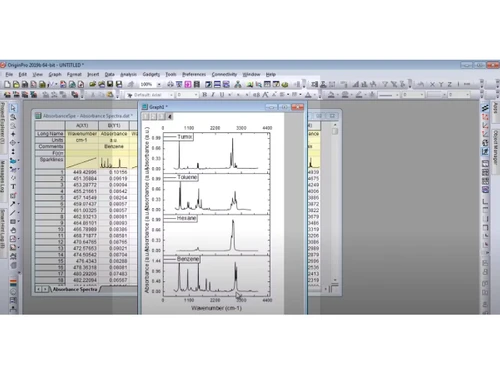
OriginPro-graphs
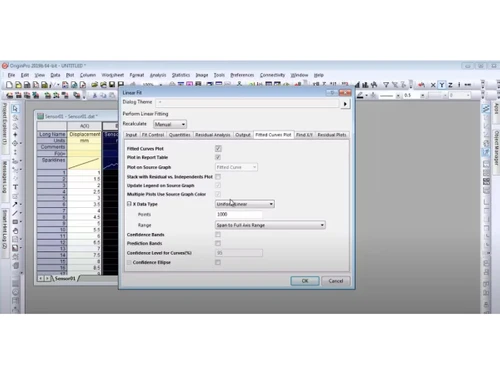
OriginPro-linear fit

OriginPro

Brand: OriginLab Corporation

  • No Ratings & Reviews

A data analysis and graphing software for scientists and engineers to visualize complex datasets with publication-quality graphics.

See More

Have you used OriginPro before?

Share your insights for better experience

Add a Review

Price Available on Request

Questions about pricing or customization? We’re here to help, just a click away.

100% Genuine
Products
Best Price
Guaranteed
Safe & Secure
Payment
  • Description

  • Pricing

  • Features

  • Specification

  • Review

  • FAQ

OriginPro Software Overview

What is OriginPro?

OriginPro is a leading data analysis software used by scientists and engineers for advanced graphing, statistics, and signal processing. This data science platforms tool offers over 100 graph types, batch processing, peak fitting, and surface fitting capabilities.

It includes embedded Python and R console for extensibility, along with statistical process control and design of experiments tools. OriginPro also provides data connectors for local files and SQL databases with automated refresh, making it ideal for research and development teams needing sophisticated analysis beyond spreadsheets.

Why Choose OriginPro?

  • Advanced Graphing and Visualization: Over 100 built-in graph types including 2D, 3D, polar, ternary, and heatmap plots.
  • Peak Fitting: Advanced peak finding and fitting tools with baseline detection and integration.
  • Surface Fitting: 3D surface fitting and analysis for complex data modeling.
  • Statistical Analysis: ANOVA, regression, multivariate analysis, and survival analysis tools.
  • Signal Processing: Advanced wavelet analysis and signal filtering capabilities.
  • Batch Processing: Apply analysis workflows to hundreds of files automatically without programming.
  • Data Connectors: Import from local files, SQL databases, or web sources with periodic refresh.
  • Embedded Python and R: Run Python scripts and R console directly within the application.
  • Flash Fill and Smart Formula: Rapid data manipulation features similar to modern spreadsheets.

Benefits of OriginPro

  • Creates Publication-Quality Graphics: Professional graphs ready for journals and presentations.
  • Handles Large Complex Datasets: Fast rendering with Density Dots plots for millions of data points.
  • Automates Repetitive Analysis: Batch processing saves hours on routine data workflows.
  • Provides Advanced Statistical Tools: Multivariate analysis, nonlinear regression, and survival analysis.
  • Integrates Python and R: Extend functionality with custom scripts from both ecosystems.
  • Offers Real-Time Recalculation: Operation Locks automatically update results when raw data changes.
  • Supports Design of Experiments: Tools for creating and analyzing DOE studies.
  • Includes Quality Control Charts: Statistical process monitoring for manufacturing applications.
  • Enables Trellis and Parallel Plots: Advanced visualization for multi-dimensional data exploration.
  • Provides Graphical Summary Dashboard: Automatic comprehensive statistical summary reports.

OriginPro Pricing

OriginPro pricing is available on request at techjockey.com. The pricing model is based on different parameters, including extra features, deployment type, and the total number of users. For further queries related to the product, you can contact the product team and learn more about pricing and available offers.

Read more

OriginLab Corporation Company Details

Founded Year:  1992

Origin is an industry-leading scientific graphing and data analysis software.

Director/Founders C.P. Yang
Company Size 1-100 Employees

OriginPro Pricing & Plans

Looking for The Right Pricing?

Share your requirements and get a plan built around your business.

  • Define your business needs
  • Get customised pricing
  • Choose features that fit your workflow

Price Available on Request

Get personalised OriginPro pricing that fits your needs. Our team will connect with you.

OriginPro Features

  • icon_check 2D & 3D Graphing
    Create high-quality 2D and 3D plots like scatter, surface, contour, and heatmaps for data visualization.
  • icon_check Data Import/Export
    Supports multiple formats like Excel, CSV, NetCDF, and exports to JPEG, TIFF, EPS, and more.
  • icon_check Curve Fitting
    Perform nonlinear curve fitting using advanced algorithms like Levenberg-Marquardt for accurate modeling.
  • icon_check Statistical Analysis
    Includes descriptive stats, regression, hypothesis testing, and advanced statistical tools.
  • icon_check Peak Analysis
    Detect and analyze peaks in datasets, commonly used in spectroscopy and signal analysis.
  • icon_check Signal Processing
    Analyze signals with filtering, FFT, smoothing, and frequency analysis tools.
  • icon_check Spreadsheet Interface
    Column-based worksheet with metadata like units, labels, and long names for structured data handling.
  • icon_check Batch Processing
    Automate repetitive tasks using templates and batch operations to improve productivity.
  • icon_check Templates
    Save graph styles and reuse them for consistent visualization across projects.
  • icon_check Auto Recalculation
    Automatically updates analysis results when underlying data changes.
  • icon_check Scripting Support
    Supports LabTalk, Python, and R for automation and custom workflows.
  • icon_check Database Connectivity
    Connect to databases via ADO and query data directly into the software.
  • icon_check Custom Analysis Templates
    Save a sequence of analysis steps and reuse them across datasets.
  • icon_check Data Exploration
    Explore datasets visually with tools for filtering, zooming, and slicing.
  • icon_check Surface & Image Analysis
    Advanced tools for surface fitting and image-based data analysis (OriginPro).
  • icon_check Cloud & File Integration
    Supports integration with cloud storage like Google Drive and OneDrive (newer versions).

OriginPro Specifications

Supported Platforms
Windows Windows MacOS MacOS Linux Linux
Devices
Desktop Desktop
Deployment
Cloud-Based Cloud-Based Perpetual Perpetual
Suitable For
All Industries
Business Specific
All Businesses
Business Size
Small Business Medium Business Enterprises
Customer Support
Email Communities
Language
English
Training Resources
Videos

OriginPro Review

Techjockey Trusted Reviews from Verified Users

No reviews are currently available for OriginPro. Discover similar Data Analysis Software reviews

  • Perfios

    4.2

    Whats great - Makes it easy to check credit data and process loans faster. read more
  • Qlik Insight Bot

    4.1

    Whats great - Qlik Insight Bot generates data-oriented insights and findings, and delivers it in a conversational format. It makes it reall... read more

  • Microsoft Power BI

    4.4

    Whats great - Flexibility to connect multiple data sources and visualize data read more
Articles for OriginPro

See All Related Articles

How much does OriginPro cost?

OriginPro pricing is available on request at Techjockey.com.

How does OriginPro work?

You import data via connectors, choose from 100+ graph types or analysis tools, create workflows, and apply batch processing to automate repetitive analysis across multiple files.

Who uses OriginPro?

It is used by scientists, engineers, and researchers in nanotechnology, biotechnology, pharmaceuticals, and academia for data analysis and publication-quality graphing.

What is the difference between Origin and OriginPro?

OriginPro includes advanced features like peak fitting, surface fitting, multivariate analysis, signal processing, and image processing that are not available in standard Origin.

Can it handle large datasets?

Yes, it features fast rendering with Density Dots plots and batch processing for millions of data points.

Does it support Python?

Yes, OriginPro has embedded Python and R console for running custom scripts and advanced statistical analysis.

What are data connectors?

They allow importing data from local files, SQL databases, and web sources with options for periodic automatic refresh.

What is batch processing?

You create a workflow once and apply it automatically to dozens or hundreds of files without programming.

Is there a free trial?

Please contact Techjockey for information about evaluation options and trial availability.

What industries use OriginPro?

It is widely used in nanotechnology, biotechnology, mechanical engineering, pharmaceuticals, and environmental sciences.

20,000+ Software Listed

Best Price Guranteed

Free Expert Consultation

2M+ Happy Customers

Terms and Condtions

close

Users with registered businesses can purchase goods from merchants on the platform to satisfy their business needs. Users are not permitted to utilize any products acquired through the platform for resale, advertising, business, or further distribution.

For each purchase made, users will receive a Tax Invoice (or 'GST invoice') that includes specific details such as:

  • the GSTIN of the user associated with their registered business, and

  • the specified Entity Name for their business.

It should be noted that not all products are eligible for GST Invoice. Only the products displayed by participating sellers with the 'GST-based Invoice Available' callout on the product description page would qualify.

Certain goods and services are not eligible to get a GST Invoice, including items with VAS, i.e., Value Added Services (e.g., Total Mobile Protection/Assured Buyback) and those involving an exchange offer at the time of purchase.

Users must ensure the accuracy of the GSTIN, and business entity name provided for the GST Invoice. Requests for corrections into GST Invoice would not be accommodated by Techjockey.com or any Seller, and any issues arising from user-provided information are the sole responsibility of users.

Techjockey.com is not liable for the GST Invoice or any associated input tax credit. To efficiently claim an input tax credit, users should select the registered place of business address as per the GST authority's data and follow the provisions of the GST Act and rules.

To claim an input tax credit, the delivery and billing addresses must match. Furthermore, input tax credits will not be granted if the delivery address and GSTIN on the invoice are from different states. In case of incorrect GST details provided during the order placement, the order will be canceled automatically.