linkedin
NVivo logo
play Using Coding Queries and Survey Tools to Illuminate Relationships
Nvivo core value that make an IMPACT.
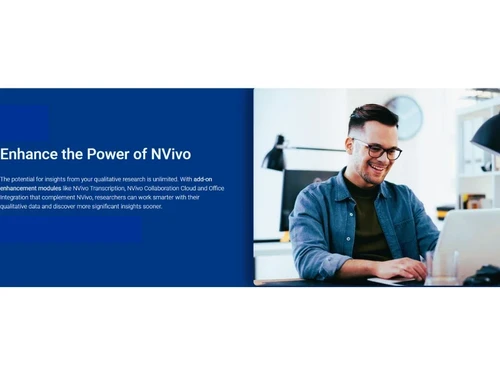
Nvivo Enhance the power.

NVivo

Brand: QSR International(Lumivero)

  • 4.1

  • 5 Ratings

NVivo is a data analysis software that helps you easily organize and analyze text, audio, video, and survey data for research.

See More

Have you used NVivo before?

Share your insights for better experience

Add a Review

Price Available on Request

Questions about pricing or customization? We’re here to help, just a click away.

100% Genuine
Products
Best Price
Guaranteed
Safe & Secure
Payment
  • Description

  • Pricing

  • Features

  • Specification

  • Review

  • Compare

  • Alternatives

  • FAQ

NVivoSoftware Overview

What is NVivo?

NVivo is a data analysis software designed to help people understand unstructured or qualitative data like interviews, surveys, articles, and social media content. It allows users to organize, analyze, and find insights from large amounts of text, audio, video, and image data. NVivo is widely used by researchers, students, and organizations in fields like social science, healthcare, marketing, and education. You can tag or code data, find patterns, and visualize results using charts, maps, and word clouds.

It supports mixed-methods research and can integrate with tools like Microsoft Word, Excel, SPSS, and reference managers like EndNote. NVivo also offers collaboration features, making it easy to work with teams. The software is available for both Windows and Mac. It helps save time and brings more accuracy to your research. With NVivo, users can make evidence-based decisions by uncovering deeper meanings in data. It’s especially useful when working with complex or large datasets.

Why Choose NVivo Software?

  • Advanced Data Analysis: Supports deep qualitative and mixed-methods research with powerful analysis tools.
  • Organizes Complex Data: Easily manage large volumes of unstructured data like interviews, open-ended survey responses, and social media content.
  • Data Visualization: Offers word clouds, charts, graphs, and models to help visualize connections and trends.
  • Supports Team Collaboration: Allows multiple users to work on projects together with cloud-based sharing and version control.
  • Compatible with Many File Types: Works with Word, PDFs, audio, video, spreadsheets, and even web data.
  • Integrates with Other Tools: Connects with tools like Microsoft Excel, EndNote, Citavi, SurveyMonkey, and more.
  • Efficient Coding Tools: Speeds up thematic coding and text analysis with automatic coding features.
  • Cross-platform Access: Available on both Windows and Mac, plus NVivo Collaboration Cloud.
  • Enhanced Reporting: Generates clear, structured outputs and insights for publishing or presentation.
  • Secure and Reliable: Offers data protection and regular backups to keep your work safe.

Benefits of NVivo Software

  • Global Language Support: NVivo supports multiple languages, making it ideal for international and multicultural research projects.
  • Sentiment Analysis: Analyze emotional tone and attitudes in text data, especially helpful in social research and customer feedback.
  • Pattern Recognition: Helps identify hidden patterns, themes, and relationships that might not be immediately visible.
  • Live Data Integration: Directly connects with platforms like Twitter or Facebook for real-time social media data analysis.
  • Cloud Upload & Access: Easily upload and access files from cloud platforms like OneDrive or Dropbox.
  • Custom Classifications: Create custom attributes and classifications to tailor the analysis based on your research framework.
  • Literature Review Management: Manage academic sources and notes in one place, simplifying literature review processes.
  • Time-Saving Automation: Tools like auto coding and classification save hours of manual data sorting.
  • Quantitative & Qualitative Link: Seamlessly blends numeric data with narrative data for mixed-method research.
  • Learning Resources: Comes with extensive training materials, tutorials, and a supportive user community for ongoing learning.

NVivo Pricing

NVivo price details are available on request at techjockey.com.

The pricing model is based on different parameters, including extra features, deployment type, and the total number of users. For further queries related to the product, you can contact our product team and learn more about the pricing and offers.

Read more

QSR International(Lumivero) Company Details

Founded Year:  1995

QSR International provides software solutions for researchers and educators. The company specializes in qualitative data analysis, transcription services, writing organization, reference management, and field placements.

Director/Founders Lyn Richards, Tom Richards
Company Size 1-100 Employees

NVivo Pricing & Plans

Looking for The Right Pricing?

Share your requirements and get a plan built around your business.

  • Define your business needs
  • Get customised pricing
  • Choose features that fit your workflow

Price Available on Request

Get personalised NVivo pricing that fits your needs. Our team will connect with you.

NVivo Features

  • icon_check Collaboration Tools
    Enables team members to work on research projects together, with shared access and real-time updates.
  • icon_check Data Visualizations
    Provides charts, mind maps, and word clouds to help researchers interpret and present data effectively.
  • icon_check File Sharing
    Allows users to share research files and coded data securely within teams.
  • icon_check Multi Language Support
    Supports analysis of data in multiple languages, making it ideal for global research.
  • icon_check Automatic Transcription
    Converts audio and video interviews into text, saving time on manual transcription.
  • icon_check Annotations
    Lets users add notes, comments, and highlights to documents for better data organization.
  • icon_check Data Storage
    Ensures secure storage of large volumes of qualitative data for easy access and retrieval.
  • icon_check Data Import/Export
    Supports importing and exporting data from various sources like Excel, SPSS, and online platforms.
  • icon_check Third Party Integration
    Seamlessly connects with tools like EndNote, Mendeley, and Microsoft Word for enhanced research workflow.
  • icon_check Sentiment Analysis
    Uses AI to detect and categorize emotions and opinions within textual data for better insights.
NVivo Demo Video play icon

Get NVivo Demo

Watch the demo video to explore key features, real workflows, and how the software fits your business needs.

Understand
Key Features
Personal
Demo Insights
Interactive
Demo Support

NVivo Specification

Supported Platforms
Windows Windows MacOS MacOS
Devices
Desktop Desktop
Deployment
Web-Based Web-Based
Suitable For
All Industries
Business Specific
All Businesses
Business Size
Small Business Startups Medium Business Enterprises
Customer Support
Email Forums
Language
English
Training Resources
Webinars Documentation Videos

Explore the Best Alternative Solutions Similar to Your Business Size and Needs

NVivo Review

4.1

Out of 5

img

Overall Rating

Based on
5 Verified Ratings

Rating Breakdown

  • Features 4.2
  • Value for Money 4.4
  • Ease of Use 3.9
  • Customer Support 4.2

88% Recommend this Product

Add Review

Techjockey Trusted Reviews from Verified Users

No reviews are currently available for NVivo. Discover similar Data Analysis Software reviews

  • Perfios

    4.2

    Whats great - Makes it easy to check credit data and process loans faster. read more

  • Qlik Insight Bot

    4.1

    Whats great - Qlik Insight Bot generates data-oriented insights and findings, and delivers it in a conversational format. It makes it reall... read more

  • Microsoft Power BI

    4.4

    Whats great - Flexibility to connect multiple data sources and visualize data read more

Compare NVivo With other Data Analysis Software

Products
Ratings
Pricing
Device Supported
Deployment
Supported Platforms
  • img

    NVivo

  • 4.1

  • Price On Request

  • Desktop

    Mobile

  • Web based

    On Premises

  • Windows

    Mac OS

  • img

    Dovetail

  • 4.0

  • Price On Request

  • Desktop

    Mobile

  • Web based

    On Premises

  • Windows

    Mac OS

  • img

    Genstat

  • 4.5

  • Price On Request

  • Desktop

    Mobile

  • Web based

    On Premises

  • Windows

    Mac OS

  • img

    InfraNodus

  • 4.6

  • Price On Request

  • Desktop

    Mobile

  • Web based

    On Premises

  • Windows

    Mac OS

  • img

    Displayr

  • 4.7

  • Price On Request

  • Desktop

    Mobile

  • Web based

    On Premises

  • Windows

    Mac OS

  • img

    AcaStat Software

  • 4.6

  • Price On Request

  • Desktop

    Mobile

  • Web based

    On Premises

  • Windows

    Mac OS

  • img

    Avanty

  • 4.6

  • Price On Request

  • Desktop

    Mobile

  • Web based

    On Premises

  • Windows

    Mac OS

  • img

    Scilab

  • 4.2

  • Price On Request

  • Desktop

    Mobile

  • Web based

    On Premises

  • Windows

    Mac OS

  • img

    Delve AI

  • 4.4

  • Price On Request

  • Desktop

    Mobile

  • Web based

    On Premises

  • Windows

    Mac OS

(2) Product(s) selected

NVivo Alternatives

See All NVivo Alternatives

Starting Price:

$20 /User/Month

Starting Price:

$2,889

Available

Price on Request

Available

Price on Request

Available

Price on Request

Available

Price on Request

Available

Price on Request

Available

Price on Request

Available

Price on Request

Articles for NVivo

See All Related Articles

How much does NVivo Software cost?

NVivo pricing details are available upon request at Techjockey.

Does NVivo Software have a mobile application?

No, NVivo does not currently have a dedicated mobile app.

Which operating systems support NVivo Software?

NVivo is compatible with Windows and macOS operating systems.

Is there a free trial option for NVivo?

Yes, NVivo offers a free trial for users to explore its features.

How does NVivo work?

NVivo helps users organize, code, and analyze qualitative data like text, audio, video, and surveys.

Who uses NVivo?

NVivo is ideal for researchers, academics, businesses, and government agencies conducting qualitative analysis.

Can users request a free demo of NVivo?

Yes, NVivo provides a free demo upon request through its official website.

Is NVivo available at no cost?

No, NVivo is a paid software.

Can NVivo handle large datasets?

Yes, NVivo is designed to process and analyze large volumes of qualitative data efficiently.

Does NVivo require an internet connection to function?

No, NVivo can work offline, but cloud-based collaboration and updates require an internet connection.

20,000+ Software Listed

Best Price Guranteed

Free Expert Consultation

2M+ Happy Customers

Terms and Condtions

close

Users with registered businesses can purchase goods from merchants on the platform to satisfy their business needs. Users are not permitted to utilize any products acquired through the platform for resale, advertising, business, or further distribution.

For each purchase made, users will receive a Tax Invoice (or 'GST invoice') that includes specific details such as:

  • the GSTIN of the user associated with their registered business, and

  • the specified Entity Name for their business.

It should be noted that not all products are eligible for GST Invoice. Only the products displayed by participating sellers with the 'GST-based Invoice Available' callout on the product description page would qualify.

Certain goods and services are not eligible to get a GST Invoice, including items with VAS, i.e., Value Added Services (e.g., Total Mobile Protection/Assured Buyback) and those involving an exchange offer at the time of purchase.

Users must ensure the accuracy of the GSTIN, and business entity name provided for the GST Invoice. Requests for corrections into GST Invoice would not be accommodated by Techjockey.com or any Seller, and any issues arising from user-provided information are the sole responsibility of users.

Techjockey.com is not liable for the GST Invoice or any associated input tax credit. To efficiently claim an input tax credit, users should select the registered place of business address as per the GST authority's data and follow the provisions of the GST Act and rules.

To claim an input tax credit, the delivery and billing addresses must match. Furthermore, input tax credits will not be granted if the delivery address and GSTIN on the invoice are from different states. In case of incorrect GST details provided during the order placement, the order will be canceled automatically.