USA
USA UAE
UAESmall Business
Designed for startups and growing businesses


See More




Brand: SAASPASS
SAASPASS manages user identities and allows them to navigate those identities access applications, sites and services. Users may organize and implement identities within the SAASPASS mobile app, while admins manage and coordinate authorization mechanisms and privileges access multiple enterprise ser...
See MoreHave you used Saaspass Identity & Access Solution before?
Share your insights for better experience
Brand: SAASPASS
Founded Year: 2014
SAASPASS
Looking for The Right Pricing?
Share your requirements and get a plan built around your business.
Price Available on Request
Get personalised Saaspass Identity & Access Solution pricing that fits your needs. Our team will connect with you.
 Mobile App 3rd Party Identities Alerts Password Manager Endpoint Access Management Multi-Factor Authentication (MFA) Directory Services Barcode Scanning Single sign-on Multi-Location Centralize Role Management Integration Remote Access Access Control

Watch the demo video to explore key features, real workflows, and how the software fits your business needs.
 Windows
  Desktop
  Cloud-Based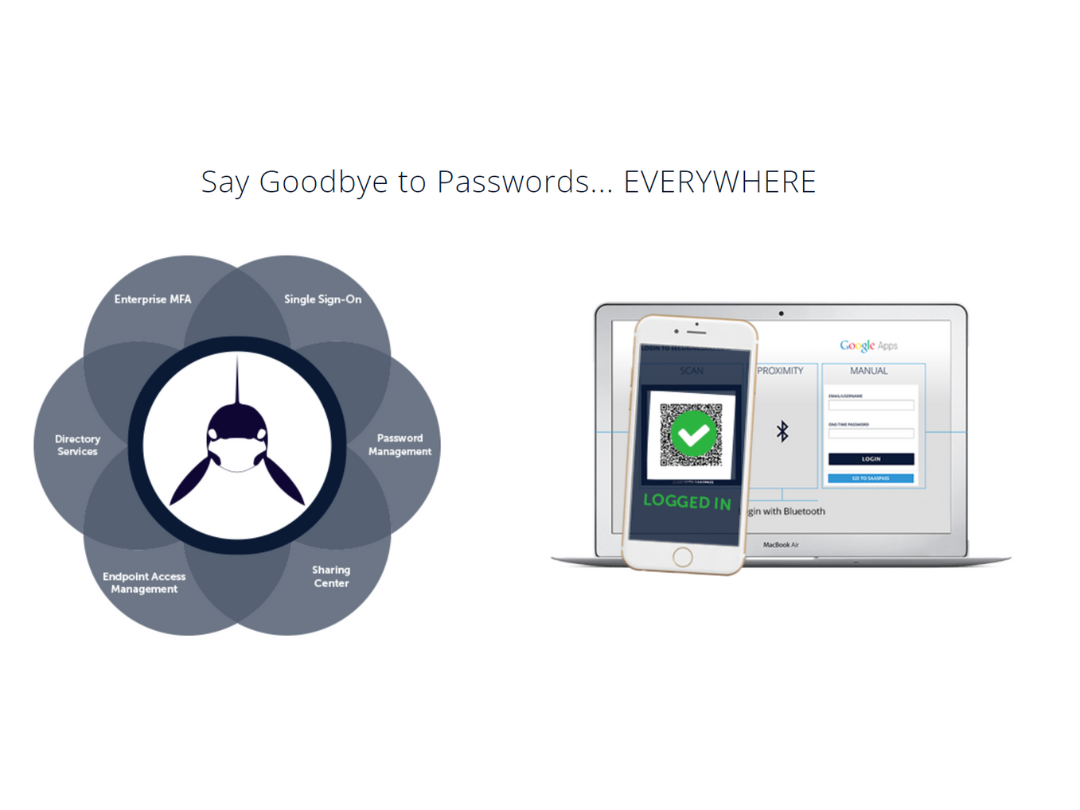
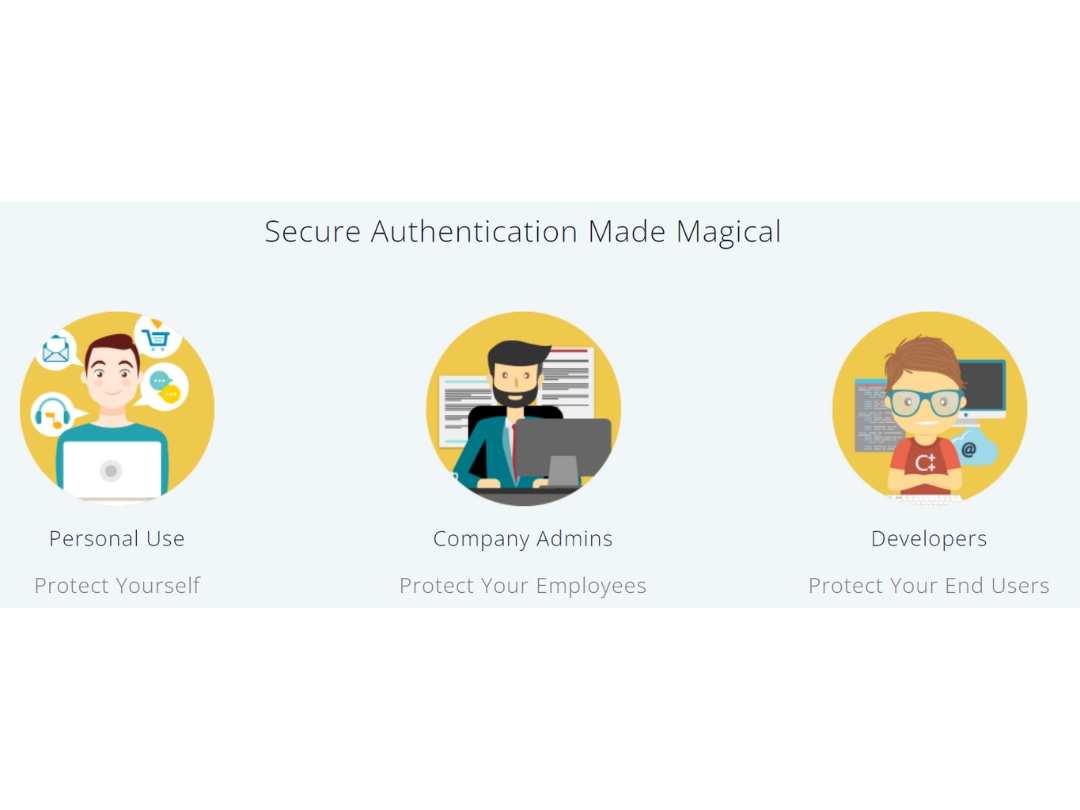
Small Business
Designed for startups and growing businesses
Medium Business
Built for business growth and flexibility
Enterprises
Designed for complex and large-scale business needs
4.5
Out of 5

Overall Rating
Based on
3 Verified Reviews
Rating Breakdown
96% Recommend this Product
Add ReviewUsers generally express high satisfaction with Saaspass Identity & Access Solution, highlighting its reliable backup feature that allows access from multiple devices, which prevents loss of access points during device resets. The exceptional customer service provided by the support team is also frequently praised. However, there are no significant complaints noted, indicating a positive overall experience among users.

Feb 13, 2019
Techjockey Verified
“Identity and access solution”
Pros
The best thing I enjoyed about SaasPass is that the information can be backed up and run off multiple devices, so so on the off chance that I reset a gadget, I don't lose all access points.
Cons
NO CONS
Jan 14, 2019
Techjockey Verified
“Passage”
Pros
The capacity to run the 2FA application on 2 gadgets so in the event that I reset a gadget I don't lose all passages
Cons
NO CONS
Sep 8, 2018
Techjockey Verified
“Very Helpful Company”
Pros
Outstanding customer service from Techjockey support team.
Cons
N/A

Saaspass Identity & Access Solution
Price On Request
Desktop
Mobile
Web based
On Premises
Windows
Mac OS

One Identity Active Roles
Price On Request
Desktop
Mobile
Web based
On Premises
Windows
Mac OS
Zoho OneAuth
Price On Request
Desktop
Mobile
Web based
On Premises
Windows
Mac OS

VMware Fusion 12 Pro
Price On Request
Desktop
Mobile
Web based
On Premises
Windows
Mac OS
Zoho Directory
₹ 120
Desktop
Mobile
Web based
On Premises
Windows
Mac OS

Instasafe Secure Access
Price On Request
Desktop
Mobile
Web based
On Premises
Windows
Mac OS
ClassLink
Price On Request
Desktop
Mobile
Web based
On Premises
Windows
Mac OS

Jamf Connect
Price On Request
Desktop
Mobile
Web based
On Premises
Windows
Mac OS

Authyo
₹ 999
Desktop
Mobile
Web based
On Premises
Windows
Mac OS
Clerk
Price On Request
Desktop
Mobile
Web based
On Premises
Windows
Mac OS

PureAUTH
Price On Request
Desktop
Mobile
Web based
On Premises
Windows
Mac OS
(2) Product(s) selected
Available
Price on Request
Starting Price:
₹11,199 /License
Available
Price on Request
Starting Price:
$25 /Month
Available
Price on Request

Available
Price on Request

Available
Price on Request
Starting Price:
$125 /Month

Available
Price on Request
Available
Price on Request

Available
Price on Request
SAASPASS is the only identity and access management tool you need to secure your corporate network or your own personal data, a comprehensive and frictionless solution fully-secured with dynamic passcodes and out-of-band multi-factor authentication. Whether logging into your work emails and company apps, accessing your personal online bank account, making purchases at online retailers, browsing social media, or even unlocking the door of your car, home, or hotel room, SAASPASS allows you to use your mobile or other enabled device to manage all your digital and physical access needs securely and conveniently.
Usernames and passwords are not very secure, but simply adding proper multi-factor authentication (MFA) to your most sensitive apps can reduce your likelihood of getting hacked by at least 80%. The problem, however, is that most MFA products add several time-consuming and inconvenient steps for the user. Also, simply using an MFA solution doesn’t necessarily mean you’re more secure, as some forms of MFA used by sites, are known to be less secure (such as text messaging based verification codes). In order to comprehensively secure your computer as well as your personal apps and services, on all your devices, multiple products must typically be cobbled together. SAASPASS cuts through that complexity and is the only identity and access management tool you need to secure your personal data, a comprehensive and frictionless solution fully-secured with dynamic passcodes and out-of-band multi-factor authentication. With a single product, it allows you to use your mobile phone or other enabled device to manage all your digital and physical access needs securely and conveniently.
If you set up recovery options before your phone was disabled, lost, or stolen, then you can now initiate a recovery. When you download the app on your new phone, and run a recovery, your SAASPASS account will automatically clear from your original device.
SAASPASS is the only identity and access management tool you need to secure your corporate network, a comprehensive and frictionless solution fully-secured with dynamic passcodes and out-of-band multi-factor authentication. Whether logging into your work emails and company apps, accessing your personal online bank account, making purchases at online retailers, browsing social media, or even unlocking the door of your car, home, or hotel room, SAASPASS allows you to use your mobile or other enabled device to manage all your digital and physical access needs securely and conveniently.
SAASPASS secures organizations and individuals primarily by adding multi-factor authentication with dynamic passwords from the operating system level all the way down to individual apps and services, integrating seamlessly with both on-premise and cloud applications. Because cloud applications are accessible from many locations, authentication security is paramount. Most enterprise cloud platforms (like Google Apps and Salesforce) are accessible both inside and outside the office, and from a variety of different devices, leaving corporate network perimeters dramatically more extended and exposed than just a few years ago. With SAASPASS, users can authenticate to their corporate and personal apps and services securely and conveniently, without an easy-to-steal or guess static username and password, and regardless of their location or device.
SAASPASS works seamlessly on iPhones, Android phones, Blackberry, and many feature phones. Over 350 Java MIDP2 enabled mobile phones have been tested and certified through our extensive internal quality assurance process, and we constantly test and certify new models as they become available.
20,000+ Software Listed
Best Price Guranteed
Free Expert Consultation
2M+ Happy Customers
Terms and Condtions

Users with registered businesses can purchase goods from merchants on the platform to satisfy their business needs. Users are not permitted to utilize any products acquired through the platform for resale, advertising, business, or further distribution.
For each purchase made, users will receive a Tax Invoice (or 'GST invoice') that includes specific details such as:
the GSTIN of the user associated with their registered business, and
the specified Entity Name for their business.
It should be noted that not all products are eligible for GST Invoice. Only the products displayed by participating sellers with the 'GST-based Invoice Available' callout on the product description page would qualify.
Certain goods and services are not eligible to get a GST Invoice, including items with VAS, i.e., Value Added Services (e.g., Total Mobile Protection/Assured Buyback) and those involving an exchange offer at the time of purchase.
Users must ensure the accuracy of the GSTIN, and business entity name provided for the GST Invoice. Requests for corrections into GST Invoice would not be accommodated by Techjockey.com or any Seller, and any issues arising from user-provided information are the sole responsibility of users.
Techjockey.com is not liable for the GST Invoice or any associated input tax credit. To efficiently claim an input tax credit, users should select the registered place of business address as per the GST authority's data and follow the provisions of the GST Act and rules.
To claim an input tax credit, the delivery and billing addresses must match. Furthermore, input tax credits will not be granted if the delivery address and GSTIN on the invoice are from different states. In case of incorrect GST details provided during the order placement, the order will be canceled automatically.