linkedin
Stacos logo
Stacos-Support
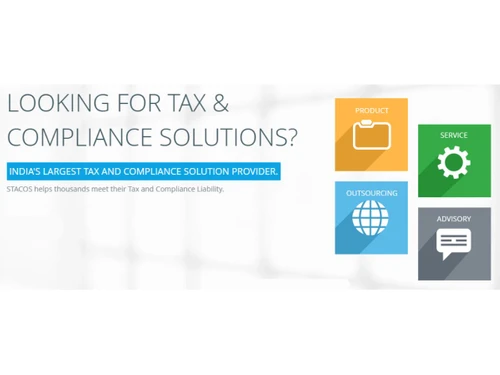
Stacos-Compliance
Stacos-secured

Stacos

Brand: Skorydov Systems Limited

  • 4.1

  • 3 Ratings

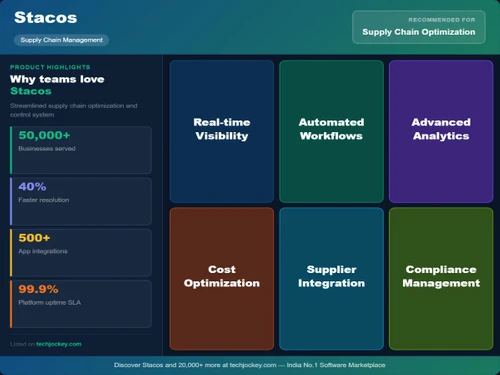
An accounting and income tax software designed to streamline financial management and tax compliance for individuals and businesses. It offers features like TDS calculations, GST filing, and income tax returns.

See More

Have you used Stacos before?

Share your insights for better experience

Add a Review

Price Available on Request

Questions about pricing or customization? We’re here to help, just a click away.

100% Genuine
Products
Best Price
Guaranteed
Safe & Secure
Payment
  • Description

  • Pricing

  • Features

  • Specification

  • Review

  • Compare

  • Alternatives

  • FAQ

Stacos Software Overview

What is Stacos?

Stacos is a tax and compliance software developed by Skorydov Systems Pvt. Ltd., designed to simplify the management of tax-related tasks for individuals, families, and businesses. It provides powerful applications that help users compute, validate, and file their taxes online efficiently. Stacos aims to enhance productivity while reducing overall costs by offering a user-friendly interface and secure, web-based tools.

This income tax software is known for its reliability, with a 99.9% uptime guarantee, ensuring that users can access their services anytime. Additionally, Stacos focuses on collaboration, allowing teams to work together in real-time on shared projects. With its emphasis on security and disaster recovery, Stacos helps protect user data while providing affordable solutions for tax compliance needs.

Why Choose Stacos Software?

  • Tax Solutions: It offers a complete suite of tax and compliance tools, making it suitable for various users, including individuals, businesses, and tax professionals.
  • User-Friendly Interface: The software features an intuitive design that simplifies navigation and makes it easy for users to manage their tax-related tasks.
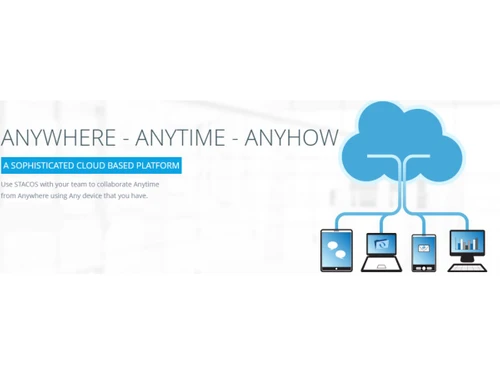
  • Cloud-Based Access: Being cloud-based allows users to access Stacos from anywhere, providing flexibility and convenience for managing tax filings.
  • Automated Tax Calculations: It automates tax calculations, reducing the risk of errors and saving time during the filing process.
  • E-Filing Capabilities: The software supports e-filing, enabling users to submit their tax returns electronically, which is faster and more efficient.
  • Real-Time Updates: Users benefit from real-time updates on tax regulations and compliance requirements, ensuring they stay informed about any changes.
  • Multi-User Access: It allows multiple users to access the system simultaneously, facilitating collaboration among teams working on tax-related tasks.
  • Document Management Features: The software provides tools for managing documents related to tax filings, making it easier to organize and retrieve necessary paperwork.
  • Customizable Reports: Users can generate customizable reports for better insights into their tax situations and compliance status.
  • Dedicated Customer Support: Stacos offers reliable customer support to assist users with any questions or issues they may encounter while using the software.

Benefits of Stacos Software

  • Direct Import of Tax Documents: It allows users to directly import Form 26AS, simplifying the process of gathering necessary tax documentation.
  • Bulk Filing Capabilities: The software enables bulk filing of ITR-1 forms through Excel, making it efficient for users managing multiple returns.
  • Audit Trail Features: It maintains a detailed audit trail, allowing users to track changes and access historical data for compliance purposes.
  • Automated Reminders: Users receive automated reminders for important tax deadlines, helping them stay organized and avoid late filings.
  • Integration with Accounting Software: It can integrate with various accounting software, streamlining financial management and reporting processes.
  • Data Security Measures: The platform employs robust security protocols to protect sensitive financial information, ensuring user data remains secure.
  • Backup and Restore Options: Users can easily back up their data and restore it when needed, providing peace of mind regarding data loss.
  • Mobile Access: It is accessible via mobile browsers, allowing users to manage their tax tasks on-the-go.
  • Real-Time Updates on Tax Regulations: The software provides real-time updates regarding changes in tax laws and regulations, ensuring users remain compliant.
  • Cost Savings on Resources: By automating many tax processes, Stacos helps reduce the need for extensive manpower and physical resources, leading to cost savings.

Pricing of Stacos

Stacos price details are available on request at techjockey.com.

The pricing model is based on different parameters, including extra features, deployment type, and the total number of users. For further queries related to the product, you can contact our product team and learn more about the pricing and offers.

Read more

Stacos Pricing & Plans

Looking for The Right Pricing?

Share your requirements and get a plan built around your business.

  • Define your business needs
  • Get customised pricing
  • Choose features that fit your workflow

Price Available on Request

Get personalised Stacos pricing that fits your needs. Our team will connect with you.

Stacos Features

  • icon_check For Business
    It provides tailored tax and compliance solutions for businesses to efficiently manage their financial tasks and obligations.
  • icon_check File e-TDS
    Allows electronic filing of TDS returns, ensuring compliance with tax regulations.
  • icon_check File TDS
    Automates the process of filing TDS returns, reducing manual effort and errors.
  • icon_check Generate Form-16s
    Quickly generates Form 16, the certificate of tax deducted at source, for employees.
  • icon_check PAN Verification
    Verifies the PAN details of employees or vendors to ensure accuracy and compliance.
  • icon_check Challan Reconciliation
    Match deposited tax amounts with bank OLTAS data to ensure every payment is correctly mapped to the TDS return.
  • icon_check Error Validation Tool
    Run comprehensive pre-filing checks to identify and correct data inconsistencies before final submission.
  • icon_check Secure
    Ensures data security with encryption and reliable backup mechanisms to protect sensitive financial information.
  • icon_check Complete Solutions For TDS
    Provides end-to-end solutions for managing TDS, from calculations to filings.
  • icon_check Online TDS Declaration Management
    Manages employee declarations related to TDS online, streamlining the process.
  • icon_check Form 16 Preparation
    Facilitates the generation of Form 16, ensuring accurate tax deductions and easy compliance.
  • icon_check e-Filing
    Enables e-filing of income tax returns, making the process faster and more efficient.

Stacos Specifications

Supported Platforms
Ubuntu Ubuntu Windows Windows MacOS MacOS Linux Linux
Devices
Desktop Desktop
Deployment
Cloud-Based Cloud-Based
Suitable For
All Industries
Business Specific
All Businesses
Business Size
Small Business Startups Medium Business SMBs SMEs
Customer Support
Email
Language
English

Explore the Best Alternative Solutions Similar to Your Business Size and Needs

Stacos Review

4.1

Out of 5

img

Overall Rating

Based on
3 Verified Ratings

Rating Breakdown

  • Features 4.1
  • Value for Money 4
  • Ease of Use 4.6
  • Customer Support 3.8

86% Recommend this Product

Add Review

Techjockey Trusted Reviews from Verified Users

No reviews are currently available for Stacos. Discover similar Income Tax Software reviews

  • CompuTax

    3.7

    Whats great - Data analysing and reports preparing is quite easy with CompuTax GST. It provides various types of reports, which help in pre... read more

  • Winman CA-ERP

    4.2

    Whats great - Product is good but Support is very very poor. read more

  • EasyOFFICE

    4.6

    Whats great - Easy to understand, Data drag on from 26AS & AIS available. Product is good overall, but some of section of IT act was missi... read more
Compare Stacos With other Income Tax Software

Products
Ratings
Pricing
Device Supported
Deployment
Supported Platforms
  • img

    Stacos

  • 4.1

  • Price On Request

  • Desktop

    Mobile

  • Web based

    On Premises

  • Windows

    Mac OS

  • img

    EasyOFFICE

  • 4.6

  • ₹ 3900

  • Desktop

    Mobile

  • Web based

    On Premises

  • Windows

    Mac OS

  • img

    Winman CA-ERP

  • 4.1

  • ₹ 9850

  • Desktop

    Mobile

  • Web based

    On Premises

  • Windows

    Mac OS

  • img

    FreeTaxUSA

  • 4.4

  • Price On Request

  • Desktop

    Mobile

  • Web based

    On Premises

  • Windows

    Mac OS

  • img

    TdsPac

  • 5

  • Price On Request

  • Desktop

    Mobile

  • Web based

    On Premises

  • Windows

    Mac OS

  • img

    GEN Income Tax

  • 4.8

  • ₹ 7000

  • Desktop

    Mobile

  • Web based

    On Premises

  • Windows

    Mac OS

  • img

    CompuTax

  • 3.7

  • Price On Request

  • Desktop

    Mobile

  • Web based

    On Premises

  • Windows

    Mac OS

  • img

    DAVO

  • 4.4

  • Price On Request

  • Desktop

    Mobile

  • Web based

    On Premises

  • Windows

    Mac OS

  • img

    GEN Genius

  • 4.3

  • ₹ 7000

  • Desktop

    Mobile

  • Web based

    On Premises

  • Windows

    Mac OS

  • img

    TaxCloud

  • 4

  • Price On Request

  • Desktop

    Mobile

  • Web based

    On Premises

  • Windows

    Mac OS

(0) Product(s) selected

Stacos Alternatives

See All Stacos Alternatives

Available

Price on Request

Available

Price on Request

DAVO

4.4

Starting Price:

$58 /Month

Starting Price:

₹2,999 /quantity

SAVE UPTO 10%

Starting Price:

₹899 /User/Year

Articles for Stacos

See All Related Articles

How much does Stacos Software Cost?

The pricing details for Stacos Software are available upon request at techjockey.com.

Is there any Stacos Software App?

No, Stacos Software does not offer a mobile app for easy access to accounting and tax management.

Which operating system does Stacos Software Support?

Stacos Software supports Ubuntu, Windows, MacOS, and Linux.

Does Stacos offer a free trial?

Yes, Stacos Software offers a free trial to allow users to test its features before purchase.

How does Stacos Software Work?

Stacos Software automates accounting, tax filing, and TDS management, simplifying financial processes.

Who are the potential users of Stacos Software?

Stacos Software is ideal for businesses, accountants, and tax professionals.

Is there any free demo for Stacos Software?

Yes, Stacos Software provides a free demo for users to explore its functionalities.

Is Stacos Software Free?

No, Stacos Software is not free, but it offers various pricing plans based on user needs.

20,000+ Software Listed

Best Price Guranteed

Free Expert Consultation

2M+ Happy Customers

Terms and Condtions

close

Users with registered businesses can purchase goods from merchants on the platform to satisfy their business needs. Users are not permitted to utilize any products acquired through the platform for resale, advertising, business, or further distribution.

For each purchase made, users will receive a Tax Invoice (or 'GST invoice') that includes specific details such as:

  • the GSTIN of the user associated with their registered business, and

  • the specified Entity Name for their business.

It should be noted that not all products are eligible for GST Invoice. Only the products displayed by participating sellers with the 'GST-based Invoice Available' callout on the product description page would qualify.

Certain goods and services are not eligible to get a GST Invoice, including items with VAS, i.e., Value Added Services (e.g., Total Mobile Protection/Assured Buyback) and those involving an exchange offer at the time of purchase.

Users must ensure the accuracy of the GSTIN, and business entity name provided for the GST Invoice. Requests for corrections into GST Invoice would not be accommodated by Techjockey.com or any Seller, and any issues arising from user-provided information are the sole responsibility of users.

Techjockey.com is not liable for the GST Invoice or any associated input tax credit. To efficiently claim an input tax credit, users should select the registered place of business address as per the GST authority's data and follow the provisions of the GST Act and rules.

To claim an input tax credit, the delivery and billing addresses must match. Furthermore, input tax credits will not be granted if the delivery address and GSTIN on the invoice are from different states. In case of incorrect GST details provided during the order placement, the order will be canceled automatically.