USA
USA UAE
UAESmall Business
Designed for startups and growing businesses


See More




Brand: Tracker Suite
It is an AI-powered task and team management software designed to help organizations improve operational efficiency, visibility, and productivity.
See MoreHave you used Task Tracker before?
Share your insights for better experience
View plans
 Save upto 18%, Get GST Invoice on your business purchase T&C Buy Now & Pay Later, Check offer on payment page.
 Brand: Tracker Suite
Founded Year: 2021
Tracker Suite is an all-in-one business automation platform designed to simplify task management, sales tracking, inventory management (Stack Tracker), and day-to-day operations, powered by TAVI — your AI calling and automation assistant — for growing teams and SMEs.
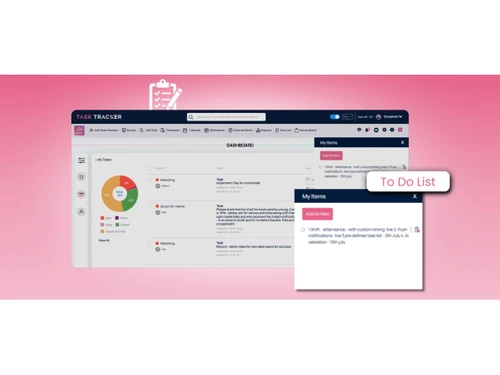
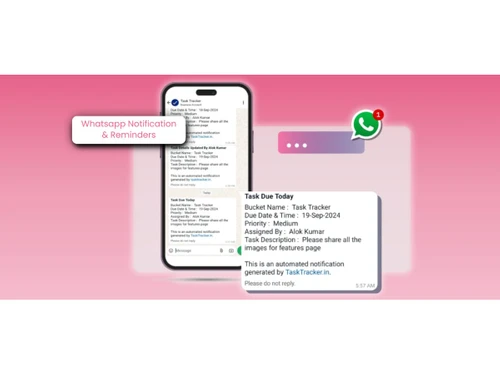
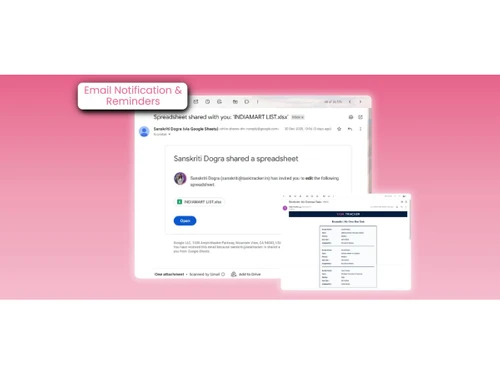
 Performance Reports Smart To-Do List Geo-Location based attendance Leave Management Whatsapp Notification & Reminder Multi-Shift Attendance AI with Predictive Tasking Recurring Task Management Integrated Apps Timesheet Report Calendar View Voice Notes on Tasks Workflow Management Gmail / Email Task Assignment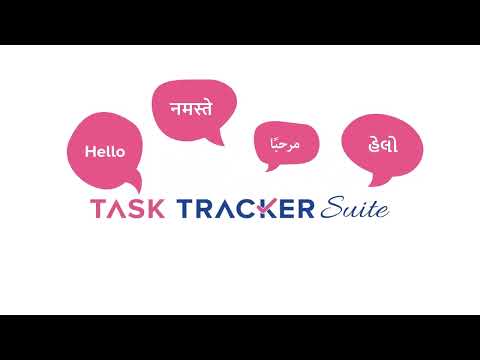

Watch the demo video to explore key features, real workflows, and how the software fits your business needs.
 Windows
  iOS
iOS  Android MacOS
  Desktop
  Mobile
  Cloud-Based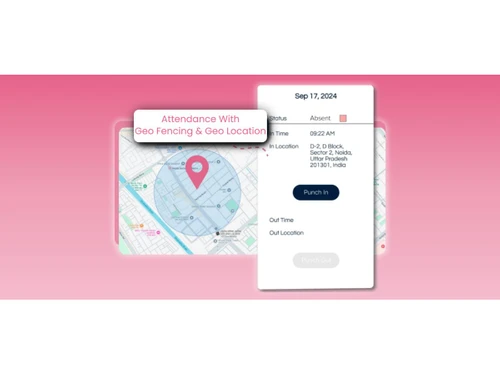
Small Business
Designed for startups and growing businesses
Medium Business
Built for business growth and flexibility
Enterprises
Designed for complex and large-scale business needs
4.9
Out of 5

Overall Rating
Based on
44 Verified Reviews
Rating Breakdown
93% Recommend this Product
Add ReviewCustomers generally express high satisfaction with Task Tracker, highlighting its user-friendly interface, effective task management capabilities, and seamless WhatsApp notifications that enhance team communication. Users appreciate the app's affordability and the variety of features that support productivity and organization. However, a few users noted occasional slow loading times, which could impact user experience. Overall, Task Tracker is recognized as a valuable tool for managing tasks and teams efficiently, with many recommending it for its ease of use and functionality.
Pros
"Thanks for the Task Tracker mobile App. I can handle my tasks anywhere, anytime, and never miss anything."
"A simple app to manage my work and teams. It offers too many features at a low cost—an affordable task tracker for everyone."
"WhatsApp notifications in Task Tracker are life saviours. Now, my team never misses a task."
Cons
"I had only one issue with the feature but customer care has helped me to resolve it."
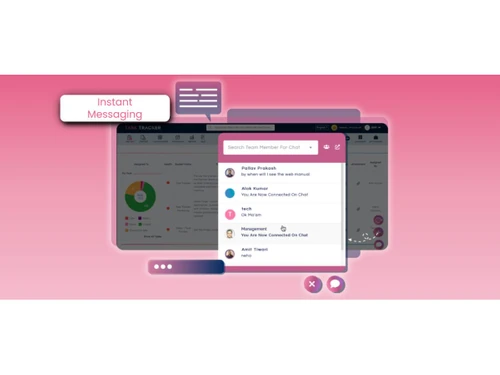
"It would be plus if there any live chat functionality for all employer."
"I am using this app from a while and I didn't find any cons about this software till now."

Mar 22, 2023
Techjockey Verified
“Task Tracker is Easy to Use and Performance Effective Software”
Pros
Task Tracker is a very easy-to-use application, as it is having attendance feature with accurate geolocation, assigning tasks to the team members is very easy as you just have to mention a few things and they will get the notification from the application as well as on their WhatsApp also. It also shares the summary report with the managers about the task completed and pending tasks.
Cons
I am using this app from a while and I didn't find any cons about this software till now.
Reason to switch
I am able to assign all the tasks to the team members with a due date and it has helped in improving the performance as the people know about the priorities of the tasks, so that they can complete the tasks allotted to them before time by prioritizing them.
Mar 22, 2023
Techjockey Verified
“Amazing facility provided by Task Tracker”
Pros
Task Tracker is a complete package of a task assigning apps and websites. The WhatsApp and Email notification is the part I like most along with the timesheet feature. I will highly recommend it to anyone who is seeking a time management and task scheduler app.
Cons
Nothing as such, An amazing platform to explore
Reason to switch
Amazing facility and features
Mar 23, 2023
Techjockey Verified
“TaskTracker simplifies task management with user-friendly interface and effective features. Highly recommended for productivity.”
Pros
It has User-friendly interface, ability to assign tasks to team members. Provides option to set due dates and reminders and mark attendance with Geo-location. Task Tracker provide a centralized platform for managing and tracking progress on tasks, which improve organization, increase efficiency, and help ensure that deadlines are met.
Cons
NO CONS

Task Tracker
₹ 225.00 excl. GST
Desktop
Mobile
Web based
On Premises
Windows
Mac OS

TickTick
Price On Request
Desktop
Mobile
Web based
On Premises
Windows
Mac OS

TaskOPad
Price On Request
Desktop
Mobile
Web based
On Premises
Windows
Mac OS

Microsoft Planner
₹ 996
Desktop
Mobile
Web based
On Premises
Windows
Mac OS
Zoho ToDo
Price On Request
Desktop
Mobile
Web based
On Premises
Windows
Mac OS
Taskmaan
₹ 2000
Desktop
Mobile
Web based
On Premises
Windows
Mac OS

Akiflow
Price On Request
Desktop
Mobile
Web based
On Premises
Windows
Mac OS

Aarvi Task Management System
Price On Request
Desktop
Mobile
Web based
On Premises
Windows
Mac OS

Todoist
₹ 330
Desktop
Mobile
Web based
On Premises
Windows
Mac OS

Sunsama
Price On Request
Desktop
Mobile
Web based
On Premises
Windows
Mac OS

Workona
Price On Request
Desktop
Mobile
Web based
On Premises
Windows
Mac OS
(2) Product(s) selected
Starting Price:
$4 /Month
Starting Price:
₹996 /Month ₹1,200
Available
Price on Request
Starting Price:
$34 /month
Starting Price:
$20 /month
Starting Price:
$7 /month

Available
Price on Request

Starting Price:
$50 $100

Starting Price:
$4 /Month

Starting Price:
$30 /Month
Task Tracker helps you assign, track, and manage tasks in real time while also managing attendance, timesheets, and performance reports, all in one centralized platform.
Task Tracker is ideal for business owners, managers, startups, SMEs, growing enterprises, field teams, and organizations that need better task, attendance, and performance management.
Yes, you can book a free demo to explore Task Tracker’s features and understand how it fits your business needs.
Task Tracker pricing in India starts at INR 225 per user per month on Techjockey, with flexible plans based on team size and features. You can book a free demo or contact sales for a customized quote.
Task Tracker is not completely free, but it may offer trial or introductory plans. You can check with our team for current offers.
Yes, Task Tracker is available on both desktop and mobile (Android & iOS), so you can manage tasks anytime, anywhere.
Yes, Task Tracker offers a free live demo before purchase, and after purchase, you get live training for all team members, along with webinars, documentation, video tutorials, and on-site training support.
Yes, Task Tracker is built for diverse teams and supports 8+ Indian languages along with Arabic, ensuring smooth adoption across different regions, cultures, and work environments.
20,000+ Software Listed
Best Price Guranteed
Free Expert Consultation
2M+ Happy Customers
Terms and Condtions

Users with registered businesses can purchase goods from merchants on the platform to satisfy their business needs. Users are not permitted to utilize any products acquired through the platform for resale, advertising, business, or further distribution.
For each purchase made, users will receive a Tax Invoice (or 'GST invoice') that includes specific details such as:
the GSTIN of the user associated with their registered business, and
the specified Entity Name for their business.
It should be noted that not all products are eligible for GST Invoice. Only the products displayed by participating sellers with the 'GST-based Invoice Available' callout on the product description page would qualify.
Certain goods and services are not eligible to get a GST Invoice, including items with VAS, i.e., Value Added Services (e.g., Total Mobile Protection/Assured Buyback) and those involving an exchange offer at the time of purchase.
Users must ensure the accuracy of the GSTIN, and business entity name provided for the GST Invoice. Requests for corrections into GST Invoice would not be accommodated by Techjockey.com or any Seller, and any issues arising from user-provided information are the sole responsibility of users.
Techjockey.com is not liable for the GST Invoice or any associated input tax credit. To efficiently claim an input tax credit, users should select the registered place of business address as per the GST authority's data and follow the provisions of the GST Act and rules.
To claim an input tax credit, the delivery and billing addresses must match. Furthermore, input tax credits will not be granted if the delivery address and GSTIN on the invoice are from different states. In case of incorrect GST details provided during the order placement, the order will be canceled automatically.