USA
USA UAE
UAE


Brand: WellSource
TTSReader converts written text, PDFs, and webpages into natural-sounding audio.
See MoreHave you used TTSReader before?
Share your insights for better experience
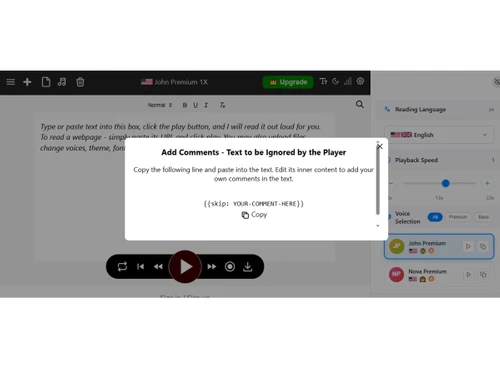
 Direct Text Input Document Upload Webpage Importing EPUB Integration Voice Selection Multi-Language Support Playback Speed Text Highlighting Auto-Scrolling Session Persistence MP3 Audio Export Sentence Skipping Dynamic Voice Tags Dark Mode Toggle
  Ubuntu
  Windows
  MacOS
MacOS  Linux
Linux  Desktop
  Cloud-Based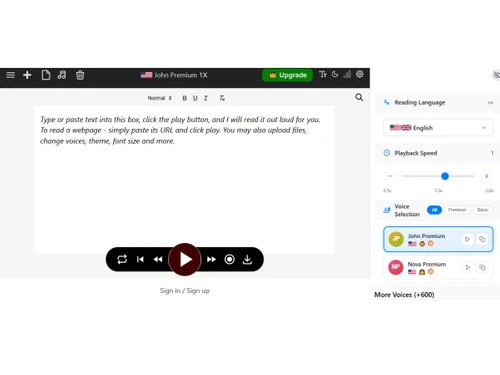
This product has no reviews yet. Be the first to leave your feedback.
Add ReviewTTSReader price starts at USD 11 on techjockey.com.
No, TTSReader does not provide mobile app support for convenient text-to-speech access on smartphones and tablets.
TTSReader is compatible with Windows, MacOS, Ubuntu, Linux, and web browsers.
Yes, users can access free features of TTSReader before upgrading to premium plans.
TTSReader converts written text, PDFs, and webpages into natural-sounding audio using AI-based text-to-speech technology.
Students, professionals, writers, educators, and visually impaired users commonly use TTSReader.
Yes, TTSReader offers a free demo and basic version for users to explore its features.
Yes, TTSReader provides a free version with essential text-to-speech functionalities.
20,000+ Software Listed
Best Price Guranteed
Free Expert Consultation
2M+ Happy Customers
Terms and Condtions

Users with registered businesses can purchase goods from merchants on the platform to satisfy their business needs. Users are not permitted to utilize any products acquired through the platform for resale, advertising, business, or further distribution.
For each purchase made, users will receive a Tax Invoice (or 'GST invoice') that includes specific details such as:
the GSTIN of the user associated with their registered business, and
the specified Entity Name for their business.
It should be noted that not all products are eligible for GST Invoice. Only the products displayed by participating sellers with the 'GST-based Invoice Available' callout on the product description page would qualify.
Certain goods and services are not eligible to get a GST Invoice, including items with VAS, i.e., Value Added Services (e.g., Total Mobile Protection/Assured Buyback) and those involving an exchange offer at the time of purchase.
Users must ensure the accuracy of the GSTIN, and business entity name provided for the GST Invoice. Requests for corrections into GST Invoice would not be accommodated by Techjockey.com or any Seller, and any issues arising from user-provided information are the sole responsibility of users.
Techjockey.com is not liable for the GST Invoice or any associated input tax credit. To efficiently claim an input tax credit, users should select the registered place of business address as per the GST authority's data and follow the provisions of the GST Act and rules.
To claim an input tax credit, the delivery and billing addresses must match. Furthermore, input tax credits will not be granted if the delivery address and GSTIN on the invoice are from different states. In case of incorrect GST details provided during the order placement, the order will be canceled automatically.