If you’ve ever tried turning Excel into a CRM, project tracker, or automation system, then you’ve probably hit the wall. Endless tabs. Fragile formulas. Data that doesn’t scale. And when you try to automate something? You’re suddenly dealing with scripts, macros, or third-party tools that barely hold together.
The reality is simple. Excel was built for calculations, not for building systems.
Today, a new generation of AI tools is changing that. These platforms turn simple spreadsheets into no-code databases with built-in AI automation, allowing you to:
This isn’t just about replacing Excel. It’s about upgrading what a spreadsheet can do. With spreadsheet alternatives, you can create workflow automation for tasks such as invoice processing, approval workflows, and employee onboarding, significantly reducing manual entry errors.
Additionally, you can support customer services, sales, and data analysis with unified dashboards and transform unstructured data into structured insights. These Excel
substitutes solve your problems with real-time collaboration, cloud-native features, scalability, and performance.
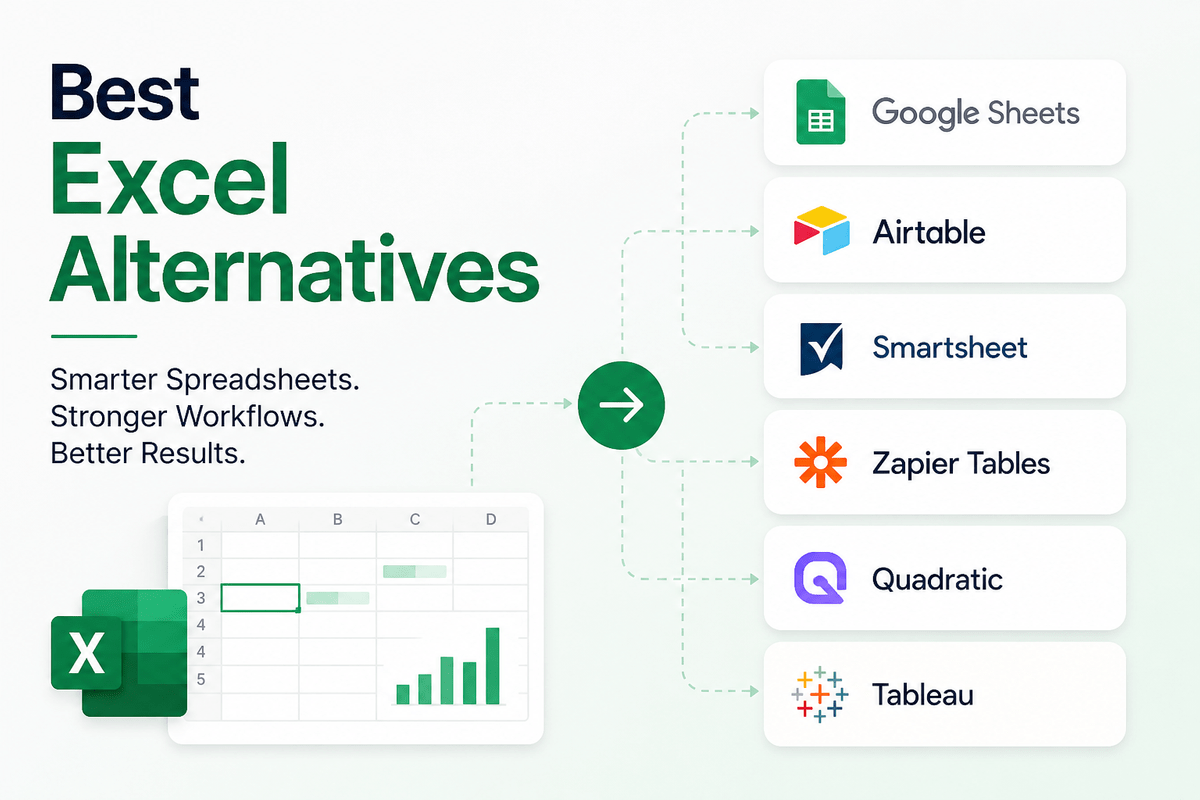
Among the top alternatives to Excel, Google Sheets, Airtable, Smartsheet, Zoho Sheet, Quadratic, Quip, and Joblogic excel in different use cases. Let’s discuss in detail how they can replace Microsoft Excel and provide specialized functionality for modern data workflows.
Before jumping into tools similar to Excel, let’s understand the shift first. The core problem which user face with Excel is that it is Flat (not relational), Manual (limited automation), and Isolated (not built for real-time collaboration at scale).
The modern upgrades that alternatives to Excel provide are spreadsheet simplicity, database structure, automation engines, and AI-powered insights. Platforms like Airtable and Smartsheet don’t just store data; they help you build workflows around it.
As we evolve with the technologies around us, the demand for advanced tools like Excel also grows. Each step adds more intelligence and less manual effort.
| Stage | Tool | Capability |
|---|---|---|
| Traditional | Excel | Store & calculate data |
| Cloud-based | Google Sheets | Collaborate in real time |
| No-code | Airtable | Build structured databases |
| AI-powered | Quadratic | Automate & analyze with AI |
The top choice for real-time collaboration, cloud storage, and basic to intermediate functionality. It is best among free alternatives to excel. It enables multiple users to edit simultaneously, offers easy sharing without emailing files, and excels in web-based integration, making it ideal for team projects and quick access from any device.
You can also purchase Business Standard and Business Plus plans for higher storage. If there are more than 300 users, pricing of Enterprise version is available on request.
Google Sheets
Starting Price
Price on Request
An excellent free and open-source desktop alternative to Excel, perfect for offline use. It offers templates as well as styling and formatting options for borders, backgrounds, and more. You can easily solve optimization problems where values need to be calculated according to different constraints.
Its DataPilot tool lets users combine raw data and use it in spreadsheets.Users can share their spreadsheet with others and integrate the changes in a few clicks to block conflicts. The online spreadsheet software can save sheets in both its native .odf (OpenDocument) and MS Excel formats.
LibreOffice
Starting Price
Price on Request
Zoho Sheet is free cloud-based spreadsheet software that lets users collaborate in teams to create spreadsheets and reports. It has user-specific cell lock and editing options that are absent in Excel. It includes over 350 functions and the option to add custom functions. With the AI-powered Zia assistant, you can get automated pivot tables, charts, and more.
Zoho spreadsheet is compatible with .csv, .ods, .tsv and multiple other file formats. The mobile apps are free. You can purchase the complete Zoho Workplace software starting at INR 99 per user per month when billed annually.
Zoho Sheet
Starting Price
Price on Request
Highly compatible with Excel file formats, offering a familiar interface. WPS Office Spreadsheets offers numerous functions and formulas to analyze complex data. It is fully compatible with Excel and supports file formats like xlsx, xls, and csv.
With more than 230 fonts and other formatting options, you can present the data in different table styles, in-built custom charts like pie charts, bar charts, scatter charts, and so on. Its mobile apps have in-app purchases, and the premium version starts at INR 2225.75 per year. You can also purchase one-time Professional or Business licenses.
Quick take: These are upgrades, not reinventions. If you just want a better Excel, start here.
When to choose these tools? These tools fix collaboration and accessibility, but they still behave like spreadsheets. If your goal is to build systems, not just manage data, the next category is where things get interesting.
Airtable is a spreadsheet database hybrid application that offers live collaboration features for automated workflows. It supports calendars, kanban boards, grids, forms, and other types of views for project management. There are templates for product planning, project tracker, content calendar, and marketing campaign tracking, among others.
You can view the history of previous changes and restore the spreadsheet to a previous version. This alternative to Excel can also integrate with tools like Jira, Hootsuite, Salesforce, etc. You can get started with a free plan. For more features, you can choose Pro or Enterprise plan. A free trial is available before purchase.
Airtable
Starting Price
$ 24.00
A hybrid tool offering relational database structure with spreadsheet flexibility, suitable for data-heavy tasks. It ensures data integrity, eliminates manual formula updates via automatic column formulas, allows secure, granular sharing of specific data views, and supports powerful Python scripts, making it better for team collaboration, relational data, and complex workflows.
Use Grist for structured data, relational data, shared team projects, dashboards, and complex data collection.
Stackby is a good alternative to Excel for managing workflows and databases with structured data. It is a spreadsheet-database hybrid tool that works like a relational database and allows users to choose from over 25 different column types, including ratings, dropdowns, and more. It also has over 100 pre-built templates and collaboration features such as row-wise comments and task-based checklists for better working in teams. Users can visualize their data in Kanban, grid, calendar, and other popular layouts.
This Microsoft Excel alternative lets you import data from Google Sheets, MS Excel, and CSV files. It offers 2GB of attachment storage per stack (database) in the free plan. For more storage, shift to paid plans. Discounted pricing is available for NGOs or non-profits and educational organizations.
Stackby
Starting Price
₹ 800.00 excl. GST
Quick take: Closest thing to a database without hiring a developer.
When to choose these tools? This is where spreadsheets evolve into apps.
Instead of rows and columns, you get linked records, structured data relationships, and multiple views (calendar, Kanban, gallery). This is the foundation of no-code development.
A top choice for teams who need advanced project management, automated workflows, and Gantt charts. You can get your work done quickly by automating repetitive tasks in the electronic spreadsheet. You can add numerous files, documents, and pictures to different tasks via an attachment of storage of over 20 GB, depending on the plan. This Excel substitute offers support for Google Workspace, Microsoft 365, and more. For more options, you can select Business or Enterprise plan.
Smartsheet
Starting Price
$ 12.00
Built to integrate data and automation, ideal for managing automated workflows. Zapier Tables are superior to Excel for automated workflows because they act as a native database designed to trigger, update, and sync data directly with over 8,000+ apps.
It reduces manual entry, data errors, and broken automations. Unlike Excel, Zapier Tables allow built-in AI actions, instant updates, and free task usage for connected Zaps. Save your time and money with Zapier Tables. Take action on your data.
Quick take: Best if your spreadsheet is really a task manager in disguise.
When to choose these tools? Most people don’t use spreadsheets for data. They use them for tracking work. These tools replace manual updates with automation, connect tasks with workflows, and eliminate repetitive processes. With tools like Zapier integrations, your spreadsheet becomes a live system, not a static file.
A next-generation tool that runs Python directly in cells, ideal for data science and AI-driven analysis. Unlike conventional spreadsheet applications, Quadratic is designed to be cloud-first, database-connected, and code-friendly.
Quadratic is often considered better than traditional Excel for modern data workflows because it is an AI-native spreadsheet. It blends a familiar grid interface with native coding capabilities, AI automation, and live database connections. You can treat the spreadsheet as an Integrated Development Environment (IDE) to conduct analyses.
For data professionals needing to visualize complex data beyond the capabilities of Excel. Python (using Pandas and Seaborn) is superior to Excel for data analysis due to its superior handling of massive datasets (millions of rows), reproducibility of workflows, automated data cleaning, and advanced, customizable visualizations. While Excel is limited by file size and manual steps, Python offers faster, programmable, and more complex data manipulation capabilities.
Superior for complex data visualization and interactive dashboards. Tableau is better than Excel for data analysis because it handles large datasets (millions of rows) efficiently, offers advanced, interactive data visualization, and connects seamlessly to multiple live data sources. Explore how Tableau offers better features and benefits.
Tableau
Starting Price
Price on Request
Quick take: Overkill for beginners, but a helping hand for analysts.
When to choose these tools? This is where spreadsheets become intelligent. Instead of manual formulas and static charts. You get AI-assisted analysis, predictive modeling, and automated visualizations. Tools like Tableau turn raw data into decision-making dashboards.
Best for users prioritizing privacy, offering encrypted collaborative sheets. CryptPad Sheets are superior to Excel primarily for privacy, security, and collaborative, real-time editing of sensitive data. With end-to-end encryption, all data is encrypted in your browser before being sent, ensuring only you and your collaborators can read it. It offers a familiar interface, no ads, and no data mining. Apart from Zero-knowledge privacy, let’s explore other key advantages of CryptPad Sheet over Excel.
Combines spreadsheets with document creation, optimized for team collaboration. It provides all common formulae and over 400 functions like gamma, sine, concatenation, Poisson distribution, etc.
Keyboard shortcuts for menu items help speed up the tasks like selecting rows and columns in this alternative to Excel. You can also import files from OpenOffice, CSV, and Microsoft Excel. For large teams, you can purchase Quip Plus and Advanced plans.
Quip
Starting Price
$ 10.00
Apple’s free software, best for Mac users creating visually appealing spreadsheets. Apple Numbers free spreadsheet software is the preferred option for visually appealing graphics, while Excel is used for plotting features as it has more functions.
Unlike Excel which works on both Windows and Mac, Numbers is compatible with Apple devices. In the latest version, instant translation of the selected text is possible in 11 languages. It is freeware software.
Field service management built for teams who can’t afford downtime. Joblogic replaces that fragile patchwork with a purpose-built platform that connects your office, your field workforce, and your customers in one place.
From intelligent job scheduling and real-time engineer tracking to automated customer notifications and mobile job sheets, Joblogic gives operations managers the visibility they need to stay ahead of the day, not just react to it.
Whether you’re managing HVAC maintenance, facilities contracts, or multi-site compliance work, the leap from spreadsheets to Joblogic can work wonders for you.
Quick take: Niche tools, but perfect for specific workflows.
When to choose these tools? Not every user needs power. Some need privacy, simplicity, and design. These tools excel in focused environments.
| Use Case | Best Tool | Description |
|---|---|---|
| Collaboration | Google Sheets | Real-time team collaboration and cloud-based editing |
| Offline Work | LibreOffice Calc | Works without internet for data processing and analysis |
| No-Code Database | Airtable | Build structured databases without coding |
| Automation | Zapier Tables | Automate workflows and connect apps easily |
| Project Management | Smartsheet | Track projects, tasks, and team workflows |
| AI Analysis | Quadratic | AI-powered data analysis and insights generation |
| Data Visualization | Tableau | Create interactive dashboards and visual reports |
| Field Service Management | Joblogic | Manage field operations, scheduling, and service workflows |
Final Thoughts: The Bigger Shift From Files to Systems
Here’s the real transformation from old mindset I need a spreadsheet to store data, to new mindset I need a system that runs my workflow. That system collects data, organizes it, automates actions, and generates insights. All without writing code.
The real question isn’t What’s the best Microsoft Excel alternative? It is What do you want your spreadsheet to become? If you just need familiarity, go with Google Sheets. If you want to build powerful no-code systems, choose Airtable. If you’re ready for AI-driven workflows, explore Quadratic. Because spreadsheets are no longer just tools.
They’re becoming intelligent automated systems, and the sooner you adapt, the bigger your advantage.
Related Categories: Utility Software | Document Management Software | Office Suites
Mobile communication began with the Short Message Service, better known as SMS. It was a… Read More
Do you think AI is sci-fi? If you’ve used voice assistants, watched recommended shows, or… Read More
Understanding your audience is not one-time event. It is, in truth, a continuous process… Read More
Ever feel like you’re spending more time looking for the right case law than building… Read More
Manual work and scattered tools are the silent killers of productivity in today’s speedy markets.… Read More
The digital economy in India is growing at record pace. Businesses are moving away… Read More

