In this write-up, we have compared two major 3D CAD Platforms, SolidWorks and Inventor. Both SolidWorks and Inventor are widely used software tools in the field of computer-aided design (CAD) and offer a range of features and capabilities.
Here, we have evaluated Inventor and SolidWorks based on their pros and cons, features, the purpose of usage, interface, parametric modeling, simulation, and more.
Inventor vs. SolidWorks: An Overview
SolidWorks is a well-known 3D CAD software known for its user-friendly interface and intuitive design tools. It provides a wide range of advanced features such as sheet metal design, mold design, and surfacing, making it suitable for complex geometries and engineering applications. SolidWorks also offers excellent integration with other software tools, allowing for seamless collaboration and data exchange.
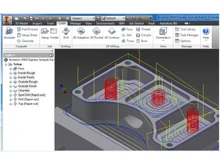
On the other hand, Inventor is known for its parametric modeling capabilities, which allow users to create flexible and customizable 3D CAD designs. It is particularly used in the manufacturing industry, as it provides powerful tools for assembly design and motion simulation. Inventor also offers robust integration with Autodesk's other software products, including AutoCAD and Fusion 360.
Inventor and SolidWorks: Pros & Cons
- SolidWorks asks for one-time payment, whereas Autodesk Inventor is available on a subscription basis which may look cheaper at first but tends to add up over time.
- SolidWorks is favored by small to medium-sized companies, while Autodesk Inventor is often preferred by larger organizations and industries.
- SolidWorks is easy to learn and intuitive to use, whereas Autodesk Inventor comes with a steep learning curve.
- Inventor and other Inventor alternatives are known for its simulation, visualization, and documentation features. While SolidWorks is known for its ability to handle large assemblies and complex designs.
- SolidWorks software provides you with better technical and customer support via phone and email, whereas users of Autodesk Inventor can only use email for the resolution of their queries.
Inventor vs. SolidWorks: In Terms of Features
SolidWorks offers some of the advanced features that are missing in Inventor. For example, fluid dynamics, VR and AR, third-party integrations, and more.
- 3D Modeling Features: Autodesk Inventor has 3D modeling features that are missing in SolidWorks, including T-splines, electrical harnessing, and tube routing.
- Simulation Features: Autodesk Inventor allows finite element analysis at both the assembly and part level, while SolidWorks only allows part-level FEAs. SolidWorks allows for quick symmetry checks and geometry comparisons. It also provides advanced simulation and analysis tools, allowing engineers to test and validate designs. While Autodesk Inventor offers simulation capabilities, they are not as extensive as SolidWorks.
- Pipe Computational Fluid Dynamics: SolidWorks and other SolidWorks alternatives have closed pipe computational fluid dynamics, allowing you to see how gas and liquid can flow through your design. However, this feature is not offered by Inventor.
- Virtual and Augmented Reality: SolidWorks has the advantage over Autodesk Inventor in its ability to use virtual and augmented reality to simulate real-world situations that can affect your design.
- Add-Ons & Third-Party Integration: SolidWorks has a larger marketplace with a wide range of add-ons and third-party integrations. Autodesk Inventor also has some add-ons, but the options are limited.
Inventor vs. SolidWorks: Purpose
SolidWorks is primarily used in the engineering and product design industries. Inventor software is more commonly associated with mechanical design and automation.
Inventor vs. SolidWorks: Ease of Use/Interface
SolidWorks has a user-friendly interface, with intuitive tools and features. It is known for its ease of use, making it accessible to beginners. On the other hand, Autodesk Inventor provides a wide range of tools and is slightly more complex compared to SolidWorks.
Inventor or SolidWorks: Parametric Modeling
Both SolidWorks as well as Inventor utilize parametric modeling, allowing users to create and modify designs by directly editing dimensions and parameters. However, Inventor enables its users to create intelligent designs that can be easily modified as well as updated simultaneously. This gives Inventor an edge over SolidWorks.
Inventor or SolidWorks: Compatibility and Integration
SolidWorks has excellent compatibility with other CAD software and supports various file formats. It also integrates well with other tools like simulation and rendering software. As an Autodesk product, Inventor seamlessly integrates with all types of Autodesk software, such as AutoCAD and Fusion 360. It supports multiple file formats, enhancing collaboration possibilities.
Inventor or SolidWorks: Simulation and Analysis
SolidWorks provides robust simulation tools for structural analysis, motion analysis, flow simulation, and more. It allows users to test their designs for real-world performance. Inventor also offers simulation capabilities, including stress analysis, kinematics, and dynamic simulation. It enables users to validate their designs and optimize the performance.
Inventor or SolidWorks: Community and Support
SolidWorks has a large and active user community, offering extensive online resources, forums, and tutorials. It also provides comprehensive technical support. Autodesk Inventor also has a strong user community, but it is not as large as SolidWorks.
Which Is Better, Inventor or SolidWorks?
In short, SolidWorks and Inventor are two major 3D CAD software tools with distinct differences. SolidWorks is known for its user-friendly interface, advanced design tools, and excellent integration capabilities. It is favored by small to medium-sized companies and excels in handling complex geometries and engineering applications. On the other hand, Inventor is known for its parametric modeling and 3D modeling capabilities and is commonly used in the manufacturing industry. Apart from that, it provides powerful tools for assembly design and motion simulation and supports robust integration with other Autodesk software products.
 USA
USA UAE
UAE


 Comparison


 4 Ratings & 0 Reviews


 Free Trial







 Get directly in your email inbox on your Whatsapp


