linkedin
SOLIDWORKS 3D CAD logo
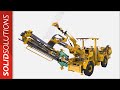
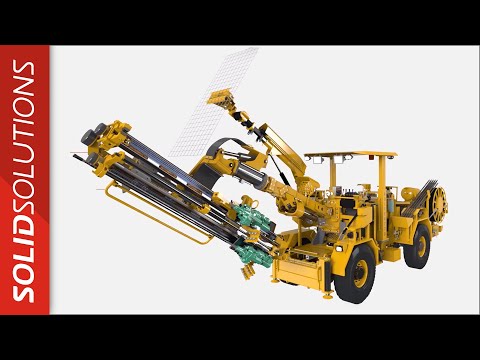
play An introduction to SOLIDWORKS 3D CAD
Solidworks Solution for any company
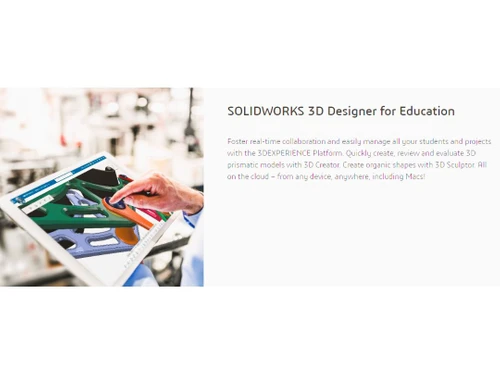
Solidworks 3D designer for education

SOLIDWORKS 3D CAD

Brand: Dassault Systemes

  • 4.3

  • 4 Ratings

SOLIDWORKS 3D CAD helps engineers create 3D designs, part assemblies, and manufacturing plans with powerful tools for design automation, reuse, and collaboration.

See More

Have you used SOLIDWORKS 3D CAD before?

Share your insights for better experience

Add a Review
Starting Price
$2820

View plans

100% Genuine
Products
Best Price
Guaranteed
Safe & Secure
Payment
  • Description

  • Pricing

  • Features

  • Specification

  • Review

  • Compare

  • Alternatives

  • FAQ

Starting at $2,820

SOLIDWORKS 3D CAD Software Overview

What is SOLIDWORKS 3D CAD?

SOLIDWORKS 3D CAD, developed by Dassault Systems, is a powerful and intuitive computer-aided design (CAD) software solution engineered for 3D design and manufacturing. It provides a comprehensive suite of tools that enable professionals to conceptualize, create, validate, communicate, manage, and transform their innovative ideas into tangible product designs. The platform is renowned for its user-friendly interface, making it accessible for beginners while offering the robust functionality required by seasoned engineering professionals for complex part and assembly modeling.

The software integrates a broad range of specialized tools for various manufacturing disciplines, including sheet metal, weldments, surfacing, and mold design. By combining design, analysis, and manufacturing preparation into a single environment, Solidworks streamlines the entire product development lifecycle, from initial sketch to final production.

Why Choose SOLIDWORKS 3D CAD?

  • Ease of Use: Solidworks is celebrated for its intuitive user interface, which allows new users to become proficient quickly while providing deep functionality for experts.
  • Comprehensive Toolset: It offers specialized tools for a wide array of applications, including surfacing, sheet metal design, weldments, and mold creation, all within a unified platform.
  • Integrated Simulation: Users can perform design analysis early in the development process to test for performance, durability, and manufacturability, reducing the need for costly physical prototypes.
  • Automation and Design Reuse: Features like design automation and extensive libraries of standard parts help accelerate the modeling process, allowing engineers to focus on innovation rather than repetitive tasks.

Advanced Features of SOLIDWORKS 3D CAD

  • Real-time Collaboration: Cloud-based tools enable seamless, real-time collaboration among team members, regardless of their physical location, ensuring everyone is working with the most current design data.
  • ECAD-MCAD Collaboration: Specialized tools facilitate a smooth workflow between electrical (ECAD) and mechanical (MCAD) design teams, which is crucial for developing complex mechatronic products.
  • Design for Manufacturability (DFM): Integrated checks and analysis tools help identify and resolve potential manufacturing issues early in the design phase, saving time and reducing production costs.
  • Augmented and Virtual Reality (AR/VR): Solidworks allows users to visualize their designs in immersive AR and VR environments, providing a powerful tool for design reviews, client presentations, and assembly instructions.
  • Manufacturing Cost Analysis: Built-in costing tools provide real-time estimates of manufacturing costs as the design evolves, enabling engineers to make informed decisions that align with budget targets.
  • SOLIDWORKS AI: AI-powered Virtual Companions are built directly into the 3D CAD environment, automating repetitive tasks and capturing design knowledge to sustain efficiency across projects. AI tools are included at no extra cost with a SOLIDWORKS Design license.

Key Capabilities of SOLIDWORKS 3D CAD

  • Part and Assembly Modeling: Create intricate 3D parts and combine them into complex assemblies with tools for managing relationships and motion.
  • 2D Drawings: Automatically generate production-ready 2D drawings from 3D models, complete with dimensions, tolerances, and annotations.
  • Weldments: Design and document welded structures and frames with specialized tools for creating structural members and weld beads.
  • Sheet Metal: Develop complex sheet metal parts with features for flanges, hems, and tabs, and automatically flatten designs for manufacturing.
  • Surfacing: Create complex, organic shapes and aesthetically pleasing designs with a powerful suite of advanced surfacing tools.
  • Mold Design: Streamline the design of molds and tooling with automated features for parting lines, core and cavity creation, and draft analysis.
  • CAM Integration: Seamlessly transition from design to manufacturing with integrated Computer-Aided Manufacturing (CAM) tools for generating toolpaths.

How to Use SOLIDWORKS 3D CAD?

  1. Conceptualization: Begin by creating 2D sketches to define the basic geometry and layout of the part.
  2. 3D Part Modeling: Extrude, revolve, or sweep 2D sketches to create 3D solid models, adding features like fillets, chamfers, and holes.
  3. Assembly Creation: Combine multiple parts into a single assembly, defining mates and relationships to simulate mechanical motion and check for interference.
  4. Analysis and Validation: Use integrated simulation tools to test the design for stress, strain, and thermal performance to ensure it meets requirements.
  5. Documentation: Generate detailed 2D drawings, bills of materials (BOMs), and other manufacturing documentation directly from the 3D model.
  6. Manufacturing Preparation: Finalize the design for production using DFM checks and CAM tools to prepare for machining or 3D printing.

SOLIDWORKS 3D CAD Price

SOLIDWORKS 3D CAD price starts at USD 2820 at techjockey.com.

The pricing model is based on different parameters, including extra features, deployment type, and the total number of users. For further queries related to the product, you can contact our product team and learn more about the pricing and offers.

Read more

Dassault Systemes Company Details

Founded Year:  1981

Dassault Systemes provides project lifecycle management solutions that enable businesses to create and share experiences in 3D.

Director/Founders Charles Edelstenne
Company Size 1000+ Employees

SOLIDWORKS 3D CAD Pricing & Plans

SOLIDWORKS Standard
Starting at $2820
    • Users

      Users
      Users
    • Yearly

      Yearly
      Yearly

Key Features

  • Real-time Cross-team Collaboration in the Cloud

  • Secure Data Management in the Cloud

  • Part and Assembly Modeling and 2D Drawings

  • Design and Manufacturability Checks

  • ECAD-MCAD Collaboration

  • Augmented Reality and Virtual Reality

SOLIDWORKS Professional
Starting at $3456
    • Users

      Users
      Users
    • Yearly

      Yearly
      Yearly

Key Features

  • Real-time Cross-team Collaboration in the Cloud

  • Secure Data Management in the Cloud

  • Part and Assembly Modeling and 2D Drawings

  • Design and Manufacturability Checks

  • ECAD-MCAD Collaboration

  • Intelligent CAD Libraries

  • Manufacturing Cost Analysis

  • CAD Standards and Drawings Checking

  • Augmented Reality and Virtual Reality

SOLIDWORKS Premium
Starting at $4716
    • Users

      Users
      Users
    • Yearly

      Yearly
      Yearly

Key Features

  • Real-time Cross-team Collaboration in the Cloud

  • Secure Data Management in the Cloud

  • Part and Assembly Modeling and 2D Drawings

  • Design and Manufacturability Checks

  • ECAD-MCAD Collaboration

  • Intelligent CAD Libraries

  • Manufacturing Cost Analysis

  • CAD Standards and Drawings Checking

  • Augmented Reality and Virtual Reality

SOLIDWORKS 3D CAD Features

  • icon_check CAD Tools
    It lets you create sophisticated part and assembly designs quickly and efficiently with SOLIDWORKS 3D design software. 
  • icon_check Drawing management
    Production-ready 2D drawings will be created by SOLIDWORKS in no time to improve your productivity.   
  • icon_check Part and Assembly Modeling
    SOLIDWORKS 3D design system is one of the best graphic design software for beginners that handles all aspects of your part and
  • icon_check Design Reuse and Automation
    It speeds up your development by its design, reuse and automation feature.     
  • icon_check Collaboration
    SOLIDWORKS lets you collaborate with your team members and with customers, other project stakeholders, and outside vendors. 
  • icon_check Interference Check
    It is important to verify that the product parts and assemblies fit, assemble, and operate correctly. You can avail that facility
  • icon_check Analytics & Reporting
    You can perform basic stress analysis on individual parts with the help of SOLIDWORKS SimulationXpress, an analysis
  • icon_check Design for Manufacturing
    Its 3D tools ensure complete and proper manufacturing of your designs and products.     
  • icon_check Increase Productivity
    Its productivity tools are designed to increase your productivity and capabilities.  
  • icon_check Import/Export Management
    It comes with more than 30 translators to convert incoming CAD data into SOLIDWORKS.   
SOLIDWORKS 3D CAD Demo Video play icon

Get SOLIDWORKS 3D CAD Demo

Watch the demo video to explore key features, real workflows, and how the software fits your business needs.

Understand
Key Features
Personal
Demo Insights
Interactive
Demo Support

SOLIDWORKS 3D CAD Specifications

Supported Platforms
Windows Windows MacOS MacOS
Devices
Desktop Desktop Mobile Mobile
Deployment
Cloud-Based Cloud-Based Perpetual Perpetual

Suitable For
All Industries
Business Specific
All Businesses
Business Size
Small Business Startups Medium Business Enterprises SMBs SMEs MSMBs MSMEs
Customer Support
Phone Email Forums
Language
English
Training Resources
In Person Live Online Webinars Documentation Videos

Explore the Best Alternative Solutions Similar to Your Business Size and Needs

SOLIDWORKS 3D CAD Review

4.3

Out of 5

img

Overall Rating

Based on
4 Verified Ratings

Rating Breakdown

  • Features 4.2
  • Value for Money 4.5
  • Ease of Use 4.6
  • Customer Support 4

95% Recommend this Product

Add Review

Techjockey Trusted Reviews from Verified Users

No reviews are currently available for SOLIDWORKS 3D CAD. Discover similar CAD Software reviews

  • Tinkercad

    4.9

    Whats great - One of the best experiences I had with Tinkercad is its ability to provide primitive shapes that I could easily drag out, man... read more

  • Autocad Mechanical

    4.6

    Whats great - As same as customary autocad I like all the visual enhancements in most recent form, for the most part I like the best approa... read more
  • Autodesk Autocad Mobile App

    4.6

    Whats great - AutoCAD portable (once in the past AutoCAD 360) is a simple to utilize drawing and drafting application from Autodesk. It tha... read more

Compare SOLIDWORKS 3D CAD With other CAD Software

Products
Ratings
Pricing
Device Supported
Deployment
Supported Platforms
  • img

    SOLIDWORKS 3D CAD

  • 4.3

  • Price On Request

  • Desktop

    Mobile

  • Web based

    On Premises

  • Windows

    Mac OS

  • img

    DraftSight

  • 4.3

  • Price On Request

  • Desktop

    Mobile

  • Web based

    On Premises

  • Windows

    Mac OS

  • img

    Solid Edge

  • 4.6

  • Price On Request

  • Desktop

    Mobile

  • Web based

    On Premises

  • Windows

    Mac OS

  • img

    Autodesk AutoCAD

  • 4.7

  • ₹ 16520

  • Desktop

    Mobile

  • Web based

    On Premises

  • Windows

    Mac OS

  • img

    Siemens NX

  • 4.7

  • ₹ 623869

  • Desktop

    Mobile

  • Web based

    On Premises

  • Windows

    Mac OS

  • img

    AutoCAD LT

  • 4.4

  • ₹ 4720

  • Desktop

    Mobile

  • Web based

    On Premises

  • Windows

    Mac OS

  • img

    CADMATE

  • 4.3

  • ₹ 25000

  • Desktop

    Mobile

  • Web based

    On Premises

  • Windows

    Mac OS

  • img

    progeCAD

  • 4.3

  • Price On Request

  • Desktop

    Mobile

  • Web based

    On Premises

  • Windows

    Mac OS

  • img

    MicroStation

  • 4.1

  • ₹ 121046

  • Desktop

    Mobile

  • Web based

    On Premises

  • Windows

    Mac OS

  • img

    Visao

  • 4.1

  • Price On Request

  • Desktop

    Mobile

  • Web based

    On Premises

  • Windows

    Mac OS

  • img

    KOMPAS-3D

  • 4.4

  • Price On Request

  • Desktop

    Mobile

  • Web based

    On Premises

  • Windows

    Mac OS

(2) Product(s) selected

SOLIDWORKS 3D CAD Alternatives

See All SOLIDWORKS 3D CAD Alternatives

Starting Price:

$299 /Year

Available

Price on Request

Starting Price:

$38 /Seat/Month

Starting Price:

$15 /Month

Starting Price:

$70 /License

QCAD

4.5

Starting Price:

€41 /Quantity

Starting Price:

$70 /License

Starting Price:

$100 /Quantity

What mode of payments can be used to purchase the software?

One can pay with almost all the major credit cards and debit cards. Once you choose the software and make the payment your subscription amount will appear on your bank and card statement. In case you want, you can also receive an invoice.

Is it possible to get a free demo or trial of the software I am purchasing?

Yes. Techjockey provides free demo of all the services it provides to help you give a glimpse of what you are going to get. It greatly helps customers make the right choice and open avenues for businesses to grow.

Is SOLIDWORKS 3D CAD free for personal use?

SOLIDWORKS 3D CAD is a commercial software with paid licenses, and the provided information does not indicate a free version is available for personal use.

How much does a SOLIDWORKS 3D CAD license cost?

SOLIDWORKS 3D CAD price starts at USD 2820 at techjockey.com.

Is SOLIDWORKS 3D CAD better than AutoCAD?

SOLIDWORKS 3D CAD is a powerful software for 3D design and manufacturing specializing in part and assembly modeling, and the best choice depends on specific project requirements.

Is SOLIDWORKS 3D CAD hard to learn?

Solidworks is described as an easy-to-use software and is considered one of the best graphic design solutions for beginners.

What is SOLIDWORKS 3D CAD used for?

SOLIDWORKS 3D CAD is used for 3D design and manufacturing, featuring tools for part and assembly modeling, 2D drawings, weldments, sheet metal, molds, and surfacing.

Does SOLIDWORKS 3D CAD support cloud collaboration?

Yes, SOLIDWORKS 3D CAD provides features for real-time cross-team collaboration and secure data management in the cloud.

What specialized manufacturing tools are included in SOLIDWORKS 3D CAD?

SOLIDWORKS 3D CAD includes specialized tools for a variety of manufacturing processes, such as weldments, sheet metal, molds, surfacing, DFM, and CAM.

Can SOLIDWORKS 3D CAD help check my design for manufacturing issues?

Yes, the software includes design and manufacturability checks to help ensure your models are ready for production.

Can I view my SOLIDWORKS 3D CAD models in AR or VR?

Yes, SOLIDWORKS 3D CAD includes features that support viewing and interacting with your 3D models in augmented and virtual reality.

Who can use SOLIDWORKS 3D CAD?

SOLIDWORKS 3D CAD is ideal for mechanical engineers, product and industrial designers, manufacturing professionals, educators, and students involved in product design and engineering.

20,000+ Software Listed

Best Price Guranteed

Free Expert Consultation

2M+ Happy Customers

Terms and Condtions

close

Users with registered businesses can purchase goods from merchants on the platform to satisfy their business needs. Users are not permitted to utilize any products acquired through the platform for resale, advertising, business, or further distribution.

For each purchase made, users will receive a Tax Invoice (or 'GST invoice') that includes specific details such as:

  • the GSTIN of the user associated with their registered business, and

  • the specified Entity Name for their business.

It should be noted that not all products are eligible for GST Invoice. Only the products displayed by participating sellers with the 'GST-based Invoice Available' callout on the product description page would qualify.

Certain goods and services are not eligible to get a GST Invoice, including items with VAS, i.e., Value Added Services (e.g., Total Mobile Protection/Assured Buyback) and those involving an exchange offer at the time of purchase.

Users must ensure the accuracy of the GSTIN, and business entity name provided for the GST Invoice. Requests for corrections into GST Invoice would not be accommodated by Techjockey.com or any Seller, and any issues arising from user-provided information are the sole responsibility of users.

Techjockey.com is not liable for the GST Invoice or any associated input tax credit. To efficiently claim an input tax credit, users should select the registered place of business address as per the GST authority's data and follow the provisions of the GST Act and rules.

To claim an input tax credit, the delivery and billing addresses must match. Furthermore, input tax credits will not be granted if the delivery address and GSTIN on the invoice are from different states. In case of incorrect GST details provided during the order placement, the order will be canceled automatically.