
Description
Pricing
Features
Specification
Review
Compare
FAQs
Alternatives
 Get Free Advice
Get Quote




Brand : Adobe


4.0 
6 Ratings
Have Questions?
Price On Request
Save Extra with 2 Offers
 Save upto 18%, Get GST Invoice on your business purchase |
Users with registered businesses can purchase goods from merchants on the platform to satisfy their business needs. Users are not permitted to utilize any products acquired through the platform for resale, advertising, business, or further distribution.
For each purchase made, users will receive a Tax Invoice (or 'GST invoice') that includes specific details such as:
the GSTIN of the user associated with their registered business, and
the specified Entity Name for their business.
It should be noted that not all products are eligible for GST Invoice. Only the products displayed by participating sellers with the 'GST-based Invoice Available' callout on the product description page would qualify.
Certain goods and services are not eligible to get a GST Invoice, including items with VAS, i.e., Value Added Services (e.g., Total Mobile Protection/Assured Buyback) and those involving an exchange offer at the time of purchase.
Users must ensure the accuracy of the GSTIN, and business entity name provided for the GST Invoice. Requests for corrections into GST Invoice would not be accommodated by Techjockey.com or any Seller, and any issues arising from user-provided information are the sole responsibility of users.
Techjockey.com is not liable for the GST Invoice or any associated input tax credit. To efficiently claim an input tax credit, users should select the registered place of business address as per the GST authority's data and follow the provisions of the GST Act and rules.
To claim an input tax credit, the delivery and billing addresses must match. Furthermore, input tax credits will not be granted if the delivery address and GSTIN on the invoice are from different states. In case of incorrect GST details provided during the order placement, the order will be canceled automatically.
Buy Now & Pay Later, Check offer on payment page. FreeHand MX is an illustration software with a wide range of applications. This design software can be used for creative designing, document production, image editing, etc. FreeHand MX can be used for storyboarding of comic books and graphic novels too. The illustration software enables the user t...Read more
 Get Instant Expert
  Safe & Secure
  Assured Best Price
 Looking for pricing details or customization options?
Share your requirements and receive a tailored quote
Price Available on Request
Get a customized quotation based on your needs.
Our team will respond within 24 hours.
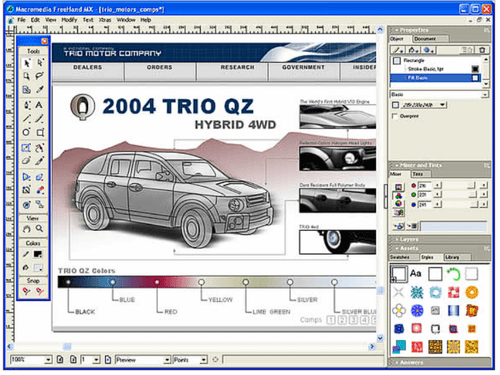
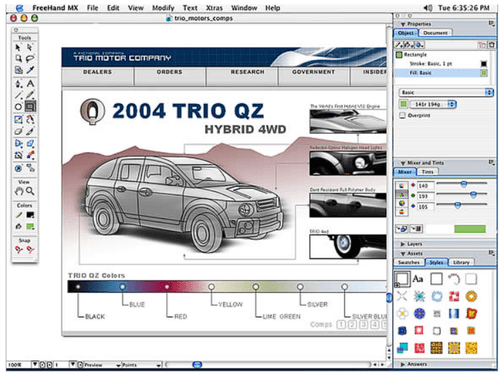
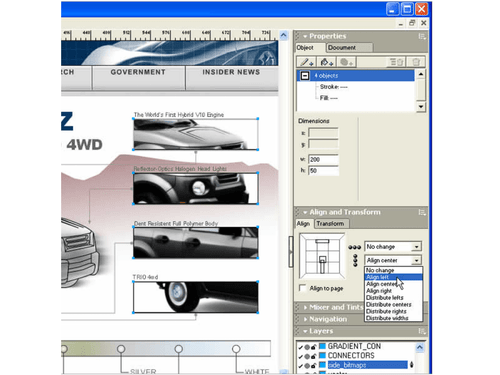
 Multiple Attributes Adobe Freehand lets users add more visual flair to their designs and illustrations. This means they can easily apply an unlimited Object Panel This panel includes different objects and textual properties like fill, stroke, effects, font style, and so on. It is a Live Effects This feature helps add expressions to your subject. The software has both vector and raster effects. The former deals with bend, Macromedia Flash Integration This feature helps users streamline their projects successfully, as they can plan, layout and design projects without difficulty. Action Tool This tool is mainly used to drag and drop Macromedia Flash actions like objects, symbols and pages. Users can assign actions like Connector Lines Tool With this tool, users can map all information architecture, site maps, data flows and the likes. One simply needs to drag the Vector Drawings Create scalable vector graphics using pen, shape, and path tools without losing quality at any resolution. Multi-Page Layout Design multiple pages within a single document, making it suitable for brochures, presentations, and layouts. Layers Management Organize artwork using layers to control visibility, editing, and stacking order of design elements. Color Management Use RGB, CMYK, and spot colors to ensure accurate color reproduction for both screen and print outputs. Customizable Workspace Adjust toolbars and panels to match workflow preferences for improved productivity and ease of use. Import/Export Management Import/export various file formats for compatibility with other design tools and publishing workflows. Symbol Libraries Reuse design elements efficiently by creating and managing symbols for consistent visual components. Object Transformation Scale, rotate, skew, and distort objects with precision using transformation tools and numeric inputs.
 | Brand Name | Adobe |
| Information | Adobe is the global leader in digital media and digital marketing solutions. |
| Founded Year | 1982 |
| Director/Founders | Charles Geschke, Jason Lemkin |
| Company Size | 1000+ Employees |
| Other Products | Adobe Creative Cloud for Teams All Apps, Adobe After Effects CC for teams, Adobe InCopy CC for teams, Adobe Photoshop CC for team, Adobe Illustrator |


Top Selling Products
 20,000+ Software Listed
 Best Price Guaranteed
 Free Expert Consultation
 2M+ Happy Customers
 USA
USA UAE
UAE







 4.6
4.6 