linkedin
Atom logo
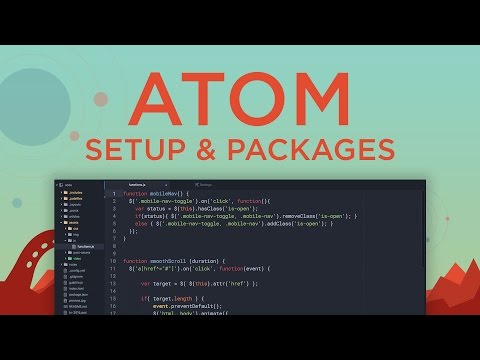
play Atom code editor - Setup and Packages
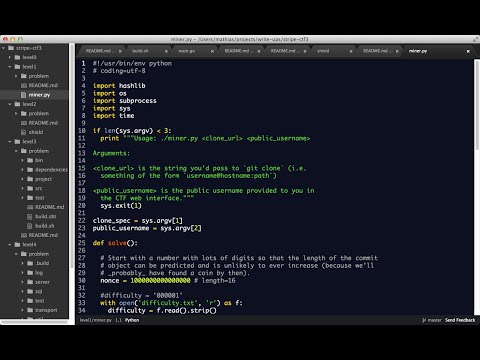
atom coding software
atom unstaged changes

Atom

Brand: Atom

  • 4.3

  • 7 Ratings & 1 Review

Atom Text Editor is a powerful software offering customizable themes, extensive plugin support, and a user-friendly interface for efficient coding and text editing.

See More

Have you used Atom before?

Share your insights for better experience

Add a Review

Price Available on Request

Questions about pricing or customization? We’re here to help, just a click away.

100% Genuine
Products
Best Price
Guaranteed
Safe & Secure
Payment
  • Description

  • Pricing

  • Features

  • Specification

  • Review

  • Compare

  • Alternatives

  • FAQ

AtomSoftware Overview

What is Atom Software?

Atom is a feature-rich text and source code editor available as a free and open-source solution for macOS, Linux, and Windows operating systems. It provided support for plug-ins, which were written in JavaScript. These plug-ins allowed users to extend the editor's functionality and tailor it to their needs.

This website development tool also offered embedded Git Control to simplify tracking changes, committing code, and collaborating with other developers through repositories. The editor provides a distraction-free environment for coding. It allows users to personalize their workspace and enhance their productivity. The text editor supported multiple panes, making it easy to work on multiple files simultaneously. Its powerful search and replacement functionality helped users quickly find specific code snippets and perform efficient refactoring tasks.

Atom was known for its active and vibrant community, which contributed to the continuous development and improvement of the editor. Users could access a vast library of community-created packages and themes to expand the capabilities and appearance of the editor.

Why Choose Atom System?

  • Multiple Panes: The text editor software allows users to split their workspace into multiple panes to view and edit different files.
  • Code Folding: It allows users to collapse and expand code sections to navigate and focus on specific parts of the codebase.
  • Code Linting: The source-code editor provides real-time feedback and suggestions for improving code quality and adhering to coding standards.
  • Task Runner: It allows users to define and run custom tasks or build scripts directly within the editor.
  • Integrations with External Tools: The website development tool integrates with various external tools and services, such as linkers, debuggers, and build systems.
  • Markdown Preview: The software allows users to see a live rendering of their markdown files to create and preview formatted documentation.
  • Project Management: It provides project management features, including saving and switching between different project contexts.

Benefits of Atom Text Editor Software

  • The text editor software includes a command palette that allows users to search for and execute editor commands.
  • It allows users to define and insert reusable code templates or boilerplate code for speeding up development and reducing repetitive typing.
  • The platform provides intelligent autocomplete functionality and suggests code completions based on the current context.
  • It offers robust syntax highlighting for various programming languages to make code more readable.
  • The platform allows users to edit multiple occurrences of text simultaneously to enhance productivity when making repetitive changes.

Atom Text Editor Pricing

Atom Text Editor system pricing is available on request at techjockey.com.

The overall pricing model is based on different factors such as personalization, extra features required, total users, and the deployment type. Please feel free to request a call from our product experts if you want to learn more about our subscription plans or premium package deals.

Read more

Atom Pricing & Plans

Looking for The Right Pricing?

Share your requirements and get a plan built around your business.

  • Define your business needs
  • Get customised pricing
  • Choose features that fit your workflow

Price Available on Request

Get personalised Atom pricing that fits your needs. Our team will connect with you.

Atom Features

  • icon_check Coding
    Offers syntax highlighting, auto-indentation, and code folding to enhance the coding experience.
  • icon_check Creation & Editing
    Users can create and edit various files, from simple text documents to complex source code files.
  • icon_check File system browser
    A built-in file system browser enables users to navigate and manage files and directories within the editor.
  • icon_check Advanced find and replace
    Users can search for specific text patterns and perform regular expressions and case sensitivity operations.
  • icon_check Customization
    Users can personalize the editor's appearance, theme, keybindings, and other settings according to their preferences.
  • icon_check Language Support
    Language-specific features like autocompletion, code snippets, and linting.
  • icon_check Security
    Provides features like automatic package updates, verifying package signatures, and sandboxing untrusted code.
  • icon_check Plugins & Integrations
    Supports a vast ecosystem of community-developed packages and plugins that extend its functionality.
  • icon_check Cross-Platform Support
    Ensures cross-platform compatibility and allows users to work seamlessly across different environments.
Atom Demo Video play icon

Get Atom Demo

Watch the demo video to explore key features, real workflows, and how the software fits your business needs.

Understand
Key Features
Personal
Demo Insights
Interactive
Demo Support

Atom Specification

Supported Platforms
Ubuntu Ubuntu Windows Windows MacOS MacOS Linux Linux
Devices
Desktop Desktop
Deployment
Perpetual Perpetual
Suitable For
All Industries
Business Specific
All Businesses
Business Size
Small Business Startups Medium Business Enterprises SMBs SMEs MSMBs MSMEs
Customer Support
Email
Language
English
Integration
API Integration
Training Resources
Videos

Explore the Best Alternative Solutions Similar to Your Business Size and Needs

Medium Business

Built for business growth and flexibility

BBEdit

4.1

CodePen

4.5

TextPad

4.0

See More

Atom Review

4.3

Out of 5

img

Overall Rating

Based on
1 Verified Review

Rating Breakdown

  • Features 4.3
  • Value for Money 4.5
  • Ease of Use 4.2
  • Customer Support 4.3

90% Recommend this Product

Add Review

Atom Video Review

youtubeVideoId

4.3

“Atom Full Review - Open Source IDE”

Review by: The Linux Homefront

Compare Atom With other Text Editor Software

Products
Ratings
Pricing
Device Supported
Deployment
Supported Platforms
  • img

    Atom

  • 4.3

  • Price On Request

  • Desktop

    Mobile

  • Web based

    On Premises

  • Windows

    Mac OS

  • img

    Brackets

  • 4.1

  • Price On Request

  • Desktop

    Mobile

  • Web based

    On Premises

  • Windows

    Mac OS

  • img

    Emacs text editor

  • 4.5

  • Price On Request

  • Desktop

    Mobile

  • Web based

    On Premises

  • Windows

    Mac OS

  • img

    EmEditor

  • 4.3

  • Price On Request

  • Desktop

    Mobile

  • Web based

    On Premises

  • Windows

    Mac OS

  • img

    FocusWriter

  • 4.0

  • Price On Request

  • Desktop

    Mobile

  • Web based

    On Premises

  • Windows

    Mac OS

  • img

    Notepad++

  • 4.7

  • Price On Request

  • Desktop

    Mobile

  • Web based

    On Premises

  • Windows

    Mac OS

  • img

    BBEdit

  • 4.1

  • ₹ 6896

  • Desktop

    Mobile

  • Web based

    On Premises

  • Windows

    Mac OS

  • img

    Sublime Text

  • 4.4

  • Price On Request

  • Desktop

    Mobile

  • Web based

    On Premises

  • Windows

    Mac OS

  • img

    UltraEdit

  • 4.8

  • ₹ 10990

  • Desktop

    Mobile

  • Web based

    On Premises

  • Windows

    Mac OS

  • img

    Neovim

  • 4.1

  • Price On Request

  • Desktop

    Mobile

  • Web based

    On Premises

  • Windows

    Mac OS

  • img

    CodePen

  • 4.5

  • Price On Request

  • Desktop

    Mobile

  • Web based

    On Premises

  • Windows

    Mac OS

(0) Product(s) selected

Atom Alternatives

See All Atom Alternatives

Available

Price on Request

Starting Price:

$40

Starting Price:

$92 /Month

Available

Price on Request

Available

Price on Request

Available

Price on Request

Available

Price on Request

Articles for Atom

See All Related Articles

Which operating system does Atom Software Support?

Atom software is compatible with Windows and macOS operating systems.

Is there any Atom App?

The Atom app is unavailable on Android and iOS devices.

What is the deployment type of the Atom System?

Atom system supports on-premises deployment.

How much does the Atom Text Editor Software cost?

Atom pricing is available on request at techjockey.com.

Who are the potential users of the Atom?

Atom text editor can be used by professional developers and programmers seeking powerful tools and extensions, students, and hobbyists looking for a customizable and intuitive coding environment.

Is there any free trial or demo for Atom Text Editor System?

Atom text editor system demo is available for free with techjockey.com.

Is the Atom Text Editor Free?

Atom Text Editor Software does not offer any free trial.

How can you download the Atom Text Editor software?

You can download the Atom text editor through their official website.

How does the Atom Text Editor work?

Atom is a versatile text editor with a user-friendly interface for writing and editing code. It supports multiple programming languages, offers customizable features, and integrates various tools to enhance productivity, making it a popular choice among developers.

20,000+ Software Listed

Best Price Guranteed

Free Expert Consultation

2M+ Happy Customers

Terms and Condtions

close

Users with registered businesses can purchase goods from merchants on the platform to satisfy their business needs. Users are not permitted to utilize any products acquired through the platform for resale, advertising, business, or further distribution.

For each purchase made, users will receive a Tax Invoice (or 'GST invoice') that includes specific details such as:

  • the GSTIN of the user associated with their registered business, and

  • the specified Entity Name for their business.

It should be noted that not all products are eligible for GST Invoice. Only the products displayed by participating sellers with the 'GST-based Invoice Available' callout on the product description page would qualify.

Certain goods and services are not eligible to get a GST Invoice, including items with VAS, i.e., Value Added Services (e.g., Total Mobile Protection/Assured Buyback) and those involving an exchange offer at the time of purchase.

Users must ensure the accuracy of the GSTIN, and business entity name provided for the GST Invoice. Requests for corrections into GST Invoice would not be accommodated by Techjockey.com or any Seller, and any issues arising from user-provided information are the sole responsibility of users.

Techjockey.com is not liable for the GST Invoice or any associated input tax credit. To efficiently claim an input tax credit, users should select the registered place of business address as per the GST authority's data and follow the provisions of the GST Act and rules.

To claim an input tax credit, the delivery and billing addresses must match. Furthermore, input tax credits will not be granted if the delivery address and GSTIN on the invoice are from different states. In case of incorrect GST details provided during the order placement, the order will be canceled automatically.