USA
USA UAE
UAESmall Business
Designed for startups and growing businesses

See More




Brand: IDM Computer Solutions
Boost productivity and securely edit huge files with UltraEdit, the world's #1 text editor designed for developers and business users seeking performance.
See MoreHave you used UltraEdit before?
Share your insights for better experience
View plans
 Save upto 18%, Get GST Invoice on your business purchase T&C Buy Now & Pay Later, Check offer on payment page.
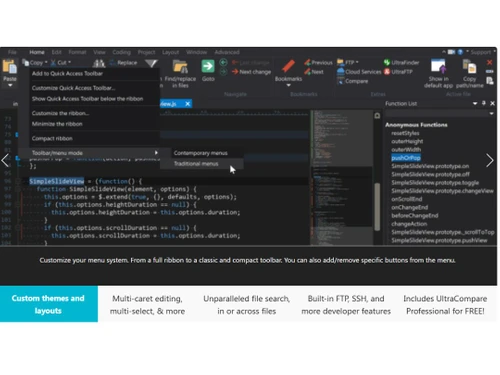
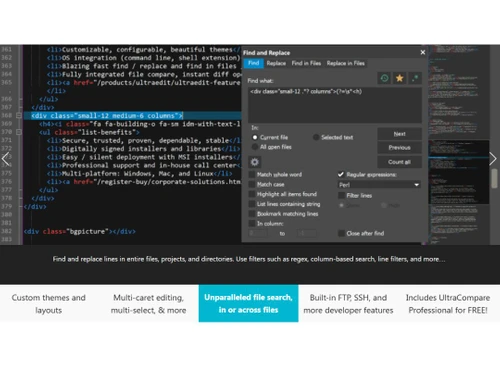
  Easily open and edit large files Data Sorting Spell Checker Integrated SSH/telnet client FTP, HTTP or CIFS Column (block) mode editing File Compare Auto-closing XML/HTML tags CSV data reformatting Hex editing

Watch the demo video to explore key features, real workflows, and how the software fits your business needs.
 Windows
  MacOS
MacOS  Linux
Linux  Desktop
  Perpetual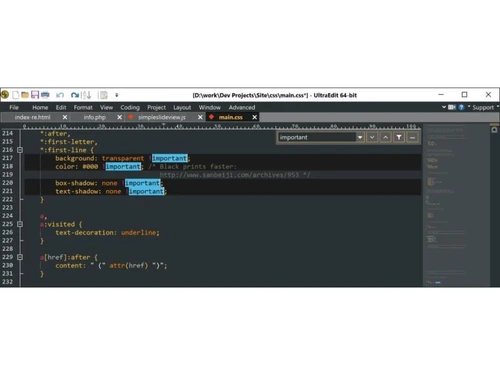
4.8
Out of 5

Overall Rating
Based on
4 Verified Reviews
Rating Breakdown
95% Recommend this Product
Add ReviewCustomers appreciate UltraEdit for its extensive support of programming languages, user-friendly customization, and regular high-quality updates. Many users highlight the efficiency of its features, such as syntax highlighting and comparison tools, which enhance their coding experience. However, some users express frustration with the need for additional purchases for new features and the slower loading times of the newer 64-bit version compared to the previous one. Overall, the software is well-regarded, though there are areas for improvement.
Pros
"It loads quickly and has a lot of useful features. One of my favourites is the Syntax Highlighting, which adapts to the type of source file you're working with."
"The configurable IDE makes text manipulation and coding a breeze. The regular updates, as well as lifelong subscription to updates, make life a lot easier."
"UltraEdit is incredibly easy to use and customise to your liking. To run my programmes, I employ macros, templates, and bespoke tools as a skilled SAS programmer."
Cons
"Way too much setting options are provided, that can be fixed."
"The new version (64 bit) loads slower than the older version (32 bit)."
"The fact that products vanish from the suite and that fresh added programmes can only be activated for us through a subsequent purchase irritates me."

Aug 30, 2021
Techjockey Verified
“Comes with various useful features”
Pros
It loads quickly and has a lot of useful features. One of my favourites is the Syntax Highlighting, which adapts to the type of source file you're working with.
Cons
Way too much setting options are provided, that can be fixed.
Reason to switch
Various features to use.
Feb 22, 2021
Techjockey Verified
“Configurable IDE and regular updates”
Pros
The configurable IDE makes text manipulation and coding a breeze. The regular updates, as well as lifelong subscription to updates, make life a lot easier.
Cons
The new version (64 bit) loads slower than the older version (32 bit).
Reason to switch
Configurable IDE and quick response from support team
Jul 20, 2020
Techjockey Verified
“Incredibly easy to use and customise to your liking.”
Pros
UltraEdit is incredibly easy to use and customise to your liking. To run my programmes, I employ macros, templates, and bespoke tools as a skilled SAS programmer.
Cons
More IDE functionalty shoul be introduced to improve things.
Reason to switch
Easily customisable gives run for your money.

UltraEdit
₹ 10990.00 excl. GST
Desktop
Mobile
Web based
On Premises
Windows
Mac OS

Brackets
Price On Request
Desktop
Mobile
Web based
On Premises
Windows
Mac OS

Emacs text editor
Price On Request
Desktop
Mobile
Web based
On Premises
Windows
Mac OS

EmEditor
Price On Request
Desktop
Mobile
Web based
On Premises
Windows
Mac OS

FocusWriter
Price On Request
Desktop
Mobile
Web based
On Premises
Windows
Mac OS

Notepad++
Price On Request
Desktop
Mobile
Web based
On Premises
Windows
Mac OS

BBEdit
₹ 6896
Desktop
Mobile
Web based
On Premises
Windows
Mac OS

Sublime Text
Price On Request
Desktop
Mobile
Web based
On Premises
Windows
Mac OS

Neovim
Price On Request
Desktop
Mobile
Web based
On Premises
Windows
Mac OS

CodePen
Price On Request
Desktop
Mobile
Web based
On Premises
Windows
Mac OS

Bluefish
Price On Request
Desktop
Mobile
Web based
On Premises
Windows
Mac OS
(0) Product(s) selected
Available
Price on Request
Available
Price on Request
Available
Price on Request

Starting Price:
$20 /Quantity

Starting Price:
$40

Available
Price on Request

Available
Price on Request

Available
Price on Request

Starting Price:
$92 /Month

Available
Price on Request

Available
Price on Request
UltraEdit App Development Software demo is available for free on techjockey.com.
Ultraedit App Development Software offers a free trial. However, the premium plan with advanced features available at Techjockey.
For Ultraedit App Development Software installation, insert the given CD/USB flash storage in your system and open the Setup Wizard to get started.
No, UltraEdit is commercial software that requires a paid subscription.
UltraEdit is a powerful and secure text editor used by programmers, developers, and business professionals for coding, editing large data files, and general text manipulation with high performance.
The choice between UltraEdit and Notepad++ depends on specific user needs, as UltraEdit is a commercial product known for its robust performance with huge files, dedicated support, and an integrated suite of developer tools.
While UltraEdit is primarily a powerful text editor, the company also offers UEStudio, which builds upon UltraEdit to function as a full Integrated Development Environment (IDE) with features like an integrated Git toolset.
The UltraEdit All Access bundle is a popular subscription that includes the entire suite of tools: the UltraEdit text editor, UltraCompare for file comparison, UEStudio IDE, UltraFinder for searching, and the UltraFTP client.
Yes, UltraEdit is specifically engineered to open and edit huge files with exceptional performance, often handling files that are too large for other text editors to manage.
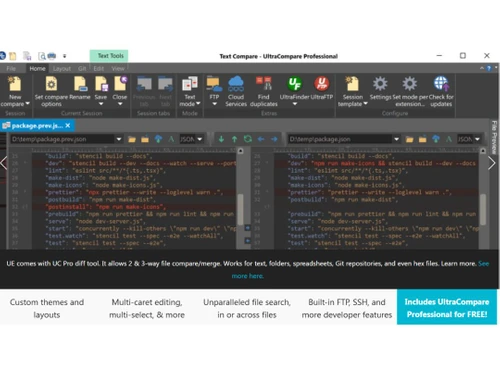
UltraCompare is a companion application to UltraEdit that provides powerful file and folder comparison capabilities, allowing you to see differences between files, merge changes, and compare directories.
Yes, a portable version of UltraEdit is available that can be run from a USB drive, allowing you to use the software on different computers without a full local installation.
UltraEdit subscription price starts at INR 10990 (Yearly) at techjockey.com.
20,000+ Software Listed
Best Price Guranteed
Free Expert Consultation
2M+ Happy Customers
Terms and Condtions

Users with registered businesses can purchase goods from merchants on the platform to satisfy their business needs. Users are not permitted to utilize any products acquired through the platform for resale, advertising, business, or further distribution.
For each purchase made, users will receive a Tax Invoice (or 'GST invoice') that includes specific details such as:
the GSTIN of the user associated with their registered business, and
the specified Entity Name for their business.
It should be noted that not all products are eligible for GST Invoice. Only the products displayed by participating sellers with the 'GST-based Invoice Available' callout on the product description page would qualify.
Certain goods and services are not eligible to get a GST Invoice, including items with VAS, i.e., Value Added Services (e.g., Total Mobile Protection/Assured Buyback) and those involving an exchange offer at the time of purchase.
Users must ensure the accuracy of the GSTIN, and business entity name provided for the GST Invoice. Requests for corrections into GST Invoice would not be accommodated by Techjockey.com or any Seller, and any issues arising from user-provided information are the sole responsibility of users.
Techjockey.com is not liable for the GST Invoice or any associated input tax credit. To efficiently claim an input tax credit, users should select the registered place of business address as per the GST authority's data and follow the provisions of the GST Act and rules.
To claim an input tax credit, the delivery and billing addresses must match. Furthermore, input tax credits will not be granted if the delivery address and GSTIN on the invoice are from different states. In case of incorrect GST details provided during the order placement, the order will be canceled automatically.