linkedin
BBEdit logo
play BBEdit 12 Review - Code Editor for Mac
BBEdit-Dashboard
bbedit text colour

BBEdit

Brand: Bare Bones Software

  • 4.1

  • 3 Ratings

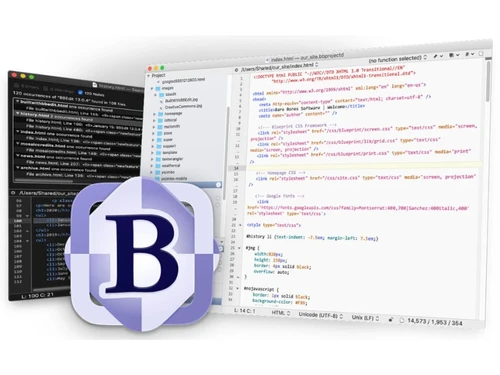
BBEdit is a professional text editor software and HTML markup editor for macOS, for developers and writers.

See More

Have you used BBEdit before?

Share your insights for better experience

Add a Review
Starting Price
₹6,896 excl.GST
₹ 8,137 incl. GST

View plans

offer Save upto 18%, Get GST Invoice on your business purchase T&C
offer Buy Now & Pay Later, Check offer on payment page.
Buy Now
100% Genuine
Products
Best Price
Guaranteed
Safe & Secure
Payment
  • Description

  • Pricing

  • Features

  • Specification

  • Review

  • Compare

  • Alternatives

  • FAQ

Starting at ₹6,896
Buy Now

BBEdit Software Overview

What is BBEdit?

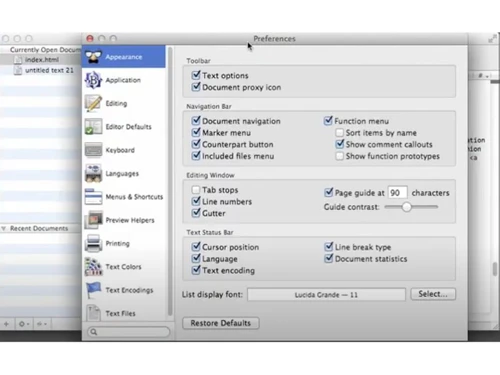
BBEdit is a text editor and code editor software for macOS users. It is designed for writers, web developers, and software programmers for writing, editing, coding and documentation. It provides powerful tools for editing, searching, and manipulating text, code, and other textual data. The user can work with files, folders, and servers, and support smooth integration into existing workflows. The interface is user-friendly and comes with customizable toolbars, responsive menus, and a powerful text editor that supports various programming languages and markup formats.

BBEdit automatically highlights code syntax for better readability and error detection, supports multiple programming languages, and allows users to collapse and expand sections of code for navigation. It supports users to search and replace text across multiple files simultaneously and store and reuse frequently used code snippets and text. It provides built-in FTP and SFTP for direct editing and updating of files on remote servers. The editor comes with grep pattern matching for advanced search. It provides Git and Subversion for version control. It also provides HTML markup tools and text/code completion, thus making it the best choice for editing and coding,

Why choose BBEdit Text Editor Software?

  • HTML Markup Tools: Use built-in HTML tools for efficient web development, simplifying the process of writing and editing HTML code.
  • Text Editing: Easily edit plain text and code with powerful, intuitive text manipulation features for faster workflow.
  • Searching and Replacing: Use advanced grep pattern matching for precise search and replace across multiple files, managing large projects.
  • FTP/SFTP Integration: Directly open, save, and edit files on remote servers, enhancing workflow for web developers and content managers.
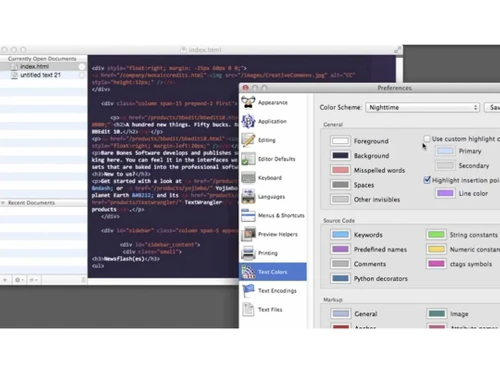
  • Syntax Highlighting and Code Folding: Improve code readability with syntax coloring and organize code with folding, simplifying complex programming tasks.

Benefits of BBEdit Text Editor Software

  • Powerful Editing Tools: Helps to increase productivity with powerful features for text and code editing, searching, replacing etc, thus making documentation efficient.
  • Advanced Searching Tools: It helps to save time with precise grep pattern matching and search/replace across multiple files at the same time.
  • Easy Coding: It makes coding easier with syntax highlighting, code folding, and an intuitive interface for faster development.
  • Code Completion: Helps to speed up coding by automatically suggesting text and code, reducing errors, and improving efficiency.
  • Sharing: Provides smooth and secure sharing of files via FTP/SFTP or version control systems like Git for collaboration.
  • Increased Productivity: Clippings and snippets store reusable code, enhancing productivity and consistency in coding projects.

Pricing of BBEdit Text Editor Software

BBEdit price in India starts at INR 6896 at techjockey.com. BBEdit comes with multiple pricing plans and caters to the diverse customer base.

For subscription-related details and offers on premium packages, please request a call back from our product experts.

Read more

Bare Bones Software Company Details

Founded Year:  1993

Bare Bones Software is a private North Chelmsford, Massachusetts, United States software company developing software tools for the Apple Macintosh platform.

Director/Founders Rich Siegel
Company Size 1-100 Employees

BBEdit Pricing & Plans

BBEdit Individual
Key Features
  • Text Editor
  • Auto-closing XML/HTML tags
  • Coding
  • Syntax highlighting
  • Cross-Platform Support
  • Security
  • Language Support

Calculated Price

6896 Exclusive of all taxes
    • Licenses

      Licenses
      Licenses

Key Features

  • Text Editor

  • Auto-closing XML/HTML tags

  • Coding

  • Syntax highlighting

  • Cross-Platform Support

  • Security

  • Language Support

BBEdit Features

  • icon_check Text Editor
    Offers a powerful, customizable text editor with features like multiple cursors, selection, and text transformations.
  • icon_check Auto-closing XML/HTML tags
    Automatically closes XML/HTML tags, reducing coding errors and speeding up the development process.
  • icon_check Coding
    Provides tools and features for efficient coding, including code completion, indentation, and error detection.
  • icon_check Syntax Highlighting
    Highlights code syntax for improved readability, for multiple programming languages and aiding in error detection.
  • icon_check Cross-Platform Support
    Runs on various operating systems, ensuring accessibility and flexibility for different user environments.
  • icon_check Security
    Employs advanced security measures to protect data, including encryption and secure file transfer protocols.
  • icon_check Language Support
    Supports a wide range of programming languages, making it versatile for various coding and development needs.
  • icon_check Customization
    Enables tailored modules, workflows, and reports to suit the unique operational needs of any size clinic or specialty.
  • icon_check Administration
    Provides overall admin dashboard, settings, system controls, MIS reports and high-level management tools.
  • icon_check Pattern Playground
    A specialized interactive window for building and testing complex "Grep" (Regular Expression) patterns, allowing you to preview
  • icon_check Project Management
    An organizational hub that lets you group related files into a single project window, regardless of where they are located on
  • icon_check Multi-File Search
    A legendary "Find" engine that can search for and replace text across thousands of files, folders, and even active web servers in
BBEdit Demo Video play icon

Get BBEdit Demo

Watch the demo video to explore key features, real workflows, and how the software fits your business needs.

Understand
Key Features
Personal
Demo Insights
Interactive
Demo Support

BBEdit Specifications

Supported Platforms
MacOS MacOS
Devices
Desktop Desktop
Deployment
Perpetual Perpetual
Suitable For
All Industries
Business Specific
All Businesses
Business Size
Small Business Startups Medium Business SMBs
Customer Support
Email
Language
English
Training Resources
Documentation Videos

Explore the Best Alternative Solutions Similar to Your Business Size and Needs

Medium Business

Built for business growth and flexibility

CodePen

4.5

Atom

4.3

TextPad

4.0

See More

BBEdit Review

4.1

Out of 5

img

Overall Rating

Based on
3 Verified Ratings

Rating Breakdown

  • Features 4
  • Value for Money 4.8
  • Ease of Use 4.1
  • Customer Support 3.5

93% Recommend this Product

Add Review

Techjockey Trusted Reviews from Verified Users

No reviews are currently available for BBEdit. Discover similar Text Editor Software reviews

  • UltraEdit

    4.9

    Whats great - It loads quickly and has a lot of useful features. One of my favourites is the Syntax Highlighting, which adapts to the type ... read more

  • Notepad++

    4.7

    Whats great - Notepad++ is user-friendly and versatile. It serves as a text editor, code-writing platform, and note-taking tool. Its flexib... read more

  • Visual Studio Code

    4.3

    Whats great - I love Visual Studio's simplicity and the abundance of handy extensions. It makes coding with others a breeze and simplifies ... read more

Compare BBEdit With other Text Editor Software

Products
Ratings
Pricing
Device Supported
Deployment
Supported Platforms
  • img

    BBEdit

  • 4.1

  • ₹ 6896.00 excl. GST

  • Desktop

    Mobile

  • Web based

    On Premises

  • Windows

    Mac OS

  • img

    Brackets

  • 4.1

  • Price On Request

  • Desktop

    Mobile

  • Web based

    On Premises

  • Windows

    Mac OS

  • img

    Emacs text editor

  • 4.5

  • Price On Request

  • Desktop

    Mobile

  • Web based

    On Premises

  • Windows

    Mac OS

  • img

    EmEditor

  • 4.3

  • Price On Request

  • Desktop

    Mobile

  • Web based

    On Premises

  • Windows

    Mac OS

  • img

    FocusWriter

  • 4.0

  • Price On Request

  • Desktop

    Mobile

  • Web based

    On Premises

  • Windows

    Mac OS

  • img

    Notepad++

  • 4.7

  • Price On Request

  • Desktop

    Mobile

  • Web based

    On Premises

  • Windows

    Mac OS

  • img

    Sublime Text

  • 4.4

  • Price On Request

  • Desktop

    Mobile

  • Web based

    On Premises

  • Windows

    Mac OS

  • img

    UltraEdit

  • 4.8

  • ₹ 10990

  • Desktop

    Mobile

  • Web based

    On Premises

  • Windows

    Mac OS

  • img

    Neovim

  • 4.1

  • Price On Request

  • Desktop

    Mobile

  • Web based

    On Premises

  • Windows

    Mac OS

  • img

    CodePen

  • 4.5

  • Price On Request

  • Desktop

    Mobile

  • Web based

    On Premises

  • Windows

    Mac OS

  • img

    Bluefish

  • 4.2

  • Price On Request

  • Desktop

    Mobile

  • Web based

    On Premises

  • Windows

    Mac OS

(0) Product(s) selected

BBEdit Alternatives

See All BBEdit Alternatives

Available

Price on Request

Starting Price:

$40

Starting Price:

$92 /Month

Available

Price on Request

Available

Price on Request

Available

Price on Request

Available

Price on Request

Articles for BBEdit

See All Related Articles

Why should I use BBEdit instead of other text editors?

BBEdit offers powerful features like advanced search, code folding, FTP support, and a robust scripting environment making it best editor software for MacOS users.

Who typically uses BBEdit?

BBEdit is ideal for writers, web developers, software engineers, and anyone needing advanced text and code editing.

On which operating system does BBEdit run?

BBEdit runs exclusively on macOS, supporting both Intel and Apple Silicon processors.

Does BBEdit support code folding?

Yes, BBEdit features code folding, allowing you to collapse and organize sections of code.

Can BBEdit be automated using scripting?

Yes, BBEdit supports AppleScript and Unix scripting for task automation and integration into workflows.

Can BBEdit be used for web development?

Yes, BBEdit provides built-in HTML tools and syntax highlighting, making it ideal for web development.

Is there a demo available for BBEdit?

Yes, BBEdit offers a 30-day free trial, allowing full access to all features before purchasing.

Can I use BBEdit for debugging code?

While BBEdit doesn’t have a built-in debugger, it integrates with external tools to assist in debugging.

Can I use BBEdit for documentation and file sharing?

Yes, BBEdit is perfect for creating documentation and supports file sharing via FTP/SFTP and version control.

How much does BBEdit cost?

BBEdit price in India starts at INR 5,692.36 at techjockey.com

20,000+ Software Listed

Best Price Guranteed

Free Expert Consultation

2M+ Happy Customers

Terms and Condtions

close

Users with registered businesses can purchase goods from merchants on the platform to satisfy their business needs. Users are not permitted to utilize any products acquired through the platform for resale, advertising, business, or further distribution.

For each purchase made, users will receive a Tax Invoice (or 'GST invoice') that includes specific details such as:

  • the GSTIN of the user associated with their registered business, and

  • the specified Entity Name for their business.

It should be noted that not all products are eligible for GST Invoice. Only the products displayed by participating sellers with the 'GST-based Invoice Available' callout on the product description page would qualify.

Certain goods and services are not eligible to get a GST Invoice, including items with VAS, i.e., Value Added Services (e.g., Total Mobile Protection/Assured Buyback) and those involving an exchange offer at the time of purchase.

Users must ensure the accuracy of the GSTIN, and business entity name provided for the GST Invoice. Requests for corrections into GST Invoice would not be accommodated by Techjockey.com or any Seller, and any issues arising from user-provided information are the sole responsibility of users.

Techjockey.com is not liable for the GST Invoice or any associated input tax credit. To efficiently claim an input tax credit, users should select the registered place of business address as per the GST authority's data and follow the provisions of the GST Act and rules.

To claim an input tax credit, the delivery and billing addresses must match. Furthermore, input tax credits will not be granted if the delivery address and GSTIN on the invoice are from different states. In case of incorrect GST details provided during the order placement, the order will be canceled automatically.