linkedin
Gedit logo
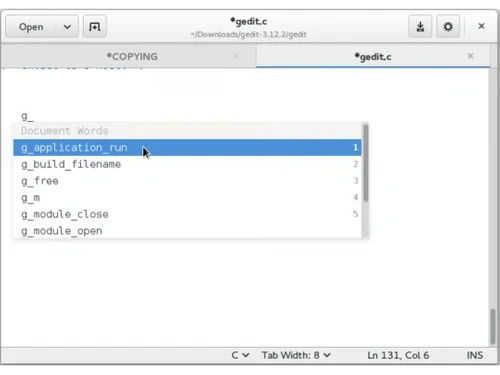
gedit copying
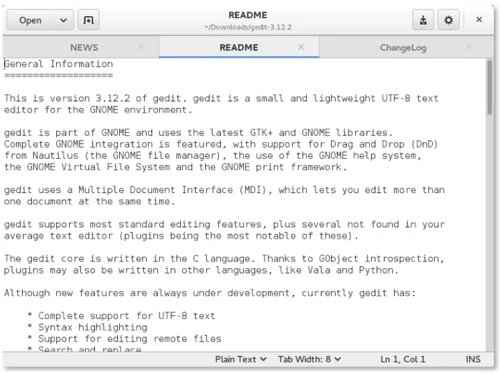
gedit information
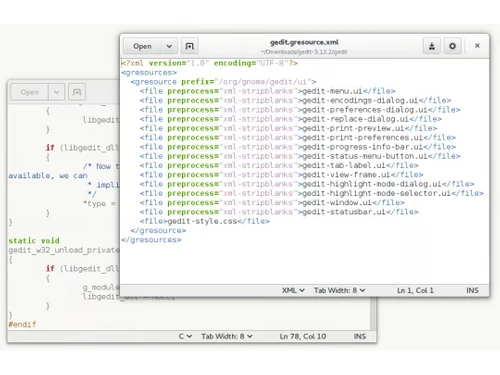
gedit version

Gedit

Brand: Gedit

  • 4.3

  • 6 Ratings

Gedit is a simple, open-source text editor for writing and editing text, commonly used in Linux.

See More

Have you used Gedit before?

Share your insights for better experience

Add a Review

Price Available on Request

Questions about pricing or customization? We’re here to help, just a click away.

100% Genuine
Products
Best Price
Guaranteed
Safe & Secure
Payment
  • Description

  • Pricing

  • Features

  • Specification

  • Review

  • Compare

  • Alternatives

  • FAQ

Gedit Software Overview

What is Gedit?

Gedit is a free and open-source text editor software designed for the GNOME desktop environment, which is commonly used in Linux-based operating systems. It provides a simple and user-friendly interface for writing and editing plain text files. Gedit supports various programming languages and features syntax highlighting, making it useful for coding.

It also includes features like search and replace, undo and redo, and support for plugins to enhance its functionality. Gedit is lightweight, fast, and easy to use, which makes it ideal for both beginners and experienced users. Additionally, it supports working with multiple documents at once in tabs and is highly customizable. It's available on Linux but can also be installed on other systems like Windows and macOS.

Why Choose Gedit Software?

  • User-friendly Interface: Simple and easy to use, ideal for beginners.
  • Syntax Highlighting: Helps with coding by color-coding different programming elements.
  • Customization: Supports themes and plugins for personalized use.
  • Lightweight: Fast and doesn't consume many system resources.
  • Multi-document Support: Allows opening and editing multiple files in tabs.
  • Open-source: Free to use and modify, with a supportive community.
  • Cross-platform: Available on Linux and can be installed on Windows and macOS.
  • Advanced Features: Includes search/replace, undo/redo, and support for multiple file encodings.
  • GNOME Integration: Perfectly integrates with the GNOME desktop environment.
  • Supports Multiple Languages: Compatible with many programming languages for coding and scripting.

Benefits of Gedit Text Editor Software

  • Minimalist Design: Focuses on providing a clean and distraction-free writing environment.
  • Extensibility: Through plugins, Gedit can be extended to support additional features like version control and terminal integration.
  • Multilingual Support: It offers translations in multiple languages, making it accessible to users globally.
  • Integrated Terminal: Allows running terminal commands directly within the editor for a streamlined workflow.
  • Document Collaboration: Supports integration with external tools for collaborative editing, such as sharing files across cloud platforms.
  • Regular Updates: Gedit receives regular improvements and bug fixes from an active open-source community.
  • Spell Check: Built-in spell checker that supports multiple languages for error-free text editing.
  • Fast Search Capabilities: Advanced find-and-replace functionality with regular expression support for complex searches.
  • Lightweight Resource Usage: Operates efficiently on older or less powerful systems without performance issues.
  • Secure and Private: As an open-source software, it ensures your data remains private and secure without hidden features or data collection.

Gedit Pricing

Gedit price details are available on request at Techjockey.com.

The pricing model is based on different parameters, including extra features, deployment type, and the total number of users. For further queries related to the product, you can contact our product team and learn more about the pricing and offers.

Read more

Gedit Company Details

Founded Year:  2000

GEDit is an internet service company that offers database connection, SEO, and image editing services for companies.

Director/Founders Federico Mena Quintero
Company Size 1-100 Employees

Gedit Pricing & Plans

Looking for The Right Pricing?

Share your requirements and get a plan built around your business.

  • Define your business needs
  • Get customised pricing
  • Choose features that fit your workflow

Price Available on Request

Get personalised Gedit pricing that fits your needs. Our team will connect with you.

Gedit Features

  • icon_check Syntax highlighting
    Highlights code elements in different colors for better readability and debugging.
  • icon_check Coding
    Supports clean, efficient coding with auto-indent, line numbering, and smart text handling.
  • icon_check Language Support
    Compatible with many programming languages like HTML, CSS, Python, JavaScript, etc.
  • icon_check Advanced find and replace
    Quickly search and replace words or code snippets across documents with precision.
  • icon_check Cross-Platform Support
    Runs smoothly on Linux, Windows, and macOS systems.
  • icon_check Plugins & Integrations
    Extend Gedit’s capabilities with plugins for Git, code formatting, and more.
  • icon_check Security
    Offers features like backup and secure remote editing to protect your data and code.
  • icon_check Tabbed Document Interface
    Open and manage multiple files in tabs, making it easy to switch between text documents and code files.
  • icon_check Flexible Plugin System
    Extend and customize gedit with plugins for additional tools and advanced features.

Gedit Specifications

Supported Platforms
Windows Windows iOS iOS MacOS MacOS Linux Linux
Devices
Desktop Desktop
Deployment
Cloud-Based Cloud-Based
Suitable For
All Industries
Business Specific
All Businesses
Business Size
Small Business Startups Medium Business SMBs
Customer Support
Email
Language
English
Training Resources
Videos

Explore the Best Alternative Solutions Similar to Your Business Size and Needs

Medium Business

Built for business growth and flexibility

BBEdit

4.1

CodePen

4.5

Atom

4.3

See More

Gedit Review

4.3

Out of 5

img

Overall Rating

Based on
6 Verified Ratings

Rating Breakdown

  • Features 4.0
  • Value for Money 4.4
  • Ease of Use 4.5
  • Customer Support 4.3

90% Recommend this Product

Add Review

Techjockey Trusted Reviews from Verified Users

No reviews are currently available for Gedit. Discover similar Text Editor Software reviews

  • UltraEdit

    4.9

    Whats great - It loads quickly and has a lot of useful features. One of my favourites is the Syntax Highlighting, which adapts to the type ... read more

  • Notepad++

    4.7

    Whats great - Notepad++ is user-friendly and versatile. It serves as a text editor, code-writing platform, and note-taking tool. Its flexib... read more

  • Visual Studio Code

    4.3

    Whats great - I love Visual Studio's simplicity and the abundance of handy extensions. It makes coding with others a breeze and simplifies ... read more

Compare Gedit With other Text Editor Software

Products
Ratings
Pricing
Device Supported
Deployment
Supported Platforms
  • img

    Gedit

  • 4.3

  • Price On Request

  • Desktop

    Mobile

  • Web based

    On Premises

  • Windows

    Mac OS

  • img

    Brackets

  • 4.1

  • Price On Request

  • Desktop

    Mobile

  • Web based

    On Premises

  • Windows

    Mac OS

  • img

    Emacs text editor

  • 4.5

  • Price On Request

  • Desktop

    Mobile

  • Web based

    On Premises

  • Windows

    Mac OS

  • img

    EmEditor

  • 4.3

  • Price On Request

  • Desktop

    Mobile

  • Web based

    On Premises

  • Windows

    Mac OS

  • img

    FocusWriter

  • 4.0

  • Price On Request

  • Desktop

    Mobile

  • Web based

    On Premises

  • Windows

    Mac OS

  • img

    Notepad++

  • 4.7

  • Price On Request

  • Desktop

    Mobile

  • Web based

    On Premises

  • Windows

    Mac OS

  • img

    BBEdit

  • 4.1

  • ₹ 6896

  • Desktop

    Mobile

  • Web based

    On Premises

  • Windows

    Mac OS

  • img

    Sublime Text

  • 4.4

  • Price On Request

  • Desktop

    Mobile

  • Web based

    On Premises

  • Windows

    Mac OS

  • img

    UltraEdit

  • 4.8

  • ₹ 10990

  • Desktop

    Mobile

  • Web based

    On Premises

  • Windows

    Mac OS

  • img

    Neovim

  • 4.1

  • Price On Request

  • Desktop

    Mobile

  • Web based

    On Premises

  • Windows

    Mac OS

  • img

    CodePen

  • 4.5

  • Price On Request

  • Desktop

    Mobile

  • Web based

    On Premises

  • Windows

    Mac OS

(0) Product(s) selected

Gedit Alternatives

See All Gedit Alternatives

Starting Price:

$6 /Month

Available

Price on Request

Starting Price:

$40

Starting Price:

$92 /Month

Available

Price on Request

Available

Price on Request

Available

Price on Request

Articles for Gedit

See All Related Articles

How much does Gedit Software cost?

The pricing details for Gedit Software are available upon request on Techjockey.com.

Can I use Gedit Software on a mobile device?

No, Gedit does not have a mobile app; it is designed for desktop environments.

Which platforms support Gedit Software?

Gedit is compatible with Linux, Windows, and macOS operating systems.

Is there a free trial available for Gedit Software?

No trial is needed as Gedit is fully free to use.

How does Gedit Software work?

Gedit functions as a text editor, allowing users to write, edit, and manage code with features like syntax highlighting and plugins.

Who uses Gedit Software?

Gedit is ideal for developers, students, writers, and anyone needing a simple yet powerful text/code editor.

Can users access a demo version of Gedit Software?

There is no demo version, but users can directly download and use it for free.

Is Gedit Software completely free to use?

Yes, Gedit is entirely free with no hidden charges or licensing fees.

Does Gedit support extensions or plugins?

Yes, Gedit supports a wide range of plugins to extend its functionality, including code snippets, terminal integration, and file browser tools.

Can Gedit be used for web development?

Absolutely! Gedit is commonly used for writing and editing HTML, CSS, JavaScript, and other web development languages.

20,000+ Software Listed

Best Price Guranteed

Free Expert Consultation

2M+ Happy Customers

Terms and Condtions

close

Users with registered businesses can purchase goods from merchants on the platform to satisfy their business needs. Users are not permitted to utilize any products acquired through the platform for resale, advertising, business, or further distribution.

For each purchase made, users will receive a Tax Invoice (or 'GST invoice') that includes specific details such as:

  • the GSTIN of the user associated with their registered business, and

  • the specified Entity Name for their business.

It should be noted that not all products are eligible for GST Invoice. Only the products displayed by participating sellers with the 'GST-based Invoice Available' callout on the product description page would qualify.

Certain goods and services are not eligible to get a GST Invoice, including items with VAS, i.e., Value Added Services (e.g., Total Mobile Protection/Assured Buyback) and those involving an exchange offer at the time of purchase.

Users must ensure the accuracy of the GSTIN, and business entity name provided for the GST Invoice. Requests for corrections into GST Invoice would not be accommodated by Techjockey.com or any Seller, and any issues arising from user-provided information are the sole responsibility of users.

Techjockey.com is not liable for the GST Invoice or any associated input tax credit. To efficiently claim an input tax credit, users should select the registered place of business address as per the GST authority's data and follow the provisions of the GST Act and rules.

To claim an input tax credit, the delivery and billing addresses must match. Furthermore, input tax credits will not be granted if the delivery address and GSTIN on the invoice are from different states. In case of incorrect GST details provided during the order placement, the order will be canceled automatically.