linkedin
Desklog logo
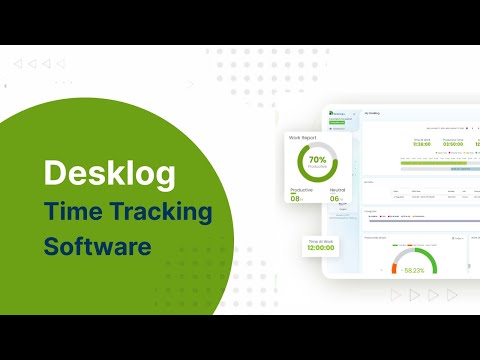
play Desklog Automated Time Tracking Software For Employees
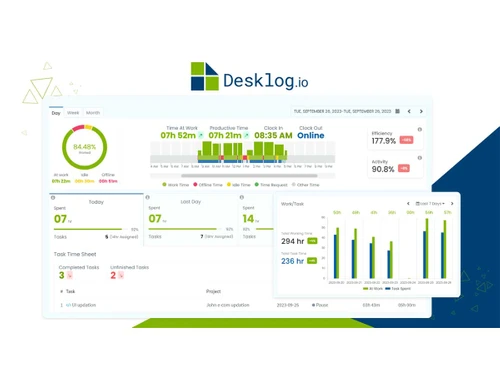
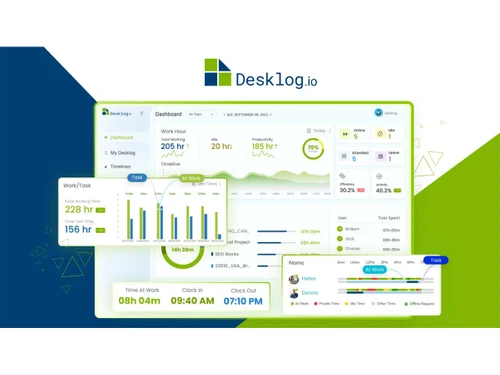
desklog dashboard
desklog-timework

Desklog

Brand: Desklog Solutions Pvt Ltd

  • 4.5

  • 4 Ratings & 4 Reviews

Desklog is an all-in-one time and project tracking software trusted by teams across industries to improve employee performance, efficiency, and focus. Unlike traditional tools that prioritize micromanagement, Desklog takes a smarter, more balanced approach.

See More

Have you used Desklog before?

Share your insights for better experience

Add a Review
Starting Price
₹252

View plans

100% Genuine
Products
Best Price
Guaranteed
Safe & Secure
Payment
  • Description

  • Pricing

  • Features

  • Specification

  • Review

  • Compare

  • Alternatives

  • FAQ

Starting at ₹252

Desklog Software Overview

What is Desklog?

Desklog is an innovative and automated time tracking software and timesheet software designed specifically to improve productivity in the modern business environment. This employee management software accurately tracks tasks, projects, and overall productivity.

It also incorporates employee wellness features, such as break reminders and overtime notifications, to support a healthy work-life balance. Designed for remote, hybrid, and field employees, Desklog offers real-time insights into employee productivity, project progress, and work patterns.

From automated time tracking and detailed reporting dashboards to leave and attendance management, it offers everything you need to stay on top in one place. With support across Windows, Linux, Mac, iOS, and Android, Desklog integrates effortlessly into your workflow.

It is best suited for large enterprises, mid-sized companies, and startups across all industries. Desklog offers you all the tools you need to work smarter, meet deadlines, and achieve your goals with accurate, automated insights.

Why Choose Desklog Software?

Desklog is an automated time tracking software designed to best fit the evolving needs of modern digital teams. Whether you're coordinating remote teams or overseeing a growing business, Desklog equips you with the tools to optimize time, simplify task management, and improve team performance in one integrated system. Moreover, it allows you to:

  • Automates time tracking so you can focus on work, not manual logging.
  • Provides real-time insights to improve team productivity and individual performance.
  • Tracks projects and tasks, milestones, and deadlines to keep projects on schedule.
  • Improves team accountability with transparent activity tracking.
  • Accessible across devices for remote, hybrid, and on-the-go teams.
  • Identifies idle time and distractions to optimize daily workflows.
  • Ensures accurate task timing for consistent on-time project delivery.
  • Supports employee well-being with workload balance and break tracking.
  • Automates attendance and leave for hassle-free workforce management.
  • Generates accurate reports for payroll, billing, and performance reviews.
  • Secures your data with admin controls and full compliance.
  • Easy to use, scalable, and designed to grow with your team.

Benefits of Desklog Software

With automated time tracking, you no longer have to rely on manual logs or guesswork. Desklog gives you real-time visibility into what your team is working on, how long tasks take, and where time is being spent so you can make smarter, faster decisions. From clock-in to clock-out, every working hour is accurately captured, including task time, project duration, break time, idle time, and more. But it doesn’t stop at tracking. Users can take advantage of:

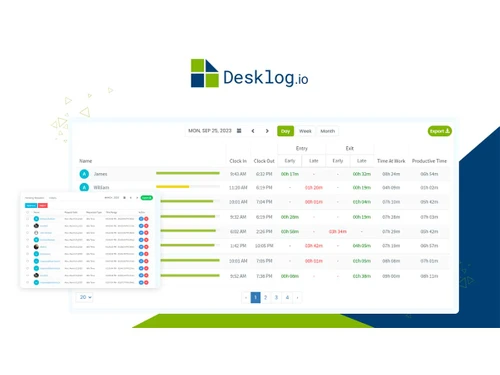
  • Accurate and Automated Time Tracking: Desklog removes the hassle of manual time entry by automatically capturing work hours, ensuring precise tracking of billable and productive time without user effort.
  • Improved Productivity and Focus: By providing real-time insights into how time is spent, Desklog helps teams identify distractions, eliminate time-wasting activities, and stay focused on high-priority tasks.
  • Better Project Management: With clear visibility into task progress, milestones, and deadlines, Desklog enables managers to allocate resources effectively, avoid bottlenecks, and deliver projects on time.
  • Simplified Attendance and Leave Management: Desklog automates attendance recording and simplifies leave requests and approvals, reducing administrative overhead and ensuring accurate workforce tracking.
  • Supports Flexible Work Environments: Designed for remote, hybrid, and on-site teams, Desklog works across multiple devices and platforms, enabling employees to stay connected and productive anywhere.
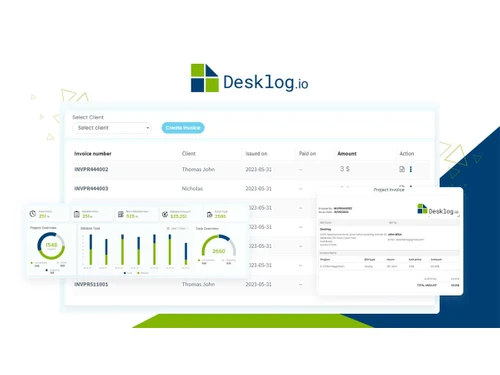
  • Improves Client Trust and Billing Accuracy: Detailed reports and time logs allow businesses to provide transparent updates to clients, justify billable hours, and generate accurate invoices, minimizing billing disputes.
  • Promotes Employee Wellness and Sustainable Performance: By integrating break reminders, Desklog helps prevent burnout and encourages healthier work habits, improving overall team well-being.
  • Advanced Security and Compliance: Desklog ensures all data is securely stored and compliant with industry standards, protecting sensitive information and supporting audit requirements.
  • Scalable and User-Friendly: Whether for startups or growing enterprises, Desklog is easy to implement and scale, adapting to evolving team sizes and business needs without complexity.
  • Reduces Operational Costs: Automation of routine tasks and improved efficiency lead to significant savings in time and resources, lowering overall operational expenses.

Advanced Features of Desklog

One of Desklog’s standout strengths is its non-intrusive approach. Desklog is packed with advanced features like:

  • Project and Task Management
  • Productivity Time Tracking
  • Real-Time Dashboards & Reports
  • Leave and Attendance Management
  • App and URL Tracking
  • Project Billing & Timesheet Generation

Desklog Pricing

Desklog prices start from INR 252 per month per user on techjockey.com.

The pricing model is based on different parameters, including extra features, deployment type, and the total number of users. For further queries related to the product, you can contact our product team and learn more about the pricing and offers.

Read more

Desklog Solutions Pvt Ltd Company Details

Founded Year:  2021

Desklog is a powerful Free Time Tracking and Productivity Monitoring Software designed to enhance team performance and transparency. With smart time tracking tools and in-depth performance analytics

Director/Founders Abdul Majeed
Company Size 1-100 Employees

Desklog Pricing & Plans

Business
Starting at ₹252
    • Users

      Users
      Users
    • Monthly

      Monthly
      Monthly

Key Features

  • Unlimited Team

  • Project Billing and Invoice

  • Efficiency Tracking

  • Project and Task Restrictions

  • Automatic Email Report

  • Task Timesheet

Enterprise
Starting at ₹351
    • Users

      Users
      Users
    • Monthly

      Monthly
      Monthly

Key Features

  • All Features of Business+

  • Project Profit & Loss Calculator

  • Project Kanban View

  • Jira & Clickup Integration

  • App & URL Tracking

  • Leave Management

Desklog Features

  • icon_check Time Tracking
    Monitors time spent on tasks, providing detailed insights into productivity and aiding accurate billing.
  • icon_check Automated Screenshots
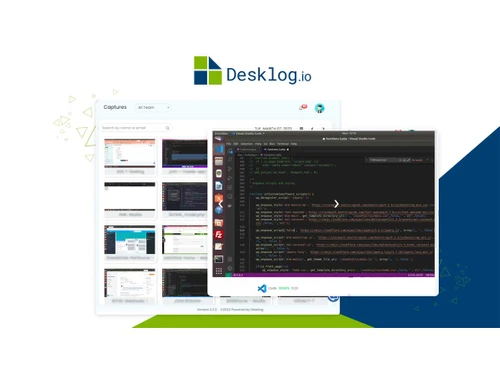
    Captures periodic screenshots during work hours, ensuring transparency and verifying task-related activities.
  • icon_check URL Tracking
    Records websites visited, helping to monitor internet usage and ensure focus on work-related tasks.
  • icon_check Document Title Tracking
    Logs document titles accessed, providing insights into the types of work being performed.
  • icon_check Idle Hours Tracking
    Monitors periods of inactivity, helping to identify unproductive time and improve time management.
  • icon_check Offline Time Tracking
    Tracks work done offline, ensuring all hours are accounted for, even without internet access.
  • icon_check Absence Calendar
    Maintains a record of employee absences, aiding in scheduling and ensuring proper workforce management.
  • icon_check Timesheet Management
    Generates timesheets automatically based on logged work hours, reducing manual entry and payroll errors.
  • icon_check Kanban View
    Provides a visual task-board where tasks can be dragged across stages, enhancing workflow clarity
  • icon_check Leave Management
    Manages leave requests/approvals, absence calendars and paid/unpaid leave to streamline HR processes.
  • icon_check Shift Management
    Supports scheduling of shifts, tracking of user shift times and managing multiple shifts across teams.
  • icon_check API Integration
    Offers API access for seamless integration with other tools, enabling custom workflows and data interchange.
  • icon_check Geolocation Tracking
    Tracks the real-time location of employees during work hours, useful for remote/field teams
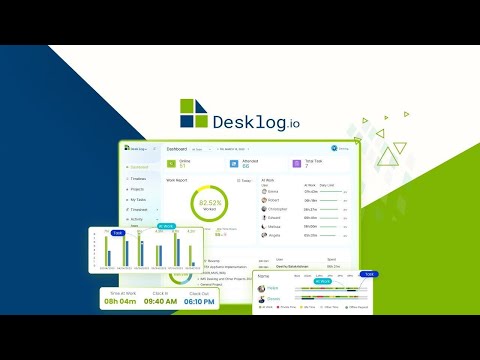
Desklog Demo Video play icon

Get Desklog Demo

Watch the demo video to explore key features, real workflows, and how the software fits your business needs.

Understand
Key Features
Personal
Demo Insights
Interactive
Demo Support

Desklog Specifications

Supported Platforms
Ubuntu Ubuntu Windows Windows iOS iOS Android Android MacOS MacOS Linux Linux
Devices
Desktop Desktop Mobile Mobile Tablet Tablet iPad iPad
Deployment
Cloud-Based Cloud-Based Perpetual Perpetual
Suitable For
All Industries
Business Specific
All Businesses
Business Size
Small Business Startups Medium Business Enterprises
Customer Support
Phone Email Live Chat Communities
Language
English
Integration
API Integration
Training Resources
Live Online Videos

Explore the Best Alternative Solutions Similar to Your Business Size and Needs

Desklog Reviews

4.5

Out of 5

img

Overall Rating

Based on
4 Verified Reviews

Rating Breakdown

  • Features 4.2
  • Value for Money 4.6
  • Ease of Use 4.6
  • Customer Support 4.6

92% Recommend this Product

Add Review
AI Generated Summary Based on Real Reviews

Users generally appreciate Desklog for its user-friendly interface, sophisticated functionalities, and helpful support team, which significantly aid in the installation and usage process. The 40-day demo period is also highlighted as a valuable feature for understanding the software before purchase. However, some users have reported challenges with URL tracking and noted minor difficulties during installation, although these were often resolved with support assistance. Overall, the software is viewed positively for its affordability and productivity-enhancing capabilities.

Pros

  • "Desklog has a great UI and a lot of useful features that are all well-designed to help users be more productive."

    Tyrone Stringer Feb 17, 2022

Cons

  • "My experience with URL tracking hasn't been very successful in the past."
    Riyaz Ahmad Feb 17, 2022

Desklog Video Review

youtubeVideoId

4.3

“Desklog Review | Desklog Lifetime Deal - The Best Time Tracking Software”

Review by: The SaaS Deals

Abdul Majeed P

Manager

Industry: IT User since: < 6 months

5

Reviewed on: Mar 21, 2022

Techjockey Verified

“Good Support & Instruction Guide For Installation”

Pros

It's really a good time slot to have the demo version for 40 days. It is more than enough to understand all the features and functions so that you can make a better decision before making a sale. This helped me a lot and of course, it is amazing software.

Cons

Though I felt a little bit difficult during installation, the dedicated support team helped me with the instructions as well as they have a good installation guide with simple instructions to follow. This assisted me to do the installation easily and quickly. Thanks to the support team.

Reason to switch

Since the beginning, managing diverse teams and employees has been a concern for us.

Riyaz Ahmad

Administrator

Industry: E-commerce User since: < 6 months

4.3

Reviewed on: Feb 17, 2022

Techjockey Verified

“Trust the Software”

Pros

The overall experience and functionalities of the software are highly sophisticated and have a seamless, low-latency operation. When compared to other productivity and time employee apps, it is easy to use and reasonably priced. The support team has also been very helpful.

Cons

My experience with URL tracking hasn't been very successful in the past.

Tyrone Stringer

Owner

Industry: Finance User since: < 6 months

4.5

Reviewed on: Feb 17, 2022

Techjockey Verified

“High-end features for affordable pricing”

Pros

Desklog has a great UI and a lot of useful features that are all well-designed to help users be more productive.

Cons

Yet to encounter any significant cons.

Reason to switch

Desklog helps me keep a record of all the activities and tasks done in my organization.

See All Desklog Reviews

Compare Desklog With other Time Tracking Software

Products
Ratings
Pricing
Device Supported
Deployment
Supported Platforms
  • img

    Desklog

  • 4.5

  • Price On Request

  • Desktop

    Mobile

  • Web based

    On Premises

  • Windows

    Mac OS

  • img

    Hubstaff

  • 4.3

  • Price On Request

  • Desktop

    Mobile

  • Web based

    On Premises

  • Windows

    Mac OS

  • img

    ADP SecurTime

  • 4.0

  • Price On Request

  • Desktop

    Mobile

  • Web based

    On Premises

  • Windows

    Mac OS

  • img

    Time Doctor

  • 4.4

  • Price On Request

  • Desktop

    Mobile

  • Web based

    On Premises

  • Windows

    Mac OS

  • img

    TopTracker

  • 4.4

  • Price On Request

  • Desktop

    Mobile

  • Web based

    On Premises

  • Windows

    Mac OS

  • img

    OnTheClock

  • 4.4

  • Price On Request

  • Desktop

    Mobile

  • Web based

    On Premises

  • Windows

    Mac OS

  • img

    DeskViu

  • 4.1

  • ₹ 100

  • Desktop

    Mobile

  • Web based

    On Premises

  • Windows

    Mac OS

  • img

    TimeChart

  • 4.1

  • Price On Request

  • Desktop

    Mobile

  • Web based

    On Premises

  • Windows

    Mac OS

  • img

    QuickBooks Time

  • 4.4

  • Price On Request

  • Desktop

    Mobile

  • Web based

    On Premises

  • Windows

    Mac OS

(2) Product(s) selected

Desklog Alternatives

See All Desklog Alternatives

Available

Price on Request

Available

Price on Request

Starting Price:

€9 /User/Month

Starting Price:

$50 /Month

Starting Price:

$28 /Month

Starting Price:

$12 /Month

Starting Price:

$14 /Seat/Month

Starting Price:

$4 /Month

Articles for Desklog

See All Related Articles

How much does Desklog Software cost?

Desklog prices start from INR 252 per month per user on techjockey.com.

Is there a mobile app available for Desklog Software?

Yes, there are Desklog mobile apps for both Android and iOS devices, allowing for time tracking on the go.

Which operating systems are compatible with Desklog Software?

Desklog Software is compatible with major desktop operating systems, including Windows, macOS, and Linux.

Does Desklog Software offer a free trial?

Yes, Desklog Software offers a 14-day free trial with no credit card required, giving you complete access to the Enterprise plan features during the trial period.

How does Desklog Software function?

Desklog is an automated time tracking software designed to best fit the evolving needs of modern digital teams. It gives you real-time visibility into what your team is working on, how long tasks take, and where time is being spent so you can make smarter, faster decisions.? This tool promotes employee wellness by encouraging work-life balance and transparency, helping managers spot signs of overwork, burnout, or unproductive patterns early.

Is a free demo available for Desklog Software?

Yes, a free demo is available for Desklog Software, which can be accessed by starting the free trial on their website.

Is Desklog Software available for free?

Yes, Desklog offers a free tier that provides automatic time tracking, timesheets, absence calendars, and tracking for offline and idle time, with unlimited users and projects.

20,000+ Software Listed

Best Price Guranteed

Free Expert Consultation

2M+ Happy Customers

Terms and Condtions

close

Users with registered businesses can purchase goods from merchants on the platform to satisfy their business needs. Users are not permitted to utilize any products acquired through the platform for resale, advertising, business, or further distribution.

For each purchase made, users will receive a Tax Invoice (or 'GST invoice') that includes specific details such as:

  • the GSTIN of the user associated with their registered business, and

  • the specified Entity Name for their business.

It should be noted that not all products are eligible for GST Invoice. Only the products displayed by participating sellers with the 'GST-based Invoice Available' callout on the product description page would qualify.

Certain goods and services are not eligible to get a GST Invoice, including items with VAS, i.e., Value Added Services (e.g., Total Mobile Protection/Assured Buyback) and those involving an exchange offer at the time of purchase.

Users must ensure the accuracy of the GSTIN, and business entity name provided for the GST Invoice. Requests for corrections into GST Invoice would not be accommodated by Techjockey.com or any Seller, and any issues arising from user-provided information are the sole responsibility of users.

Techjockey.com is not liable for the GST Invoice or any associated input tax credit. To efficiently claim an input tax credit, users should select the registered place of business address as per the GST authority's data and follow the provisions of the GST Act and rules.

To claim an input tax credit, the delivery and billing addresses must match. Furthermore, input tax credits will not be granted if the delivery address and GSTIN on the invoice are from different states. In case of incorrect GST details provided during the order placement, the order will be canceled automatically.