 USA
USA UAE
UAESmall Business
Designed for startups and growing businesses

See More




Brand: Devolutions
A Remote Desktop software that securely manages remote connections, credentials, and access for IT teams.
See MoreHave you used Devolutions Remote Desktop Manager before?
Share your insights for better experience
Brand: Devolutions
Founded Year: 2004
Devolutions is a leading provider of remote access and enterprise password management solutions for IT professionals and business users.
Connection & Accessibility
 Cross-Platform Compatibility Browser-Based Access Mobile Access Support Multi-Window Control Multi-Monitor Navigation Unattended Access Persistent Session Clipboard Syncing Remote printing
 Session Management & Control
Multi Session Support Session Handover Session Recording & Playback Queue & Schedule Sessions Session Timeout & Auto-Lock Real-Time Control Customization Remote Reboot Options Blank Screen Mode System Management & Support
Bulk File Transfer Automated System Diagnostics Two-Way File Transfer Remote Task Manager System Health Monitoring Remote Command Prompt Access Session Note Taking Direct File Access Permissions File Sync & Auto Update Collaboration & Communication
Screen Sharing with Control User Grouping & Management In-Session Chat Video Conferencing Annotation & Drawing Tools Multiple Technician Access Shared Toolbox Two-Way Desktop Sharing Security & Compliance
Audit Logs Multi-Factor Authentication (MFA) Role-Based Access Control (RBAC) Dynamic IP Whitelisting GDPR/CCPA Compliance End-to-End Encryption HIPAA Compliance Customization & Personalization
Customizable Branding Customizable Toolbars Session Scripting Custom Keyboard Mapping Language Localization Flexible UI Layout Automation & Workflow
Workflow Automation Task Automation Remote Wake-on-LAN Scheduled Tasks Analytics & Reporting
Customizable Dashboards Detailed Session Reports User Activity Reports Error Logs Performance Metrics Integrations
API Integration Third Party Integration Ticket Management Patch Management Administrative Features
User Access Management Access Logs Centralized Connection Management Patch Management Device Management Admin Console Others
Automatic Updates Integrated VPN and VPN management Document Manager Version tracking Offline Mode Real-time connection status Failed login report Entry notifications 

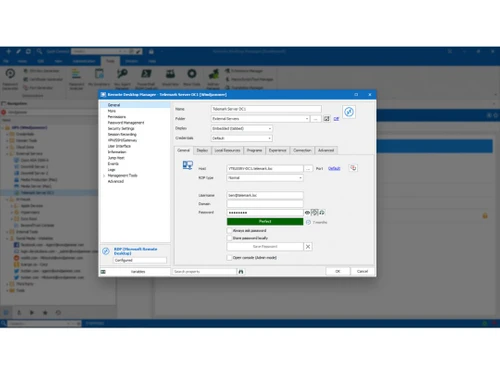
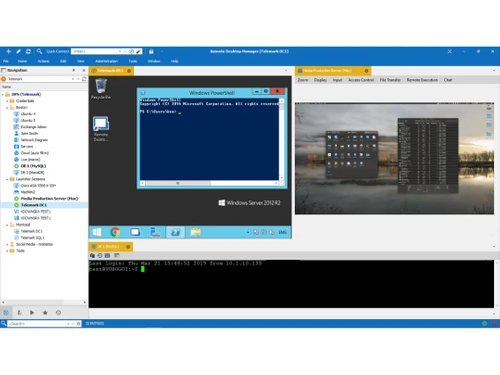
Watch the demo video to explore key features, real workflows, and how the software fits your business needs.
 Windows
  iOS
iOS  Android MacOS
  Linux
Linux  Desktop
  Mobile
  Tablet
  iPad
iPad  Perpetual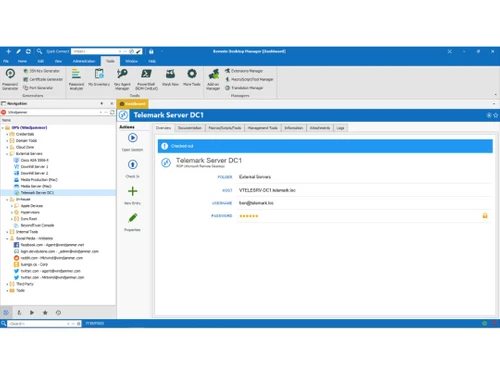
Small Business
Designed for startups and growing businesses
Medium Business
Built for business growth and flexibility
Enterprises
Designed for complex and large-scale business needs
4.2
Out of 5

Overall Rating
Based on
4 Verified Ratings
Rating Breakdown
87% Recommend this Product
Add ReviewTechjockey Trusted Reviews from Verified Users
No reviews are currently available for Devolutions Remote Desktop Manager. Discover similar Remote Desktop Software reviews

AnyDesk
Whats great - Lightning-fast remote desktop connections, allowing you to access your computer from anywhere with minimal delay. read more

TeamViewer
Whats great - It is extremely easy to use and fast. It allows connecting to a computer from any device with a simple ID and password. It in... read more

Parsec
Whats great - Lightweight, runs smoothly even on weak devices. read more

Devolutions Remote Desktop Manager
Price On Request
Desktop
Mobile
Web based
On Premises
Windows
Mac OS
AnyDesk
₹ 14580
Desktop
Mobile
Web based
On Premises
Windows
Mac OS
TeamViewer
₹ 8628
Desktop
Mobile
Web based
On Premises
Windows
Mac OS

UltraViewer
Price On Request
Desktop
Mobile
Web based
On Premises
Windows
Mac OS

TSplus Remote Support
Price On Request
Desktop
Mobile
Web based
On Premises
Windows
Mac OS

RustDesk
Price On Request
Desktop
Mobile
Web based
On Premises
Windows
Mac OS
Parsec
Price On Request
Desktop
Mobile
Web based
On Premises
Windows
Mac OS

Iperius Remote
Price On Request
Desktop
Mobile
Web based
On Premises
Windows
Mac OS

Apple Remote Desktop
Price On Request
Desktop
Mobile
Web based
On Premises
Windows
Mac OS

Impero Connect
Price On Request
Desktop
Mobile
Web based
On Premises
Windows
Mac OS

NoMachine
Price On Request
Desktop
Mobile
Web based
On Premises
Windows
Mac OS
(0) Product(s) selected
Starting Price:
$10 /Month
Starting Price:
€8 /Month
Starting Price:
$80 /Licenses
Available
Price on Request
Starting Price:
$45 /Year

Starting Price:
$50 /Year

Starting Price:
£3 /Month

Available
Price on Request

Starting Price:
$5 /Month

Starting Price:
$22

Starting Price:
$33 /Device/Year




The price of Devolutions Remote Desktop Manager starts at $350 on Techjockey.com.
Yes, Devolutions Remote Desktop Manager mobile apps are available on iOS and Android.
Devolutions Remote Desktop Manager is compatible with Windows, macOS, Linux, iOS, and Android.
Yes, Devolutions Remote Desktop Manager free trial is available for evaluation.
Devolutions Remote Desktop Manager centralizes and secures remote connections, credentials, and session management for IT teams.
IT teams, system administrators, and organizations use Devolutions Remote Desktop Manager.
Yes, a free demo can be requested from Devolutions.
No, Devolutions Remote Desktop Manager is not available for free.
20,000+ Software Listed
Best Price Guranteed
Free Expert Consultation
2M+ Happy Customers
Terms and Condtions

Users with registered businesses can purchase goods from merchants on the platform to satisfy their business needs. Users are not permitted to utilize any products acquired through the platform for resale, advertising, business, or further distribution.
For each purchase made, users will receive a Tax Invoice (or 'GST invoice') that includes specific details such as:
the GSTIN of the user associated with their registered business, and
the specified Entity Name for their business.
It should be noted that not all products are eligible for GST Invoice. Only the products displayed by participating sellers with the 'GST-based Invoice Available' callout on the product description page would qualify.
Certain goods and services are not eligible to get a GST Invoice, including items with VAS, i.e., Value Added Services (e.g., Total Mobile Protection/Assured Buyback) and those involving an exchange offer at the time of purchase.
Users must ensure the accuracy of the GSTIN, and business entity name provided for the GST Invoice. Requests for corrections into GST Invoice would not be accommodated by Techjockey.com or any Seller, and any issues arising from user-provided information are the sole responsibility of users.
Techjockey.com is not liable for the GST Invoice or any associated input tax credit. To efficiently claim an input tax credit, users should select the registered place of business address as per the GST authority's data and follow the provisions of the GST Act and rules.
To claim an input tax credit, the delivery and billing addresses must match. Furthermore, input tax credits will not be granted if the delivery address and GSTIN on the invoice are from different states. In case of incorrect GST details provided during the order placement, the order will be canceled automatically.



