linkedin
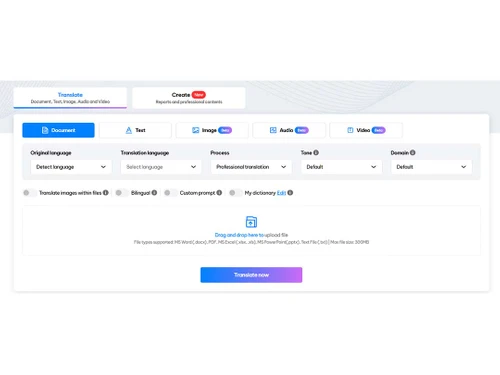
Doctranslate logo
doctranslate translate
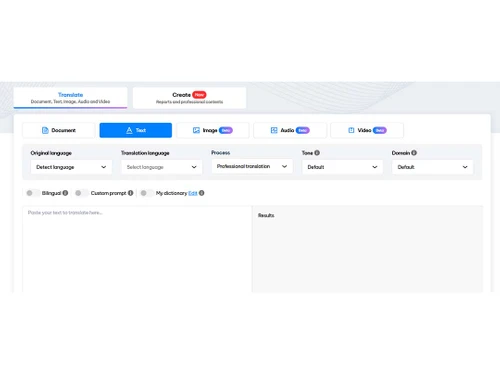
doctranslate-text
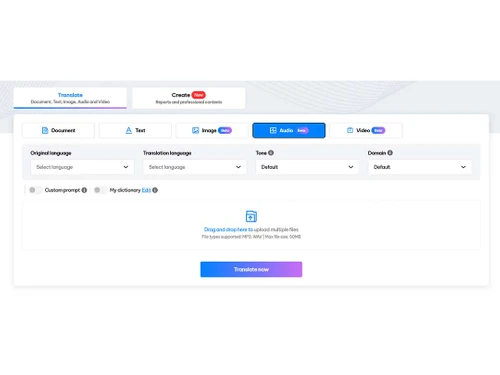
doctranslate images

Doctranslate

Brand: ThinkPrompt

  • 4.1

  • 3 Ratings

Doctranslate is a user-friendly language translation software that helps businesses and individuals translate documents, websites, and other content into multiple languages.

See More

Have you used Doctranslate before?

Share your insights for better experience

Add a Review
Starting Price
$5

View plans

100% Genuine
Products
Best Price
Guaranteed
Safe & Secure
Payment
  • Description

  • Pricing

  • Features

  • Specification

  • Review

  • Compare

  • Alternatives

  • FAQ

Starting at $5

Doctranslate Software Overview

What is Doctranslate?

Doctranslate is an intuitive and user-friendly language translation software that empowers users to translate their content with ease. Its simple interface and customizable features make it accessible to users of all levels, from individuals to businesses.

Doctranslate supports multiple languages, allowing users to translate their documents into the language of their choice. It also offers file format compatibility, enabling users to translate documents in various formats, including PDF, Word, and Excel. It offers a range of features, including file format compatibility, data protection, and multimedia translation, making it a versatile and convenient tool for various translation needs.

Why Choose Doctranslate Language Translation Software?

  • Multiple Language Support: Doctranslate supports a wide range of languages, giving users the flexibility to translate their content into the language they need. This feature is particularly useful for businesses operating in a global market or individuals communicating with people from different cultures.
  • File Format Compatibility: Doctranslate allows users to translate documents in different file formats, eliminating the need to convert files before translation. This feature saves time and ensures that users can translate their content seamlessly, regardless of the format.
  • User-Friendly Interface: Doctranslate's user interface is designed to be simple and intuitive, making it easy for users to navigate and translate their content. Its drag-and-drop functionality and customizable settings allow users to quickly and efficiently translate their documents.
  • Data Protection: Doctranslate prioritizes data protection and security. It uses industry-standard encryption protocols to ensure that users' confidential information remains secure during the translation process. This feature is critical for businesses handling sensitive or proprietary information.
  • Translation Management: Doctranslate offers translation management capabilities, enabling users to manage their translation projects effectively. It allows users to track the status of their translations, collaborate with team members, and receive notifications when translations are complete.

Benefits of Doctranslate

  • Improved Communication: Doctranslate helps businesses and individuals communicate effectively across language barriers. It enables them to translate documents, websites, and other content into the languages their audience understands, fostering better communication and understanding.
  • Increased Productivity: Doctranslate's user-friendly interface and file format compatibility save users time and effort. It eliminates the need for manual translation or file conversion, allowing users to focus on other important tasks.
  • Enhanced Accuracy: Doctranslate uses advanced translation algorithms to ensure the accuracy of translations. It provides context-aware translations, considering the meaning and context of the original text to deliver high-quality results.
  • Protected Data: Doctranslate's robust data protection measures give users peace of mind that their confidential information is secure during the translation process. This feature is essential for businesses handling sensitive or proprietary information.
  • Streamlined Translation Process: Doctranslate's translation management capabilities provide users with a centralised platform to manage their translation projects. It simplifies the translation process, improves collaboration, and ensures timely delivery of translations.

Pricing Of Doctranslate

Doctranslate pricing starts at $5 per month and is available at techjockey.com.The pricing model is based on different parameters, including extra features, deployment type, and the total number of users. For further queries related to the product, you can contact our product team and learn more about the pricing and offers.

Read more

Doctranslate Pricing & Plans

Basic
Starting at $5
    • Licenses

      Licenses
      Licenses
    • Monthly

      Monthly
      Monthly

Doctranslate Features

  • icon_check Multiple Language
    Translate documents into multiple languages.
  • icon_check File Format Compatibility
    Handle various file formats for seamless translation.
  • icon_check User Friendly Interface
    avigate the translation process with ease.
  • icon_check Data Protection
    Ensure the confidentiality of your sensitive data.
  • icon_check Translation Management
    Manage translation projects and collaborate with translators.
  • icon_check Multimedia Translation
    Translate audio, video, and other multimedia content.

Doctranslate Specifications

Supported Platforms
Windows Windows
Devices
Desktop Desktop
Deployment
Cloud-Based Cloud-Based
Suitable For
All Industries
Business Specific
All Businesses
Business Size
Small Business Startups Medium Business SMBs SMEs MSMBs
Customer Support
Phone Email Forums
Language
English
Integration
API Integration
Training Resources
Live Online Documentation Videos

Explore the Best Alternative Solutions Similar to Your Business Size and Needs

Doctranslate Review

4.1

Out of 5

img

Overall Rating

Based on
3 Verified Ratings

Rating Breakdown

  • Features 4.1
  • Value for Money 4.3
  • Ease of Use 4
  • Customer Support 4.1

93% Recommend this Product

Add Review

Techjockey Trusted Reviews from Verified Users

No reviews are currently available for Doctranslate. Discover similar Language Translation Software reviews

  • TalkPal AI

    4.4

    Whats great - Offers a range of conversation styles and easy sharing options. read more

  • DeskShare Site Translator

    4.4

    Whats great - Fully offline—great for privacy and speed read more

  • ELSA Speak

    4.4

    Whats great - ELSA Speak provides encouraging feedback and helps track progress. read more

Compare Doctranslate With other Language Translation Software

Products
Ratings
Pricing
Device Supported
Deployment
Supported Platforms
  • img

    Doctranslate

  • 4.1

  • Price On Request

  • Desktop

    Mobile

  • Web based

    On Premises

  • Windows

    Mac OS

  • img

    TalkPal AI

  • 4.4

  • Price On Request

  • Desktop

    Mobile

  • Web based

    On Premises

  • Windows

    Mac OS

  • img

    ELSA Speak

  • 4.3

  • Price On Request

  • Desktop

    Mobile

  • Web based

    On Premises

  • Windows

    Mac OS

  • img

    Trados

  • 4.2

  • Price On Request

  • Desktop

    Mobile

  • Web based

    On Premises

  • Windows

    Mac OS

  • img

    DubDub AI

  • 4.2

  • Price On Request

  • Desktop

    Mobile

  • Web based

    On Premises

  • Windows

    Mac OS

  • img

    Vitra AI

  • 4.4

  • Price On Request

  • Desktop

    Mobile

  • Web based

    On Premises

  • Windows

    Mac OS

  • img

    DeepL

  • 4.4

  • Price On Request

  • Desktop

    Mobile

  • Web based

    On Premises

  • Windows

    Mac OS

  • img

    Translate.Video

  • 4.4

  • ₹ 2385

  • Desktop

    Mobile

  • Web based

    On Premises

  • Windows

    Mac OS

  • img

    Translate.photo

  • Price On Request

  • Desktop

    Mobile

  • Web based

    On Premises

  • Windows

    Mac OS

(0) Product(s) selected

Doctranslate Alternatives

See All Doctranslate Alternatives

Available

Price on Request

Starting Price:

$30 /Month

Starting Price:

$10

SAVE UPTO 53%

Starting Price:

$185

Available

Price on Request

Starting Price:

$140

Starting Price:

$14

Articles for Doctranslate

See All Related Articles

How does DocTranslate software work?

DocTranslate uses AI to translate documents into multiple languages. It supports various file formats, allowing users to easily translate their work for global audiences.

Is there any DocTranslate App?

DocTranslate is web-based and accessible through your browser. You can use it on mobile devices without needing a separate app.

Who are the potential users of DocTranslate Software?

DocTranslate caters to professionals, businesses, and individuals needing to translate documents. It's useful for those working with international clients or expanding globally.

Which operating system does DocTranslate Software Support?

DocTranslate supports all major operating systems as it is a web-based platform.

How much does DocTranslate Software Platform Cost?

Contact techjockey.com for detailed pricing information on DocTranslate. Pricing is customised based on specific translation needs.

Does DocTranslate offer a free trial?

Contact techjockey.com to explore trial options for DocTranslate. They can provide information about available testing periods.

What file formats can DocTranslate handle?

DocTranslate supports major digital document formats including PDF, DOCX, and InDesign. It can handle various file types for comprehensive translation needs.

How accurate are the translations provided by DocTranslate?

DocTranslate uses advanced AI for accurate translations. However, for critical documents, it's recommended to have a human review the output.

Can DocTranslate handle multiple languages simultaneously?

Yes, DocTranslate can translate documents into multiple target languages at once, streamlining the translation process for global communication.

Is DocTranslate suitable for translating sensitive documents?

While DocTranslate employs security measures, for highly sensitive documents, it's advisable to consult with techjockey.com about additional security options.

20,000+ Software Listed

Best Price Guranteed

Free Expert Consultation

2M+ Happy Customers

Terms and Condtions

close

Users with registered businesses can purchase goods from merchants on the platform to satisfy their business needs. Users are not permitted to utilize any products acquired through the platform for resale, advertising, business, or further distribution.

For each purchase made, users will receive a Tax Invoice (or 'GST invoice') that includes specific details such as:

  • the GSTIN of the user associated with their registered business, and

  • the specified Entity Name for their business.

It should be noted that not all products are eligible for GST Invoice. Only the products displayed by participating sellers with the 'GST-based Invoice Available' callout on the product description page would qualify.

Certain goods and services are not eligible to get a GST Invoice, including items with VAS, i.e., Value Added Services (e.g., Total Mobile Protection/Assured Buyback) and those involving an exchange offer at the time of purchase.

Users must ensure the accuracy of the GSTIN, and business entity name provided for the GST Invoice. Requests for corrections into GST Invoice would not be accommodated by Techjockey.com or any Seller, and any issues arising from user-provided information are the sole responsibility of users.

Techjockey.com is not liable for the GST Invoice or any associated input tax credit. To efficiently claim an input tax credit, users should select the registered place of business address as per the GST authority's data and follow the provisions of the GST Act and rules.

To claim an input tax credit, the delivery and billing addresses must match. Furthermore, input tax credits will not be granted if the delivery address and GSTIN on the invoice are from different states. In case of incorrect GST details provided during the order placement, the order will be canceled automatically.