USA
USA UAE
UAESmall Business
Designed for startups and growing businesses

See More





Brand: EasyNow
Have you used EasyNow CRM before?
Share your insights for better experience
Brand: EasyNow
Founded Year: 2015
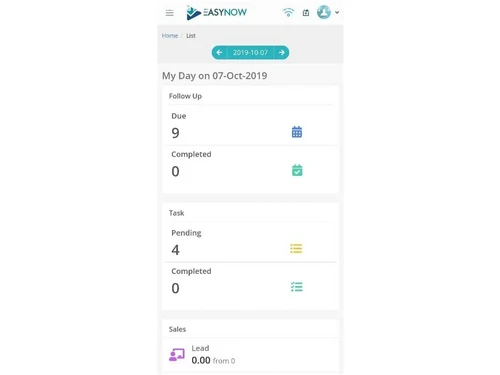
EasyNow - Business Software is a simple and effective way to manage your business in a seamless way. Whether you have a team in an office or in the field, you can effectively manage all aspects of your business through this platform.
Customer Data Management (CDM)
 Contact Management Account Management Customer Profiles Contact Segmentation Activity History
 Lead Management
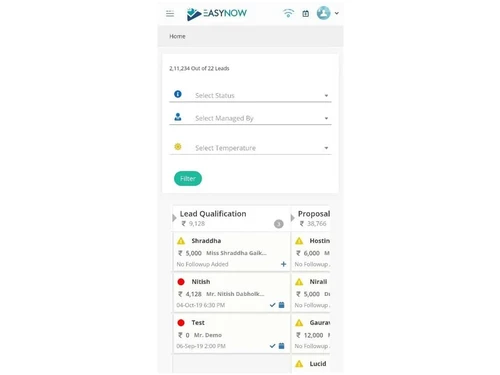
Lead Assignment Lead Generation Lead Qualification Lead Prioritization Lead Tracking Lead Nurturing Sales Pipeline Management
Opportunity Management Deal Management Task Management Quote & Proposal Management Territory Management Deal Rotting Order Management Collaboration and Communication
Bulk Email and SMS Internal Communication Document Sharing & File Storage Built-in Dialer Activity Logging Call Tracking and Recording Integrations
Calendar Integration Email Marketing Tools Third Party Integrations API Access Interactive Voice Response (IVR) Integration Workflow Automation and Management
Workflow Automation Task Automation Customizable Workflows Lead Capture Automation Auto Qualify Leads Security & Compliance
Role-Based Access Control (RBAC) Data Encryption Audit Logs Audit Trails IP Whitelisting Backup & Disaster Recovery GDPR and CCPA Compliance AI Capabilities
Lead and Deal Scoring Chatbots Predictive Analytics Analytics and Reporting
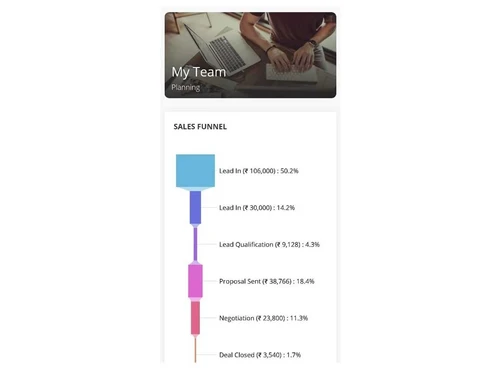
Sales Forecasting Sales Performance Tracking Activity Overview Reports Custom Dashboards Sales Funnel Analysis Conversion Reports Forecasting & Trends Customizable Pipeline Views Alerts & Notifications
Event-Triggered Notifications Custom Workflow Alerts System Errors/Failures Customer Interaction Alerts Workflow Trigger Alerts SLA Violations Lead Activity Alerts 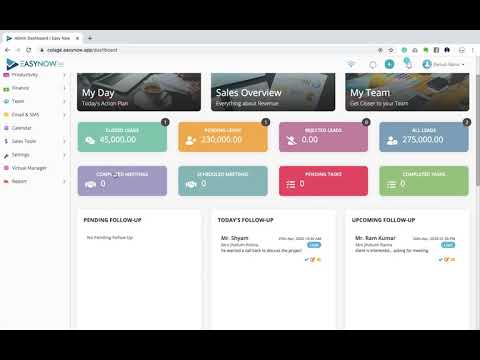

Watch the demo video to explore key features, real workflows, and how the software fits your business needs.
 Ubuntu
  Windows
  MacOS
MacOS  Linux
Linux  Desktop
  Cloud-Based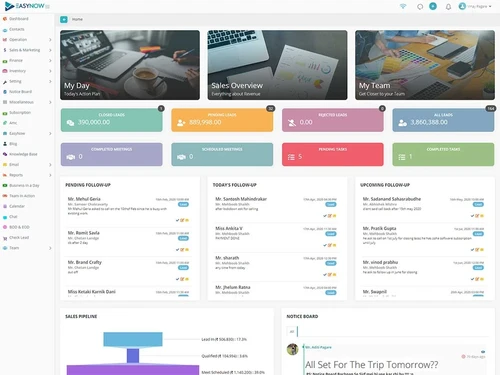
Small Business
Designed for startups and growing businesses
Medium Business
Built for business growth and flexibility
Enterprises
Designed for complex and large-scale business needs
4.5
Out of 5

Overall Rating
Based on
3 Verified Ratings
Rating Breakdown
96% Recommend this Product
Add ReviewTechjockey Trusted Reviews from Verified Users
No reviews are currently available for EasyNow CRM. Discover similar Sales CRM Software reviews

Salescamp
Whats great - Simple to use, one of the main benefits is the availability of a free plan for the user interface. It is an excellent tool fo... read more

SalesBabu CRM
Whats great - I have been using the SalesBabu CRM Software, and I am happy to have it since whenever this company's help was provided, my ... read more

LEDSAK
Whats great - I like the simple dashboard and the way I can keep lead details and follow-up activities together. It helps me stay organized... read more

EasyNow CRM
Price On Request
Desktop
Mobile
Web based
On Premises
Windows
Mac OS

Freshsales CRM
₹ 899
Desktop
Mobile
Web based
On Premises
Windows
Mac OS

Kommo Sales CRM
₹ 13800
Desktop
Mobile
Web based
On Premises
Windows
Mac OS

monday CRM
Price On Request
Desktop
Mobile
Web based
On Premises
Windows
Mac OS

Pepper Cloud
Price On Request
Desktop
Mobile
Web based
On Premises
Windows
Mac OS
LEDSAK
Price On Request
Desktop
Mobile
Web based
On Premises
Windows
Mac OS

Pipeline CRM
Price On Request
Desktop
Mobile
Web based
On Premises
Windows
Mac OS
SalesBabu CRM
₹ 9000
Desktop
Mobile
Web based
On Premises
Windows
Mac OS

Nexved CRM
₹ 799
Desktop
Mobile
Web based
On Premises
Windows
Mac OS

Cratio CRM
₹ 2997
Desktop
Mobile
Web based
On Premises
Windows
Mac OS

Thriwin Sales CRM
Price On Request
Desktop
Mobile
Web based
On Premises
Windows
Mac OS
(2) Product(s) selected
Starting Price:
₹13,800 /Year
Available
Price on Request
Starting Price:
$29 /Month
Starting Price:
₹799 /Month
Starting Price:
₹2,997 /User/Month

Starting Price:
$50 /Month

Available
Price on Request

Starting Price:
$25 /Month

Starting Price:
₹1,000 /Month

Starting Price:
$20 /User/Month

Available
Price on Request
EasyNow CRM pricing is available at AED 749 per month at Techjockey.
With EasyNow CRM, clients, tasks, renewals, documents, and team workflows can be managed within a single and well-organized platform.
EasyNow CRM simplifies the management of the data of clients, automates reminders and follow-ups, and offers dashboards to monitor tasks and renewals without difficulty.
EasyNow CRM is primarily applicable to service companies such as consultants, agencies, accountants, and small firms that have a number of clients they handle.
Yes, EasyNow CRM has a free trial that allows businesses to access features and then select an option plan.
Yes, EasyNow CRM will automatically monitor renewals and deadlines and send a reminder to prevent missed dates and penalties.
Yes, members of a team can delegate tasks, update statuses, share documents, and communicate inside the platform with ease.
Yes, EasyNow CRM features a straightforward interface that allows non-technical users to find their daily operations easy to handle.
20,000+ Software Listed
Best Price Guranteed
Free Expert Consultation
2M+ Happy Customers
Terms and Condtions

Users with registered businesses can purchase goods from merchants on the platform to satisfy their business needs. Users are not permitted to utilize any products acquired through the platform for resale, advertising, business, or further distribution.
For each purchase made, users will receive a Tax Invoice (or 'GST invoice') that includes specific details such as:
the GSTIN of the user associated with their registered business, and
the specified Entity Name for their business.
It should be noted that not all products are eligible for GST Invoice. Only the products displayed by participating sellers with the 'GST-based Invoice Available' callout on the product description page would qualify.
Certain goods and services are not eligible to get a GST Invoice, including items with VAS, i.e., Value Added Services (e.g., Total Mobile Protection/Assured Buyback) and those involving an exchange offer at the time of purchase.
Users must ensure the accuracy of the GSTIN, and business entity name provided for the GST Invoice. Requests for corrections into GST Invoice would not be accommodated by Techjockey.com or any Seller, and any issues arising from user-provided information are the sole responsibility of users.
Techjockey.com is not liable for the GST Invoice or any associated input tax credit. To efficiently claim an input tax credit, users should select the registered place of business address as per the GST authority's data and follow the provisions of the GST Act and rules.
To claim an input tax credit, the delivery and billing addresses must match. Furthermore, input tax credits will not be granted if the delivery address and GSTIN on the invoice are from different states. In case of incorrect GST details provided during the order placement, the order will be canceled automatically.