linkedin
Five logo
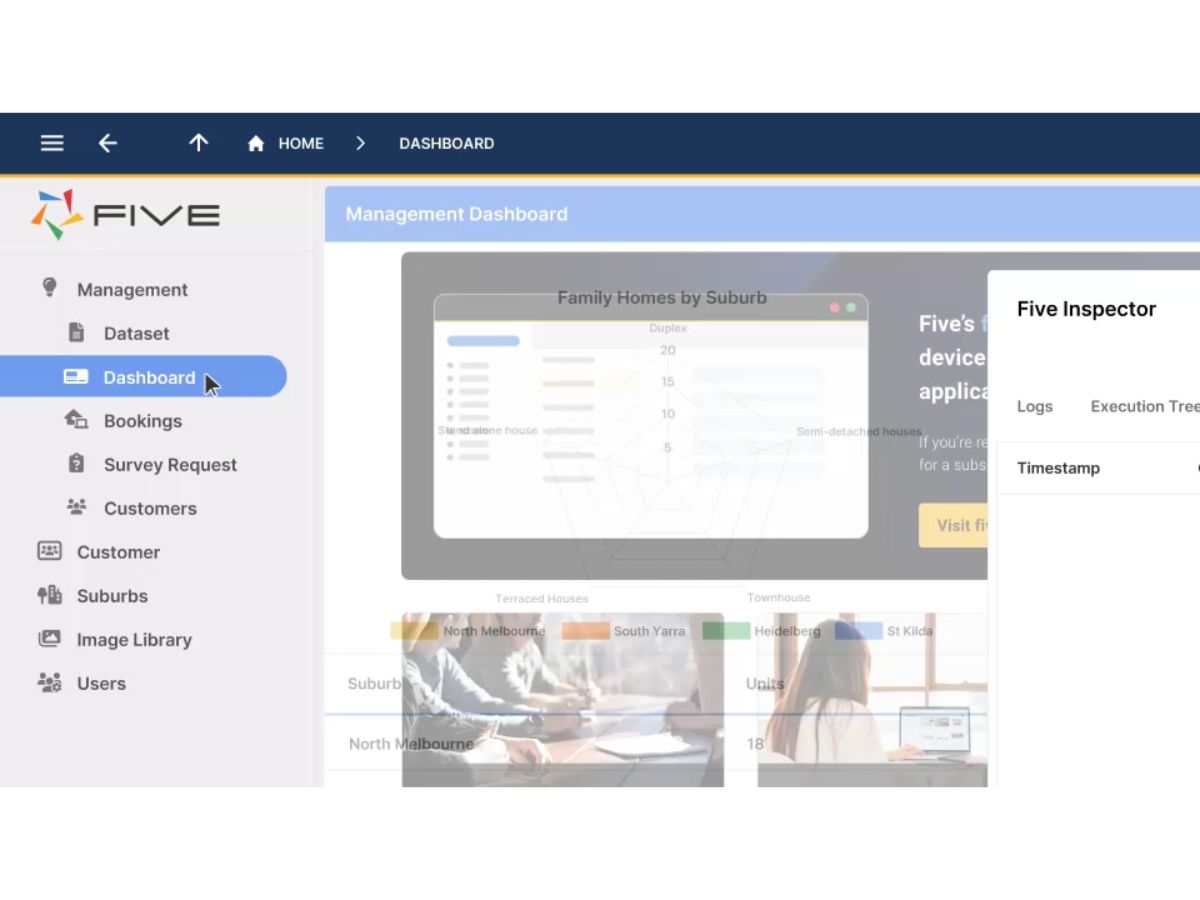
Five-dashboard
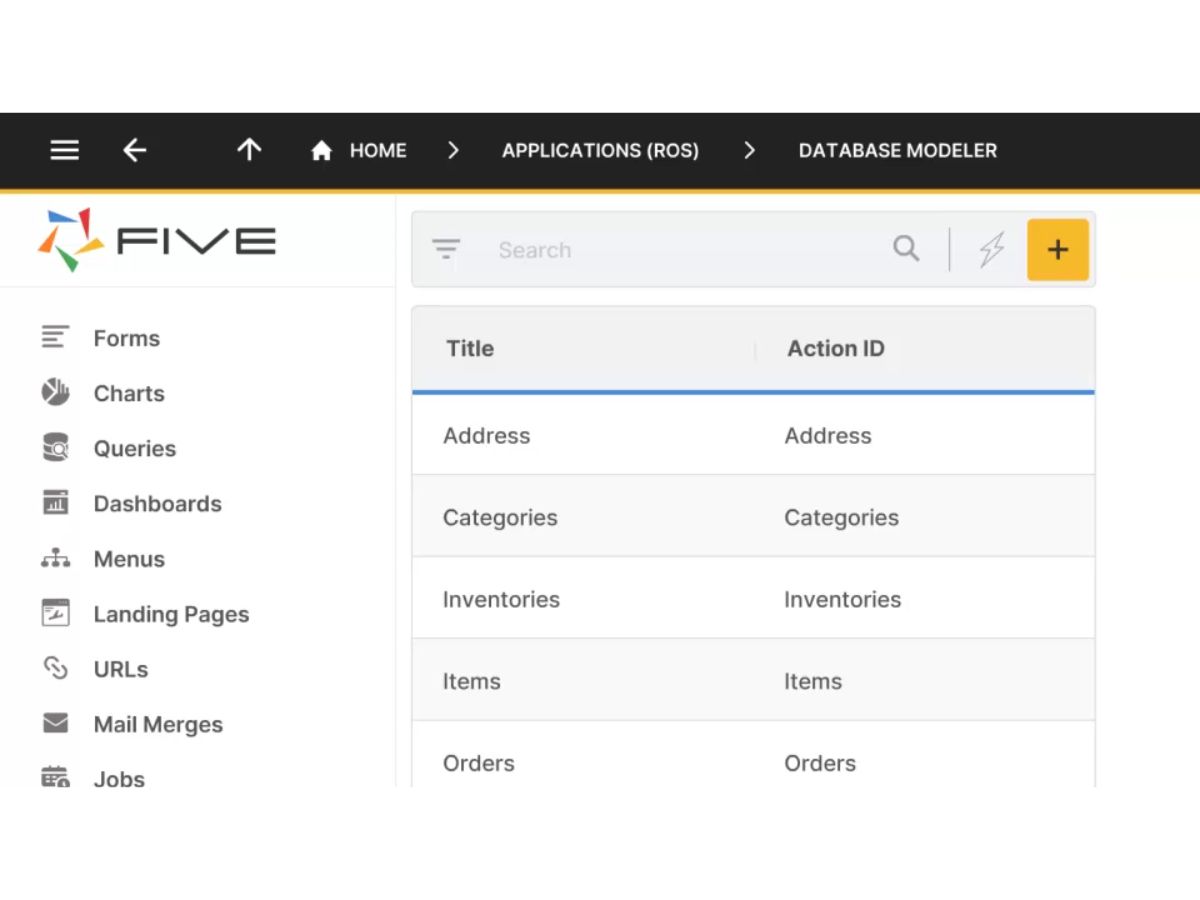
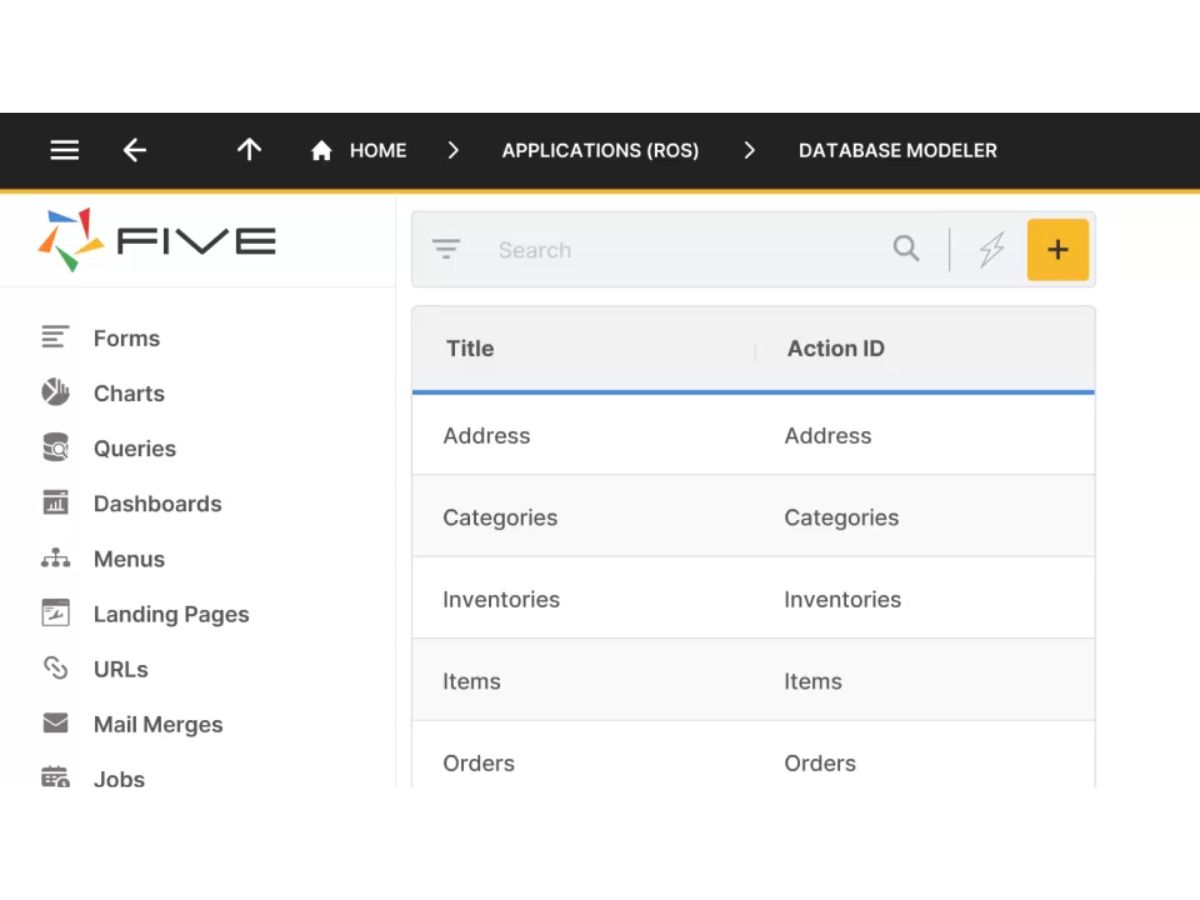
Five-modeler
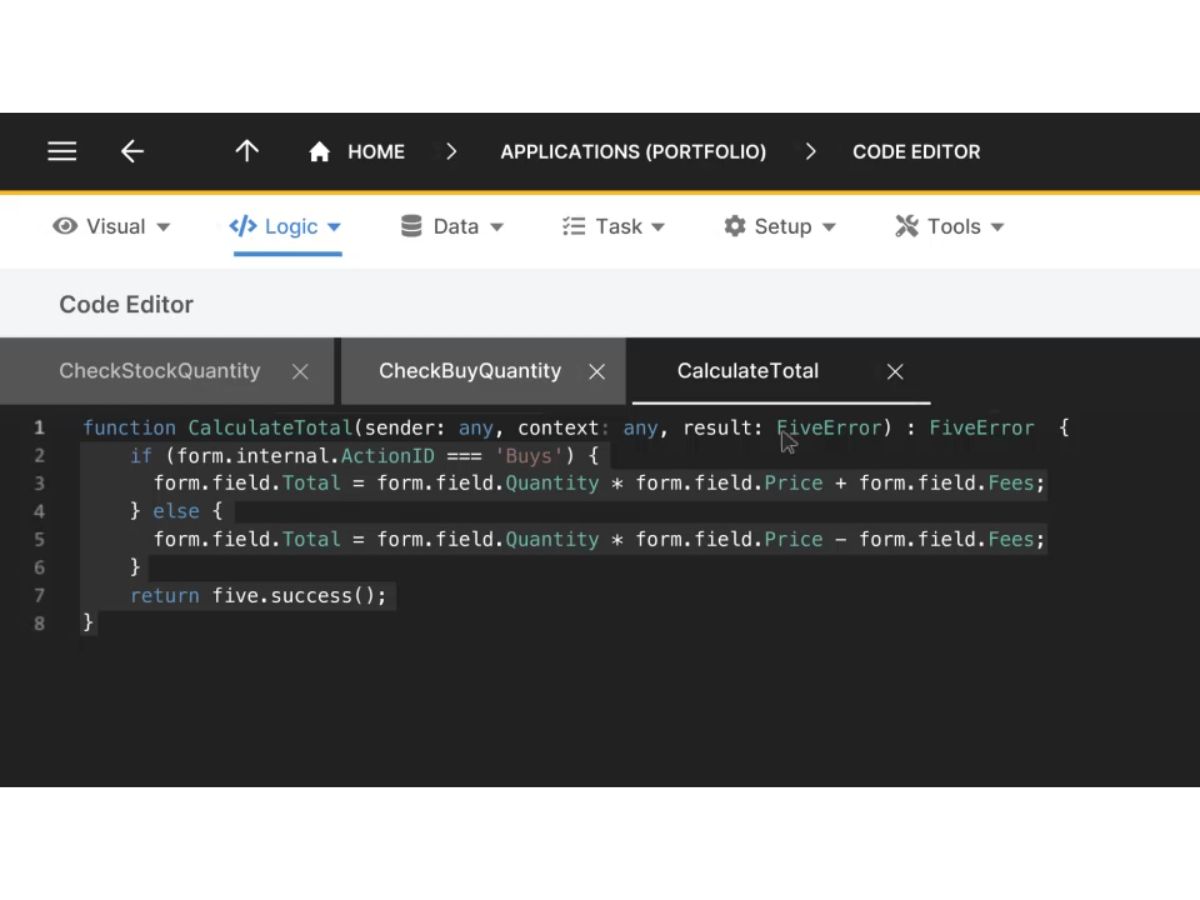
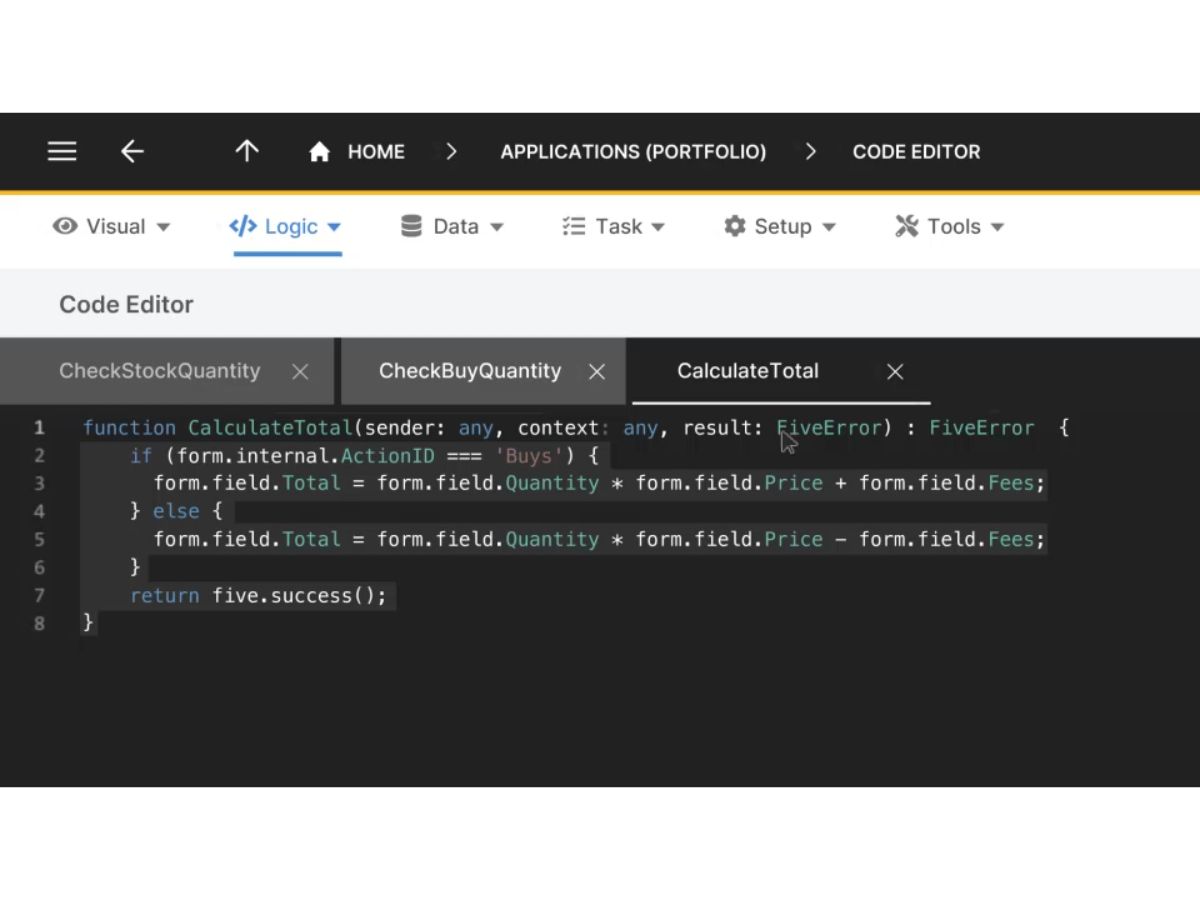
Five-code editor

Five

Brand: Five Software

  • No Ratings & Reviews

Five is a low-code platform that helps businesses build and deploy custom applications faster, combining visual development with full-code flexibility and automated cloud deployment.

See More

Have you used Five before?

Share your insights for better experience

Add a Review
Starting Price
$30

View plans

100% Genuine
Products
Best Price
Guaranteed
Safe & Secure
Payment
  • Description

  • Pricing

  • Features

  • Specification

  • Review

  • Compare

  • Alternatives

  • FAQ

Starting at $30

Five Software Overview

What is Five?

Five is a rapid application development environment designed to help developers build and deploy bespoke business software with greater speed and efficiency. It is a low-code platform that uniquely empowers developers by allowing the use of full code, including SQL, JavaScript, and TypeScript, for advanced customization and logic. The platform is primarily used to create custom internal tools, business process management (BPM) applications, online databases, and user portals.

A central part of Five is V, an AI development assistant built into the platform. Developers can describe what they want to build in natural language, and V helps generate database schemas, SQL queries, pages, and application logic, accelerating development from prompt to deployed software.

A key strength of Five is its data source flexibility. Applications built with Five can seamlessly connect to a variety of data sources, including:

  • An integrated MySQL database provided within the platform.
  • External relational databases such as MySQL or MS SQL Server.
  • Any data endpoint accessible via a REST API or OData.

This hybrid approach combines the speed of low-code development with the power and control of traditional coding, making it an ideal solution for creating robust, data-driven, and responsive web applications for both internal and external users.

Developers retain full ownership of their applications and application data built on Five; Five retains ownership only of the development environment itself, similar to how Microsoft owns Word but not the documents created with it.

Why Choose Five?

  • Developer-Centric Low-Code: Unlike many platforms that restrict developers, Five embraces them. It provides the freedom to write custom SQL queries, JavaScript, or TypeScript almost anywhere in the application, ensuring that complex business requirements can always be met.
  • Accelerated Deployment: Five automates the entire deployment process. Developers can deploy applications to development, testing, or production environments with a single click, significantly reducing time-to-market and eliminating manual DevOps tasks.
  • Managed Cloud Infrastructure: The platform handles all the complexities of cloud deployment, upgrades, and maintenance. It uses a modern, containerized architecture orchestrated by Kubernetes, meaning your team can focus on building great applications without needing specialized skills in Docker or cloud infrastructure management.
  • Enhanced Security: Data integrity and security are paramount. In Five, each application's production database is independent and completely isolated from others, ensuring that your sensitive business data is secure and not commingled. All data is encrypted at rest and in transit, with single sign-on (SSO/SAML) and two-factor authentication available from the Team tier upward, and enterprise-grade disaster recovery on the Enterprise plan.
  • Versatile Application Building: From custom inventory management systems to client portals and internal dashboards, Five is an excellent tool for building a wide range of custom online database applications that are responsive and accessible on any device.

Advanced Features of Five

  • Full-Code Extensibility: The platform's standout feature is the ability to escape the limitations of visual builders. Developers can inject custom code at virtually any point, allowing for sophisticated business logic, complex data transformations, and unique user interface interactions.
  • Flexible Data Connectivity: Go beyond the integrated database. Five allows you to build applications on top of your existing data infrastructure, whether it's a legacy SQL database or a modern microservice exposed via a REST API. This ensures your new applications can integrate tightly with existing systems.
  • Automated Containerized Deployment: Five abstracts away the complexities of modern deployment pipelines. It automatically containerizes applications and manages them using Kubernetes, providing scalability, reliability, and resilience without requiring a dedicated DevOps team.
  • Multi-Environment Management: Effortlessly manage the application lifecycle with one-click deployments to distinct development, testing, and production environments. This facilitates a structured and safe process for releasing updates and new features.

Key Capabilities of Five

  • Visual Application Builder: A user-friendly interface for rapidly creating forms, charts, dashboards, and user interfaces without writing extensive front-end code.
  • Database Management: Tools to design, create, and manage database schemas within the integrated MySQL database or to configure connections to external data sources.
  • Integrated Code Editor: A built-in editor that supports SQL, JavaScript, and TypeScript, providing developers with a familiar environment to write and execute custom code.
  • API Integration Wizard: Simplifies the process of connecting to and consuming data from external REST APIs and OData endpoints.
  • User and Role Management: Differentiates between "developers" who build the application and "end-users" who use it, allowing for clear separation of roles and permissions.
  • Automated Deployment Engine: A powerful, single-click system that handles the entire process of packaging, deploying, and hosting the application on a managed cloud infrastructure.

How to Use Five?

Getting started with Five is a straightforward process designed to get developers building quickly. While simple applications can be created with minimal coding, a foundational knowledge of web development concepts is recommended to leverage the platform's full potential.

To begin, new users should sign up for the free, full-featured trial to explore the development environment. For a smooth onboarding experience, it is highly recommended to engage with the available resources, such as the official documentation and the active user community.

For optimal results, developers should have a basic understanding of:

  • Relational databases and SQL for data querying and management.
  • JavaScript for implementing custom client-side or server-side logic.

This knowledge will enable you to move beyond simple CRUD (Create, Read, Update, Delete) applications and build truly advanced, custom software solutions.

Five Pricing

Five price starts at USD 30 at techjockey.com.

The pricing model is based on different parameters, including extra features, deployment type, and the total number of users. For further queries related to the product, you can contact our product team and learn more about the pricing and offers.

Read more

Five Software Company Details

Founded Year:  2020

Five is a low-code development environment that helps software developers build & deploy custom business applications faster.

Director/Founders Dominik Keller, Jason Anderssen, Mark Kefford
Company Size 1-100 Employees

Five Pricing & Plans

Starter
Key Features
  • Cloud-Hosted Development
  • 10 End-Users Included
  • 4 GB Storage Per App
Starting at $30
    • Licenses

      Licenses
      Licenses
    • Monthly

      Monthly
      Monthly

Key Features

  • Cloud-Hosted Development

  • 10 End-Users Included

  • 4 GB Storage Per App

Five Features

  • icon_check Drag-and-Drop Builder
    Design business applications visually with drag-and-drop tools, reducing coding effort and development time.
  • icon_check Database Management
    Create, manage, and connect relational databases to power business applications from a single platform.
  • icon_check Form Builder
    Build customizable forms for data collection, updates, approvals, and business process automation.
  • icon_check Workflow Automation
    Automate repetitive tasks and business processes using configurable workflows and triggers.
  • icon_check Role-Based Access Control (RBAC)
    Restrict application access with user roles and permissions to enhance security and governance.
  • icon_check Custom Code Support
    Extend application functionality using JavaScript, TypeScript, SQL, and custom business logic.
  • icon_check Responsive Design
    Develop applications that automatically adapt to desktops, tablets, and mobile devices.
  • icon_check Dashboard Creation
    Build interactive dashboards to visualize key business metrics, trends, and operational insights.
  • icon_check Report Generation
    Generate detailed reports from application data to support analysis and informed decision-making.
  • icon_check API Integration
    Connect external systems and services through APIs to streamline data exchange and workflows.
  • icon_check User Authentication
    Secure applications with login controls, user authentication, and identity management features.
  • icon_check Data Validation
    Ensure data accuracy and consistency through validation rules applied to forms and records.
  • icon_check Multi-User
    Enable multiple users to access, update, and manage application data simultaneously.
  • icon_check Audit Trail
    Track user activities and record changes to maintain transparency, accountability, and compliance.
  • icon_check Environment
    Manage development, testing, and production environments for smoother application releases.
  • icon_check Search and Filter
    Quickly locate records using advanced search, sorting, and filtering capabilities.
  • icon_check File Management
    Upload, store, organize, and access documents and files directly within applications.

Five Specifications

Supported Platforms
Ubuntu Ubuntu Windows Windows MacOS MacOS Linux Linux
Devices
Desktop Desktop
Deployment
Cloud-Based Cloud-Based Perpetual Perpetual
Suitable For
All Industries
Business Specific
All Businesses
Business Size
Individual Small Business Startups Medium Business Enterprises SMBs SMEs MSMBs MSMEs Freelancers
Customer Support
Email Live Chat Communities
Language
English
Integration
API Integration
Training Resources
Live Online Webinars Documentation Videos

Explore the Best Alternative Solutions Similar to Your Business Size and Needs

Five Review

Techjockey Trusted Reviews from Verified Users

No reviews are currently available for Five. Discover similar Low Code No Code Software reviews

  • Softr

    4.3

    Whats great - Softr allowed me to create a Progressive Web App (PWA) that functioned adequately on mobile browsers. read more

  • Alchemy

    4.4

    Whats great - High uptime and low-latency performance. read more

  • m Power

    4.4

    Whats great - Each of our 2-week sprints accomplishes with one programmer what many development shops would take months to develop. read more

Compare Five With other Low Code No Code Software

Products
Ratings
Pricing
Device Supported
Deployment
Supported Platforms
  • img

    Five

  • Price On Request

  • Desktop

    Mobile

  • Web based

    On Premises

  • Windows

    Mac OS

  • img

    Zoho Creator

  • 4.4

  • ₹ 720

  • Desktop

    Mobile

  • Web based

    On Premises

  • Windows

    Mac OS

  • img

    Gooey AI

  • 4.0

  • Price On Request

  • Desktop

    Mobile

  • Web based

    On Premises

  • Windows

    Mac OS

  • img

    FlutterFlow

  • 4.6

  • ₹ 1300

  • Desktop

    Mobile

  • Web based

    On Premises

  • Windows

    Mac OS

  • img

    BuildAI

  • 4.7

  • Price On Request

  • Desktop

    Mobile

  • Web based

    On Premises

  • Windows

    Mac OS

  • img

    WEM

  • 4.4

  • Price On Request

  • Desktop

    Mobile

  • Web based

    On Premises

  • Windows

    Mac OS

  • img

    Tableflow

  • 4

  • ₹ 3500

  • Desktop

    Mobile

  • Web based

    On Premises

  • Windows

    Mac OS

  • img

    Ninox

  • 4.0

  • Price On Request

  • Desktop

    Mobile

  • Web based

    On Premises

  • Windows

    Mac OS

  • img

    Adalo

  • 4.7

  • Price On Request

  • Desktop

    Mobile

  • Web based

    On Premises

  • Windows

    Mac OS

  • img

    Plasmic

  • 4.3

  • Price On Request

  • Desktop

    Mobile

  • Web based

    On Premises

  • Windows

    Mac OS

(0) Product(s) selected

Five Alternatives

See All Five Alternatives

Starting Price:

$399 /Month

Starting Price:

$20

WEM

4.4

Available

Price on Request

Starting Price:

$156 /User/Year

Starting Price:

$49 /Month
Starting Price:

$50 /Developer/Month

Starting Price:

$15 /User/Month
Starting Price:

$12 /User/Month

Starting Price:

$29 /Month

Starting Price:

€25 /Seat/Month

Riku

4.5

Starting Price:

$29 /Month

What is Five?

Five is a rapid application development environment that helps developers build and deploy bespoke business software faster, typically for internal tools, portals, or custom business apps, allowing the use of full code (SQL, JavaScript or TypeScript) almost anywhere.

Is Five free?

Yes, Five offers a free, full-featured trial for users to get started and explore its capabilities.

How much does Five cost?

Five price starts at USD 30 at techjockey.com.

What does Five do?

Five is a rapid application development environment that enables developers to build and deploy bespoke business software, such as internal tools, portals, or custom business apps, connecting to various data sources.

Who can use Five?

Five is primarily designed for developers who want to build and deploy custom business applications faster, and while simple apps can be built with minimal code, a basic understanding of relational databases, SQL, and JavaScript is beneficial for effective use.

What types of applications can be built with Five?

Five allows developers to build and deploy responsive web applications, typically custom business applications for internal or external users, including internal tools and portals.

How does Five handle application deployment?

Five deploys containerized applications on the cloud, orchestrated by Kubernetes, automating the entire deployment process with a single click to development, testing, or production, so users don't need to worry about maintenance or complex cloud skills.

Can Five applications connect to external data sources?

Yes, applications built with Five can connect to various data sources, including an integrated MySQL database, external relational databases like MySQL or MS SQL Server, or any REST API or OData endpoint.

Is application data secure and isolated in Five?

No, production databases for applications built with Five are independent and isolated from each other to ensure robust data security.

20,000+ Software Listed

Best Price Guranteed

Free Expert Consultation

2M+ Happy Customers

Terms and Condtions

close

Users with registered businesses can purchase goods from merchants on the platform to satisfy their business needs. Users are not permitted to utilize any products acquired through the platform for resale, advertising, business, or further distribution.

For each purchase made, users will receive a Tax Invoice (or 'GST invoice') that includes specific details such as:

  • the GSTIN of the user associated with their registered business, and

  • the specified Entity Name for their business.

It should be noted that not all products are eligible for GST Invoice. Only the products displayed by participating sellers with the 'GST-based Invoice Available' callout on the product description page would qualify.

Certain goods and services are not eligible to get a GST Invoice, including items with VAS, i.e., Value Added Services (e.g., Total Mobile Protection/Assured Buyback) and those involving an exchange offer at the time of purchase.

Users must ensure the accuracy of the GSTIN, and business entity name provided for the GST Invoice. Requests for corrections into GST Invoice would not be accommodated by Techjockey.com or any Seller, and any issues arising from user-provided information are the sole responsibility of users.

Techjockey.com is not liable for the GST Invoice or any associated input tax credit. To efficiently claim an input tax credit, users should select the registered place of business address as per the GST authority's data and follow the provisions of the GST Act and rules.

To claim an input tax credit, the delivery and billing addresses must match. Furthermore, input tax credits will not be granted if the delivery address and GSTIN on the invoice are from different states. In case of incorrect GST details provided during the order placement, the order will be canceled automatically.