 USA
USA UAE
UAESmall Business
Designed for startups and growing businesses


See More


Brand: Free Download Manager
A powerful tool that accelerates and organizes downloads on Windows, macOS, Android, and Linux, allowing users to download files faster and manage them efficiently.
See MoreHave you used Free Download Manager before?
Share your insights for better experience
This Product is Available Free Forever.
Start instantly with no fees, no subscriptions, and no commitments.
Free Forever Plan
Get started immediately at no cost. Upgrade anytime if your business demand more.
Free Forever Remote Control Add-on Support BitTorrent Support Enhanced Audio/Video files Support Download Acceleration Resuming Broken Downloads Smart file Management & Powerful Scheduler Adjusting Traffic Usage Multilanguage Support Modern Interface
  Windows
  iOS
iOS  Android MacOS
  Linux
Linux  Desktop
  Mobile
  Cloud-Based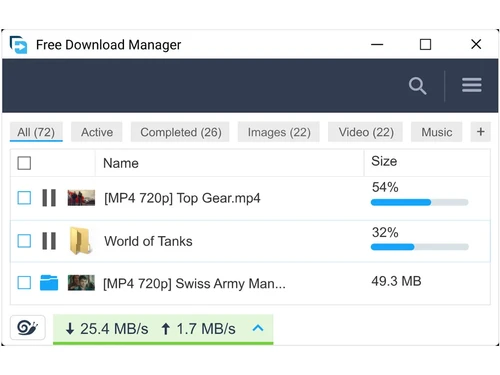
Small Business
Designed for startups and growing businesses
Medium Business
Built for business growth and flexibility
Enterprises
Designed for complex and large-scale business needs
4.2
Out of 5

Overall Rating
Based on
2 Verified Reviews
Rating Breakdown
85% Recommend this Product
Add Review
Jan 28, 2025
Techjockey Verified
“A Powerful Download Manager for Power Users”
As someone who downloads a lot of files, FDM has become an essential tool for me. Its features like download scheduling, multi-threaded downloads, and video download support are incredibly useful. The interface is intuitive, and the customization options are extensive.
Pros
Fast download speeds, supports multiple downloads simultaneously, download scheduling, video download support, extensive customization options, free to use.
Cons
Can sometimes be resource-intensive, occasional minor bugs in updates, interface might be overwhelming for beginners.
Jan 23, 2025
Techjockey Verified
“A Simple and Effective Download Manager”
I was tired of slow downloads and browser crashes. FDM has been a lifesaver! It's easy to use, downloads files much faster than my browser, and allows me to pause and resume downloads whenever needed. I highly recommend it to anyone who downloads files regularly.
Pros
Easy to use, fast download speeds, pause/resume functionality, free to use, improves download stability.
Cons
Interface could be more modern, limited advanced features compared to some paid alternatives

Free Download Manager
FREE
Desktop
Mobile
Web based
On Premises
Windows
Mac OS

SaveFrom Net
Price On Request
Desktop
Mobile
Web based
On Premises
Windows
Mac OS
Internet Download Manager
₹ 1940
Desktop
Mobile
Web based
On Premises
Windows
Mac OS

YTD Video Downloader
Price On Request
Desktop
Mobile
Web based
On Premises
Windows
Mac OS
VideoHunter
Price On Request
Desktop
Mobile
Web based
On Premises
Windows
Mac OS

CatchVideo
Price On Request
Desktop
Mobile
Web based
On Premises
Windows
Mac OS

Ninja Download Manager
Price On Request
Desktop
Mobile
Web based
On Premises
Windows
Mac OS

Ant Download Manager
₹ 1209
Desktop
Mobile
Web based
On Premises
Windows
Mac OS
SaveTheVideo
Price On Request
Desktop
Mobile
Web based
On Premises
Windows
Mac OS

9xbuddy
Price On Request
Desktop
Mobile
Web based
On Premises
Windows
Mac OS

Motrix
Price On Request
Desktop
Mobile
Web based
On Premises
Windows
Mac OS
(0) Product(s) selected
Available
Price on Request
Available
Price on Request
Available
Price on Request
Available
Price on Request
Available
Price on Request
Available
Price on Request

Available
Price on Request

Available
Price on Request
Starting Price:
$16 /Month

Starting Price:
$5 /Month
Starting Price:
$20 /Quantity
Free Download Manager software is free to use.
No, Free Download Manager does not offer a free trial as it is completely free to use.
Free Download Manager works by accelerating downloads through file segmentation, allowing users to manage and organize their downloads efficiently.
Potential users of Free Download Manager include anyone who frequently downloads files, such as students, professionals, and multimedia enthusiasts looking for a fast and organized downloading solution.
There is no free demo for Free Download Manager since it is available for free without any trials or demos.
Yes, Free Download Manager offers an Android and iOS mobile app.
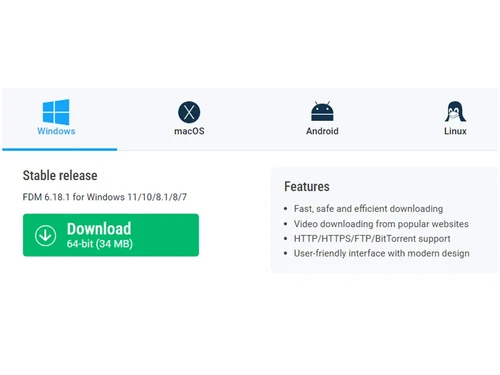
Free Download Manager software is compatible with Windows, MacOS, and Linux operating systems.
Yes, Free Download Manager offers a free demo to showcase its features and functionalities to prospective users.
Yes, Free Download Manager is completely free to use and does not require any payment or subscription.
Free Download Manager uses the server file’s modified date to determine the file’s date and time
To determine the file’s date and time in FDM, follow the steps given below:
0 3
Some of the good portable download managers are as follows:
0 0
To download YouTube videos using FDM, follow the steps given below:
0 3
The simplest way of rectifying this issue is to uninstall Google Chrome and then reinstall it.
0 0
20,000+ Software Listed
Best Price Guranteed
Free Expert Consultation
2M+ Happy Customers
Terms and Condtions

Users with registered businesses can purchase goods from merchants on the platform to satisfy their business needs. Users are not permitted to utilize any products acquired through the platform for resale, advertising, business, or further distribution.
For each purchase made, users will receive a Tax Invoice (or 'GST invoice') that includes specific details such as:
the GSTIN of the user associated with their registered business, and
the specified Entity Name for their business.
It should be noted that not all products are eligible for GST Invoice. Only the products displayed by participating sellers with the 'GST-based Invoice Available' callout on the product description page would qualify.
Certain goods and services are not eligible to get a GST Invoice, including items with VAS, i.e., Value Added Services (e.g., Total Mobile Protection/Assured Buyback) and those involving an exchange offer at the time of purchase.
Users must ensure the accuracy of the GSTIN, and business entity name provided for the GST Invoice. Requests for corrections into GST Invoice would not be accommodated by Techjockey.com or any Seller, and any issues arising from user-provided information are the sole responsibility of users.
Techjockey.com is not liable for the GST Invoice or any associated input tax credit. To efficiently claim an input tax credit, users should select the registered place of business address as per the GST authority's data and follow the provisions of the GST Act and rules.
To claim an input tax credit, the delivery and billing addresses must match. Furthermore, input tax credits will not be granted if the delivery address and GSTIN on the invoice are from different states. In case of incorrect GST details provided during the order placement, the order will be canceled automatically.



