Description
Pricing
Features
Specification
Review
Compare
FAQs
Alternatives
 Get Free Advice
Get Quote



Brand : IrfanView


4.0 
3 Ratings
Have Questions?
Starting at
$ 12
Save Extra with 2 Offers
 Save upto 18%, Get GST Invoice on your business purchase |
Users with registered businesses can purchase goods from merchants on the platform to satisfy their business needs. Users are not permitted to utilize any products acquired through the platform for resale, advertising, business, or further distribution.
For each purchase made, users will receive a Tax Invoice (or 'GST invoice') that includes specific details such as:
the GSTIN of the user associated with their registered business, and
the specified Entity Name for their business.
It should be noted that not all products are eligible for GST Invoice. Only the products displayed by participating sellers with the 'GST-based Invoice Available' callout on the product description page would qualify.
Certain goods and services are not eligible to get a GST Invoice, including items with VAS, i.e., Value Added Services (e.g., Total Mobile Protection/Assured Buyback) and those involving an exchange offer at the time of purchase.
Users must ensure the accuracy of the GSTIN, and business entity name provided for the GST Invoice. Requests for corrections into GST Invoice would not be accommodated by Techjockey.com or any Seller, and any issues arising from user-provided information are the sole responsibility of users.
Techjockey.com is not liable for the GST Invoice or any associated input tax credit. To efficiently claim an input tax credit, users should select the registered place of business address as per the GST authority's data and follow the provisions of the GST Act and rules.
To claim an input tax credit, the delivery and billing addresses must match. Furthermore, input tax credits will not be granted if the delivery address and GSTIN on the invoice are from different states. In case of incorrect GST details provided during the order placement, the order will be canceled automatically.
Buy Now & Pay Later, Check offer on payment page. A quick and compact Windows program for viewing, editing, and converting image files. ...Read more
 Get Instant Expert
  Safe & Secure
  Assured Best Price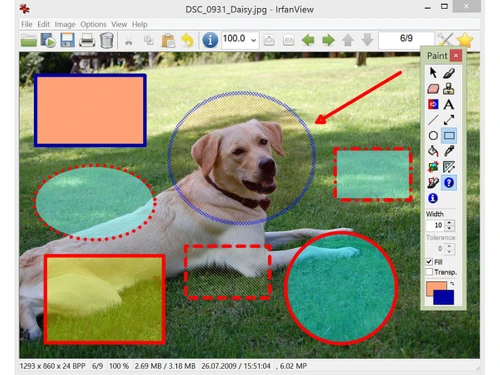
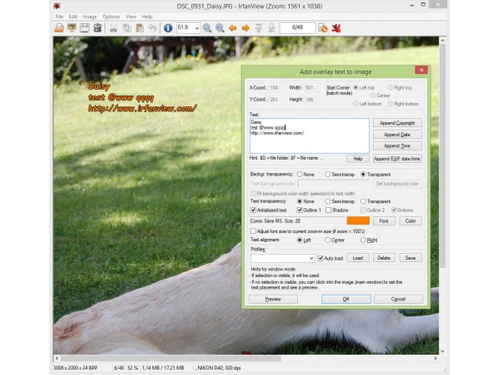
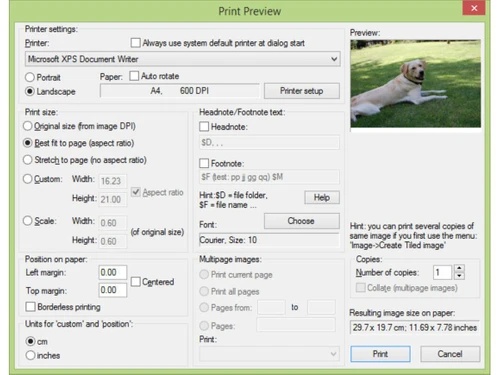
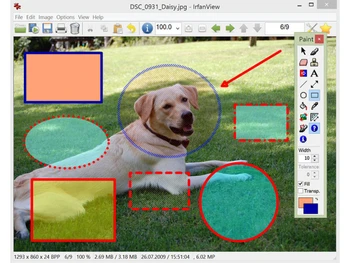
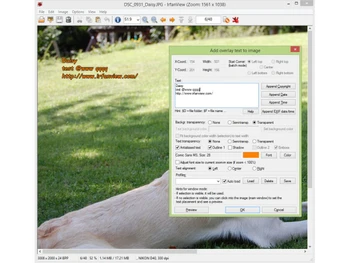
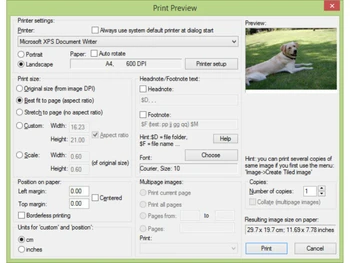
 Batch Conversion Process multiple files simultaneously to convert formats or rename images using advanced renaming patterns and subfolders. Preview Functionality Display a dedicated window of small image previews for a directory, allowing for quick visual navigation and file sorting. Import/Export Management Create automated image presentations and save them as standalone EXE or SCR files, or export the sequence to MP4 video format. Screen Capture Capture the desktop, active windows, or specific regions with options to include the cursor or set timed delay intervals. Metadata Handling View and edit detailed information embedded in image files, including EXIF camera data, IPTC tags, and user-added comments. Multimedia Player Includes a built-in player to open and playback various audio and video formats like MP3, AVI, and many other media types. Watermark Overlay Add text or secondary images as overlays to multiple files at once, useful for branding or protecting digital photographs. Unicode Support Enables the software to correctly read and display file names or paths containing characters from various global languages. Data Extraction Scan through EXE, DLL, or ICL files to extract and save embedded icons as individual graphic files for further software use. File Search Locate specific images across local directories using criteria like filename, file size, or specific date characteristics. Panorama Creation Combine multiple images horizontally or vertically to create a single seamless panoramic view from individual photo files. Effect Browser Access a library of visual filters including sharpen, blur, and emboss to adjust the aesthetic properties of any photograph.

 20,000+ Software Listed
 Best Price Guaranteed
 Free Expert Consultation
 2M+ Happy Customers
 USA
USA UAE
UAE