linkedin
Iobit Protected folder logo
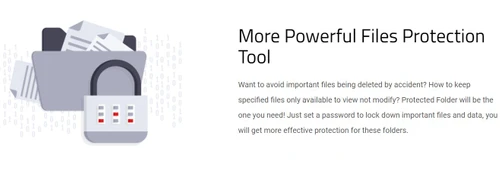
Iobit Protected
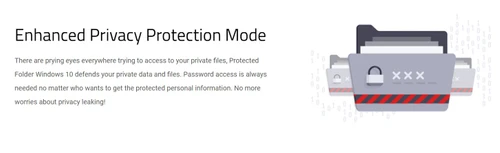
Iobit Protected privacy protection mode
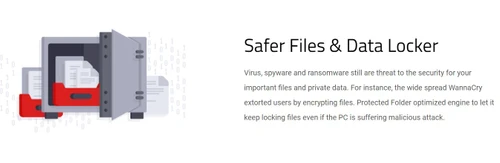
Iobit Protected data locker

Iobit Protected folder

Brand: IObit

  • 4.2

  • 2 Ratings & 2 Reviews

IObit Protected Folder is a utility software that safeguards files and folders from unauthorized access, theft, and modification using password protection. It provides enhanced security against data breaches and privacy leaks.

See More

Have you used Iobit Protected folder before?

Share your insights for better experience

Add a Review
Starting Price
$20

View plans

100% Genuine
Products
Best Price
Guaranteed
Safe & Secure
Payment
  • Description

  • Pricing

  • Features

  • Specification

  • Review

  • Compare

  • Alternatives

  • FAQ

Starting at $20

Iobit Protected folder Software Overview

What is Iobit Protected folder?

IObit Protected Folder is a security utility software designed to safeguard files and folders from unauthorized access, deletion, or modification. It uses password protection to prevent data leakage and provides an easy drag-and-drop interface for securing important documents.

The software offers advanced privacy protection against malware, hackers, and prying eyes, allowing users to lock, hide, and restrict access to specific files and folders. With strong encryption and reliable security features, IObit Protected Folder ensures data safety and prevents unauthorized modifications, making it an essential tool for protecting sensitive information.

Why Choose Iobit Protected folder Software?

  • Strong Password Protection : Prevents unauthorized access by locking files and folders with a secure password.
  • Data Privacy & Security : Protects sensitive documents from hackers, malware, and prying eyes.
  • Easy-to-Use Interface : Simple drag-and-drop feature for quick and hassle-free file protection.
  • File Locking & Hiding : Allows users to lock, hide, and restrict access to important files and folders.
  • Prevents Unauthorized Modification : Stops files from being altered, deleted, or moved without permission.
  • Lightweight & Efficient : Uses minimal system resources while providing strong security.
  • Accidental Deletion Prevention: It helps avoid important files from being accidentally deleted, ensuring their safety.
  • Control Over File Modification: You can keep specified files only available to view and not modify, providing an additional layer of control over your data.
  • Reliable Encryption : Ensures data safety with advanced encryption techniques.
  • Compatible with Windows : Works smoothly on Windows operating systems for seamless protection.

Benefits of Iobit Protected folder Software

  • Protection Against Ransomware : Shields important files from ransomware attacks that encrypt or lock data.
  • Auto-Lock Feature : Automatically locks files and folders after a set period of inactivity for added security.
  • Multi-Layered Security : Combines file hiding, locking, and access control for comprehensive protection.
  • Customizable Access Permissions : Allows users to set read-only access or completely block access to files.
  • Prevents Accidental Deletion : Ensures important files are not accidentally deleted or modified by mistake.
  • Safe from Unauthorized Uninstallation : Prevents the software from being uninstalled without the correct password.

Pricing of Iobit Protected folder

Iobit Protected folder price in India starts at INR 1,370 at techjockey.com.

The pricing model is based on different parameters, including extra features, deployment type, and the total number of users. For further queries related to the product, you can contact our product team and learn more about the pricing and offers.

Read more

IObit Company Details

Founded Year:  2004

IObit provides consumers with innovative system utilities and security software for superior PC performance and security.

Director/Founders Xue Tim
Company Size 101-500 Employees
Other info IObit provides consumers with innovative system utilities and security software for superior PC performance and security.

Iobit Protected folder Pricing & Plans

IObit Protected Folder
Key Features
  • Advanced Threat Protection
  • Data Theft Protection
  • Deleted File Protection
  • Exclude List
  • Folders Lock Options
Starting at $20
    • Licenses

      Licenses
      Licenses
    • Yearly

      Yearly
      Yearly

Key Features

  • Advanced Threat Protection

  • Data Theft Protection

  • Deleted File Protection

  • Exclude List

  • Folders Lock Options

Iobit Protected folder Features

  • icon_check Master Password Lock
    Secure all your private data behind one master password, ensuring that only you can access the protected files and folders.
  • icon_check Hide from Explorer
    Completely hide your sensitive folders from the Windows File Explorer so they are invisible to any other system users.
  • icon_check Read Access Block
    Ensure total privacy by blocking the reading of your files, preventing unauthorized users from opening or viewing content.
  • icon_check Enhanced Privacy UI
    Protect your personal privacy by locking away sensitive documents, photos, and videos from prying eyes on shared computers.
  • icon_check Malicious Attack Shield
    Safeguard your important files against ransomware and other malicious software that attempts to encrypt or steal data.
  • icon_check Simple User Interface
    Navigate the software with an intuitive and clean design that makes file protection easy for both beginners and experts.
  • icon_check Exclusion List Tool
    Manage which specific files or folders should never be locked by adding them to a customizable system wide exclusion list.
  • icon_check Lightweight Operation
    Run the security software in the background without slowing down your PC or consuming excessive system memory resources.
  • icon_check File Storage
    Create a virtual vault for your most confidential information, protecting it from accidental deletion or modification.
  • icon_check System Compatibility
    Enjoy full support for all modern Windows versions, providing consistent file protection across different desktop setups.
  • icon_check Advanced Threat Protection
    Safeguards private files from unauthorized access and prying eyes.
  • icon_check Data Theft Protection
    Protects important files from viruses, spyware, and ransomware threats.
  • icon_check Deleted File Protection
    Prevents accidental file deletion and restricts modifications.
  • icon_check Exclude List
    Allows users to exclude specific files from protection to avoid system errors.
  • icon_check Folders Lock Options
    Provides multiple locking options, including hiding files, blocking access, and modifying restrictions.

Iobit Protected folder Specifications

Supported Platforms
Windows Windows
Devices
Desktop Desktop
Deployment
Perpetual Perpetual
Suitable For
ITES
Business Specific
All Businesses
Customer Support
Communities Forums
Language
English
Training Resources
Documentation

Explore the Best Alternative Solutions Similar to Your Business Size and Needs

Iobit Protected folder Reviews

4.2

Out of 5

img

Overall Rating

Based on
2 Verified Reviews

Rating Breakdown

  • Features 4.7
  • Value for Money 4.2
  • Ease of Use 4.5
  • Customer Support 4.6

100% Recommend this Product

Add Review

Raju Singh

User

4.5

Reviewed on: Jan 27, 2019

Techjockey Verified

“Good experience”

Pros

Provided that this is true. The software is all good & works in a prefered condition that would give a great experience in the protection of the iteams saved.

Cons

NO CONS

Arpit Sharma

User

4.1

Reviewed on: Aug 29, 2018

Techjockey Verified

“customer service is best”

Pros

I reached out to Techjockey for some advice on software and hardware. I got quick answers and the companies recommended got back to me very quickly as well. I think this model for finding out about services andsoftware is a sound one for individuals and companies who don't have the time to research every single option in the marketplace.

Cons

N/A

Compare Iobit Protected folder With other Utility Software

Products
Ratings
Pricing
Device Supported
Deployment
Supported Platforms
  • img

    Iobit Protected folder

  • 4.2

  • Price On Request

  • Desktop

    Mobile

  • Web based

    On Premises

  • Windows

    Mac OS

  • img

    IObit Start Menu 8

  • 4.5

  • Price On Request

  • Desktop

    Mobile

  • Web based

    On Premises

  • Windows

    Mac OS

  • img

    Truecaller

  • 4.2

  • ₹ 84

  • Desktop

    Mobile

  • Web based

    On Premises

  • Windows

    Mac OS

  • img

    WizTree

  • 4.3

  • Price On Request

  • Desktop

    Mobile

  • Web based

    On Premises

  • Windows

    Mac OS

  • img

    RestoreX360

  • 5

  • ₹ 1499

  • Desktop

    Mobile

  • Web based

    On Premises

  • Windows

    Mac OS

  • img

    Xplorer

  • 4.1

  • Price On Request

  • Desktop

    Mobile

  • Web based

    On Premises

  • Windows

    Mac OS

  • img

    CHIRP

  • 4.3

  • Price On Request

  • Desktop

    Mobile

  • Web based

    On Premises

  • Windows

    Mac OS

(0) Product(s) selected

Iobit Protected folder Alternatives

See All Iobit Protected folder Alternatives
SAVE UPTO 24%

Starting Price:

$25 /Quantity

Available

Price on Request

Available

Price on Request

Starting Price:

$12 /License

Opal

4.3

Starting Price:

$20 /Month

Articles for Iobit Protected folder

See All Related Articles

What is the cost of IObit Protected Folder software?

The price of IObit Protected Folder in India starts at INR 1,370 on TechJockey.com.

Is there a mobile app available for IObit Protected Folder software?

No, IObit Protected Folder is only available for Windows.

Which operating systems are compatible with IObit Protected Folder software?

IObit Protected Folder is compatible with Windows operating systems.

Does IObit Protected Folder software provide a free trial?

Yes, IObit Protected Folder free trial is available for users to test its features.

How does IObit Protected Folder software function?

IObit Protected Folder locks, hides, and restricts access to files and folders using password protection.

Who can benefit from using IObit Protected Folder software?

Individuals, businesses, and anyone needing to protect sensitive files and data can benefit from IObit Protected Folder.

Is a free demo available for IObit Protected Folder software?

No, but IObit Protected Folder free trial version is available for testing.

Is IObit Protected Folder software available for free?

No, IObit Protected Folder is a paid software, but a free trial is offered.

Does IObit Protected Folder slow down my computer?

No, IObit Protected Folder is a lightweight program that runs efficiently without affecting system performance.

Can I protect external hard drives and USB drives?

No, IObit Protected Folder only works for files and folders stored on the local hard drive.

20,000+ Software Listed

Best Price Guranteed

Free Expert Consultation

2M+ Happy Customers

Terms and Condtions

close

Users with registered businesses can purchase goods from merchants on the platform to satisfy their business needs. Users are not permitted to utilize any products acquired through the platform for resale, advertising, business, or further distribution.

For each purchase made, users will receive a Tax Invoice (or 'GST invoice') that includes specific details such as:

  • the GSTIN of the user associated with their registered business, and

  • the specified Entity Name for their business.

It should be noted that not all products are eligible for GST Invoice. Only the products displayed by participating sellers with the 'GST-based Invoice Available' callout on the product description page would qualify.

Certain goods and services are not eligible to get a GST Invoice, including items with VAS, i.e., Value Added Services (e.g., Total Mobile Protection/Assured Buyback) and those involving an exchange offer at the time of purchase.

Users must ensure the accuracy of the GSTIN, and business entity name provided for the GST Invoice. Requests for corrections into GST Invoice would not be accommodated by Techjockey.com or any Seller, and any issues arising from user-provided information are the sole responsibility of users.

Techjockey.com is not liable for the GST Invoice or any associated input tax credit. To efficiently claim an input tax credit, users should select the registered place of business address as per the GST authority's data and follow the provisions of the GST Act and rules.

To claim an input tax credit, the delivery and billing addresses must match. Furthermore, input tax credits will not be granted if the delivery address and GSTIN on the invoice are from different states. In case of incorrect GST details provided during the order placement, the order will be canceled automatically.