 USA
USA UAE
UAESmall Business
Designed for startups and growing businesses

See More


Brand: FinalWire
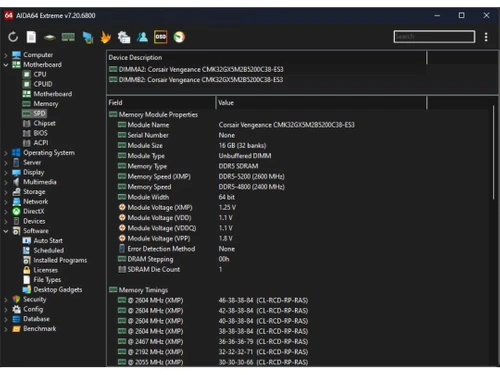
AIDA64 Extreme is a powerful diagnostic and benchmarking software designed for home users to monitor and optimise their PC performance.
See MoreHave you used AIDA64 Extreme before?
Share your insights for better experience
Brand: FinalWire
Founded Year: 1995
FinalWire is a software company that specializes in software development and software publishing.
 Diagnostics Benchmarking Stress Testing Audit SensorPanel Customization External Display Support Accuracy Measurements
  Windows
  Desktop
  Perpetual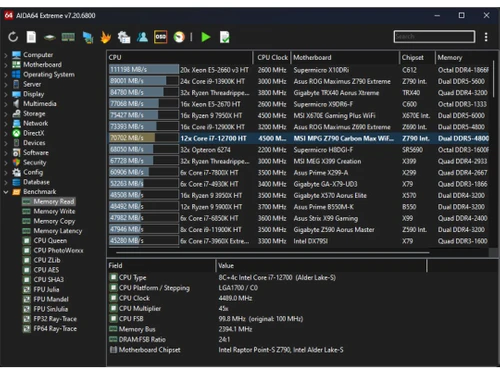
Small Business
Designed for startups and growing businesses
Medium Business
Built for business growth and flexibility
Enterprises
Designed for complex and large-scale business needs
4.1
Out of 5

Overall Rating
Based on
6 Verified Ratings
Rating Breakdown
88% Recommend this Product
Add ReviewTechjockey Trusted Reviews from Verified Users
No reviews are currently available for AIDA64 Extreme. Discover similar Utility Software reviews

Booky
Whats great - Booky.io has a clean and minimal layout. It's perfect for keeping my most-used links all in one place. The drag-and-drop make... read more

Defencebyte Computer Opmitizer
Whats great - Really I am happy now after using defencebyte Computer optimizer, My Pc performance boost after using defencebyte Computer op... read more

VMware
Whats great - Vmware offers a wide variety of management tools and features to help with both the initial configuration and ongoing adminis... read more

AIDA64 Extreme
Price On Request
Desktop
Mobile
Web based
On Premises
Windows
Mac OS

Nero Platinum Suite
₹ 4065
Desktop
Mobile
Web based
On Premises
Windows
Mac OS

Truecaller
₹ 84
Desktop
Mobile
Web based
On Premises
Windows
Mac OS

WizTree
Price On Request
Desktop
Mobile
Web based
On Premises
Windows
Mac OS

RestoreX360
₹ 1499
Desktop
Mobile
Web based
On Premises
Windows
Mac OS

Xplorer
Price On Request
Desktop
Mobile
Web based
On Premises
Windows
Mac OS
CHIRP
Price On Request
Desktop
Mobile
Web based
On Premises
Windows
Mac OS

IrfanView
Price On Request
Desktop
Mobile
Web based
On Premises
Windows
Mac OS

Iobit Driver Booster 13 Pro
Price On Request
Desktop
Mobile
Web based
On Premises
Windows
Mac OS

Opal
Price On Request
Desktop
Mobile
Web based
On Premises
Windows
Mac OS

Iobit Protected folder
Price On Request
Desktop
Mobile
Web based
On Premises
Windows
Mac OS
(0) Product(s) selected
Starting Price:
₹4,065 /PC/Year ₹5,350
Starting Price:
₹84 /Month
Starting Price:
$25 /Quantity
Available
Price on Request
Available
Price on Request
Starting Price:
$12 /License
Starting Price:
$19 /Year
Starting Price:
$20 /Month

Available
Price on Request

Available
Price on Request

Available
Price on Request









AIDA64 Extreme pricing starts at $ 60 at techjockey.com. Pricing is customised based on specific business needs.
AIDA64 Extreme supports Windows operating systems, including Windows 10, 11, and earlier versions like Windows 7 and 8.
It scans the system to collect detailed data on hardware and software, offering real-time monitoring, benchmarking, and diagnostics tools.
Yes, it can be used by small businesses for system diagnostics and hardware monitoring, though it;s mainly designed for personal use.
Yes, AIDA64 Extreme offers a free 30-day trial with full access to its features for evaluation purposes.
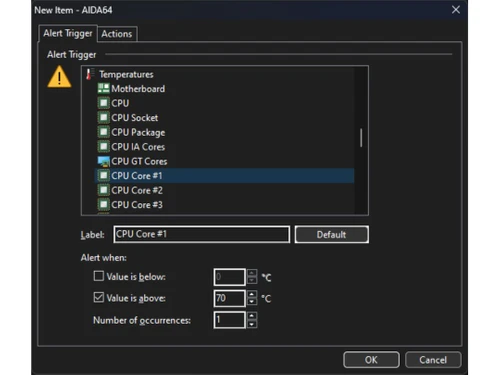
It offers diagnostics, benchmarking, stress testing, sensor monitoring, software auditing, and custom display panel features.
While there isn't a standalone mobile app, it supports external display and remote monitoring on mobile devices through network access.
Tech enthusiasts, gamers, overclockers, system builders, and IT professionals who need in-depth system insights.
AIDA64 Extreme is a read-only tool and doesn't alter system files, making it safe and secure for diagnostics and monitoring.
It is used for detailed system diagnostics, performance benchmarking, hardware monitoring, and stress testing of PCs.
20,000+ Software Listed
Best Price Guranteed
Free Expert Consultation
2M+ Happy Customers
Terms and Condtions

Users with registered businesses can purchase goods from merchants on the platform to satisfy their business needs. Users are not permitted to utilize any products acquired through the platform for resale, advertising, business, or further distribution.
For each purchase made, users will receive a Tax Invoice (or 'GST invoice') that includes specific details such as:
the GSTIN of the user associated with their registered business, and
the specified Entity Name for their business.
It should be noted that not all products are eligible for GST Invoice. Only the products displayed by participating sellers with the 'GST-based Invoice Available' callout on the product description page would qualify.
Certain goods and services are not eligible to get a GST Invoice, including items with VAS, i.e., Value Added Services (e.g., Total Mobile Protection/Assured Buyback) and those involving an exchange offer at the time of purchase.
Users must ensure the accuracy of the GSTIN, and business entity name provided for the GST Invoice. Requests for corrections into GST Invoice would not be accommodated by Techjockey.com or any Seller, and any issues arising from user-provided information are the sole responsibility of users.
Techjockey.com is not liable for the GST Invoice or any associated input tax credit. To efficiently claim an input tax credit, users should select the registered place of business address as per the GST authority's data and follow the provisions of the GST Act and rules.
To claim an input tax credit, the delivery and billing addresses must match. Furthermore, input tax credits will not be granted if the delivery address and GSTIN on the invoice are from different states. In case of incorrect GST details provided during the order placement, the order will be canceled automatically.



