linkedin
Nero Platinum Suite logo
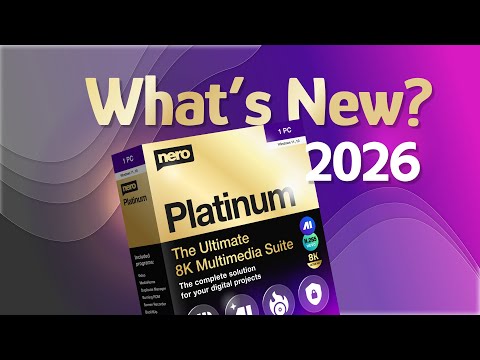
play Nero Platinum Suite 2026 | What's new in Nero Software
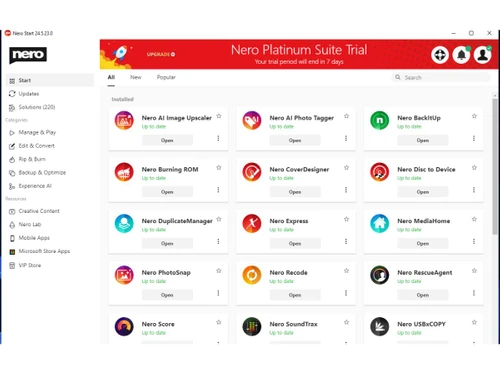
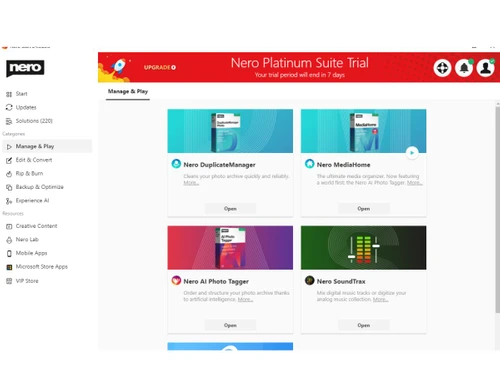
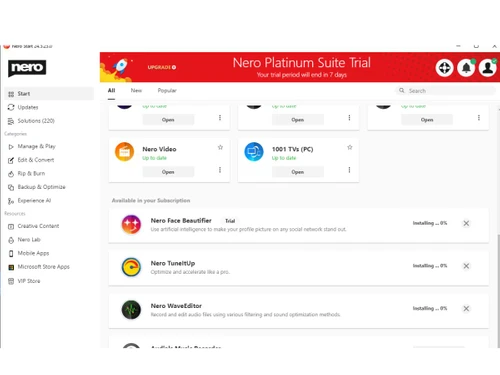
nero platinum suite-apps
nero platinum suite-startplan

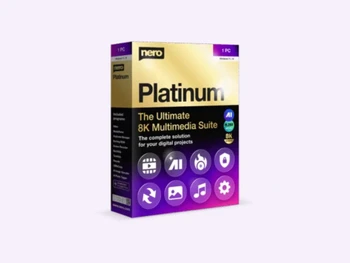
Nero Platinum Suite

Brand: Nero AG

  • 4.3

  • 4 Ratings

A comprehensive utility software that provides AI-powered tools for video editing, media management, data backup, and PC optimization.

See More

Have you used Nero Platinum Suite before?

Share your insights for better experience

Add a Review
Starting Price 24% OFF
₹4,065 excl.GST  ₹5,350
₹ 4,797 incl. GST

View plans

offer Save upto 18%, Get GST Invoice on your business purchase T&C
offer Buy Now & Pay Later, Check offer on payment page.
Buy Now
100% Genuine
Products
Best Price
Guaranteed
Safe & Secure
Payment
  • Description

  • Pricing

  • Features

  • Specification

  • Review

  • FAQ

Starting at ₹4,065
Buy Now

Nero Platinum Suite Software Overview

What is Nero Platinum Suite?

Nero Platinum Suite is a powerful utility software that has been the industry standard for media management and data handling for decades. It is essential business software for professionals who need to work with video, audio, photos, and data backups efficiently.

Instead of juggling multiple separate programs for different tasks, this suite brings everything together in one place. You get the legendary Nero Burning ROM for disc burning, professional video editing tools with 4K/8K support, AI-powered photo organization, and comprehensive backup solutions, all integrated into a single, user-friendly platform.

It helps businesses create professional multimedia presentations with advanced video editing and motion tracking, protect critical data through automated backups to various media and the cloud, and improve PC performance with system optimization tools.

As a modern utility software solution, it incorporates artificial intelligence for tasks like upscaling low-resolution images, automatically tagging photos with scene recognition, and cleaning up duplicate files.

Why Choose Nero Platinum Suite?

  • AI-Powered Image Upscaling and Enhancement: Uses artificial intelligence to increase image resolution and sharpen details locally without requiring cloud access.
  • Professional Video Editing with 4K/8K Support: Enables multi-track video creation with professional-grade transitions, effects, motion tracking, and high-resolution output.
  • Industry-Standard Disc Burning (Nero Burning ROM): Provides trusted, secure CD, DVD, and Blu-ray burning with encryption options for data archiving and distribution.
  • Comprehensive Automated Backup Solutions: Protects critical business data by backing up to hard drives, external media, or cloud storage with scheduling options.
  • AI Photo Tagger for Automatic Organization: Automatically organizes photo libraries using scene recognition and facial detection to categorize image content.

Benefits of Nero Platinum Suite

  • Eliminates Need for Multiple Separate Tools: Replaces separate video editors, burning software, backup utilities, and photo managers with one integrated, cost-effective suite.
  • Saves Time on Media Organization and Editing: AI-powered tagging and duplicate detection automate hours of manual file sorting and cleanup.
  • Protects Critical Business Data from Loss: Automated, scheduled backups to multiple destinations ensure your important files are always recoverable.
  • Enhances Professional Presentation Quality: Advanced video editing and screen recording tools help create polished, high-impact multimedia content.
  • Improves PC Performance and Longevity: System optimization tools keep workstations running smoothly, reducing downtime and extending hardware life.

Nero Platinum Suite Pricing

Nero Platinum Suite price starts at INR 5281 at techjockey.com. The pricing model is based on different parameters, including extra features, deployment type, and the total number of users. For further queries related to the product, you can contact our product team and learn more about the pricing and offers.

Read more

Nero AG Company Details

Founded Year:  1995

Nero creates software that helps consumers around the world to simply enjoy their videos, photos and music.

Director/Founders Richard Lesser
Company Size 101-500 Employees

Nero Platinum Suite Pricing & Plans

Nero Platinum Suite 2026
Key Features
  • Nero AI Photo Tagger
  • Nero Score
  • Nero Video
  • Nero Motion Tracker
  • AI Image Upscaler PRO
  • Nero Screen Recorder
  • Nero Duplicate Manager
  • Nero MediaHome
  • Nero BackItUp

Calculated Price

₹ 4065 ₹5350
SAVE UPTO 24%
Exclusive of all taxes
    • Pc

      Pc
      Pc
    • Yearly

      Yearly
      Yearly

Key Features

  • Nero AI Photo Tagger

  • Nero Score

  • Nero Video

  • Nero Motion Tracker

  • AI Image Upscaler PRO

  • Nero Screen Recorder

  • Nero Duplicate Manager

  • Nero MediaHome

  • Nero BackItUp

Nero Platinum Suite Features

  • icon_check 4K Screen Recorder
    Capture your desktop screen at 4K resolution and 60 FPS to create professional gameplay videos and high-quality tutorials.
  • icon_check Smart MediaHome
    Centralize and organize your entire media library by faces, locations, and IPTC metadata for instant retrieval on any device.
  • icon_check Subtitle Generator
    Automatically generate and translate video captions into 23 global languages to reach a wider international audience today.
  • icon_check BackItUp Solution
    Secure your important data with automated, encrypted backups to external hard drives, optical media, or supported cloud sites.
  • icon_check Score Benchmark
    Test your computer's actual processing power and AI performance limits with this integrated hardware benchmarking utility.
  • icon_check Video Editing
    Enables multi-track video creation with 4K support, providing professional-grade transitions, effects, and trim tools.
  • icon_check Image Upscaling
    Utilizes artificial intelligence to increase image resolution and sharpen details locally without requiring cloud access.
  • icon_check Photo Tagger
    Automatically organizes photo libraries by using scene recognition and facial detection to categorize image content.
  • icon_check Duplicate Detection
    Scans storage to identify and remove exact or similar images, audio, and video files to reclaim system disk space.
  • icon_check Screen Recording
    Captures high-definition screen activity at up to 4K 60 FPS, with options for system audio and microphone recording.
  • icon_check USBx Copy
    Enables simultaneous data transfer to multiple USB flash drives, managing formatting and verification in one process.
  • icon_check Video Playback
    Supports high-resolution playback of 8K video content, utilizing hardware acceleration for smooth media performance.
  • icon_check Motion Tracker:
    Automatically detects moving objects in video clips to apply pixelation or overlays for privacy and effects.
  • icon_check Cover Designer
    Provides tools for creating and printing custom disc labels, covers, and booklets using various design templates.
  • icon_check Sound Trax
    Digitizes analog audio from vinyl or cassettes and provides tools for multi-track mixing and audio project creation.
  • icon_check Wave Editor
    Offers non-destructive audio editing, allowing users to record, trim, and apply various filters to sound files.
  • icon_check Disc to Device
    Simplifies the transfer of media from optical discs to connected mobile devices or cloud storage accounts.
Nero Platinum Suite Demo Video play icon

Get Nero Platinum Suite Demo

Watch the demo video to explore key features, real workflows, and how the software fits your business needs.

Understand
Key Features
Personal
Demo Insights
Interactive
Demo Support

Nero Platinum Suite Specifications

Supported Platforms
Windows Windows
Devices
Desktop Desktop
Deployment
Perpetual Perpetual
Suitable For
All Industries
Business Specific
All Businesses
Business Size
Individual Small Business Startups SMBs MSMEs
Customer Support
Email Live Chat Communities
Language
English
Training Resources
Videos
AI Features
AI Integrated

Nero Platinum Suite Review

4.3

Out of 5

img

Overall Rating

Based on
4 Verified Ratings

Rating Breakdown

  • Features 4.1
  • Value for Money 4.5
  • Ease of Use 4.2
  • Customer Support 4.2

80% Recommend this Product

Add Review

Techjockey Trusted Reviews from Verified Users

No reviews are currently available for Nero Platinum Suite. Discover similar Utility Software reviews

  • Booky

    4.6

    Whats great - Booky.io has a clean and minimal layout. It's perfect for keeping my most-used links all in one place. The drag-and-drop make... read more
  • Defencebyte Computer Opmitizer

    4.1

    Whats great - Really I am happy now after using defencebyte Computer optimizer, My Pc performance boost after using defencebyte Computer op... read more

  • VMware

    4.5

    Whats great - Vmware offers a wide variety of management tools and features to help with both the initial configuration and ongoing adminis... read more

Articles for Nero Platinum Suite

See All Related Articles

How much does Nero Platinum Suite cost?

Nero Platinum Suite price starts at INR 5281 at Techjockey.com.

How does Nero Platinum Suite work?

You install the suite on your Windows PC, giving you access to its integrated applications. You can then use each tool-like Nero Video for editing, Nero Burning ROM for discs, and Nero BackItUp for backups-through their individual interfaces.

Who uses Nero Platinum Suite?

It is used by business professionals creating presentations, IT staff managing data backups, photographers organizing large image libraries, and anyone needing comprehensive media tools.

What operating system does it require?

Nero Platinum Suite is designed for Windows, supporting versions 7, 8, 10, and 11. It requires at least a 2GHz processor, 1GB RAM, and approximately 5GB of free installation space.

Does it include cloud backup options?

Yes, Nero BackItUp allows you to back up critical business data not only to hard drives and external media but also to cloud storage services for added protection.

20,000+ Software Listed

Best Price Guranteed

Free Expert Consultation

2M+ Happy Customers

Terms and Condtions

close

Users with registered businesses can purchase goods from merchants on the platform to satisfy their business needs. Users are not permitted to utilize any products acquired through the platform for resale, advertising, business, or further distribution.

For each purchase made, users will receive a Tax Invoice (or 'GST invoice') that includes specific details such as:

  • the GSTIN of the user associated with their registered business, and

  • the specified Entity Name for their business.

It should be noted that not all products are eligible for GST Invoice. Only the products displayed by participating sellers with the 'GST-based Invoice Available' callout on the product description page would qualify.

Certain goods and services are not eligible to get a GST Invoice, including items with VAS, i.e., Value Added Services (e.g., Total Mobile Protection/Assured Buyback) and those involving an exchange offer at the time of purchase.

Users must ensure the accuracy of the GSTIN, and business entity name provided for the GST Invoice. Requests for corrections into GST Invoice would not be accommodated by Techjockey.com or any Seller, and any issues arising from user-provided information are the sole responsibility of users.

Techjockey.com is not liable for the GST Invoice or any associated input tax credit. To efficiently claim an input tax credit, users should select the registered place of business address as per the GST authority's data and follow the provisions of the GST Act and rules.

To claim an input tax credit, the delivery and billing addresses must match. Furthermore, input tax credits will not be granted if the delivery address and GSTIN on the invoice are from different states. In case of incorrect GST details provided during the order placement, the order will be canceled automatically.