linkedin
Opal logo
play Opal's New Home: Track your screen time and improve your focus
Opal-limit distracting
Opal-focus

Opal

Brand: Opal

  • 4.3

  • 5 Ratings & 1 Review

Opal helps you block distracting apps and notifications so you can stay productive, reduce phone use, and improve your digital wellbeing.

See More

Have you used Opal before?

Share your insights for better experience

Add a Review
Starting Price
$20

View plans

100% Genuine
Products
Best Price
Guaranteed
Safe & Secure
Payment
  • Description

  • Pricing

  • Features

  • Specification

  • Review

  • FAQ

Starting at $20

Opal Software Overview

What is Opal?

Opal is a utility software for mobile and desktop that helps you stay focused by blocking distracting apps and notifications.

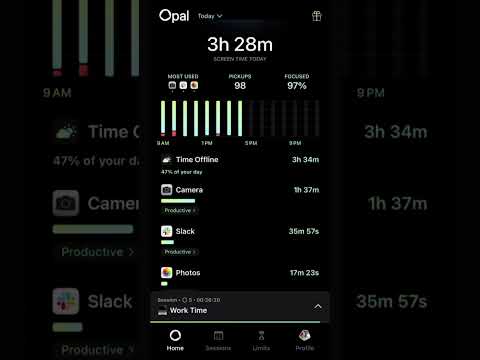
It offers customizable focus blocks to limit app usage and provides insights into your screen time and productivity.

Opal is designed to improve digital wellbeing, boost focus, and reduce unnecessary phone usage.

Why Choose Opal Software?

  • Boosts Productivity: Opal helps you stay focused by reducing digital distractions from apps and notifications, allowing you to complete tasks faster and work more efficiently.
  • Customizable Focus Blocks: You can create personalized focus sessions to control which apps or websites are accessible, ensuring you only interact with what matters most.
  • Cross-Platform Support: Opal works on both mobile devices and desktops, keeping you productive across all platforms.
  • Digital Wellbeing Insights: Get detailed analytics about your screen time and app usage, helping you understand habits and make positive changes.
  • Reduces Phone Addiction: Opal blocks addictive apps that waste your time, helping you regain control over your daily routine.
  • Helps Form Healthy Habits: Encourages mindful usage of apps and devices, promoting sustainable and healthy digital habits over time.
  • Customizable Schedules: Set automatic daily or weekly focus schedules, ensuring you stay productive without manually managing every session.

Benefits of Opal Software

  • Distraction-Free Work: Minimizes interruptions from notifications, allowing you to dive into deep work sessions and improve task completion.
  • Notifications Control: Block unwanted notifications during work or study hours, preventing disruptions and keeping your attention where it matters.
  • Focus Reports: Track your focus performance over time with detailed reports, highlighting improvements and areas for better concentration.
  • Improves Mental Health: By reducing screen time, Opal helps lower stress and anxiety, leading to a calmer and more focused mind.
  • Family-Friendly: Parents can monitor and limit their children's screen usage, supporting healthy digital habits for the whole family.
  • Custom App Blocking: Select specific apps to block during focus sessions, ensuring you spend time only on productive or essential activities.
  • Adaptive Focus Mode: Opal adjusts focus settings based on your usage patterns, intelligently helping you stay on track according to your habits.
  • Secure and Private: All your usage data is secure and private, allowing you to track productivity without worrying about privacy breaches.

Opal Pricing

Opal price starts at USD 20 at techjockey.com.

The pricing model is based on different parameters, including extra features, deployment type, and the total number of users. For further queries related to the product, you can contact our product team and learn more about the pricing and offers.

Read more

Opal Company Details

Founded Year:  2020

Opal is the No.1 screen time app. Opal’s mission is to help 1Bn people Focus better day to day, so they can accomplish their dreams.

Director/Founders Kenneth Schlenker
Company Size 1-100 Employees

Opal Pricing & Plans

Pro
Key Features
  • Harder Blocking Difficulties
  • Unlimited Recurring Sessions
  • Whitelist Blocking
  • Focus Score with History
Starting at $20
    • Licenses

      Licenses
      Licenses
    • Monthly

      Monthly
      Monthly

Key Features

  • Harder Blocking Difficulties

  • Unlimited Recurring Sessions

  • Whitelist Blocking

  • Focus Score with History

Opal Features

  • icon_check App Blocking
    Block distracting apps and websites during focus sessions to stay on task and reduce digital interruptions.
  • icon_check Focus Sessions
    Schedule customizable focus sessions to control app usage and boost productivity throughout your day.
  • icon_check Deep Focus Mode
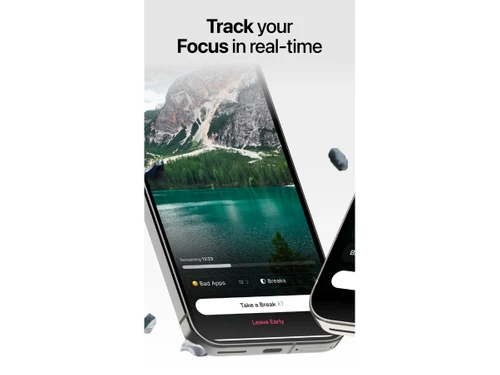
    Enable unbreakable blocking that prevents bypassing, ensuring maximum concentration during critical work periods.
  • icon_check Screen Time Analytics
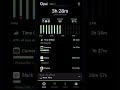
    Track daily and weekly app usage with detailed insights to understand habits and reclaim lost screen time.
  • icon_check Focus Score
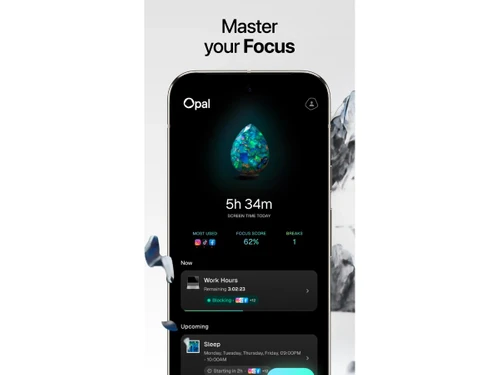
    Measure productivity levels with a dynamic score that reflects focus patterns and progress toward digital wellbeing.
  • icon_check Scheduled Automation
    Automate recurring sessions for work, study, or sleep with custom schedules synced to your routine.
  • icon_check Weekly Reports
    Receive detailed weekly summaries highlighting time saved, productivity boosts, and reduced distractions.
  • icon_check Community Milestones
    Join a global focus community, unlock achievements, and celebrate milestones to stay motivated on your journey.
  • icon_check Privacy Protection
    All data is processed locally on-device with no cloud storage, ensuring complete privacy and security.
  • icon_check Cross-Device Sync
    Use Opal seamlessly on iPhone, iPad, and Mac with synced focus sessions and reports across all devices.
Opal Demo Video play icon

Get Opal Demo

Watch the demo video to explore key features, real workflows, and how the software fits your business needs.

Understand
Key Features
Personal
Demo Insights
Interactive
Demo Support

Opal Specifications

Supported Platforms
iOS iOS Android Android MacOS MacOS
Devices
Desktop Desktop Mobile Mobile
Deployment
Perpetual Perpetual
Suitable For
All Industries
Business Specific
All Businesses
Business Size
Small Business Startups Medium Business Enterprises
Customer Support
Email Communities
Language
English
Training Resources
Videos

Opal Review

4.3

Out of 5

img

Overall Rating

Based on
1 Verified Review

Rating Breakdown

  • Features 4.3
  • Value for Money 4.5
  • Ease of Use 4.6
  • Customer Support 4.2

82% Recommend this Product

Add Review
Opal Video Review

youtubeVideoId

4.4

“Is Opal App Worth It or a Scam? Honest 2025 Review & User Guide”

Review by: How Master

Articles for Opal

See All Related Articles

How much does Opal Software cost?

Opal pricing starts at USD 20 on techjockey.com.

Is there a mobile app available for Opal Software?

Yes, Opal is available as a mobile app for iOS and Android devices.

Which operating systems are compatible with Opal Software?

Opal is compatible with iOS, Android, and MacOS.

Does Opal Software offer a free trial?

Yes, Opal provides a free plan with basic features to try out the software.

How does Opal Software function?

Opal blocks distracting apps and notifications, uses Focus Blocks, and tracks screen time to boost productivity.

Who uses Opal Software?

Individuals, students, professionals, and families use Opal to improve focus and manage screen time.

Is a free demo available for Opal Software?

Yes, users can access a free plan to explore Opal's core features.

Is Opal Software available for free?

Yes, Opal offers a free plan with essential features alongside paid premium options.

20,000+ Software Listed

Best Price Guranteed

Free Expert Consultation

2M+ Happy Customers

Terms and Condtions

close

Users with registered businesses can purchase goods from merchants on the platform to satisfy their business needs. Users are not permitted to utilize any products acquired through the platform for resale, advertising, business, or further distribution.

For each purchase made, users will receive a Tax Invoice (or 'GST invoice') that includes specific details such as:

  • the GSTIN of the user associated with their registered business, and

  • the specified Entity Name for their business.

It should be noted that not all products are eligible for GST Invoice. Only the products displayed by participating sellers with the 'GST-based Invoice Available' callout on the product description page would qualify.

Certain goods and services are not eligible to get a GST Invoice, including items with VAS, i.e., Value Added Services (e.g., Total Mobile Protection/Assured Buyback) and those involving an exchange offer at the time of purchase.

Users must ensure the accuracy of the GSTIN, and business entity name provided for the GST Invoice. Requests for corrections into GST Invoice would not be accommodated by Techjockey.com or any Seller, and any issues arising from user-provided information are the sole responsibility of users.

Techjockey.com is not liable for the GST Invoice or any associated input tax credit. To efficiently claim an input tax credit, users should select the registered place of business address as per the GST authority's data and follow the provisions of the GST Act and rules.

To claim an input tax credit, the delivery and billing addresses must match. Furthermore, input tax credits will not be granted if the delivery address and GSTIN on the invoice are from different states. In case of incorrect GST details provided during the order placement, the order will be canceled automatically.