USA
USA UAE
UAESmall Business
Designed for startups and growing businesses

See More



Brand: Madrecha Solutions
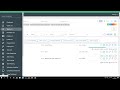
Jamku Office Management Software is a cloud-based online office management solution for chartered accountants, consultants, and company secretaries. The software helps organizations with their overall growth, client compliance and receivable management. Business firms can use it to identify the most profitable clients and productive employees. Jamku Office Management Software helps with attendanc...
See MoreHave you used Jamku Office Management Software before?
Share your insights for better experience
 Client Management Compliance Management Task Management Invoice Management Custom Fields Contact Management Password Management Receipt Management Calendar Digital Signature Billing Costing Phone & Email Support Configuration setup Data Importing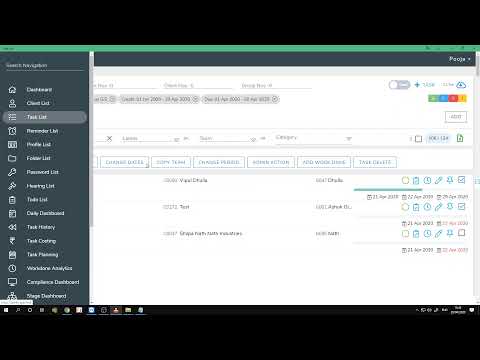

Watch the demo video to explore key features, real workflows, and how the software fits your business needs.
 Windows
  iOS
iOS  Android
  Desktop
  Mobile
  Cloud-Based
Small Business
Designed for startups and growing businesses
Medium Business
Built for business growth and flexibility
Enterprises
Designed for complex and large-scale business needs
4.5
Out of 5

Overall Rating
Based on
7 Verified Reviews
Rating Breakdown
84% Recommend this Product
Add ReviewOverall, users express a strong appreciation for Jamku Office Management Software, highlighting its ease of use, effective task and compliance management, and responsive customer service. Many find its dashboards helpful for overseeing office tasks and appreciate the software's frequent updates. However, some users report significant concerns regarding customer support and the absence of certain features, such as web notifications and auto task creation. While the software is praised for its value, there are calls for improvements in client management and training processes.
Pros
"Compliance Dashboard, Todos workflow, Email Reminder of tasks/todos which are going to be due/targeted in the next two days Client Portal - Mobile and web application"
"Pricing is only thing, which is good with Jamku, rest are worst."
"Very easy to understand, install, adopt and maintain. Even monitoring is also easy and fun"
Cons
"Web notification and Auto task creation is not present as of now. But they told they'll get it done by next year."
"Training the staff to understand all the hierarchy is little bit cumbersome"

Nov 7, 2025
Techjockey Verified
“Best Practise Management Software”
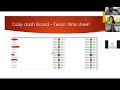
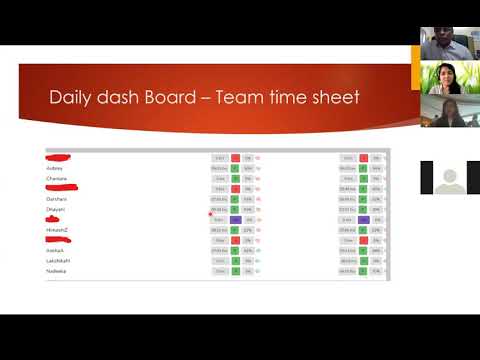
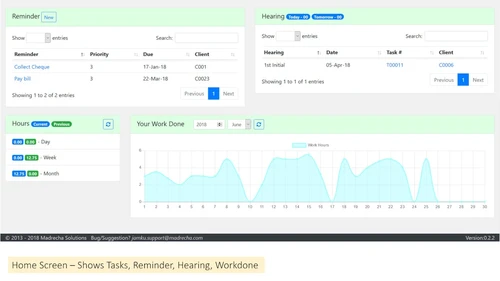
We have been using Jamku for our CA practice, and it has really simplified our daily processes. The Daily dashboard and compliance dashboard does provide a bird eye view of tasks going on in my office without asking the team members status on their assigned work.
Pros
Compliance Dashboard, Todos workflow, Email Reminder of tasks/todos which are going to be due/targeted in the next two days Client Portal - Mobile and web application
Cons
Web notification and Auto task creation is not present as of now. But they told they'll get it done by next year.
Jun 30, 2023
Techjockey Verified
“Jamku-Worst Customer Support”
Pros
Pricing is only thing, which is good with Jamku, rest are worst.
Cons
Jamku software lacks many essential features, user interface is also not good. Apart from this, customer support is very very very very very poor. They do not even provide support at start, you can imagine what would happen after some months of purchase.
Jan 31, 2022
Techjockey Verified
“Worth many times its price”
Pros
Very easy to understand, install, adopt and maintain. Even monitoring is also easy and fun
Cons
Training the staff to understand all the hierarchy is little bit cumbersome
Reason to switch
Delegation is made very simple and easy

Jamku Office Management Software
Price On Request
Desktop
Mobile
Web based
On Premises
Windows
Mac OS

EasyCloudBooks
Price On Request
Desktop
Mobile
Web based
On Premises
Windows
Mac OS

CADashboard
₹ 12000
Desktop
Mobile
Web based
On Premises
Windows
Mac OS

MyTask
₹ 690
Desktop
Mobile
Web based
On Premises
Windows
Mac OS

ERPCA
₹ 1000
Desktop
Mobile
Web based
On Premises
Windows
Mac OS

Turia
₹ 100
Desktop
Mobile
Web based
On Premises
Windows
Mac OS

CAProWin
₹ 100
Desktop
Mobile
Web based
On Premises
Windows
Mac OS

Cordl CA Practice Management Software
Price On Request
Desktop
Mobile
Web based
On Premises
Windows
Mac OS

eProcessify
₹ 600
Desktop
Mobile
Web based
On Premises
Windows
Mac OS

Smart Office Management System
₹ 10000
Desktop
Mobile
Web based
On Premises
Windows
Mac OS

CA Cloud Desk
₹ 3000
Desktop
Mobile
Web based
On Premises
Windows
Mac OS
(2) Product(s) selected
Starting Price:
₹100 /Month
Available
Price on Request
Starting Price:
₹10,000 /Year

Available
Price on Request

Available
Price on Request

Available
Price on Request

Starting Price:
₹1,788 User/Month
Starting Price:
₹600 /Month
Starting Price:
£4 /Month

Available
Price on Request
Starting Price:
$79 /Month
Jamku Office Management software provides an in-built document management module, helping organizations with inward and outward documents exchange facilities.
Admins can monitor access rights regarding reports related to money and billing tasks. The CA office monitoring solution offers detailed reports about multiple receivables in a unified form.
You can raise a demo request with our technical executives, and they will reach out to you as per the date and time mentioned in your schedule.
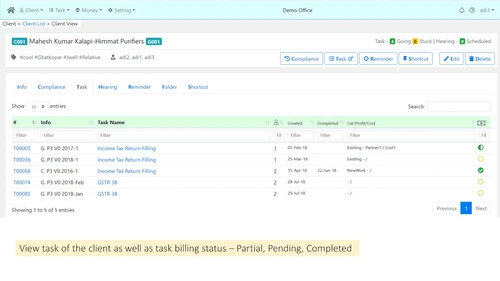
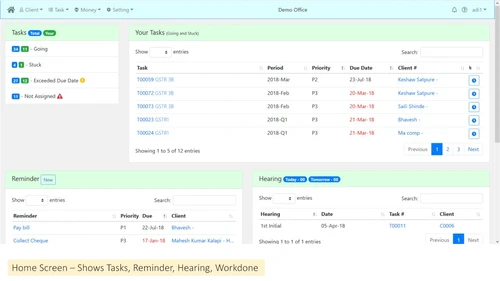
Yes, organizations can use Jamku Office Management software to track tasks assigned to individual employees and calculate billable working hours as well.
Yes, Jamku Office Management software offers a fully-featured mobile app for both iOS and Android users.
Jamku Office Management software’s pricing is available at INR 6500 (One-time ?3000 set-up fees) per year for a Starter plan at techjockey.com.
20,000+ Software Listed
Best Price Guranteed
Free Expert Consultation
2M+ Happy Customers
Terms and Condtions

Users with registered businesses can purchase goods from merchants on the platform to satisfy their business needs. Users are not permitted to utilize any products acquired through the platform for resale, advertising, business, or further distribution.
For each purchase made, users will receive a Tax Invoice (or 'GST invoice') that includes specific details such as:
the GSTIN of the user associated with their registered business, and
the specified Entity Name for their business.
It should be noted that not all products are eligible for GST Invoice. Only the products displayed by participating sellers with the 'GST-based Invoice Available' callout on the product description page would qualify.
Certain goods and services are not eligible to get a GST Invoice, including items with VAS, i.e., Value Added Services (e.g., Total Mobile Protection/Assured Buyback) and those involving an exchange offer at the time of purchase.
Users must ensure the accuracy of the GSTIN, and business entity name provided for the GST Invoice. Requests for corrections into GST Invoice would not be accommodated by Techjockey.com or any Seller, and any issues arising from user-provided information are the sole responsibility of users.
Techjockey.com is not liable for the GST Invoice or any associated input tax credit. To efficiently claim an input tax credit, users should select the registered place of business address as per the GST authority's data and follow the provisions of the GST Act and rules.
To claim an input tax credit, the delivery and billing addresses must match. Furthermore, input tax credits will not be granted if the delivery address and GSTIN on the invoice are from different states. In case of incorrect GST details provided during the order placement, the order will be canceled automatically.