linkedin
ERPCA logo
play ERPCA Quick Introduction
play ERPCA Introduction Video
erpca access client data management

ERPCA

Brand: Woodapples Software Solutions

  • 4.7

  • 2 Ratings & 2 Reviews

Ideal for helping CA, CS, and Tax professionals expand their business and succeed at every stage of their practice.

See More

Have you used ERPCA before?

Share your insights for better experience

Add a Review
Starting Price
₹1,000 excl.GST
₹ 1,180 incl. GST

View plans

100% Genuine
Products
Best Price
Guaranteed
Safe & Secure
Payment
  • Description

  • Pricing

  • Features

  • Specification

  • Review

  • Compare

  • Alternatives

  • FAQ

Starting at ₹1,000

ERPCA Software Overview

What is ERPCA?

ERPCA is a proudly Made in India product by Woodapple Software Solutions Pvt Ltd. It is a smart and intuitive cloud-basedPractice management software. It helps clients to manage day-to-day operations effectively from anywhere and anytime.

ERPCA is a thoughtfully crafted solution to the burning issues of practice management. The Features have been carefully designed with micro and macro view of a firm’s functioning.

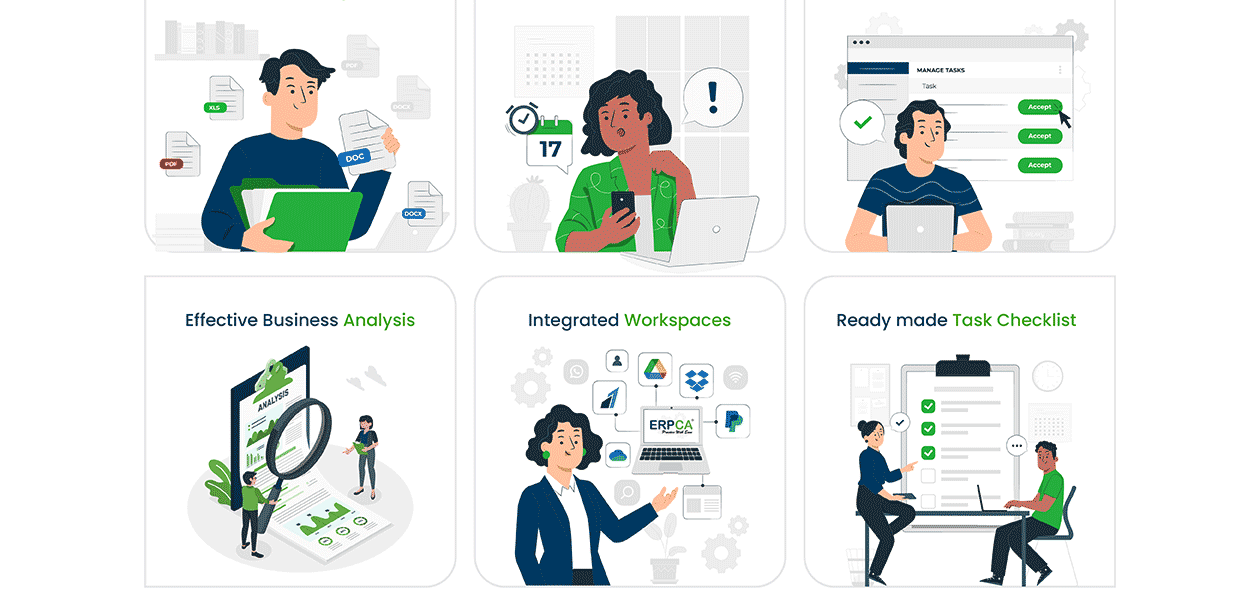
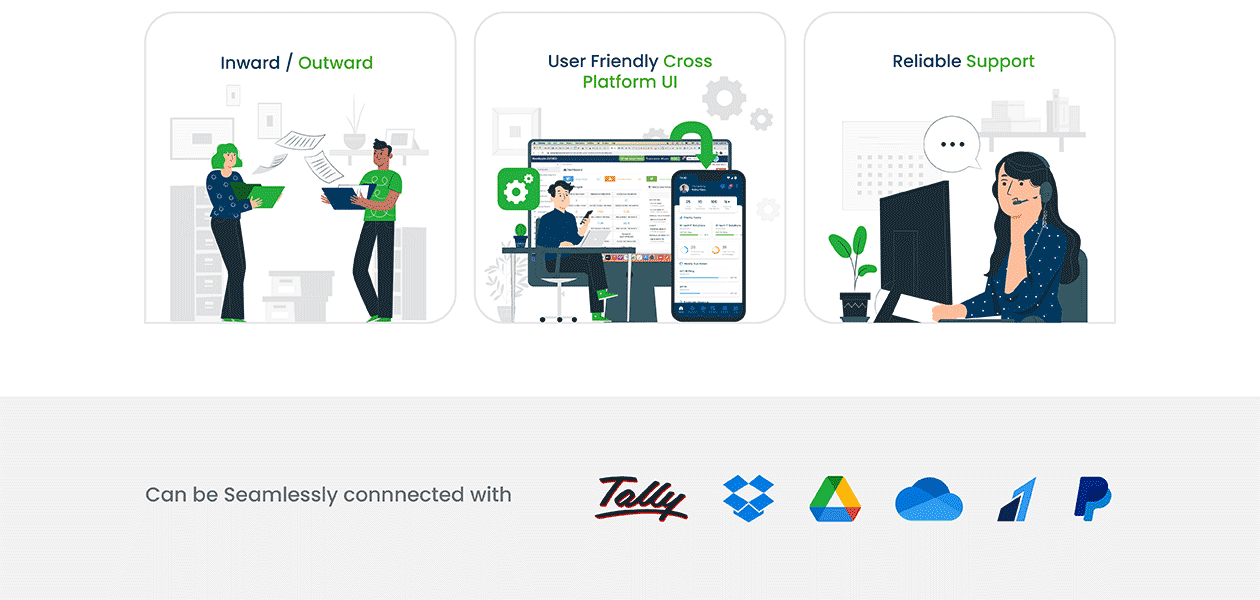
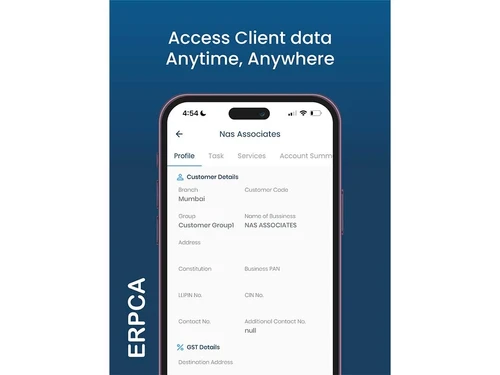
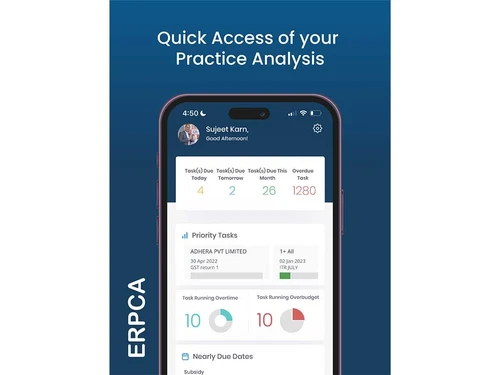
It assists in managing all your client's data, documentation, tasks, billing, invoicing, communications, etc. through a centralized system. Using ERPCA, one can easily automate processes like client collaboration, workflow management, employee training, day sheet management, etc. while saving a lot of time. Further, it offers a client portal, and an ERPCA mobile app to manage your practice from anywhere at any time.

ERPC believes technology development in an apt manner improves work accuracy, productivity, and ultimately benefits the nation.

Why Choose ERPCA?

  • Flexible Work Plan: Enables you as well as your team members to work from anywhere around the globe.
  • Meet Client Expectations: Helps in understanding and anticipating client requirements clearly to strengthen your customer service.
  • Monitor Compliance: Keeps track of all financial activities, automatic reminders, communication, and procedures to maintain compliance.
  • Client Management: This enables you to handle client index, client records, communication, their onboarding, account reviewing, etc.
  • Process Control: To have better control over processes, it helps automate redundant tasks, and ensures bulk action on similar tasks.
  • Task Management:This enables you to see who has been allotted which work, their deadlines, and the progress.
  • Time Tracking: You can track the total time spent on different activities and tasks.
  • Billing & Receipts: Helps create more than 500 invoices within a few clicks to share them with your clients and handle billing for multiple companies.
  • Reports/Analytics: Offers you more than 100 combinations of professional reports to provide detailed insights regarding your practice.

Benefits of ERPCA

  • Helps you comprehend client behavior, deliver great customer service, and determine the true worth of your consumers.
  • With this software, users can track down the time required for completing any task. It also provides contextual cost-benefit analysis while the users are generating invoices.
  • ERPCA software provides each client with a dedicated ID. All file sharing, payment-related transactions, and status updates are done through that ID.
  • The software uses 256-bit SSL encryption along with enterprise-grade security to keep the user’s data safe.
  • The software is hosted on the AWS Cloud Infrastructure. This allows users to get access to their data from any device connected to the internet.
  • Allows you to create to-do lists with just one click to help you prioritize your work and meet project deadlines with ease.
  • Provides you with regular updates on the tasks handled by your staff along with their status at each stage.

Pricing of ERPCA

ERPCA price is available for INR 1,000 at techjockey.com.

The pricing model is based on different parameters, including extra features, deployment type, and the total number of users.

Read more

Woodapples Software Solutions Company Details

Founded Year:  2008

ERPCA – Online Practice Management Software Solution for Chartered Accountants, was launched in 2008 as a personal project with limited resources. Initially, the software which was made exclusively to meet the needs of chartered accountants, had few features.

Director/Founders Sujeet Karn
Company Size 1-100 Employees

ERPCA Pricing & Plans

ERPCA(INR 200 /User/Month)
Key Features
  • No Setup Cost
  • Dedicated account manager
  • No Hidden Charges
  • Unlimited Storage

Calculated Price

₹ 1000 Exclusive of all taxes
    • Users

      Users
      Users
    • Monthly

      Monthly
      Monthly

Key Features

  • No Setup Cost

  • Dedicated account manager

  • No Hidden Charges

  • Unlimited Storage

ERPCA Features

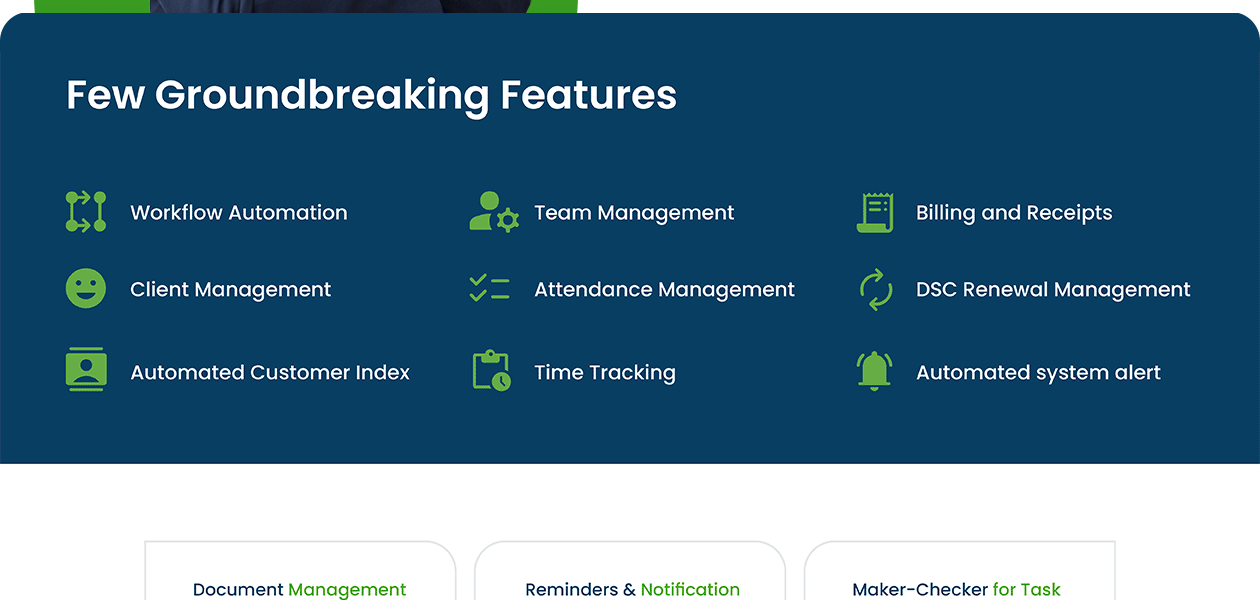
  • icon_check Workflow Management
    Allows users to create, modify, and manage workflows for their entire team.
  • icon_check Billing & Invoicing
    The billing analyzer within the software maintains all the billing and invoicing-related tasks of the user.
  • icon_check Task Management
    Allows users to efficiently manage all their client-related tasks within a single platform.
  • icon_check Compliance Management
    Helps comply with the latest government policies and rules related to taxation and accounting.
  • icon_check Client Indexing
    Provide a dedicated, system-generated login ID to make client indexing easy.
  • icon_check Analytics & Reporting
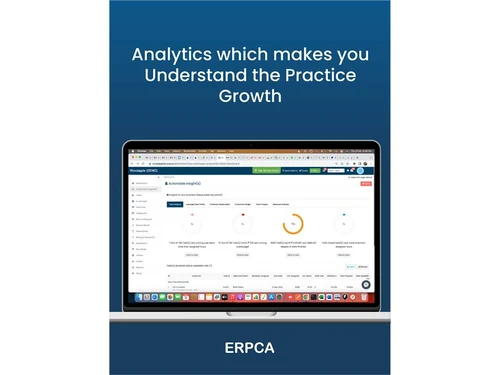
    Provides detailed reports for month-wise revenue, total outstanding, billing amount, total collections, etc.
  • icon_check Accounting & Taxation
    Allows users to create professional tax invoices for their clients within seconds.
  • icon_check Document Management
    Offers an inward/outward register, with which users can easily control all the business-related documents.
  • icon_check Practice Management
    Allows CA, CS, and other allied professionals to manage and track their practice efficiently.
  • icon_check Finance Management
    Users can easily manage their day-to-day business finances with ERPCA Software.
  • icon_check Employee Management
    Helps track employee leaves, attendance, performance, timesheets, and the status of all projects assigned to them.
  • icon_check Alerts
    Sends alerts to users regarding any pending tasks, approaching deadlines, etc. so that they can efficiently manage them.
  • icon_check Multi-users with role authorization
    The software can be accessed by various employees working in a firm, but the access rights are controlled by a single admin user.
  • icon_check Attendance Management
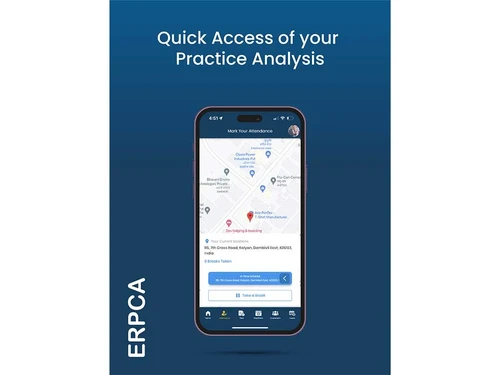
    You can track your employees’ attendance with its advanced Geo-location-based attendance tracker.
  • icon_check Integration
    Seamlessly integrates with major business systems, ensuring hassle-free day-to-day business operations.
  • icon_check Data Security
    Employs 256-bit SSL encryption to ensure that all the user’s data is completely secure.
ERPCA Demo Video play icon

Get ERPCA Demo

Watch the demo video to explore key features, real workflows, and how the software fits your business needs.

Understand
Key Features
Personal
Demo Insights
Interactive
Demo Support
Product Enrichment Section Image

ERPCA Specifications

Supported Platforms
Ubuntu Ubuntu Windows Windows iOS iOS Android Android MacOS MacOS Linux Linux
Devices
Desktop Desktop Mobile Mobile Tablet Tablet iPad iPad
Deployment
Cloud-Based Cloud-Based
Suitable For
Finance Accounting Firms
Business Specific
All Businesses
Business Size
Startups Medium Business SMBs SMEs MSMBs
Customer Support
Phone Email Live Chat
Language
English
Training Resources
In Person

Explore the Best Alternative Solutions Similar to Your Business Size and Needs

ERPCA Reviews

4.7

Out of 5

img

Overall Rating

Based on
2 Verified Reviews

Rating Breakdown

  • Features 4.9
  • Value for Money 4.5
  • Ease of Use 4.9
  • Customer Support 4.7

85% Recommend this Product

Add Review

sher mohammad

User

5

Reviewed on: Feb 9, 2019

Techjockey Verified

“Simply usage”

Pros

Simple to utilize, Complete undertaking the board, Charging, Internal - Outward Administration

Cons

NO CONS

Manish Kumar

User

4.5

Reviewed on: Aug 28, 2018

Techjockey Verified

“impressive service”

Pros

Great site to help narrow my search and find the right software for my business. Wealth of info on the site and great info from Chat and customer care contacts. I was able to narrow my list and get demos set up quickly and easily.

Cons

N/A

Compare ERPCA With other CA Office Management Software

Products
Ratings
Pricing
Device Supported
Deployment
Supported Platforms
  • img

    ERPCA

  • 4.7

  • ₹ 1000.00 excl. GST

  • Desktop

    Mobile

  • Web based

    On Premises

  • Windows

    Mac OS

  • img

    EasyCloudBooks

  • 4.7

  • Price On Request

  • Desktop

    Mobile

  • Web based

    On Premises

  • Windows

    Mac OS

  • img

    Turia

  • 4.7

  • ₹ 100

  • Desktop

    Mobile

  • Web based

    On Premises

  • Windows

    Mac OS

  • img

    CADashboard

  • 4.9

  • ₹ 12000

  • Desktop

    Mobile

  • Web based

    On Premises

  • Windows

    Mac OS

  • img

    MyTask

  • 3.7

  • ₹ 690

  • Desktop

    Mobile

  • Web based

    On Premises

  • Windows

    Mac OS

  • img

    CAProWin

  • 4.6

  • ₹ 100

  • Desktop

    Mobile

  • Web based

    On Premises

  • Windows

    Mac OS

  • img

    eProcessify

  • 4.2

  • ₹ 600

  • Desktop

    Mobile

  • Web based

    On Premises

  • Windows

    Mac OS

  • img

    CA Cloud Desk

  • 5

  • ₹ 3000

  • Desktop

    Mobile

  • Web based

    On Premises

  • Windows

    Mac OS

(0) Product(s) selected

ERPCA Alternatives

See All ERPCA Alternatives

Starting Price:

₹100 /Month

SPRO

4.8

Available

Price on Request

Starting Price:

₹600 /Month

Starting Price:

$79 /Month

Articles for ERPCA

See All Related Articles

Is there any ERPCA app?

Yes, ERPCA app is available for Android and IOS devices.

What is the deployment type of ERPCA?

ERPCA practice management software supports SaaS-based deployment.

How much does ERPCA cost?

ERPCA price is available for INR 1,000 at techjockey.com

Who are the potential users of ERPCA?

ERPCA is typically used by chartered accountants, tax consultants, CS, and other allied professionals.

Does ERPCA Solution has a mobile app of its own?

Yes! You can get access to ERPCA Solution from anywhere in the world through its user-friendly mobile app.

Which operating system does ERPCA support?

ERPCA CA office management software is compatible with all operating systems like Windows, macOS, Linux, etc.

Is ERPCA free?

ERPCA offers a FREE FOREVER Plan (2 User license) for small practices. However, the premium plan with advanced features is available at techjockey.com with exciting deals.

Does ERPCA Solution provide online training regarding various TAX related issues?

The software provides all types of handy instructions related to Company Law, Service Tax and GST within a single platform in a systematic manner.

Can I get a demo of ERPCA Solution?

Yes! Techjockey provides a demo for ERPCA solution. If you are interested, you can request for a demo session as per your convenience.

Does ERPCA Solution allow users to collect online payments?

ERPCA Solution allows you to analyse the exact hours spent by your staff on a particular task. It will give you a summary based on the billable and non-billable hours.

Is there any free trial or demo for ERPCA?

ERPCA Provides FREE FOREVER Plan for 2 users.

Does ERPCA Solution allow users to collect online payments?

The software allows users to collect online payments from their clients. They can also check the payment status, updates and even maintain a billing register related to it.

How does ERPCA work?

ERPCA follows 3 simple steps. Import the data of your customers/users to ERPCA. Now, configure your workflow and review it to ensure that it is as per your operational needs. Finally, you can start using the software.

20,000+ Software Listed

Best Price Guranteed

Free Expert Consultation

2M+ Happy Customers

Terms and Condtions

close

Users with registered businesses can purchase goods from merchants on the platform to satisfy their business needs. Users are not permitted to utilize any products acquired through the platform for resale, advertising, business, or further distribution.

For each purchase made, users will receive a Tax Invoice (or 'GST invoice') that includes specific details such as:

  • the GSTIN of the user associated with their registered business, and

  • the specified Entity Name for their business.

It should be noted that not all products are eligible for GST Invoice. Only the products displayed by participating sellers with the 'GST-based Invoice Available' callout on the product description page would qualify.

Certain goods and services are not eligible to get a GST Invoice, including items with VAS, i.e., Value Added Services (e.g., Total Mobile Protection/Assured Buyback) and those involving an exchange offer at the time of purchase.

Users must ensure the accuracy of the GSTIN, and business entity name provided for the GST Invoice. Requests for corrections into GST Invoice would not be accommodated by Techjockey.com or any Seller, and any issues arising from user-provided information are the sole responsibility of users.

Techjockey.com is not liable for the GST Invoice or any associated input tax credit. To efficiently claim an input tax credit, users should select the registered place of business address as per the GST authority's data and follow the provisions of the GST Act and rules.

To claim an input tax credit, the delivery and billing addresses must match. Furthermore, input tax credits will not be granted if the delivery address and GSTIN on the invoice are from different states. In case of incorrect GST details provided during the order placement, the order will be canceled automatically.