USA
USA UAE
UAESmall Business
Designed for startups and growing businesses

See More




Brand: KDK Softwares
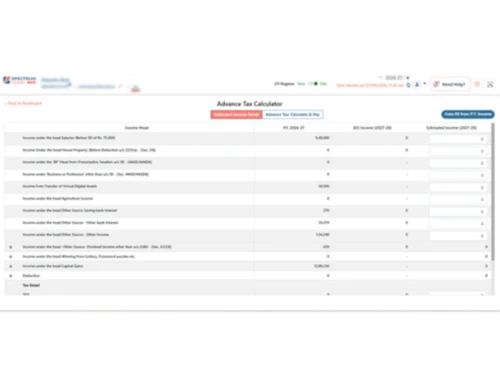
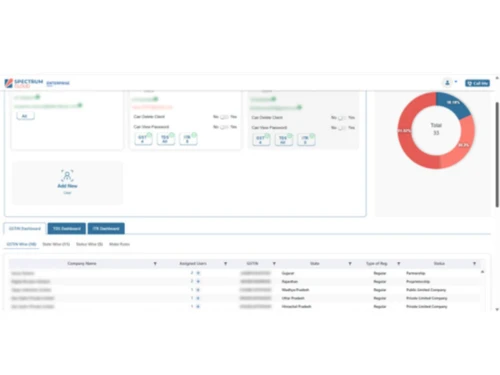
The GST software that enables tax professionals to efficiently manage and file GST, ITR, and TDS through automation, bulk filing, and centralized dashboards.
See MoreHave you used Spectrum Cloud CA before?
Share your insights for better experience
Brand: KDK Softwares
Founded Year: 2006
KDK Softwares
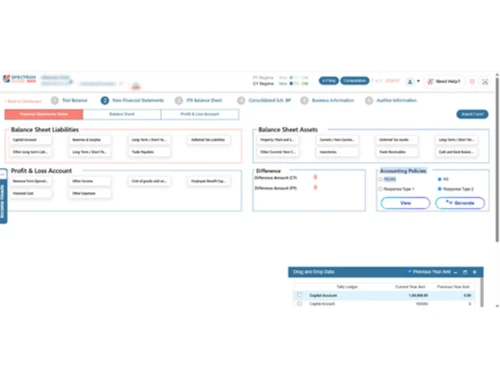
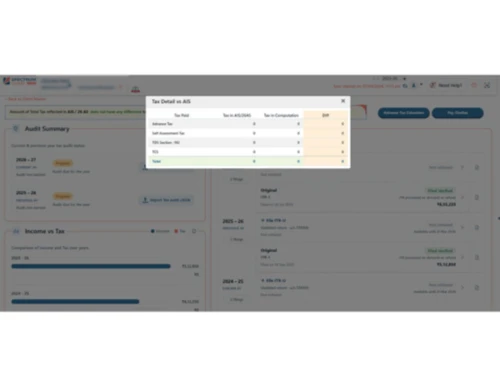
 Cloud-Based Access Unlimited GST Filing One-Click Tally Sync Bulk Action Portal Automated Client Mail GST Auto-Import & Reconciliation GST Return Filing ITR Auto-Prefill (PAN, 26AS, AIS) Seamless E-Filing Integration TDS Auto-Challan & PAN Validation Bulk Form 16/16A Generation Audit Reports Multi-Client & Multi-User Support Dashboards

Watch the demo video to explore key features, real workflows, and how the software fits your business needs.
 Windows
  iOS
iOS  Android MacOS
  Desktop
  Mobile
  Cloud-Based
  Web-Based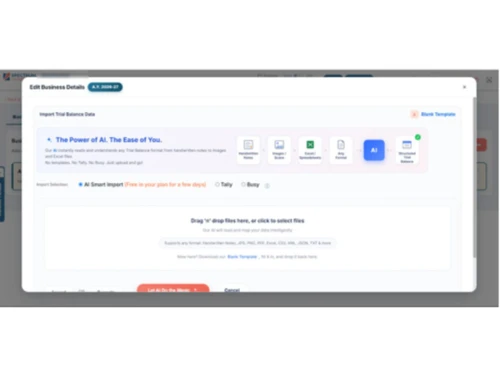
Small Business
Designed for startups and growing businesses
Medium Business
Built for business growth and flexibility
Enterprises
Designed for complex and large-scale business needs
4.4
Out of 5

Overall Rating
Based on
28 Verified Reviews
Rating Breakdown
94% Recommend this Product
Add ReviewSpectrum Cloud has garnered positive feedback for its ability to simplify tax compliance tasks, with users appreciating its smooth integration into existing workflows and the efficiency it brings to daily operations. Many users highlight the platform's reliable customer support and reasonable pricing, which contribute to a less stressful compliance experience. However, some common limitations include a crowded user interface, occasional slow performance during peak times, and a need for more customizable reporting options. Overall, it is viewed as a dependable solution for professionals in the tax field.
Pros
"Notice management, comparison reports, flexible import options"
"Centralized dashboard, easy monitoring of multiple clients, unlimited filings"
"Auto-fetch from portals, real-time tracking, categorized view"
Cons
"Sometimes during peak filing season, the system feels slightly slow. Also, I feel a few reports could be more customizable as per individual practice needs."
"Initial understanding of some advanced modules took a little time. I also feel that a few shortcut options could make navigation even faster during peak filing periods."

Feb 16, 2026
Techjockey Verified
“Made My Daily Tax Work Simple and Stress Free”
Overall, my experience has been very positive. Implementation was smooth, and we started working on it without much training. It integrates well with our existing workflow and doesn’t feel complicated. Pricing is reasonable compared to other tax software with similar features. I use it almost daily, and it has improved accuracy and saved time. The quick customer support gives extra confidence during busy compliance periods.
Pros
What I liked most is how smoothly everything runs in one place. I can handle ITR, GST, and TDS without switching software. The interface is simple, so my team adapted quickly. Support team responds fast and solves issues properly. It honestly reduced my daily workload and errors a lot.
Cons
Sometimes during peak filing season, the system feels slightly slow. Also, I feel a few reports could be more customizable as per individual practice needs.
Feb 15, 2026
Techjockey Verified
“Practical Tax Software That Simplified My Office Work”
As a practicing CA, I use this software almost every day. It fits well into my office routine and connects smoothly with our existing processes. Training my team was not difficult, which saved time. Compared to other tax platforms, it feels reasonably priced for what it delivers. Whenever we faced technical doubts, the support staff guided us clearly. Overall, it has made compliance work more organized and less stressful.
Pros
Spectrum Cloud helped me manage return filing, GST compliance, and other tax tasks from a single dashboard. The layout is clear and not confusing, even for new staff. Setup was quick, and data migration was smooth. The pricing is fair for the features offered. Their support team responds without unnecessary delay.
Cons
Initial understanding of some advanced modules took a little time. I also feel that a few shortcut options could make navigation even faster during peak filing periods.
Nov 19, 2025
Techjockey Verified
“Simplified Compliance with Powerful Tools”
The platform makes tax work straightforward. Notice tracking, comparisons, and import tools help keep everything organized.
Pros
Notice management, comparison reports, flexible import options
Cons
User interface feels slightly crowded
Reason to switch
Needed advanced reporting features for client audits and reviews.
Spectrum Cloud CA
₹ 6300.00 excl. GST
Desktop
Mobile
Web based
On Premises
Windows
Mac OS

Jamku Office Management Software
Price On Request
Desktop
Mobile
Web based
On Premises
Windows
Mac OS

EasyCloudBooks
Price On Request
Desktop
Mobile
Web based
On Premises
Windows
Mac OS
Turia
₹ 100
Desktop
Mobile
Web based
On Premises
Windows
Mac OS

CADashboard
₹ 12000
Desktop
Mobile
Web based
On Premises
Windows
Mac OS

ERPCA
₹ 1000
Desktop
Mobile
Web based
On Premises
Windows
Mac OS

MyTask
₹ 690
Desktop
Mobile
Web based
On Premises
Windows
Mac OS

CAProWin
₹ 100
Desktop
Mobile
Web based
On Premises
Windows
Mac OS

eProcessify
₹ 600
Desktop
Mobile
Web based
On Premises
Windows
Mac OS

Smart Office Management System
₹ 10000
Desktop
Mobile
Web based
On Premises
Windows
Mac OS

CA Cloud Desk
₹ 3000
Desktop
Mobile
Web based
On Premises
Windows
Mac OS
(0) Product(s) selected
Starting Price:
₹1,000
Starting Price:
₹100 /Month
Starting Price:
₹10,000 /Year

Available
Price on Request

Available
Price on Request

Available
Price on Request

Available
Price on Request

Starting Price:
₹1,788 User/Month
Starting Price:
£4 /Month

Starting Price:
₹600 /Month

Available
Price on Request
Spectrum Cloud pricing begins at INR 6,300 per year on Techjockey.com.
No, Spectrum Cloud can not be accessed via mobile devices.
Spectrum Cloud works on Windows, macOS, and mobile browsers.
Yes, the Spectrum Cloud free trial is available on request.
Spectrum Cloud automates GST, ITR, and TDS filing with cloud-based compliance tools.
Chartered Accountants, tax professionals, and businesses across India use Spectrum Cloud.
Yes, KDK Software provides a free demo.
No, Spectrum Cloud is a paid solution, but trial access can be requested.
20,000+ Software Listed
Best Price Guranteed
Free Expert Consultation
2M+ Happy Customers
Terms and Condtions

Users with registered businesses can purchase goods from merchants on the platform to satisfy their business needs. Users are not permitted to utilize any products acquired through the platform for resale, advertising, business, or further distribution.
For each purchase made, users will receive a Tax Invoice (or 'GST invoice') that includes specific details such as:
the GSTIN of the user associated with their registered business, and
the specified Entity Name for their business.
It should be noted that not all products are eligible for GST Invoice. Only the products displayed by participating sellers with the 'GST-based Invoice Available' callout on the product description page would qualify.
Certain goods and services are not eligible to get a GST Invoice, including items with VAS, i.e., Value Added Services (e.g., Total Mobile Protection/Assured Buyback) and those involving an exchange offer at the time of purchase.
Users must ensure the accuracy of the GSTIN, and business entity name provided for the GST Invoice. Requests for corrections into GST Invoice would not be accommodated by Techjockey.com or any Seller, and any issues arising from user-provided information are the sole responsibility of users.
Techjockey.com is not liable for the GST Invoice or any associated input tax credit. To efficiently claim an input tax credit, users should select the registered place of business address as per the GST authority's data and follow the provisions of the GST Act and rules.
To claim an input tax credit, the delivery and billing addresses must match. Furthermore, input tax credits will not be granted if the delivery address and GSTIN on the invoice are from different states. In case of incorrect GST details provided during the order placement, the order will be canceled automatically.