linkedin
StackOMS logo
play Working with Stack OMS | Practice Management System for CA, CS, CWA, Tax Practitioners
stack-oms-tasks
stack-oms-client

StackOMS

Brand: Priha Corporation

  • 4.5

  • 1 Rating & 1 Review

Stack OMS is a compact office management software solution for tax practitioners, CAs and CSs. The software enables you to sort out business-related issues in a simple manner. The software comes inclusive of a smart task list module of its own that helps professionals in enlisting company-relevant activities in their workflows. With Stack OMS, admins can optimize the software to monitor their emp...

See More

Have you used StackOMS before?

Share your insights for better experience

Add a Review
Starting Price
₹5,500 excl.GST
₹ 6,490 incl. GST

View plans

offer Save upto 18%, Get GST Invoice on your business purchase T&C
offer Buy Now & Pay Later, Check offer on payment page.
Buy Now
100% Genuine
Products
Best Price
Guaranteed
Safe & Secure
Payment
  • Description

  • Pricing

  • Features

  • Specification

  • Review

  • Compare

  • Alternatives

  • FAQ

Starting at ₹5,500
Buy Now

StackOMS Software Overview

What is Stack OMS?

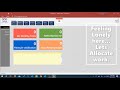
Stack OMS is a compact office management software solution for tax practitioners, CAs and CSs. The software enables you to sort out business-related issues in a simple manner. The software comes inclusive of a smart task list module of its own that helps professionals in enlisting company-relevant activities in their workflows. With Stack OMS, admins can optimize the software to monitor their employee’s whereabouts, using the daily login and logout reports.  

Stack OMS features a cloud-based database of its own, where information gets stored in an end-to-end encrypted format. Admins can use the system with their inward/outward payment and client monitoring activities, employee-wise task allocation drills, and progress report management facilities. Users can leverage the software in pushing forward timely reminders via email, SMS, or Whatsapp.  

How does Stack OMS CA Office Management software help with task monitoring?

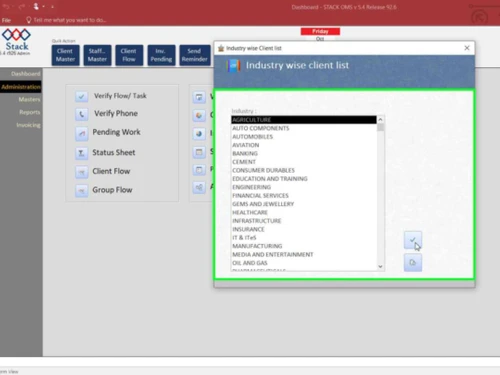
  1. Categorized Tasks: The software offers a detailed list of pending tasks in a categorized format, inclusive of metrics like due IT returns, staff-wise work structuring and their individual progress levels.
  2. Service Reminders: Client-specific service list offered by the software helps companies in driving productive interactions of their own. Employees get to offer enhanced services to their clients by sending comprehensive reminders in real-time. 

Stack OMS Pricing

Stack OMS pricing starts from  Rs. 5500/year at techjockey.com.To know more about the product, feel free to request a callback with our in-house team. 

Compatible platforms for Stack OMS 

Stack OMS (office management software) is compatible with Windows operating systems.

Benefits of Stack OMS office management software 

  1. Efficient data management facilities: Practice management solution assures efficient data monitoring facilities, backed by top graded security and retrieval processes. This will make the entire business management task a lot easier. 
  2. Collaborative Teamwork: Members in small and large teams get to collaborate and communicate with each other. They can work on a single project across different locations and complete the work on time. 
  3. Report Generation: Timely reports covering metrics like completed/pending tax returns, tax due dates, incomplete documentation, etc., offers a birds-eye view of the entire system. Organizations can also export the reports as per their convenience in PDF, Word or Excel formats. 
Read more

StackOMS Pricing & Plans

Stack OMS Single User

Calculated Price

5500 Exclusive of all taxes
    • Users

      Users
      Users
    • Yearly

      Yearly
      Yearly

Key Features

  • Smart To-Do List

  • Inward / Outward

  • Payment Follow-Up

  • Allocate work to Employees

  • Invoice Generation

  • Email & SMS Notification

Stack OMS Professional Multi User

Calculated Price

15000 Exclusive of all taxes
    • Users

      Users
      Users
    • Yearly

      Yearly
      Yearly

Key Features

  • Smart To-Do List

  • Inward / Outward

  • Payment Follow-Up

  • Allocate work to Employees

  • Invoice Generation

  • Email & SMS Notification

Stack OMS Cloud System

Calculated Price

37500 Exclusive of all taxes
    • Users

      Users
      Users
    • Yearly

      Yearly
      Yearly

Key Features

  • Smart To-Do List

  • Inward / Outward

  • Payment Follow-Up

  • Allocate work to Employees

  • Invoice Generation

  • Email & SMS Notification

StackOMS Features

  • icon_check Smart To-Do List
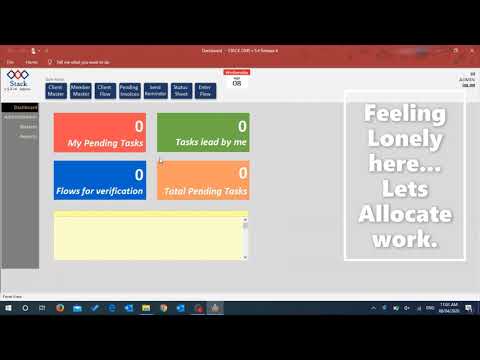
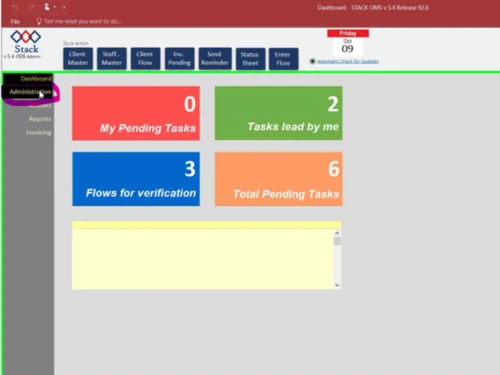
    The software features a smart task list for regular business dealings, consisting of a user-friendly interface. 
  • icon_check Inward / Outward
    Stack OMS logs all inward/outward records in detail, enabling owners to assign multiple letters simultaneously.
  • icon_check Payment Follow-Up
    Admins can restrict revenue leakages in their office based on the list of clients with unpaid invoices.
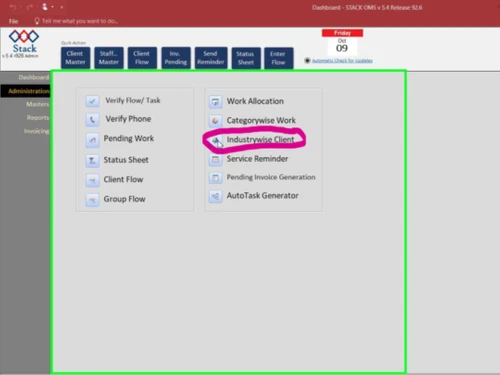
  • icon_check Allocate work to Employees
    Managers can assign tasks to their employees, prioritize the particulars, and monitor their progress levels with Stack OMS.
  • icon_check Invoice Generation
    The CA office management solution can be used to track pending invoices that are yet to be generated.
  • icon_check Email & SMS Notification
    Users can forward business alerts via email/SMS and enhance tasks by using their personal email IDs.
  • icon_check Automated Workflow Optimization
    Comprehensive workflow management enables smart task allocation and simplifies progress tracking and reporting.
StackOMS Demo Video play icon

Get StackOMS Demo

Watch the demo video to explore key features, real workflows, and how the software fits your business needs.

Understand
Key Features
Personal
Demo Insights
Interactive
Demo Support

StackOMS Specification

Supported Platforms
Windows Windows
Devices
Desktop Desktop
Deployment
Perpetual Perpetual
Suitable For
All Industries
Business Specific
All Businesses
Business Size
Small Business
Customer Support
Email Communities
Language
English
Training Resources
Videos

Explore the Best Alternative Solutions Similar to Your Business Size and Needs

StackOMS Review

4.5

Out of 5

img

Overall Rating

Based on
1 Verified Review

Rating Breakdown

  • Features 4.5
  • Value for Money 4.5
  • Ease of Use 4.5
  • Customer Support 4.5

80% Recommend this Product

Add Review

Sarthak Aggarwal

User

4.5

Reviewed on: Feb 19, 2021

Techjockey Verified

“Good experience, user friendly software”

Pros

Good

Cons

NO CONS

Compare StackOMS With other CA Office Management Software

Products
Ratings
Pricing
Device Supported
Deployment
Supported Platforms
  • img

    StackOMS

  • 4.5

  • ₹ 5500.00 excl. GST

  • Desktop

    Mobile

  • Web based

    On Premises

  • Windows

    Mac OS

  • img

    EasyCloudBooks

  • 4.7

  • Price On Request

  • Desktop

    Mobile

  • Web based

    On Premises

  • Windows

    Mac OS

  • img

    Turia

  • 4.6

  • ₹ 100

  • Desktop

    Mobile

  • Web based

    On Premises

  • Windows

    Mac OS

  • img

    CADashboard

  • 4.9

  • ₹ 12000

  • Desktop

    Mobile

  • Web based

    On Premises

  • Windows

    Mac OS

  • img

    ERPCA

  • 4.7

  • ₹ 1000

  • Desktop

    Mobile

  • Web based

    On Premises

  • Windows

    Mac OS

  • img

    MyTask

  • 3.7

  • ₹ 690

  • Desktop

    Mobile

  • Web based

    On Premises

  • Windows

    Mac OS

  • img

    CAProWin

  • 4.6

  • ₹ 100

  • Desktop

    Mobile

  • Web based

    On Premises

  • Windows

    Mac OS

  • img

    eProcessify

  • 4.2

  • ₹ 600

  • Desktop

    Mobile

  • Web based

    On Premises

  • Windows

    Mac OS

(0) Product(s) selected

StackOMS Alternatives

See All StackOMS Alternatives

Starting Price:

₹100 /Month

SPRO

4.8

Available

Price on Request

Starting Price:

₹600 /Month

Starting Price:

$79 /Month

Articles for StackOMS

See All Related Articles

How does Stack OMS CA office management software help in employee monitoring?

The CA office management software can be used for monitoring employee logins and their reporting times.

Is Stack OMS office management software safe?

Yes, the data stored in Stack OMS software is end-to-end encrypted.

Is Stack OMS office management software available for demo?

Yes, you can request an online demo of Stack OMS, and our technical experts will get back to you in real-time.

Who can use Stack OMS office management software?

The software is appropriate for CSs, CAs, Tax Practitioners and CMAs.

Is Stack OMS CA office management software available as a mobile app?

No, Stack OMS is not available as a mobile app as of now.

20,000+ Software Listed

Best Price Guranteed

Free Expert Consultation

2M+ Happy Customers

Terms and Condtions

close

Users with registered businesses can purchase goods from merchants on the platform to satisfy their business needs. Users are not permitted to utilize any products acquired through the platform for resale, advertising, business, or further distribution.

For each purchase made, users will receive a Tax Invoice (or 'GST invoice') that includes specific details such as:

  • the GSTIN of the user associated with their registered business, and

  • the specified Entity Name for their business.

It should be noted that not all products are eligible for GST Invoice. Only the products displayed by participating sellers with the 'GST-based Invoice Available' callout on the product description page would qualify.

Certain goods and services are not eligible to get a GST Invoice, including items with VAS, i.e., Value Added Services (e.g., Total Mobile Protection/Assured Buyback) and those involving an exchange offer at the time of purchase.

Users must ensure the accuracy of the GSTIN, and business entity name provided for the GST Invoice. Requests for corrections into GST Invoice would not be accommodated by Techjockey.com or any Seller, and any issues arising from user-provided information are the sole responsibility of users.

Techjockey.com is not liable for the GST Invoice or any associated input tax credit. To efficiently claim an input tax credit, users should select the registered place of business address as per the GST authority's data and follow the provisions of the GST Act and rules.

To claim an input tax credit, the delivery and billing addresses must match. Furthermore, input tax credits will not be granted if the delivery address and GSTIN on the invoice are from different states. In case of incorrect GST details provided during the order placement, the order will be canceled automatically.