linkedin
IRIS Elements logo
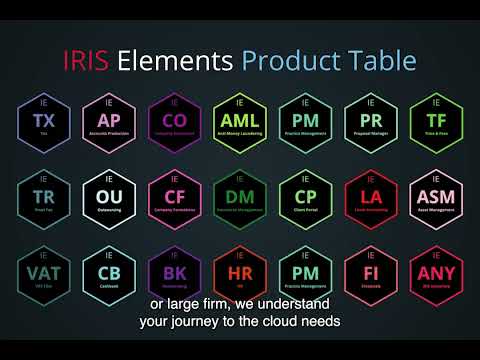
play What is IRIS Elements?
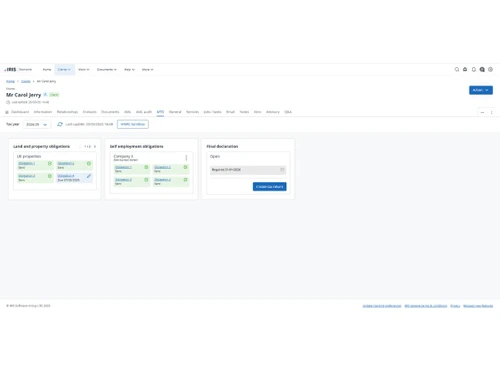
IRIS Elements-MTD
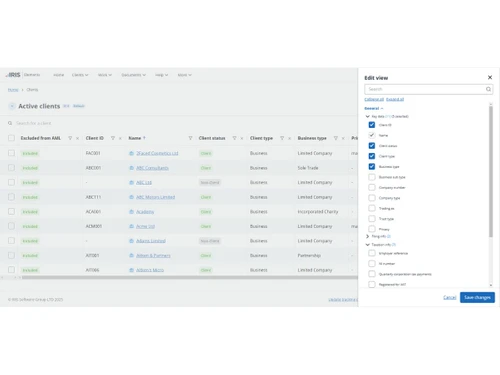
IRIS Elements-active client

IRIS Elements

Brand: IRIS Software Group

  • No Ratings & Reviews

Have you used IRIS Elements before?

Share your insights for better experience

Add a Review
Starting Price
£4

View plans

100% Genuine
Products
Best Price
Guaranteed
Safe & Secure
Payment
  • Description

  • Pricing

  • Features

  • Specification

  • Review

Starting at £4

IRIS Elements Software Overview

IRIS Software Group Company Details

Founded Year:  1978

IRIS Software Group is a UK-based enterprise software provider.

Director/Founders Kevin Dady
Company Size 101-500 Employees

IRIS Elements Pricing & Plans

Accounts Production
Starting at £4
    • Licenses

      Licenses
      Licenses
    • Monthly

      Monthly
      Monthly

Key Features

  • Sole Trade, Partnership, and Limited Company

  • FRS 105, FRS 102 section 1a?

  • Trading and Dormant

  • Fixed chart code descriptions

Tax
Starting at £11
    • Licenses

      Licenses
      Licenses
    • Monthly

      Monthly
      Monthly

Key Features

  • Tax Returns for Individuals, Partnerships & Compan

  • Tax computations and calculations

  • Submissions direct to HMRC

  • Retrieval of personal data from HMRC

IRIS Elements Features

  • icon_check Tax Management
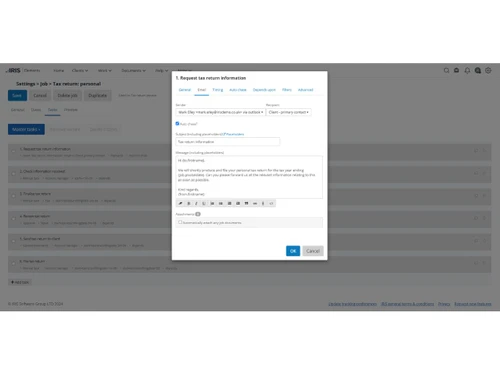
    Manage personal, partnership, corporation and trust tax workflows with tools for preparing and filing tax returns.
  • icon_check Accounts Production
    Prepare compliant financial accounts for different client types and streamline statutory accounts preparation and filing.
  • icon_check Practice Management
    Manage accounting practice workflows, clients, tasks, communications and daily operations from a centralized platform.
  • icon_check CRM
    Manage client and prospect information, communications, relationships and service activities through integrated CRM tools.
  • icon_check Workflow Management
    Automate recurring jobs, tasks, reminders and workflows to improve productivity and maintain consistent processes.
  • icon_check Document Management
    Securely store, organize, search and manage client documents while keeping important files accessible centrally.
  • icon_check Client Portal
    Provide clients with secure access to documents and enable efficient information exchange between practices and clients.
  • icon_check Expense Management
    Record staff time and expenses, capture receipts and monitor chargeable activities across accounting practice workflows.
  • icon_check Statutory Compliances
    Support statutory accounting, tax and company filing requirements while helping practices manage compliance obligations.
  • icon_check Financial Reporting
    Prepare professional financial accounts and reports to support statutory reporting requirements for accounting clients.
  • icon_check Return Filings
    Prepare and submit supported personal, partnership, corporation and trust tax returns through integrated tax workflows.
  • icon_check Company Secretarial
    Manage company secretarial tasks, Companies House forms and confirmation statements from a centralized practice platform.
  • icon_check AML Compliance
    Support anti-money-laundering processes with identity checks, KYC procedures, risk assessments and compliance workflows.
  • icon_check Proposal Management
    Create professional service proposals, configure accounting services and manage proposal acceptance from prospective clients.
  • icon_check Alerts & Notifications
    Use automated reminders, emails and notifications to keep staff informed about tasks, deadlines and client activities.
IRIS Elements Demo Video play icon

Get IRIS Elements Demo

Watch the demo video to explore key features, real workflows, and how the software fits your business needs.

Understand
Key Features
Personal
Demo Insights
Interactive
Demo Support

IRIS Elements Specifications

Supported Platforms
Ubuntu Ubuntu Windows Windows MacOS MacOS Linux Linux
Devices
Desktop Desktop
Deployment
Cloud-Based Cloud-Based
Suitable For
Audit Finance Offices Accounting Firms Corporations CA Firms
Business Specific
Businessman CA Firms Insurance Finance Services
Business Size
Individual Small Business Medium Business Enterprises SMBs SMEs
Customer Support
Phone Email Live Chat
Language
English
Integration
API Integration
Training Resources
Live Online Webinars Documentation Videos
AI Features
AI Integrated
Technology
Next Generation

IRIS Elements Review

Techjockey Trusted Reviews from Verified Users

No reviews are currently available for IRIS Elements. Discover similar CA Office Management Software reviews

  • SPRO

    4.9

    Whats great - Web-based access allows users to access data from anywhere. read more
  • CAProWin

    4.7

    Whats great - Easy software with the best UI. Suitable for small and Large firms. Software Specifically for CA read more

  • Vider Atom

    4.9

    Whats great - User-friendly tools, easy to maintain, and extraordinary support services. read more

Articles for IRIS Elements

See All Related Articles

20,000+ Software Listed

Best Price Guranteed

Free Expert Consultation

2M+ Happy Customers

Terms and Condtions

close

Users with registered businesses can purchase goods from merchants on the platform to satisfy their business needs. Users are not permitted to utilize any products acquired through the platform for resale, advertising, business, or further distribution.

For each purchase made, users will receive a Tax Invoice (or 'GST invoice') that includes specific details such as:

  • the GSTIN of the user associated with their registered business, and

  • the specified Entity Name for their business.

It should be noted that not all products are eligible for GST Invoice. Only the products displayed by participating sellers with the 'GST-based Invoice Available' callout on the product description page would qualify.

Certain goods and services are not eligible to get a GST Invoice, including items with VAS, i.e., Value Added Services (e.g., Total Mobile Protection/Assured Buyback) and those involving an exchange offer at the time of purchase.

Users must ensure the accuracy of the GSTIN, and business entity name provided for the GST Invoice. Requests for corrections into GST Invoice would not be accommodated by Techjockey.com or any Seller, and any issues arising from user-provided information are the sole responsibility of users.

Techjockey.com is not liable for the GST Invoice or any associated input tax credit. To efficiently claim an input tax credit, users should select the registered place of business address as per the GST authority's data and follow the provisions of the GST Act and rules.

To claim an input tax credit, the delivery and billing addresses must match. Furthermore, input tax credits will not be granted if the delivery address and GSTIN on the invoice are from different states. In case of incorrect GST details provided during the order placement, the order will be canceled automatically.