USA
USA UAE
UAESmall Business
Designed for startups and growing businesses


See More


Brand: Kochar
DeviceMax MDM, is a comprehensive solution for enterprises, to remotely monitor, control, and manage workforce mobile devices, to reduced support costs and business risks. Protect corporate data on devices used by employees, be it smartphone or tablet. The solution allows enterprise(s) to manage mob...
See MoreHave you used DeviceMax before?
Share your insights for better experience
Brand: Kochar
Founded Year: 2003
Kochar
Looking for The Right Pricing?
Share your requirements and get a plan built around your business.
Price Available on Request
Get personalised DeviceMax pricing that fits your needs. Our team will connect with you.
 Geo Tracking Content Management Multi-Platform Support Network Management Alerts & Notifications Total Control Minimize Costs Improve Customer Relationship Cloud-Based Diagnostics Autonomous Troubleshooting Wide Range of Devices Compliance Monitoring Security All-In-one solution
  Windows
  iOS
iOS  Android
  Desktop
  Mobile
  Tablet
  Cloud-Based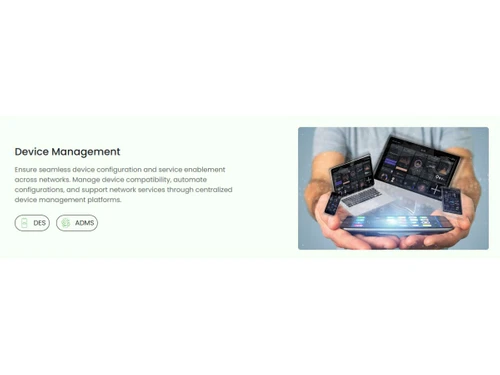
Small Business
Designed for startups and growing businesses
Medium Business
Built for business growth and flexibility
Enterprises
Designed for complex and large-scale business needs
4.2
Out of 5

Overall Rating
Based on
5 Verified Ratings
Rating Breakdown
88% Recommend this Product
Add ReviewTechjockey Trusted Reviews from Verified Users
No reviews are currently available for DeviceMax. Discover similar Mobile Device Management (MDM) Software reviews

uMobix
Whats great - The stealth mode is perfect—the icon is completely invisible on Android after installation, and it operates silently in the b... read more

Seqrite mSuite
Whats great - Techjockey was very helpful in taking my listed requirements and narrowing my search to a usable list of providers. Techjocke... read more
Broken Android Data Extraction
Whats great - My Samsung Galaxy Note 5 telephone screen is broken. I can press the catch, however can't see the information. Subsequent to ... read more
DeviceMax
Price On Request
Desktop
Mobile
Web based
On Premises
Windows
Mac OS

Iru(Formerly Kandji)
Price On Request
Desktop
Mobile
Web based
On Premises
Windows
Mac OS
Broken Android Data Extraction
₹ 1365
Desktop
Mobile
Web based
On Premises
Windows
Mac OS
uMobix
Price On Request
Desktop
Mobile
Web based
On Premises
Windows
Mac OS

Aiseesoft FoneEraser
₹ 2764
Desktop
Mobile
Web based
On Premises
Windows
Mac OS

AirDroid Business
Price On Request
Desktop
Mobile
Web based
On Premises
Windows
Mac OS

Esper Android Device Manaement
Price On Request
Desktop
Mobile
Web based
On Premises
Windows
Mac OS

jamf Pro
Price On Request
Desktop
Mobile
Web based
On Premises
Windows
Mac OS

Celltracker
Price On Request
Desktop
Mobile
Web based
On Premises
Windows
Mac OS
Tectoro
Price On Request
Desktop
Mobile
Web based
On Premises
Windows
Mac OS

Miradore
Price On Request
Desktop
Mobile
Web based
On Premises
Windows
Mac OS
(0) Product(s) selected
Available
Price on Request
Starting Price:
₹1,365 /User ₹2,314
Available
Price on Request
Starting Price:
₹2,764 /Lifetime ₹3,455
Starting Price:
$12 /Year
Available
Price on Request
Starting Price:
$3 /Month

Starting Price:
$125 /Year
Available
Price on Request

Starting Price:
$7 /Host/Month

Available
Price on Request
DeviceMax is a secure and the easiest mobile device management solution. It is available as both Cloud and On-premise versions.
As a business user, you will receive the app portal link on your registered email id to download the application. Similarly, your users can also download application from that link.
You are eligible to receive free software upgrades during the active maintenance period.
The trial period is for 30 days, but we will review extension requests on a case-by-case basis. Please submit your extension request to support and provide your account details.
At the end of the trial, you will be expected to initiate a purchase or your trial account will get disabled automatically. A DeviceMax representative will contact you concerning your purchase decision, or you may contact DeviceMax directly at any time regarding purchase or termination of DeviceMax. Note: If you choose to cancel the trial or decide not to purchase DeviceMax, you will need to back up your stored data in the format available. DeviceMax is not responsible for any data left on the DeviceMax system.
20,000+ Software Listed
Best Price Guranteed
Free Expert Consultation
2M+ Happy Customers
Terms and Condtions

Users with registered businesses can purchase goods from merchants on the platform to satisfy their business needs. Users are not permitted to utilize any products acquired through the platform for resale, advertising, business, or further distribution.
For each purchase made, users will receive a Tax Invoice (or 'GST invoice') that includes specific details such as:
the GSTIN of the user associated with their registered business, and
the specified Entity Name for their business.
It should be noted that not all products are eligible for GST Invoice. Only the products displayed by participating sellers with the 'GST-based Invoice Available' callout on the product description page would qualify.
Certain goods and services are not eligible to get a GST Invoice, including items with VAS, i.e., Value Added Services (e.g., Total Mobile Protection/Assured Buyback) and those involving an exchange offer at the time of purchase.
Users must ensure the accuracy of the GSTIN, and business entity name provided for the GST Invoice. Requests for corrections into GST Invoice would not be accommodated by Techjockey.com or any Seller, and any issues arising from user-provided information are the sole responsibility of users.
Techjockey.com is not liable for the GST Invoice or any associated input tax credit. To efficiently claim an input tax credit, users should select the registered place of business address as per the GST authority's data and follow the provisions of the GST Act and rules.
To claim an input tax credit, the delivery and billing addresses must match. Furthermore, input tax credits will not be granted if the delivery address and GSTIN on the invoice are from different states. In case of incorrect GST details provided during the order placement, the order will be canceled automatically.