USA
USA UAE
UAESmall Business
Designed for startups and growing businesses

See More


Brand: uMobix
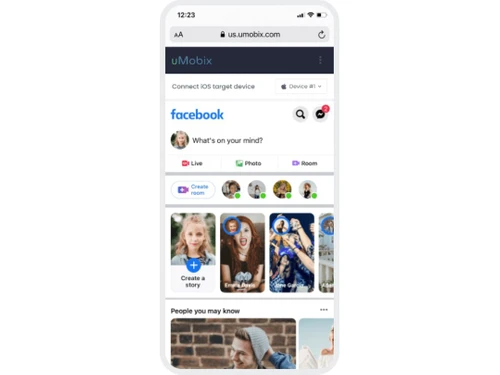
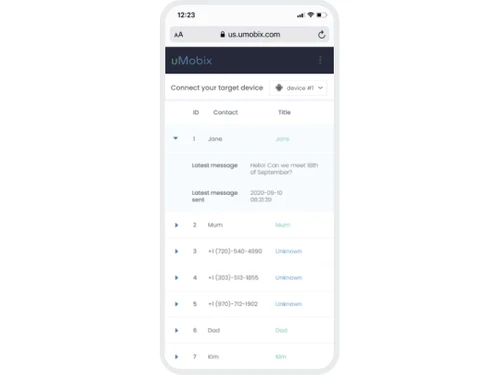
uMobix is a powerful monitoring tool that offers features like call monitoring, location tracking, and social media supervision, providing a comprehensive solution for parental control.
See MoreHave you used uMobix before?
Share your insights for better experience
Looking for The Right Pricing?
Share your requirements and get a plan built around your business.
Price Available on Request
Get personalised uMobix pricing that fits your needs. Our team will connect with you.
 Call Monitoring Location Tracking Parental Control Call History Remote Control Social Media Monitoring Location History Media (photo & video) tracker Browser History Monitoring Dashboard Access
  Windows
  MacOS
MacOS  Linux
Linux  Desktop
  Cloud-Based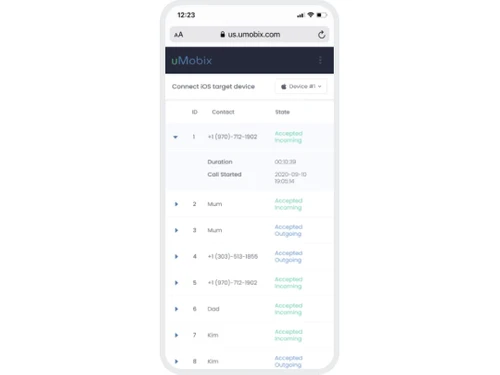
Small Business
Designed for startups and growing businesses
Medium Business
Built for business growth and flexibility
Enterprises
Designed for complex and large-scale business needs
4.3
Out of 5

Overall Rating
Based on
11 Verified Reviews
Rating Breakdown
88% Recommend this Product
Add ReviewOverall, users appreciate uMobix for its stealthy operation, comprehensive monitoring capabilities, and responsive customer support. The ability to recover deleted data and monitor social media activity is frequently highlighted as a significant benefit. However, many users express frustration over the high subscription costs for multiple devices and the lack of essential parental control features, such as web filtering and time limits. Additionally, iOS users report limitations in functionality compared to Android, particularly regarding real-time data updates and feature availability.
Pros
"The stealth mode is perfect—the icon is completely invisible on Android after installation, and it operates silently in the background."
"The overall feature set is comprehensive, covering everything from calls and texts to browser history and app usage reports. It’s truly an all-in-one monitoring tool."
"The ability to capture and report deleted text messages and call logs is incredibly valuable for getting the full context of communication."
Cons
"Since the app is so stealthy, if I ever needed to uninstall it or troubleshoot on the device, the process is slightly more complicated than a standard app removal. "
"Sometimes the syncing issue reappears, and it takes longer than I’d like (a few hours) for the deleted data to finally pop up on my dashboard after being removed from the device. "
"The automated email system for complex troubleshooting wasn't as fast as the live chat, occasionally resulting in a 24-48 hour wait for a solution. "


Oct 7, 2025
Techjockey Verified
“Undetectable Stealth Mode is a Must-Have”
It was important that the person I was monitoring didn't know the software was present. uMobix's commitment to stealth is excellent; I checked the device multiple times and there is absolutely no visible icon or background process alert. This silent operation is crucial for getting unbiased monitoring data and is why I chose this particular app.
Pros
The stealth mode is perfect—the icon is completely invisible on Android after installation, and it operates silently in the background.
Cons
Since the app is so stealthy, if I ever needed to uninstall it or troubleshoot on the device, the process is slightly more complicated than a standard app removal.
Reason to switch
XNSPY occasionally caused noticeable device lag and unexpected pop-ups, which tipped off the user that something was running. uMobix runs much quieter and has remained truly undetectable on the device.
Sep 19, 2025
Techjockey Verified
“Pricey Subscription Model—One Device Per License”
When I first saw the annual price, it seemed reasonable for the features included. However, I have two children, and realizing I had to buy two separate yearly subscriptions significantly increased my total expenditure. I wish they offered a discounted family plan for multiple devices. I had to choose the yearly plan to make the cost manageable.
Pros
The overall feature set is comprehensive, covering everything from calls and texts to browser history and app usage reports. It’s truly an all-in-one monitoring tool.
Cons
The pricing is on the higher end, especially since each monitored device requires its own separate, full subscription. For parents with multiple children, this cost quickly becomes prohibitive.
Reason to switch
While Norton Family offered a multi-device plan, its depth of social media monitoring was weak and relied on external browser extensions. I needed the in-depth surveillance uMobix provided, despite the higher per-device cost.
Aug 8, 2025
Techjockey Verified
“Fantastic at Recovering Deleted Data”
I was concerned that the evidence I was looking for could be easily deleted, but uMobix’s capability to retrieve deleted texts and call history saved the day. I was able to see conversations that had been quickly erased from the phone's memory. This feature alone provides the thorough oversight I need to ensure safety.
Pros
The ability to capture and report deleted text messages and call logs is incredibly valuable for getting the full context of communication.
Cons
Sometimes the syncing issue reappears, and it takes longer than I’d like (a few hours) for the deleted data to finally pop up on my dashboard after being removed from the device.
Reason to switch
KidsGuard Pro often missed deleted content and only captured remnants. uMobix provided the entire text and call log, including the specific timestamp of deletion.

uMobix
Price On Request
Desktop
Mobile
Web based
On Premises
Windows
Mac OS

Iru(Formerly Kandji)
Price On Request
Desktop
Mobile
Web based
On Premises
Windows
Mac OS
Broken Android Data Extraction
₹ 1365
Desktop
Mobile
Web based
On Premises
Windows
Mac OS

Aiseesoft FoneEraser
₹ 2764
Desktop
Mobile
Web based
On Premises
Windows
Mac OS

jamf Pro
Price On Request
Desktop
Mobile
Web based
On Premises
Windows
Mac OS

AirDroid Business
Price On Request
Desktop
Mobile
Web based
On Premises
Windows
Mac OS

Esper Android Device Manaement
Price On Request
Desktop
Mobile
Web based
On Premises
Windows
Mac OS

Celltracker
Price On Request
Desktop
Mobile
Web based
On Premises
Windows
Mac OS

KioWare Kiosk
Price On Request
Desktop
Mobile
Web based
On Premises
Windows
Mac OS

Wondershare TunesGo
Price On Request
Desktop
Mobile
Web based
On Premises
Windows
Mac OS

Wondershare MobileGo
Price On Request
Desktop
Mobile
Web based
On Premises
Windows
Mac OS
(0) Product(s) selected
Available
Price on Request
Starting Price:
₹1,365 /User ₹2,314
Starting Price:
₹2,764 /Lifetime ₹3,455
Starting Price:
$12 /Year
Available
Price on Request
Starting Price:
$125 /Year

Starting Price:
$3 /Month

Available
Price on Request
Available
Price on Request

Available
Price on Request

Starting Price:
$7 /Host/Month
uMobix is used for monitoring children’s online activities and ensuring their safety through features like call and location tracking.
uMobix uses GPS technology to provide real-time location updates and history, allowing parents to track their child's movements accurately.
Yes, uMobix can track activities on various social media platforms, helping parents oversee their child's online interactions.
Absolutely, uMobix offers a simple setup process, making it easy for anyone to install and start using immediately.
Yes, parents can control certain phone functions remotely through uMobix, offering flexibility and oversight over device use.
Yes, you can access detailed call logs for monitored devices, giving a clear view of your child's communication patterns.
uMobix is compatible with a wide range of devices and platforms, ensuring it works seamlessly with your family's technology.
uMobix uses encryption and secure data handling to protect user information, ensuring all monitored data is kept safe and private.
Yes, you can set customizable alerts for specific activities, allowing you to stay informed of any unusual behavior promptly.
Yes, it encourages discussions about safe online behavior between parents and children, promoting awareness and understanding.
20,000+ Software Listed
Best Price Guranteed
Free Expert Consultation
2M+ Happy Customers
Terms and Condtions

Users with registered businesses can purchase goods from merchants on the platform to satisfy their business needs. Users are not permitted to utilize any products acquired through the platform for resale, advertising, business, or further distribution.
For each purchase made, users will receive a Tax Invoice (or 'GST invoice') that includes specific details such as:
the GSTIN of the user associated with their registered business, and
the specified Entity Name for their business.
It should be noted that not all products are eligible for GST Invoice. Only the products displayed by participating sellers with the 'GST-based Invoice Available' callout on the product description page would qualify.
Certain goods and services are not eligible to get a GST Invoice, including items with VAS, i.e., Value Added Services (e.g., Total Mobile Protection/Assured Buyback) and those involving an exchange offer at the time of purchase.
Users must ensure the accuracy of the GSTIN, and business entity name provided for the GST Invoice. Requests for corrections into GST Invoice would not be accommodated by Techjockey.com or any Seller, and any issues arising from user-provided information are the sole responsibility of users.
Techjockey.com is not liable for the GST Invoice or any associated input tax credit. To efficiently claim an input tax credit, users should select the registered place of business address as per the GST authority's data and follow the provisions of the GST Act and rules.
To claim an input tax credit, the delivery and billing addresses must match. Furthermore, input tax credits will not be granted if the delivery address and GSTIN on the invoice are from different states. In case of incorrect GST details provided during the order placement, the order will be canceled automatically.