linkedin
Larksuite logo
Larksuite
Larksuite
Larksuite

Larksuite

Brand: Lark Technologies

  • 4.1

  • 3 Ratings

Larksuite is an online collaboration software that handles all the business processes in an organization. It combines a set of essential collaboration tools for business such as calendar, chat, creation and cloud storage on a single platform to make the business operations easy. Users can easily access these functions as they are always in sync. The software comes specifically designed for modern...

See More

Have you used Larksuite before?

Share your insights for better experience

Add a Review

Price Available on Request

Questions about pricing or customization? We’re here to help, just a click away.

100% Genuine
Products
Best Price
Guaranteed
Safe & Secure
Payment
  • Description

  • Pricing

  • Features

  • Specification

  • Review

  • Compare

  • Alternatives

  • FAQ

LarksuiteSoftware Overview

What is Larksuite?

Larksuite is an online collaboration software that handles all the business processes in an organization. It combines a set of essential collaboration tools for business such as calendar, chat, creation and cloud storage on a single platform to make the business operations easy. Users can easily access these functions as they are always in sync. The software comes specifically designed for modern enterprises to facilitate hassle-free collaboration in an evolving workplace.

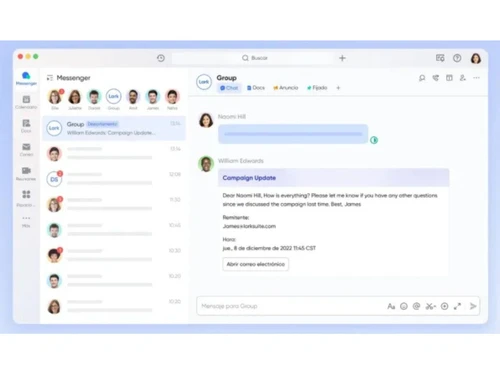
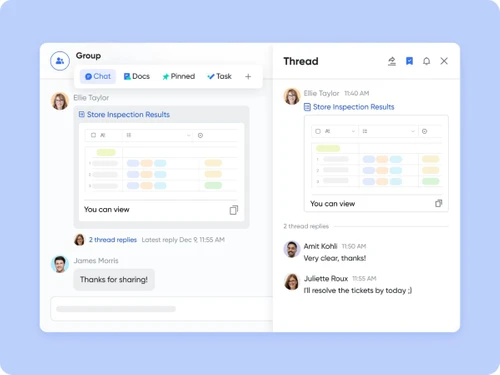
By using the chat tool of Larksuite, one can effectively communicate with his/her team members and make the conversation engaging by using emoji reactions, votes and message threads. Furthermore, the Calendar tool of Larksuite allows an individual to set up meetings effectively and work in harmony by collecting information from different sources.

How does Larksuite help in providing solutions to SMEs?

The main objective of Larksuite is to make teamwork breezy by simultaneously collaborating chat, document sharing and more on a single platform. Here’s how it helps SMEs with their collaboration needs:

  • The communication hub of users: The inbuilt Messenger gives users a central place where they can create, communicate and collaborate. This Lark Messenger allows users to add emoji replies, one-click video and audio calls, etc.
  • Collaborative Product Development: This feature enables the R&D team of your organization to access the collaborative tools present in the software to create, manage or edit complex documentation of products. Product managers have the ability to create individual tasks or alerts with the help of rich media and polls.
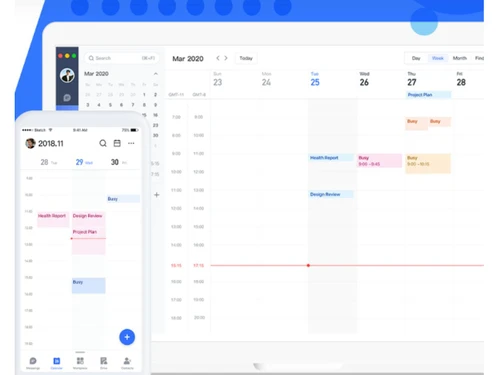
  • Next-gen Calendar for Next-gen Teams: The integrated calendar module of Larksuite allows teams to schedule their meetings, book meeting rooms and perform other operations.
  • Built to be Open: The open platform of the software gives your teams the unique experience to adapt to any business needs. Further, the software comes integrated with Jira and GitLab to offer consistent support to users.
  • Single Source of Truth: You can create forms, spreadsheets, polls, etc. with the help of this software. 
  • The ultimate Cloud Drive: This simple and scalable software comes with a user-friendly drag and drop interface that allows unlimited storage and easy sorting for the users to manage all that they need.

Pricing of Larksuite

The pricing of Larksuite is available on the request of interested buyers. You can request a callback from our product experts, who will provide you with all kinds of support regarding the activation and license keys.

What are the Features of Larksuite Meetings?

Larksuite Meetings is an audio and video meeting solution with unlimited minutes so that you can always stay connected with others. Some of its features are -

  1. 100-person video calls: The software allows up to 100 participants to engage in smooth audio and video calls. Users can host anything ranging from 1:1s, team meetings, etc. without the need to meet physically.
  2. Ease of participant invitation: You can share meeting details in just a click with your team members. Those who are invited can join the meeting through the URL or the meeting ID.
  3. Real-time Content Sharing: Users can share their screens to display the meeting materials and organize focused discussions.

Supporting OS for Larksuite

The software runs across all platforms like iOS 11, Android 5.1, MacOS X 10.11 and Windows 7.

Read more

Larksuite Pricing & Plans

Looking for The Right Pricing?

Share your requirements and get a plan built around your business.

  • Define your business needs
  • Get customised pricing
  • Choose features that fit your workflow

Price Available on Request

Get personalised Larksuite pricing that fits your needs. Our team will connect with you.

Larksuite Features

  • icon_check Live Webinars
    The software has launched a live webinars feature to help users explore more of virtual collaboration. You can live stream video
  • icon_check Chat
    You can use the chat feature of Larksuite to effectively communicate across departments, teams and companies. Emoji reactions and
  • icon_check Audio / Video Conferencing
    This feature comes integrated with the chat and calendar tools to facilitate high-quality audio and video calls on a one-on-one
  • icon_check Calendar
    Lark Calendar helps users get work done before, during or after the meeting so that they can always remain on schedule. Moreover,
  • icon_check Cloud Storage
    Users can integrate docs, sheets and many other creative tools. Additionally, users can store them over the Drive as the software
  • icon_check Meeting
    You can schedule group meetings and make your employees join them easily through the software. It comes integrated with Calendar
  • icon_check API Based
    In order to build an efficient workplace, the software comes equipped with a diverse range of APIs like Calendar API, Document
  • icon_check Task Management
    Organize assign and track tasks within teams ensuring better collaboration improved productivity and timely completion
  • icon_check Document Collaboration
    Create edit and share documents in real time allowing multiple users to work together seamlessly on the same file
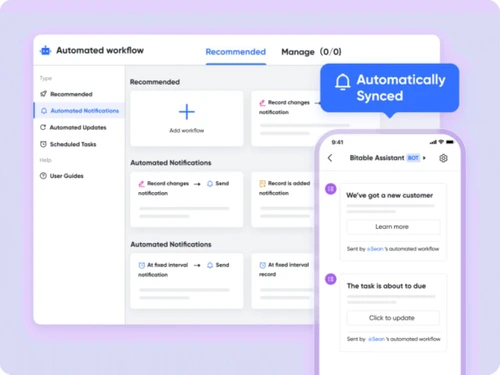
  • icon_check Workflow Automation
    Automate repetitive processes and approvals to save time reduce manual effort and improve overall efficiency
  • icon_check Screen Sharing
    Share your screen during meetings or presentations to explain ideas clearly and collaborate more effectively with teams
  • icon_check Third Party Integrations
    Connect with external tools and services to enhance functionality and streamline workflows across different platforms

Larksuite Specification

Supported Platforms
Windows Windows
Devices
Desktop Desktop
Deployment
Web-Based Web-Based
Suitable For
All Industries
Business Specific
All Businesses
Language
English

Larksuite Review

4.1

Out of 5

img

Overall Rating

Based on
3 Verified Ratings

Rating Breakdown

  • Features 4.3
  • Value for Money 4
  • Ease of Use 4
  • Customer Support 4.1

83% Recommend this Product

Add Review

Techjockey Trusted Reviews from Verified Users

No reviews are currently available for Larksuite. Discover similar Webinar Software reviews

  • Webinarjam

    4.8

    Whats great - The reason I use WebinarJam for my video and audio conferencing is that it helps me chat live with my attendees. Moreover, I ... read more

  • GoToWebinar

    4.4

    Whats great - Easy, Simple and Reliable solution. Great platform with best functionality read more

  • GudSho

    4.3

    Whats great - I can create branded channels for each subject, allowing me to organize my content and cater to different learning styles. read more

Compare Larksuite With other Webinar Software

Products
Ratings
Pricing
Device Supported
Deployment
Supported Platforms
  • img

    Larksuite

  • 4.1

  • Price On Request

  • Desktop

    Mobile

  • Web based

    On Premises

  • Windows

    Mac OS

  • img

    Webinarjam

  • 4.6

  • Price On Request

  • Desktop

    Mobile

  • Web based

    On Premises

  • Windows

    Mac OS

  • img

    GoToWebinar

  • 4.3

  • Price On Request

  • Desktop

    Mobile

  • Web based

    On Premises

  • Windows

    Mac OS

  • img

    Zoho Webinar

  • 4.1

  • ₹ 450

  • Desktop

    Mobile

  • Web based

    On Premises

  • Windows

    Mac OS

  • img

    ClickMeeting

  • 4.1

  • Price On Request

  • Desktop

    Mobile

  • Web based

    On Premises

  • Windows

    Mac OS

  • img

    EasyWebinar

  • 4.3

  • Price On Request

  • Desktop

    Mobile

  • Web based

    On Premises

  • Windows

    Mac OS

  • img

    BigMarker

  • 4.2

  • Price On Request

  • Desktop

    Mobile

  • Web based

    On Premises

  • Windows

    Mac OS

  • img

    Daxta

  • 4.1

  • Price On Request

  • Desktop

    Mobile

  • Web based

    On Premises

  • Windows

    Mac OS

(2) Product(s) selected

Larksuite Alternatives

See All Larksuite Alternatives

Starting Price:

$49 /Month

Available

Price on Request

Available

Price on Request

Articles for Larksuite

See All Related Articles

How can I schedule a meeting room using Larksuite?

The “meeting mode” in the software allows you to check for a room’s availability for a meeting. You can also schedule an open room quickly while setting-up events in Calendar.

What are the system requirements for Larksuite?

You would require a minimum of 4 GB memory for downloading Larksuite on your PC, otherwise, you may experience software lags.

How to take my office with me using Larksuite?

You can easily join a meeting or conference from your handset or computer and switch between multiple devices with ease, thereby offering versatile options for your business travel.

Can I get a mobile app for Larksuite?

You can easily get the Larksuite mobile app version on your handset as it is compatible with both Android and iOS.

Can I get a demo for Larksuite?

Yes, Techjockey will provide an online demo of Larksuite software as per your convenient time and date.

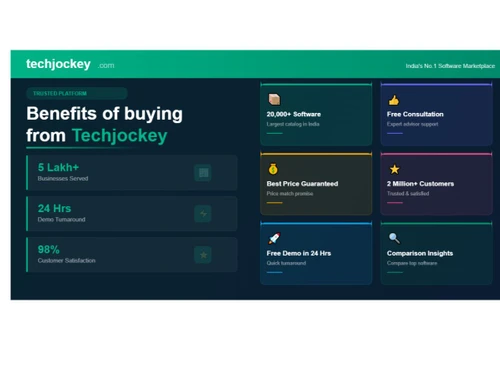
20,000+ Software Listed

Best Price Guranteed

Free Expert Consultation

2M+ Happy Customers

Terms and Condtions

close

Users with registered businesses can purchase goods from merchants on the platform to satisfy their business needs. Users are not permitted to utilize any products acquired through the platform for resale, advertising, business, or further distribution.

For each purchase made, users will receive a Tax Invoice (or 'GST invoice') that includes specific details such as:

  • the GSTIN of the user associated with their registered business, and

  • the specified Entity Name for their business.

It should be noted that not all products are eligible for GST Invoice. Only the products displayed by participating sellers with the 'GST-based Invoice Available' callout on the product description page would qualify.

Certain goods and services are not eligible to get a GST Invoice, including items with VAS, i.e., Value Added Services (e.g., Total Mobile Protection/Assured Buyback) and those involving an exchange offer at the time of purchase.

Users must ensure the accuracy of the GSTIN, and business entity name provided for the GST Invoice. Requests for corrections into GST Invoice would not be accommodated by Techjockey.com or any Seller, and any issues arising from user-provided information are the sole responsibility of users.

Techjockey.com is not liable for the GST Invoice or any associated input tax credit. To efficiently claim an input tax credit, users should select the registered place of business address as per the GST authority's data and follow the provisions of the GST Act and rules.

To claim an input tax credit, the delivery and billing addresses must match. Furthermore, input tax credits will not be granted if the delivery address and GSTIN on the invoice are from different states. In case of incorrect GST details provided during the order placement, the order will be canceled automatically.